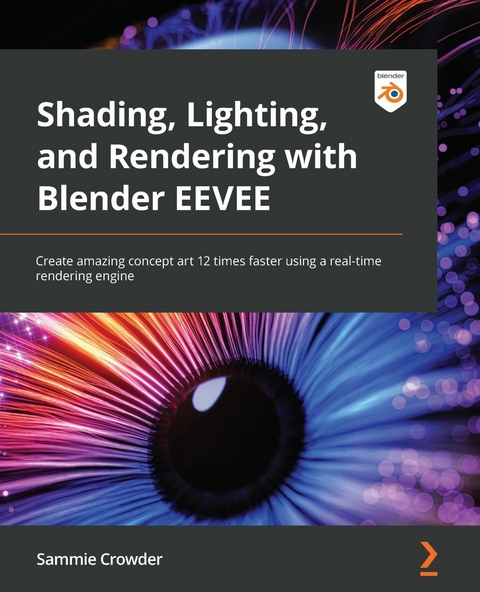
Shading, Lighting, and Rendering with Blender EEVEE (eBook)
374 Seiten
Packt Publishing (Verlag)
978-1-80323-962-0 (ISBN)
Blender is the most important up-and-coming 3D software package in the world. EEVEE, a state-of-the-art real-time rendering engine is a fairly new addition to Blender and provides the capacity to create artwork at blazing speed, almost 12 times faster than Cycles.
Lighting, Shading, and Rendering with Blender's EEVEE provides a high-level overview of what EEVEE is capable of, then teaches users about Geometry Nodes, Rendering Techniques, using shortcuts like Kitbashing and Alphas to speed up scene creation, volumetrics, reflections, adding lights, cameras and even special effects like fire and smoke, all in EEVEE. All of this is in the context of creating actual scenes that readers will work through from start to finish. By the time a Blender Artist completes the book, they will have created three separate works that have challenged them to iterate and design with the full power of Blender's EEVEE.
Get to grips with new real-time animation techniques and tricks to improve your artistic and technical skills in shading, 3D rendering, and scene creation using Blender 3.0Key FeaturesLearn real-time rendering engine concepts by creating three projectsUnderstand how to update workflows to Blender 3.0Explore intermediate to advanced-level tutorials on creating art inside BlenderBook DescriptionBlender is the most important up-and-coming 3D software package in the world. EEVEE, a state-of-the-art real-time rendering engine is a fairly new addition to Blender and provides the capacity to create artwork at blazing speed, almost 12 times faster than Cycles.Lighting, Shading, and Rendering with Blender's EEVEE provides a high-level overview of what EEVEE is capable of, then teaches users about Geometry Nodes, Rendering Techniques, using shortcuts like Kitbashing and Alphas to speed up scene creation, volumetrics, reflections, adding lights, cameras and even special effects like fire and smoke, all in EEVEE. All of this is in the context of creating actual scenes that readers will work through from start to finish. By the time a Blender Artist completes the book, they will have created three separate works that have challenged them to iterate and design with the full power of Blender's EEVEE.What you will learnExplore EEVEE Render Properties for optimal outcomesFocus on shading processes, including those that are both traditional and more cutting-edgeUnderstand composition and create effective concept art inside BlenderDiscover procedural workflows to shorten the artistic process instead of getting mired in detailsUnderstand intermediate Blender workflows for working in a professional environmentDevelop art in different styles and learn why each style has different workflows and conventionsCreate interactive, rapid changes in Blender's EEVEE engineWho this book is forThis book is for 3D animators, sculptors, modelers, and concept artists who want to use EEVEE to speed up their work in movies, TV, and game design. Readers are expected to have a basic to intermediate-level understanding of 3D programs and ray-tracing engines.
Chapter 1: Introducing EEVEE – A Real-Time Rendering Engine
With the 2.8 release, Blender has added another rendering engine to its already impressive software: EEVEE. EEVEE is a real-time rendering engine that allows artists to preview their work quickly and accurately, as well as cutting down render times and a need for top-of-the-line GPUs or expert experience. This book will be an intermediate/advanced look at EEVEE, detailing the many ways you can use EEVEE to create awesome, fast concept art and get to your final render faster, with more ability to iterate on style, content, and direction. This book will go through three different mini-projects that will introduce various styles and content that will be immediately applicable to any project, for any user from professionals to hobbyists.
Figure 1.1: The Blender UI
We'll be using the Blender 3.0 release, which has some completely new and fantastic features that even industry pros will want to know more about. EEVEE has been updated in this version to be faster and expand the array of features already available. As more and more studios make use of real-time rendering and other ray-tracing shortcuts, the tips and tricks in this book will become more and more essential to animation as an industry, setting you up to be ahead of the curve when it comes to creating fast, interesting, and flexible art.
In this chapter, we'll learn what EEVEE is and configure Blender for our upcoming mini-projects.
The main topics we'll be covering are as follows:
- What is EEVEE? EEVEE as a rendering engine
- Why use EEVEE and what are the advantages of using EEVEE?
- Configuring the start of mini-projects
Technical requirements
This chapter is mostly an introduction to the technology, but having the latest version of Blender downloaded from https://www.blender.org/ is recommended to be able to start exploring the world of EEVEE, and can provide a useful point of reference as we talk about limitations. Another great point of reference is Blender's docs: https://docs.blender.org/manual/en/latest/render/eevee/index.html.
We'll go over many of the things covered inside the EEVEE official docs, but reading through and being familiar with the various terms will help you to pick up some of these concepts faster as we encounter them in our mini-projects.
What is EEVEE? EEVEE as a rendering engine
Before we dive headfirst into the absolutely astounding feature set that EEVEE provides, let's cover a little bit of what makes it so great, but also touch on some of the limitations.
EEVEE is an acronym that stands for Extra Easy Virtual Environment Engine, though originally it was named after the evolution Pokémon, Eevee. EEVEE is a real-time rendering engine. By real-time, we mean that we can preview our animations and designs in real time (or as close to it as physically possible). We can make changes to materials and instantly get an idea of what exactly is happening with those materials. We can move lights and cameras freely to understand what we're framing and how we're framing it. As you can imagine, this ability to see things in real time is a game-changer. But EEVEE isn't the only real-time engine being implemented in state-of-the-art graphics programs. Other real-time rendering engines that work similarly to EEVEE are Unreal Engine and Unity. As you may know, both of these are game engines, and as such are primarily used to create video games. As it utilizes the same rendering system as a game engine, it's very easy to see how EEVEE can be much faster than a render engine of a different style.
Most 3D artists are very familiar with ray-tracing. This is the most common method of scene calculation, where light rays are shot from lights then bounced off surfaces a specific number of times, providing illumination, material properties, and camera initialization. Being a real-time rendering engine, EEVEE does not perform light calculations like a ray-tracing engine such as Cycles would. EEVEE performs its scene calculation through a method called rasterization. Rasterization is a scene estimation model. This estimation model takes the scene information and provides a visual of what the scene should look like, not what it actually looks like. With this scene estimation technique, we can fake effects such as reflections, volume, and global illumination, but it is just that, a fake. We'll go over the optimum ways to fake some of the more advanced results that EEVEE can provide in our three mini-projects, because after all, 3D is all about how to make something look real, while in reality, it's all just pixels on a screen.
While EEVEE differs a lot from Cycles, it is also similar in some ways. EEVEE uses the same shading type as Cycles, which allows an easy transition from Cycles to EEVEE and back again. Most other render engines use this same type of shading, the Physically based shading model that has been the industry standard for many years now. Physically based shading or physically based rendering (shortened to PBR usually) is a way of calculating how light reflects off objects. It assumes that all objects will reflect light, some more than others, and their reflection values will make them shinier or more diffused. This allows light to be bounced off the objects in a scene. Because EEVEE uses PBR, we can use material shaders to determine how the light will bounce off something, or how the light will pass through something. These principles directly transfer from Cycles or another ray-tracing engine, so having some familiarity with those principles is recommended if you want to get the most out of this book.
Side Note
The Blender Foundation hosts a variety of demo files on their website, https://www.blender.org/download/demo-files/.
A fantastic way to understand the speed and utility of EEVEE is to take any of the labeled EEVEE files for a test run. Taking inspiration from the way other people have used EEVEE for different kinds of projects and in different production environments can really open your mind to the possibilities of the engine.
Why use EEVEE and what are the advantages of using EEVEE?
EEVEE is an absolutely fantastic set of tools when put in the right artist's hands. This book is a crash course on how to use the tools provided by Blender and EEVEE to create stellar artwork, and one of the first things to learn about a tool is when to use it and when not to.
There are four main ways we can use EEVEE when we're going about creating a 3D scene:
- The first is to use EEVEE to preview our scene, and when we're ready for the final render, switch to Cycles for a more realistic final result. This can save a 3D artist a lot of time by sacrificing some accuracy in the development stage. This is something that we will only cover briefly in this book.
- The second way of creating with EEVEE is to preview and render inside EEVEE. The pros of this are increased speed in previewing and in the final render, but because EEVEE is not a ray-tracing engine, the final render inside EEVEE will potentially be less realistic. This is the type of work we'll be doing in all of the projects that we create in this book.
- The third is the ability to see volumetrics in real time. We'll be exploring volumetrics in great detail in this book, and you'll use them in all the projects we'll work on.
- The last big advantage that we have in EEVEE is the ability to see emissions accurately in the viewport. We can use this as a shortcut to see the results of our light shaders without needing to add them to the compositor later. We'll use this in the third project we work on.
So, for extreme realism, we're always going to want to use a ray-tracing engine. But for speed? The ability to update and preview a scene in real time in the viewport is immensely helpful, particularly for more complicated scenes. It means that you can update, view, and make changes in seconds or minutes, rather than the slower workflow of updating, taking 20 minutes to render for a preview, make changes, and repeat. As artists, we can gain a better understanding of what exactly is happening in our scene, we can apply design and color theory more accurately, and provide the changes our art director wants, faster.
Limitations of EEVEE
In terms of the limitations of EEVEE, we'll cover specific points as we come to them, but when getting yourself set up to start our mini-projects, you should be aware of a few things:
- Firstly, EEVEE works with your GPU to render. While having a beefy GPU isn't exactly necessary, it should be noted that an older or less powerful GPU will slow down your render times a little bit.
- Secondly, because of how EEVEE evaluates lights and materials, there may be points that it fails, situations where you're using too many lights, too many refracted materials, or your GPU gets overloaded and crashes. This won't come up in the mini-projects we're working on in this book, but it's important information to know when you're working beyond this book on your own projects, or in a studio utilizing EEVEE in its pipeline.
- Shading is also a little different in EEVEE. Because we're using the GPU in EEVEE...
| Erscheint lt. Verlag | 25.4.2022 |
|---|---|
| Sprache | englisch |
| Themenwelt | Mathematik / Informatik ► Informatik ► Grafik / Design |
| ISBN-10 | 1-80323-962-X / 180323962X |
| ISBN-13 | 978-1-80323-962-0 / 9781803239620 |
| Informationen gemäß Produktsicherheitsverordnung (GPSR) | |
| Haben Sie eine Frage zum Produkt? |
 EPUB (Ohne DRM)
Digital Rights Management: ohne DRM
Dieses eBook enthält kein DRM oder Kopierschutz. Eine Weitergabe an Dritte ist jedoch rechtlich nicht zulässig, weil Sie beim Kauf nur die Rechte an der persönlichen Nutzung erwerben.
Dateiformat: EPUB (Electronic Publication)
EPUB ist ein offener Standard für eBooks und eignet sich besonders zur Darstellung von Belletristik und Sachbüchern. Der Fließtext wird dynamisch an die Display- und Schriftgröße angepasst. Auch für mobile Lesegeräte ist EPUB daher gut geeignet.
Systemvoraussetzungen:
PC/Mac: Mit einem PC oder Mac können Sie dieses eBook lesen. Sie benötigen dafür die kostenlose Software Adobe Digital Editions.
eReader: Dieses eBook kann mit (fast) allen eBook-Readern gelesen werden. Mit dem amazon-Kindle ist es aber nicht kompatibel.
Smartphone/Tablet: Egal ob Apple oder Android, dieses eBook können Sie lesen. Sie benötigen dafür eine kostenlose App.
Geräteliste und zusätzliche Hinweise
Buying eBooks from abroad
For tax law reasons we can sell eBooks just within Germany and Switzerland. Regrettably we cannot fulfill eBook-orders from other countries.
aus dem Bereich