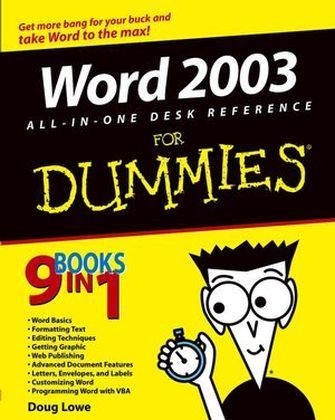
Word 2003 All-in-One Desk Reference for Dummies
Hungry Minds Inc,U.S. (Verlag)
978-0-7645-7141-1 (ISBN)
- Titel ist leider vergriffen;
keine Neuauflage - Artikel merken
Wouldn't it be a waste to own a Porsche convertible and just drive it to the grocery store at 40 mph? If you have Word 2003, you actually have a high-performance word processing program that can do almost anything you tell it to. "Word 2003 All-in-One Desk Reference For Dummies" helps you put the pedal to the metal and your fingers to the keys and cover a lot of territory fast. It includes information on: the basics, such as editing, saving, and printing documents; time-savers, including creating keyboard shortcuts, using styles, and more; jazzing up your documents with borders, shading, shapes, charts, drawings, and clip art; handy desktop publishing tricks; whipping out letters, envelopes, return-address labels, and more. Written by Doug Lowe, author of more than 30 "For Dummies" books, "Word 2003 All-in-One Desk Reference For Dummies" lets you go as far as you want.
You can venture off and explore: creating Web pages with Word, how to host a Web site, and more; using XML (eXtensible Markup Language) to store and exchange information in a standardized way that's accessible universally; outlining, indexing, creating a table of contents, and more; using Word's Master Document to compile long documents such as your future bestseller, your unabridged collection of bad jokes, or whatever; using Word's speech recognition so you can dictate text and issue menu commands by speaking; creating macros with VBA (Visual Basics for Applications). A comprehensive index helps you find the information you want fast. So what are you waiting for? With "Word 2003 All-in-One Desk Reference For Dummies" as your navigator, take Word 2003 out for a spin and see what this baby can do.
Doug Lowe has written a whole bunch of computer books, including more than 30 For Dummies books, such as Networking For Dummies, 6th Edition, PowerPoint 2003 For Dummies, Internet Explorer 6 For Dummies, Networking All-in-One Desk Reference For Dummies, and Microsoft Office 2002 For Dummies Quick Reference. He lives in that sunny All-American City, Fresno, California, where all the politicians are actors and all the actors think they're politicians. He's one of those obsessive-compulsive decorating nuts who creates computer-controlled Halloween decorations that rival Disney's Haunted Mansion and Christmas displays that can be seen from space. Maybe his next book should be Tacky Holiday Decorations For Dummies.
Introduction.Book I: Word Basics.Chapter 1: Getting to Know Word.Chapter 2: Managing Your Documents.Chapter 3: Working with Templates.Chapter 4: Printing Your Documents.Chapter 5: Help!Book II: Formatting Text.Chapter 1: Basic Text Formatting.Chapter 2: The Border Patrol and Other Shady Characters.Chapter 3: Working with Styles.Chapter 4: Page Setup and Section Formatting.Chapter 5: Column Formatting.Chapter 6: Using Tables.Chapter 7: Creating Lists.Chapter 8: Working with Footnotes and Endnotes.Book III: Editing Techniques.Chapter 1: Getting Around.Chapter 2: Basic Document Editing Techniques.Chapter 3: Finding and Replacing.Chapter 4: All About AutoCorrect and Its Siblings.Chapter 5: Proofing and Research Tools.Chapter 6: Track Changes and Other Collaboration Features.Book IV: Getting Graphic.Chapter 1: Inserting Pictures and Clip Art.Chapter 2: Drawing on Your Documents.Chapter 3: Fill Effects, Ghosts, Shadows, and Other Effects.Chapter 4: Working Graphically with Text.Chapter 5: Charts and Diagrams.Chapter 6: A Pocket Full of Desktop Publishing Tricks.Chapter 7: Move Over, Einstein (Creating Equations).Book V: Web Publishing.Chapter 1: Going Online with Word.Chapter 2: Creating Web Pages with Word.Chapter 3: Basic Web Formatting Features.Chapter 4: Using Themes and Cascading Style Sheets.Chapter 5: Working with Frames.Chapter 6: Word and XML.Book VI: Advanced Document Features.Chapter 1: Working with Fields.Chapter 2: Form Follows Function (Setting Up and Using Forms).Chapter 3: More about Outlining.Chapter 4: Mystical Master Documents.Chapter 5: So You Want to Make an Index, Eh?Chapter 6: Creating a Table of Contents or Table of Figures.Chapter 7: Objection, Your Honor (Creating a Table of Authorities).Book VII: Letters, Envelopes, and Labels.Chapter 1: Creating Letters and Envelopes.Chapter 2: Faxing and E-Mailing Documents.Chapter 3: Using the Mail Merge Wizard.Chapter 4: More Mail Merge Tricks.Book VIII: Customizing Word.Chapter 1: Opting for Options.Chapter 2: Customizing Toolbars, Menus, and Keyboard Shortcuts.Chapter 3: Using Voice and Handwriting Features.Book IX: Programming Word with VBA.Chapter 1: Recording and Using Macros.Chapter 2: Programming with VBA.Chapter 3: Working with Word's Object Model.Chapter 4: Creating UserForms.Index.
| Erscheint lt. Verlag | 16.7.2004 |
|---|---|
| Zusatzinfo | Illustrations |
| Verlagsort | Foster City |
| Sprache | englisch |
| Maße | 185 x 233 mm |
| Gewicht | 1075 g |
| Einbandart | Paperback |
| Themenwelt | Informatik ► Office Programme ► Word |
| ISBN-10 | 0-7645-7141-9 / 0764571419 |
| ISBN-13 | 978-0-7645-7141-1 / 9780764571411 |
| Zustand | Neuware |
| Informationen gemäß Produktsicherheitsverordnung (GPSR) | |
| Haben Sie eine Frage zum Produkt? |
aus dem Bereich