Design Innovative Robots with LEGO SPIKE Prime (eBook)
264 Seiten
Packt Publishing (Verlag)
978-1-80181-338-9 (ISBN)
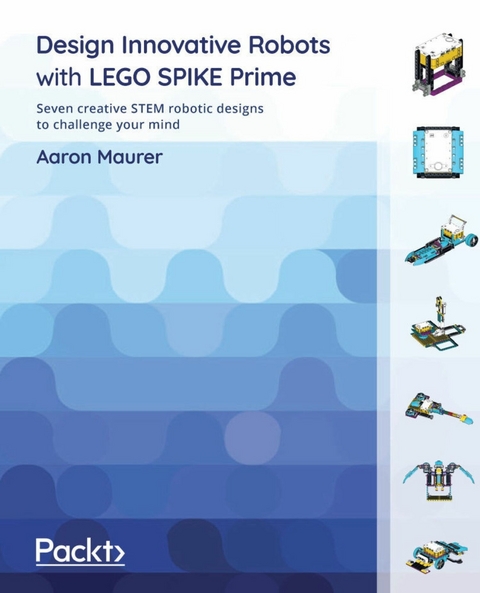
The new LEGO SPIKE Prime is one of the latest additions to the LEGO robotics line of products. This book will help you to enjoy building robots and understand how exciting robotics can be in terms of design, coding, and the expression of ideas.
The book begins by taking you through a new realm of playful learning experiences designed for inventors and creators of any age. In each chapter, you'll find out how to build a creative robot, learn to bring the robot to life through code, and finally work with exercises to test what you've learned and remix the robot to suit your own unique style. Throughout the chapters, you'll build exciting new smart robots such as a handheld game, a robotic arm with a joystick, a guitar, a flying bird, a sumobot, a dragster, and a Simon Says game.
By the end of this LEGO book, you'll have gained the knowledge and skills you need to build any robot that you can imagine.
Discover how to use the LEGO SPIKE Prime kit and boost your confidence in robotics, coding, and engineeringKey FeaturesGet up and running with new parts not seen in previous LEGO kitsGain deeper insights into non-compatible sensors and components that work with all prior LEGO components and third-party elementsExplore new features and experiment with new robot builds with LEGO's new coding platformBook DescriptionThe new LEGO SPIKE Prime is one of the latest additions to the LEGO robotics line of products. This book will help you to enjoy building robots and understand how exciting robotics can be in terms of design, coding, and the expression of ideas. The book begins by taking you through a new realm of playful learning experiences designed for inventors and creators of any age. In each chapter, you'll find out how to build a creative robot, learn to bring the robot to life through code, and finally work with exercises to test what you've learned and remix the robot to suit your own unique style. Throughout the chapters, you'll build exciting new smart robots such as a handheld game, a robotic arm with a joystick, a guitar, a flying bird, a sumobot, a dragster, and a Simon Says game. By the end of this LEGO book, you'll have gained the knowledge and skills you need to build any robot that you can imagine.What you will learnDiscover how the LEGO SPIKE Prime kit works, and explore its parts and the elements inside themBuild and design robots that go beyond basic robotic designsCreate interactive robots with the help of sensorsExplore real-world robots and learn how to build them by yourselfFind out challenging ways to remix build ideas with your own imagination and skillsDevelop coding skills using the Scratch programming interfaceWho this book is forThis book is for robot enthusiasts, LEGO lovers, hobbyists, educators, students, and anyone looking to learn about the new LEGO SPIKE Prime kit. The book is designed to go beyond the basic builds to intermediate and advanced builds, while also helping you to learn how to add your own personal touch to the builds and code. To make the most of this book, you'll need a basic understanding of build techniques, coding in block-based software environments, and weaving them together to create unique robot builds.]]>
Chapter 2: Building an Industrial Robot Claw
Industrial robots have been around for a long time. In many cases, industrial robots are not the humanoid-looking robots we imagine when thinking of robots. Instead, many are robot claws that can do a wide variety of tasks, such as surgery, welding, assembly, painting, and more. In this chapter, you are going to build a robotic claw to pick up an object to better understand how these claws work and operate. In the following image, you can see what you will be building:
Figure 2.1 – A robotic claw
In this chapter, we will break down the build and program, as follows:
- Building the base
- Building the Intelligent Hub frame to move multidirectionally
- Building the robot arm
- Building the cargo
- Writing the code
- Making it your own
Technical requirements
For the building of the robot, all you will need is the SPIKE Prime kit. For programming, you will need the LEGO SPIKE application/software.
Access to the code can be found here: https://github.com/PacktPublishing/Design-Innovative-Robots-with-LEGO-SPIKE-Prime/blob/main/Chapter%202%20-%20Robot%20Arm%20Code%20.llsp.
You can find the code in action video for this chapter here: https://bit.ly/3xkt1Mj
Building the base
Before we build this claw, let's explore the strategy being used for this claw. There are many LEGO robotic claws to be found online. This claw will use the following tactics and strategies:
- The claw needs to be able to be controlled by a human.
- The claw needs to be able to move from side to side.
- The claw needs to be able to move up and down.
- The claw needs to be able to open and close to grab various objects.
We are going to start this build using a large yellow 11x19 base plate as the main building foundation for this robotic claw. Let's take the following steps:
- Ensuring that we have a solid foundation is key, and the yellow 11x19 base plate shown in the following image is perfect for building on top of when designing a claw:
Figure 2.2 – The LEGO yellow base plate
- We are going to need to add the second yellow 11x19 base plate:
Figure 2.3 – The second LEGO yellow base plate
- On each corner of the yellow base plates, you will add a gray perpendicular connector piece, as shown in the following figure:
Figure 2.4 – Add gray connectors to edges
- Next up, you will now add six 3L black axle pins with friction ridges to the sides, as follows:
Figure 2.5 – Three axles added to each side
- Now that we have plenty of connectors in place, it is time to build out the next part of the base, which will provide spaces for you to move an object from one location to another. Start by adding a yellow 3L beam and purple 11L beam to each side, as shown in Figure 2.6:
Figure 2.6 – Fill the space between the gray perpendicular connectors
- From this step, attach an azure 11x15 open center frame on each side. Hold this piece in place using an azure 7L beam and one gray perpendicular connector on each side.
Figure 2.7 – Attach the open frames for object delivery
- The final part to assemble on the base is the beginning space for your object. Begin by first adding two gray perpendicular connector pins to the front of the yellow base plate. Attach a black 3x11 panel plate to each connector. Next, attach the 8 black connector pins along this whole edge, as shown in Figure 2.8:
Figure 2.8 – Adding the black 3x11 panels
- The next set of elements will help hold everything together. Attach an azure 13L beam across the two black 3x11 panels using the black connector pins already in place. Insert three black connector pins to this beam, as shown in Figure 2.9.
Follow the same process for the two black 15L beams across the azure open frames.
Figure 2.9 – Building the support for the front of the base
- The final step to this section requires you to add two yellow 3L beams to either end of the azure 11L beam. Lock the black 5x7 open center frame to the azure beam using the black connector pin still available and using two more gray perpendicular connectors, as shown here:
Figure 2.10 – The final look of the base
You now have completed the base for the robot arm and the playing field to move an object from one open frame to the other. Our next step is to build the frame for Intelligent Hub to serve as our arm controller.
Building the Intelligent Hub frame to move multidirectionally
One part of this kit that is different from previous LEGO MINDSTORMS kits is that the wires for all sensors and motors are set to a specific length. In previous kits, we could attach various cable sizes as we built our bigger structures.
Because all wires are a set length that we cannot adjust, we must consider this creative constraint in the build design. With that being said, we need to build a frame to place Intelligent Hub at a certain height to allow the motors to be able to reach it while in motion.
In this case, you will build a base that will provide adequate height along with an opportunity for Intelligent Hub to spin and pivot up and down. Let's look at the following steps:
- To begin this aspect of the build, begin by securing two black biscuit elements to the yellow base plate using the blue connector pins. These are centered towards the back of the build and will be three pin holes from the edge. The following figure illustrates this:
Figure 2.11 – Biscuit elements added to the yellow base plate
- Next, attach the yellow 7L axle to the middle of the two black biscuit elements. Slide the tire through the yellow axle. On top of the tire, insert two blue connector pins in the top and bottom pin holes and secure another purple biscuit, leaving space on top to connect more elements, as shown in Figure 2.12:
Figure 2.12 – Biscuit element on top of the tire
- Once you have ensured everything is secure and connected, add one more tire to the top of the purple biscuit element, as shown in Figure 2.13:
Figure 2.13 – Second tire added to the top
- Just like the previous step, you will add another purple biscuit element to the top tire using two blue connectors pins but using the left-side and right-side pin holes, as shown in Figure 2.14:
Figure 2.14 – Securing another biscuit element
This next sub-model will sit on top of the two tires we just installed. This will serve as the housing unit for Intelligent Hub, allowing it to move forward and backward while using the tire build and spin right and left:
- To begin, locate a purple 7x11 open center frame and install four blue connector pins, as shown in Figure 2.15:
Figure 2.15 – Add four blue connector pins to the purple 7x11 open frame
- Attach another purple 7x11 open frame using the blue connector pins, as shown in Figure 2.16:
Figure 2.16 – Stack another purple 7x11 open frame
Keep in mind that, for this next part, I suggest you build the black open frame piece first. As you look at Figure 2.17, you can see how it fits within the purple 7x11 open frame, but it is not locked in at this point.
- For this step, there is a three-image process to help you see where all the pieces go in Figure 2.17:
- Attach a yellow 3L beam to both sides of the purple biscuit. Connect the yellow 3L beams using two black connector pins on the outside pins.
- Insert this build into the black 5x7 open frame.
- Take this piece and add a gray pin with a bush stop to the middle pin hole on both 5L sides of the black 5x7 open frame. This will allow these pieces to pivot back and forth.
Figure 2.17 – Piecing the elements together
And here is how it fits into the purple 7x11 open frame:
Figure 2.18 – Pivot piece for Intelligent Hub
- This piece will fit into the purple open frame but, as you can see, when building, it does not stay together, but for a point of reference, these will sit atop the wheels, as shown in Figure 2.19:
Figure 2.19 – Location of the piece on tires
- Lock this piece into the purple open frame by using four more gray bush stop pins and connect two on each side, as shown in Figure 2.20:
Figure 2.20 – Pins with bush stops hold it all together
- Add a tan pin connector to each of the gray connectors on the bush stop axle insert, as shown in Figure 2.21:
Figure 2.21 – Add tan connector pins to each bush stop
- We will...
| Erscheint lt. Verlag | 6.1.2022 |
|---|---|
| Sprache | englisch |
| Themenwelt | Informatik ► Theorie / Studium ► Künstliche Intelligenz / Robotik |
| Informatik ► Weitere Themen ► Hardware | |
| ISBN-10 | 1-80181-338-8 / 1801813388 |
| ISBN-13 | 978-1-80181-338-9 / 9781801813389 |
| Informationen gemäß Produktsicherheitsverordnung (GPSR) | |
| Haben Sie eine Frage zum Produkt? |
 EPUB (Ohne DRM)
Digital Rights Management: ohne DRM
Dieses eBook enthält kein DRM oder Kopierschutz. Eine Weitergabe an Dritte ist jedoch rechtlich nicht zulässig, weil Sie beim Kauf nur die Rechte an der persönlichen Nutzung erwerben.
Dateiformat: EPUB (Electronic Publication)
EPUB ist ein offener Standard für eBooks und eignet sich besonders zur Darstellung von Belletristik und Sachbüchern. Der Fließtext wird dynamisch an die Display- und Schriftgröße angepasst. Auch für mobile Lesegeräte ist EPUB daher gut geeignet.
Systemvoraussetzungen:
PC/Mac: Mit einem PC oder Mac können Sie dieses eBook lesen. Sie benötigen dafür die kostenlose Software Adobe Digital Editions.
eReader: Dieses eBook kann mit (fast) allen eBook-Readern gelesen werden. Mit dem amazon-Kindle ist es aber nicht kompatibel.
Smartphone/Tablet: Egal ob Apple oder Android, dieses eBook können Sie lesen. Sie benötigen dafür eine kostenlose App.
Geräteliste und zusätzliche Hinweise
Buying eBooks from abroad
For tax law reasons we can sell eBooks just within Germany and Switzerland. Regrettably we cannot fulfill eBook-orders from other countries.
aus dem Bereich