


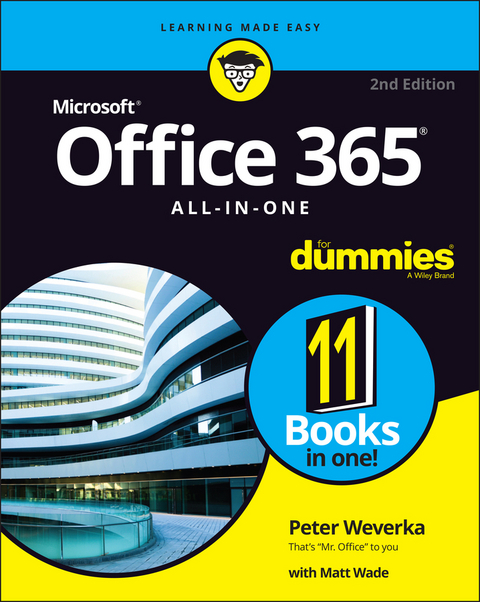
Office 365 All-in-One For Dummies (eBook)
Wiley (Verlag)
978-1-119-83073-3 (ISBN)
Peter Weverka is a veteran tech writer who has written dozens of Dummies titles, including the first edition of Office 365 All-in-One For Dummies. He has also authored books on PowerPoint, OneNote, Word, and Quicken.
Introduction 1
Book 1: Common Office Tasks 5
Chapter 1: Office Nuts and Bolts 7
Chapter 2: Wrestling with the Text 29
Chapter 3: Speed Techniques Worth Knowing About 49
Book 2: Word 365 57
Chapter 1: Speed Techniques for Using Word 59
Chapter 2: Laying Out Text and Pages 79
Chapter 3: Word Styles 105
Chapter 4: Constructing the Perfect Table 123
Chapter 5: Taking Advantage of the Proofing Tools 147
Chapter 6: Desktop Publishing with Word 167
Chapter 7: Getting Word's Help with Office Chores 185
Chapter 8: Tools for Reports and Scholarly Papers 205
Book 3: Excel 365 229
Chapter 1: Up and Running with Excel 231
Chapter 2: Refining Your Worksheet 249
Chapter 3: Formulas and Functions for Crunching Numbers 265
Chapter 4: Making a Worksheet Easier to Read and Understand 299
Chapter 5: Advanced Techniques for Analyzing Data 317
Book 4: PowerPoint 365 337
Chapter 1: Getting Started in PowerPoint 339
Chapter 2: Fashioning a Look for Your Presentation 361
Chapter 3: Entering the Text 377
Chapter 4: Making Your Presentations Livelier 393
Chapter 5: Delivering a Presentation 409
Book 5: Outlook 365 431
Chapter 1: Outlook Basics. 433
Chapter 2: Maintaining the People App 445
Chapter 3: Handling Your Email 457
Chapter 4: Managing Your Time and Schedule 479
Book 6: Access 365 491
Chapter 1: Introducing Access 493
Chapter 2: Building Your Database Tables 509
Chapter 3: Entering the Data 537
Chapter 4: Sorting, Querying, and Filtering for Data 547
Chapter 5: Presenting Data in a Report 567
Book 7: Publisher 365 573
Chapter 1: Introducing Publisher 575
Chapter 2: Refining a Publication 587
Chapter 3: Putting on the Finishing Touches 599
Book 8: Working with Charts and Graphics 609
Chapter 1: Creating a Chart 611
Chapter 2: Making a SmartArt Diagram 631
Chapter 3: Handling Graphics and Photos 651
Chapter 4: Drawing and Manipulating Lines, Shapes, and Other Objects 667
Book 9: Office 365: One Step Beyond 701
Chapter 1: Customizing an Office Program 703
Chapter 2: Ways of Distributing Your Work 717
Book 10: Microsoft Teams 725
Chapter 1: Getting around in Teams 727
Chapter 2: Getting Up to Speed with Teams and Channels 753
Chapter 3: Communicating through Channels and Private Chat 769
Chapter 4: Organizing Your Files in Teams 793
Chapter 5: Getting Together for Online Meetings 809
Book 11: File Sharing and Collaborating 835
Chapter 1: File Sharing and Collaborating 837
Chapter 2: Making the Most of OneDrive 851
Chapter 3: Collaborating in SharePoint 865
Index 895
| Erscheint lt. Verlag | 30.11.2021 |
|---|---|
| Sprache | englisch |
| Themenwelt | Informatik ► Office Programme ► Office |
| Informatik ► Office Programme ► Outlook | |
| Schlagworte | Computer-Ratgeber • End-User Computing • Excel basics • how do I use office 365? • Office 365 • office 365 basics • office 365 fundamentals • Office 365 Guide • Office 365 Handbook • office 365 tutorial • Office Productivity-Microsoft (General & Office suite) • Office-Software Microsoft • Outlook basics • powerpoint basics • should I use office 365? • teams basics • what is office 365? • word basics |
| ISBN-10 | 1-119-83073-7 / 1119830737 |
| ISBN-13 | 978-1-119-83073-3 / 9781119830733 |
| Informationen gemäß Produktsicherheitsverordnung (GPSR) | |
| Haben Sie eine Frage zum Produkt? |
 EPUB (Adobe DRM)
Kopierschutz: Adobe-DRM
Adobe-DRM ist ein Kopierschutz, der das eBook vor Mißbrauch schützen soll. Dabei wird das eBook bereits beim Download auf Ihre persönliche Adobe-ID autorisiert. Lesen können Sie das eBook dann nur auf den Geräten, welche ebenfalls auf Ihre Adobe-ID registriert sind.
Details zum Adobe-DRM
Dateiformat: EPUB (Electronic Publication)
EPUB ist ein offener Standard für eBooks und eignet sich besonders zur Darstellung von Belletristik und Sachbüchern. Der Fließtext wird dynamisch an die Display- und Schriftgröße angepasst. Auch für mobile Lesegeräte ist EPUB daher gut geeignet.
Systemvoraussetzungen:
PC/Mac: Mit einem PC oder Mac können Sie dieses eBook lesen. Sie benötigen eine
eReader: Dieses eBook kann mit (fast) allen eBook-Readern gelesen werden. Mit dem amazon-Kindle ist es aber nicht kompatibel.
Smartphone/Tablet: Egal ob Apple oder Android, dieses eBook können Sie lesen. Sie benötigen eine
Geräteliste und zusätzliche Hinweise
Buying eBooks from abroad
For tax law reasons we can sell eBooks just within Germany and Switzerland. Regrettably we cannot fulfill eBook-orders from other countries.


