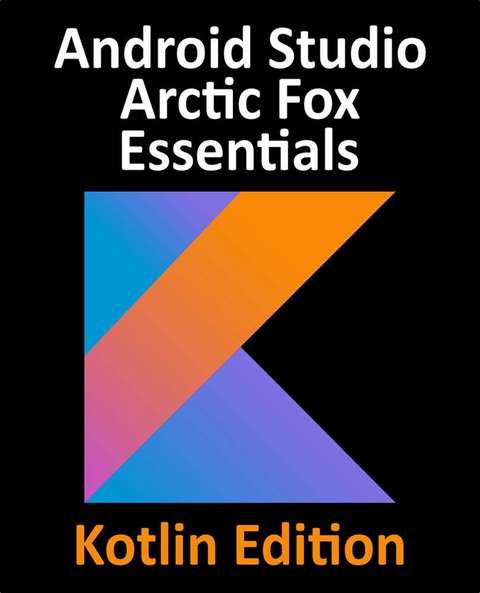
Android Studio Arctic Fox Essentials - Kotlin Edition (eBook)
790 Seiten
Packt Publishing (Verlag)
978-1-80324-783-0 (ISBN)
Android Studio is an Integrated Development Environment based on the JetBrains IntelliJ IDEA. It offers developers a unique platform to design and develop Android apps using various developer tools. Fully updated for Android Studio Arctic Fox, the goal of this book is to teach the skills necessary to develop Android-based applications using the Kotlin programming language.
This book begins with an outline of the steps necessary to set up an Android development and testing environment, followed by an introduction to programming in Kotlin which includes data types, control flow, functions, lambdas, and object-oriented programming. An overview of Android Studio covers areas such as tool windows, the code editor, and the layout editor tool. An introduction to the architecture of Android is followed by an in-depth look at the design of Android applications and user interfaces using the Android Studio environment.
Early chapters detail Android architecture components such as view models, lifecycle management, Room database access, the Database Inspector, app navigation, live data, and data binding. More advanced topics such as intents are also covered, as are touch screen handling, gesture recognition, and the recording and playback of audio. This edition of the book also covers printing, transitions, cloud-based file storage, and foldable device support.
The concepts of material design are also discussed in detail, including the use of floating action buttons, Snackbars, tabbed interfaces, card views, navigation drawers, and collapsing toolbars. Other key features of Android Studio Arctic Fox and Android taught in this book include the Layout Editor, the ConstraintLayout and ConstraintSet classes, MotionLayout Editor, view binding, constraint chains, barriers, and direct reply to notifications. Chapters also explore more advanced features of Android Studio such as app links, dynamic delivery, Gradle build configuration, and submitting apps to the Google Play developer console.
A simple approach to developing Android applications using Android Studio Arctic Fox Essentials and KotlinKey FeaturesThe latest Material Design components to build modern user interface designsStep-by-step instruction to building view model-based apps and modern user interface designs using the Jetpack architecture and the latest material design componentsCoding practice with the Kotlin programming language, including multi-threaded Kotlin code using CoroutinesBook DescriptionAndroid Studio is an Integrated Development Environment based on the JetBrains IntelliJ IDEA. It offers developers a unique platform to design and develop Android apps using various developer tools. Fully updated for Android Studio Arctic Fox, the goal of this book is to teach the skills necessary to develop Android-based applications using the Kotlin programming language.This book begins with an outline of the steps necessary to set up an Android development and testing environment, followed by an introduction to programming in Kotlin which includes data types, control flow, functions, lambdas, and object-oriented programming. An overview of Android Studio covers areas such as tool windows, the code editor, and the layout editor tool. An introduction to the architecture of Android is followed by an in-depth look at the design of Android applications and user interfaces using the Android Studio environment.Early chapters detail Android architecture components such as view models, lifecycle management, Room database access, the Database Inspector, app navigation, live data, and data binding. More advanced topics such as intents are also covered, as are touch screen handling, gesture recognition, and the recording and playback of audio. This edition of the book also covers printing, transitions, cloud-based file storage, and foldable device support.The concepts of material design are also discussed in detail, including the use of floating action buttons, Snackbars, tabbed interfaces, card views, navigation drawers, and collapsing toolbars. Other key features of Android Studio Arctic Fox and Android taught in this book include the Layout Editor, the ConstraintLayout and ConstraintSet classes, MotionLayout Editor, view binding, constraint chains, barriers, and direct reply to notifications. Chapters also explore more advanced features of Android Studio such as app links, dynamic delivery, Gradle build configuration, and submitting apps to the Google Play developer console.What you will learnInstall and configure Android Studio on Windows, macOS, and LinuxDesign complex, responsive user interface layoutsUnderstand Android architecture and app lifecycleIntegrate SQLite databases and the Android Room persistence libraryDivide large apps into dynamic feature modulesMonitor app performances using the Android studio profiler toolWho this book is forThis book is for anyone who wants to learn Android application development, such as existing Android developers who want to upgrade their skills and step into the Kotlin ecosystem. To get the most from this book, you should have some previous programming experience. You will be required to download Android Studio and the Android SDK for this course, so make sure you have access to a Windows, Mac, or Linux system and some creative app ideas to develop.
| Erscheint lt. Verlag | 18.10.2021 |
|---|---|
| Sprache | englisch |
| Themenwelt | Mathematik / Informatik ► Informatik ► Web / Internet |
| ISBN-10 | 1-80324-783-5 / 1803247835 |
| ISBN-13 | 978-1-80324-783-0 / 9781803247830 |
| Informationen gemäß Produktsicherheitsverordnung (GPSR) | |
| Haben Sie eine Frage zum Produkt? |
 EPUB (Ohne DRM)
Digital Rights Management: ohne DRM
Dieses eBook enthält kein DRM oder Kopierschutz. Eine Weitergabe an Dritte ist jedoch rechtlich nicht zulässig, weil Sie beim Kauf nur die Rechte an der persönlichen Nutzung erwerben.
Dateiformat: EPUB (Electronic Publication)
EPUB ist ein offener Standard für eBooks und eignet sich besonders zur Darstellung von Belletristik und Sachbüchern. Der Fließtext wird dynamisch an die Display- und Schriftgröße angepasst. Auch für mobile Lesegeräte ist EPUB daher gut geeignet.
Systemvoraussetzungen:
PC/Mac: Mit einem PC oder Mac können Sie dieses eBook lesen. Sie benötigen dafür die kostenlose Software Adobe Digital Editions.
eReader: Dieses eBook kann mit (fast) allen eBook-Readern gelesen werden. Mit dem amazon-Kindle ist es aber nicht kompatibel.
Smartphone/Tablet: Egal ob Apple oder Android, dieses eBook können Sie lesen. Sie benötigen dafür eine kostenlose App.
Geräteliste und zusätzliche Hinweise
Buying eBooks from abroad
For tax law reasons we can sell eBooks just within Germany and Switzerland. Regrettably we cannot fulfill eBook-orders from other countries.
aus dem Bereich