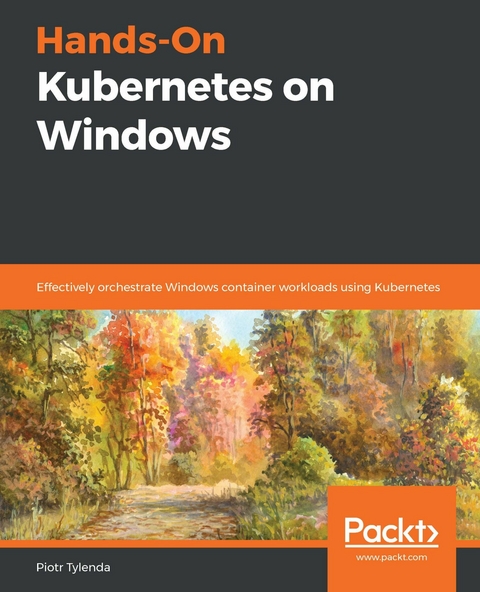
Hands-On Kubernetes on Windows (eBook)
592 Seiten
Packt Publishing (Verlag)
978-1-83882-599-7 (ISBN)
Build and deploy scalable cloud applications using Windows containers and Kubernetes
Key Features
- Run, deploy, and orchestrate containers on the Windows platform with this Kubernetes book
- Use Microsoft SQL Server 2019 as a data store to deploy Kubernetes applications written in .NET Framework
- Set up a Kubernetes development environment and deploy clusters with Windows Server 2019 nodes
Book Description
With the adoption of Windows containers in Kubernetes, you can now fully leverage the flexibility and robustness of the Kubernetes container orchestration system in the Windows ecosystem. This support will enable you to create new Windows applications and migrate existing ones to the cloud-native stack with the same ease as for Linux-oriented cloud applications.
This practical guide takes you through the key concepts involved in packaging Windows-distributed applications into containers and orchestrating these using Kubernetes. You'll also understand the current limitations of Windows support in Kubernetes. As you advance, you'll gain hands-on experience deploying a fully functional hybrid Linux/Windows Kubernetes cluster for development, and explore production scenarios in on-premises and cloud environments, such as Microsoft Azure Kubernetes Service.
By the end of this book, you'll be well-versed with containerization, microservices architecture, and the critical considerations for running Kubernetes in production environments successfully.
What you will learn
- Understand containerization as a packaging format for applications
- Create a development environment for Kubernetes on Windows
- Grasp the key architectural concepts in Kubernetes
- Discover the current limitations of Kubernetes on the Windows platform
- Provision and interact with a Kubernetes cluster from a Windows machine
- Create hybrid Windows Kubernetes clusters in on-premises and cloud environments
Who this book is for
This book is for software developers, system administrators, DevOps engineers, and architects working with Kubernetes on Windows, Windows Server 2019, and Windows containers. Knowledge of Kubernetes as well as the Linux environment will help you get the most out of this book.
Build and deploy scalable cloud applications using Windows containers and KubernetesKey FeaturesRun, deploy, and orchestrate containers on the Windows platform with this Kubernetes bookUse Microsoft SQL Server 2019 as a data store to deploy Kubernetes applications written in .NET FrameworkSet up a Kubernetes development environment and deploy clusters with Windows Server 2019 nodesBook DescriptionWith the adoption of Windows containers in Kubernetes, you can now fully leverage the flexibility and robustness of the Kubernetes container orchestration system in the Windows ecosystem. This support will enable you to create new Windows applications and migrate existing ones to the cloud-native stack with the same ease as for Linux-oriented cloud applications.This practical guide takes you through the key concepts involved in packaging Windows-distributed applications into containers and orchestrating these using Kubernetes. You'll also understand the current limitations of Windows support in Kubernetes. As you advance, you'll gain hands-on experience deploying a fully functional hybrid Linux/Windows Kubernetes cluster for development, and explore production scenarios in on-premises and cloud environments, such as Microsoft Azure Kubernetes Service.By the end of this book, you'll be well-versed with containerization, microservices architecture, and the critical considerations for running Kubernetes in production environments successfully.What you will learnUnderstand containerization as a packaging format for applicationsCreate a development environment for Kubernetes on WindowsGrasp the key architectural concepts in KubernetesDiscover the current limitations of Kubernetes on the Windows platformProvision and interact with a Kubernetes cluster from a Windows machineCreate hybrid Windows Kubernetes clusters in on-premises and cloud environmentsWho this book is forThis book is for software developers, system administrators, DevOps engineers, and architects working with Kubernetes on Windows, Windows Server 2019, and Windows containers. Knowledge of Kubernetes as well as the Linux environment will help you get the most out of this book.
| Erscheint lt. Verlag | 31.3.2020 |
|---|---|
| Sprache | englisch |
| Themenwelt | Mathematik / Informatik ► Informatik |
| Schlagworte | Azure DevOps • azure kubernetes • Kuberenetes in action • kubernetes windows • windows clusters • Windows containers • windows devops • Windows Server 2019 |
| ISBN-10 | 1-83882-599-1 / 1838825991 |
| ISBN-13 | 978-1-83882-599-7 / 9781838825997 |
| Informationen gemäß Produktsicherheitsverordnung (GPSR) | |
| Haben Sie eine Frage zum Produkt? |
 EPUB (Adobe DRM)
Größe: 13,9 MB
Kopierschutz: Adobe-DRM
Adobe-DRM ist ein Kopierschutz, der das eBook vor Mißbrauch schützen soll. Dabei wird das eBook bereits beim Download auf Ihre persönliche Adobe-ID autorisiert. Lesen können Sie das eBook dann nur auf den Geräten, welche ebenfalls auf Ihre Adobe-ID registriert sind.
Details zum Adobe-DRM
Dateiformat: EPUB (Electronic Publication)
EPUB ist ein offener Standard für eBooks und eignet sich besonders zur Darstellung von Belletristik und Sachbüchern. Der Fließtext wird dynamisch an die Display- und Schriftgröße angepasst. Auch für mobile Lesegeräte ist EPUB daher gut geeignet.
Systemvoraussetzungen:
PC/Mac: Mit einem PC oder Mac können Sie dieses eBook lesen. Sie benötigen eine
eReader: Dieses eBook kann mit (fast) allen eBook-Readern gelesen werden. Mit dem amazon-Kindle ist es aber nicht kompatibel.
Smartphone/Tablet: Egal ob Apple oder Android, dieses eBook können Sie lesen. Sie benötigen eine
Geräteliste und zusätzliche Hinweise
Buying eBooks from abroad
For tax law reasons we can sell eBooks just within Germany and Switzerland. Regrettably we cannot fulfill eBook-orders from other countries.
EPUB (Ohne DRM)Digital Rights Management: ohne DRM
Dieses eBook enthält kein DRM oder Kopierschutz. Eine Weitergabe an Dritte ist jedoch rechtlich nicht zulässig, weil Sie beim Kauf nur die Rechte an der persönlichen Nutzung erwerben.
Dateiformat: EPUB (Electronic Publication)
EPUB ist ein offener Standard für eBooks und eignet sich besonders zur Darstellung von Belletristik und Sachbüchern. Der Fließtext wird dynamisch an die Display- und Schriftgröße angepasst. Auch für mobile Lesegeräte ist EPUB daher gut geeignet.
Systemvoraussetzungen:
PC/Mac: Mit einem PC oder Mac können Sie dieses eBook lesen. Sie benötigen dafür die kostenlose Software Adobe Digital Editions.
eReader: Dieses eBook kann mit (fast) allen eBook-Readern gelesen werden. Mit dem amazon-Kindle ist es aber nicht kompatibel.
Smartphone/Tablet: Egal ob Apple oder Android, dieses eBook können Sie lesen. Sie benötigen dafür eine kostenlose App.
Geräteliste und zusätzliche Hinweise
Buying eBooks from abroad
For tax law reasons we can sell eBooks just within Germany and Switzerland. Regrettably we cannot fulfill eBook-orders from other countries.
aus dem Bereich