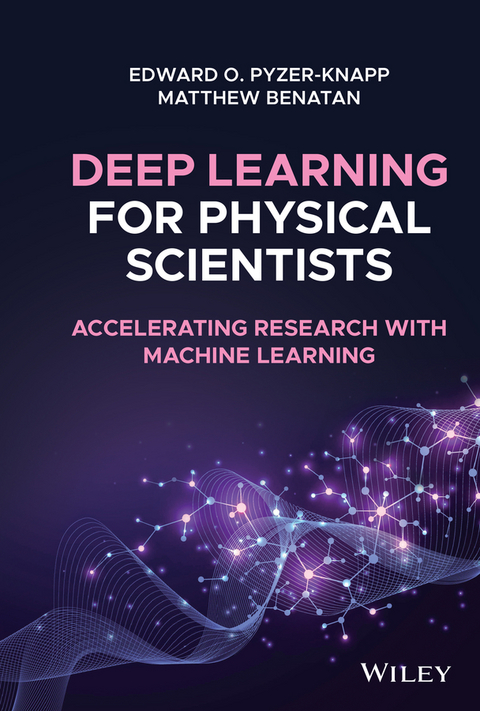
Deep Learning for Physical Scientists (eBook)
John Wiley & Sons (Verlag)
978-1-119-40835-2 (ISBN)
Discover the power of machine learning in the physical sciences with this one-stop resource from a leading voice in the field
Deep Learning for Physical Scientists: Accelerating Research with Machine Learning delivers an insightful analysis of the transformative techniques being used in deep learning within the physical sciences. The book offers readers the ability to understand, select, and apply the best deep learning techniques for their individual research problem and interpret the outcome.
Designed to teach researchers to think in useful new ways about how to achieve results in their research, the book provides scientists with new avenues to attack problems and avoid common pitfalls and problems. Practical case studies and problems are presented, giving readers an opportunity to put what they have learned into practice, with exemplar coding approaches provided to assist the reader.
From modelling basics to feed-forward networks, the book offers a broad cross-section of machine learning techniques to improve physical science research. Readers will also enjoy:
- A thorough introduction to the basic classification and regression with perceptrons
- An exploration of training algorithms, including back propagation and stochastic gradient descent and the parallelization of training
- An examination of multi-layer perceptrons for learning from descriptors and de-noising data
- Discussions of recurrent neural networks for learning from sequences and convolutional neural networks for learning from images
- A treatment of Bayesian optimization for tuning deep learning architectures
Perfect for academic and industrial research professionals in the physical sciences, Deep Learning for Physical Scientists: Accelerating Research with Machine Learning will also earn a place in the libraries of industrial researchers who have access to large amounts of data but have yet to learn the techniques to fully exploit that access.
Dr Edward O. Pyzer-Knapp is the worldwide lead for AI Enriched Modelling and Simulation at IBM Research. Previously, he obtained his PhD from the University of Cambridge using state of the art computational techniques to accelerate materials design then moving to Harvard where he was in charge of the day-to-day running of the Harvard Clean Energy Project - a collaboration with IBM which combined massive distributed computing, quantum-mechanical simulations, and machine-learning to accelerate discovery of the next generation of organic photovoltaic materials. He is also the Visiting Professor of Industrially Applied AI at the University of Liverpool, and the Editor in Chief for Applied AI Letters, a journal with a focus on real-world application and validation of AI.
Dr Matt Benatan received his PhD in Audio-Visual Speech Processing from the University of Leeds, after which he went on to pursue a career in AI research within industry. His work to date has involved the research and development of AI techniques for a broad variety of domains, from applications in audio processing through to materials discovery. His research interests include Computer Vision, Signal Processing, Bayesian Optimization, and Scalable Bayesian Inference.
Dr Edward O. Pyzer-Knapp is the worldwide lead for AI Enriched Modelling and Simulation at IBM Research. Previously, he obtained his PhD from the University of Cambridge using state of the art computational techniques to accelerate materials design then moving to Harvard where he was in charge of the day-to-day running of the Harvard Clean Energy Project - a collaboration with IBM which combined massive distributed computing, quantum-mechanical simulations, and machine-learning to accelerate discovery of the next generation of organic photovoltaic materials. He is also the Visiting Professor of Industrially Applied AI at the University of Liverpool, and the Editor in Chief for Applied AI Letters, a journal with a focus on real-world application and validation of AI. Dr Matt Benatan received his PhD in Audio-Visual Speech Processing from the University of Leeds, after which he went on to pursue a career in AI research within industry. His work to date has involved the research and development of AI techniques for a broad variety of domains, from applications in audio processing through to materials discovery. His research interests include Computer Vision, Signal Processing, Bayesian Optimization, and Scalable Bayesian Inference.
2
Setting Up a Python Environment for Deep Learning Projects
2.1 Python Overview
Why use python? There are a lot of programming languages out there – and they all have their plus and minuses. In this book, we have chosen to use Python as our language of choice. Why is this?
First of all, is the ease of understanding. Python is sometimes known as “executable pseudo code,” which is a reference to how easy it is to write basic code. Now this is obviously a slight exaggeration (and it is very possible to write illegible code in Python!), but Python does represent a good trade‐off between compactness and legibility. There is a philosophy which went into developing Python which states “There should be one (and preferably only one) obvious way to do a task.” To give you an illustrative example, here is how you print a string in Python:
print("Hello World!") It is clear what is going on! In Java it is a little more obscure, to deal with system dependencies:
system.out.println("Hello World!") And in C, it is not obvious at all what is going on (C is a compiled language so it really only needs to tell the compiler what it needs to do):
“Hello World!" >> cout In fact, C code can be so hard to read that there is actually a regular competition to write obfuscated C code, so unreadable it is impossible to work out what is going on – take a look at https://www.ioccc.org/ and wonder at the ingenuity. So by choosing to use Python in this book even if you are not a regular Python user you should be able to have a good understanding of what is going on.
Second is the transferability. Python is an interpreted language, and you do not need to compile it into binary in order to run it. This means that whether you run on a Mac, Windows, or Linux machine, so long as you have the required packages installed you do not have to go through any special steps to make the code you write on one machine run on another. I recommend the use of a Python distribution known as Anaconda to take this to a new level, allowing very fast and simple package installation which takes care of package dependencies. Later on, in this chapter, we will step through installing Anaconda and setting up your Python environment.
One other reason for using Python is the strong community, which has resulted in a huge amount of online support for those getting into the language. If you have a problem when writing some code for this book, online resources such as stackoverflow.com are full of people answering questions for people who have had the exact same problem. This community has resulted in the surfacing of common complaints, and the community collectively building solutions to make libraries for solving these problems and to deliver new functionality. The libraries publically available for Python are something quite special, and are one of the major reasons it has become a major player in the data science and machine learning communities.
2.2 Why Use Python for Data Science?
Recently, Python has seen a strong emergence in the data science community, challenging more traditional players such as R and Matlab. Aside from the very intuitive coding style, transferability, and other features described above, there are a number of reasons for this. First amongst these is its strong set of packages aimed at making mathematical analysis easy. In the mid‐1990s the Python community strongly supported the development of a package known as numeric whose purpose was to take the strengths of Matlab's mathematical analysis packages and bring them over to the Python ecosystem. Numeric evolved into numpy, which is one of the most heavily used Python packages today. The same approach was taken to build matplotlib – which as the name suggests was built to take the Matlab plotting library over to python. These were bundled with other libraries aimed at scientific applications (such as optimisation) and turned into scipy – Python's premier scientific‐orientated package.
Having taken some of the best pieces out of Matlab, the Python community turned its attention to R; the other behemoth language of data science. Key to the functionality of R is its concept of the data frame, and the Python package pandas emerged to challenge in this arena. Pandas' data frame has proven extremely adept for data ingestion and manipulation, especially of time series data, and has now been linked into multiple packages, facilitating an easy end to end data analytics and machine learning experience.
It is in the area of machine learning in which Python has really separated itself from the rest of the pack. Taking a leaf out of R's book, the scikit‐learn module was built to mimic the functionality of the R module caret. Scikit‐learn offers a plethora of algorithms and data manipulation features which make some of the routine tasks of data science very simple and intuitive. Scikit‐learn is a fantastic example of how powerful the pythonic method for creating libraries can be.
2.3 Anaconda Python
2.3.1 Why Use Anaconda?
When you first pick up this book, it may be tempting to run off and download Python to start playing with some examples (your machine may even have Python pre‐installed on it). However, this is unlikely to be a good move in the long term. Many core Python libraries are highly interdependent, and can require a good deal of setting up – which can be a skill in itself. Also, the process will differ for different operating systems (Windows installations can be particularly tricky for the uninitiated) and you can easily find yourself spending a good deal of time just installing packages, which is not why you picked up this book in the first place, is it?
Anaconda Python offers an alternative to this. It is a mechanism for one‐click (or type) installation of Python packages, including all dependencies. For those of you who do not like the command line at all, it even has a graphical user interface (GUI) for controlling the installation and updates of packages. For the time being, I will not go down that route, but instead will assume that you have a basic understanding of the command line interface.
2.3.2 Downloading and Installing Anaconda Python
Detailed installation instructions are available on the anaconda website (https://conda.io/docs/user‐guide/install/index.html). For the rest of this chapter, I will assume that you are using MacOS – if you are not, do not worry; other operating systems are covered on the website as well.
The first step is to download the installer from the Anaconda website (https://www.anaconda.com/download/#macos).
Conda vs. Mini‐conda
When you go to the website, you will see that there are two options for Anaconda; Conda; and Mini‐conda. Mini‐conda is a bare‐bones installation of Python, which does not have any packages attached. This can be useful if you are looking to have a very lean installation (for example, you are building a Docker image, or your computer does not have much space for programmes), but for now we will assume that this is not a problem, and use the full Anaconda installation, which has many packages preinstalled.
You can select the Python2 or Python3 version. If you are running a lot of older code, you might want to use the Python2 version, as Python2 and Python3 codes do not always play well together. If you are working from a clean slate, however, I recommend that you use the Python3 installation as this “future proofs” you somewhat against libraries which make the switch, and no longer support Python2 (the inverse is much rarer, now).
So long as you have chosen Anaconda version (not Mini‐coda), you can just double click the pkg file, and the installation will commence. Once installation is finished (unless you have specific reasons, accept any defaults during installation) you should be able to run.
$ > conda list If the installation is successful, a list of installed packages will be printed to screen.
But I already have Python installed on my computer? Do I need to uninstall? Anaconda can run alongside any other versions of Python (including any which are installed by the system). In order to make sure that Anaconda is being used, you simply have to make sure that the system knows where it is. This is achieved by editing the PATH environment variable. In order to see whether Anaconda is in your path, run the following command in a Terminal $> echo $PATH To check that Anaconda is set to be the default Python run: $> which python NB the PATH variable should be set by the Anaconda installer, so there is normally no need to do anything. From here, installing packages is easy. First, search your package on Anaconda's cloud (https://anaconda.org/), and you will be able to choose your package. For example, scikit‐learn's page is at https://anaconda.org/anaconda/scikit‐learn. On each page, the command for installing is given. For scikit‐learn, it looks like this:
$> conda install –c anaconda scikit-learn Here, the –c flag denotes a specific channel for the conda installer to search to locate the package binaries to install. Usefully, this page also shows all the...
| Erscheint lt. Verlag | 21.9.2021 |
|---|---|
| Sprache | englisch |
| Themenwelt | Informatik ► Theorie / Studium ► Künstliche Intelligenz / Robotik |
| Naturwissenschaften ► Chemie | |
| Schlagworte | Chemie • Chemistry • Computational Chemistry & Molecular Modeling • Computational Chemistry u. Molecular Modeling • Data Mining • Data Mining Statistics • deep learning Bayesian optimization • deep learning for physical science research • <p>Physical science deep learning • machine learning for physical science research </p> • Materials Science • Materialwissenschaften • Materialwissenschaften / Theorie, Modellierung u. Simulation • physical science artificial intelligence • physical science machine learning • Statistics • Statistik • Theory, Modeling & Simulation |
| ISBN-10 | 1-119-40835-0 / 1119408350 |
| ISBN-13 | 978-1-119-40835-2 / 9781119408352 |
| Informationen gemäß Produktsicherheitsverordnung (GPSR) | |
| Haben Sie eine Frage zum Produkt? |
 EPUB (Adobe DRM)
Kopierschutz: Adobe-DRM
Adobe-DRM ist ein Kopierschutz, der das eBook vor Mißbrauch schützen soll. Dabei wird das eBook bereits beim Download auf Ihre persönliche Adobe-ID autorisiert. Lesen können Sie das eBook dann nur auf den Geräten, welche ebenfalls auf Ihre Adobe-ID registriert sind.
Details zum Adobe-DRM
Dateiformat: EPUB (Electronic Publication)
EPUB ist ein offener Standard für eBooks und eignet sich besonders zur Darstellung von Belletristik und Sachbüchern. Der Fließtext wird dynamisch an die Display- und Schriftgröße angepasst. Auch für mobile Lesegeräte ist EPUB daher gut geeignet.
Systemvoraussetzungen:
PC/Mac: Mit einem PC oder Mac können Sie dieses eBook lesen. Sie benötigen eine
eReader: Dieses eBook kann mit (fast) allen eBook-Readern gelesen werden. Mit dem amazon-Kindle ist es aber nicht kompatibel.
Smartphone/Tablet: Egal ob Apple oder Android, dieses eBook können Sie lesen. Sie benötigen eine
Geräteliste und zusätzliche Hinweise
Buying eBooks from abroad
For tax law reasons we can sell eBooks just within Germany and Switzerland. Regrettably we cannot fulfill eBook-orders from other countries.
aus dem Bereich