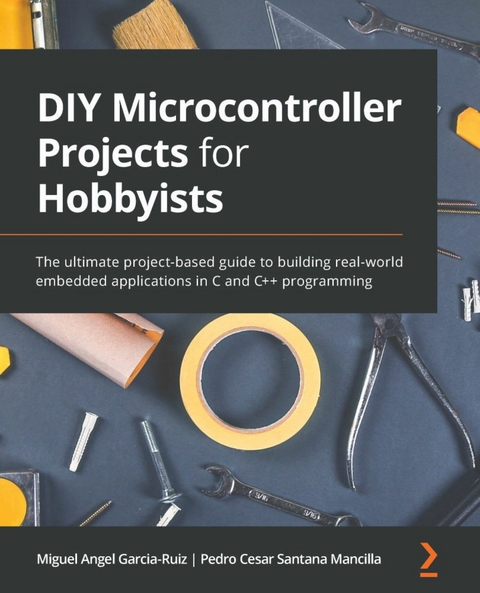
DIY Microcontroller Projects for Hobbyists (eBook)
320 Seiten
Packt Publishing (Verlag)
978-1-80056-952-2 (ISBN)
We live in a world surrounded by electronic devices, and microcontrollers are the brains of these devices. Microcontroller programming is an essential skill in the era of the Internet of Things (IoT), and this book helps you to get up to speed with it by working through projects for designing and developing embedded apps with microcontroller boards.
DIY Microcontroller Projects for Hobbyists are filled with microcontroller programming C and C++ language constructs. You'll discover how to use the Blue Pill (containing a type of STM32 microcontroller) and Curiosity Nano (containing a type of PIC microcontroller) boards for executing your projects as PIC is a beginner-level board and STM-32 is an ARM Cortex-based board. Later, you'll explore the fundamentals of digital electronics and microcontroller board programming. The book uses examples such as measuring humidity and temperature in an environment to help you gain hands-on project experience. You'll build on your knowledge as you create IoT projects by applying more complex sensors. Finally, you'll find out how to plan for a microcontroller-based project and troubleshoot it.
By the end of this book, you'll have developed a firm foundation in electronics and practical PIC and STM32 microcontroller programming and interfacing, adding valuable skills to your professional portfolio.
A practical guide to building PIC and STM32 microcontroller board applications with C and C++ programmingKey FeaturesDiscover how to apply microcontroller boards in real life to create interesting IoT projectsCreate innovative solutions to help improve the lives of people affected by the COVID-19 pandemicDesign, build, program, and test microcontroller-based projects with the C and C++ programming languageBook DescriptionWe live in a world surrounded by electronic devices, and microcontrollers are the brains of these devices. Microcontroller programming is an essential skill in the era of the Internet of Things (IoT), and this book helps you to get up to speed with it by working through projects for designing and developing embedded apps with microcontroller boards. DIY Microcontroller Projects for Hobbyists are filled with microcontroller programming C and C++ language constructs. You'll discover how to use the Blue Pill (containing a type of STM32 microcontroller) and Curiosity Nano (containing a type of PIC microcontroller) boards for executing your projects as PIC is a beginner-level board and STM-32 is an ARM Cortex-based board. Later, you'll explore the fundamentals of digital electronics and microcontroller board programming. The book uses examples such as measuring humidity and temperature in an environment to help you gain hands-on project experience. You'll build on your knowledge as you create IoT projects by applying more complex sensors. Finally, you'll find out how to plan for a microcontroller-based project and troubleshoot it. By the end of this book, you'll have developed a firm foundation in electronics and practical PIC and STM32 microcontroller programming and interfacing, adding valuable skills to your professional portfolio.What you will learnGet to grips with the basics of digital and analog electronicsDesign, build, program, and test a microcontroller-based systemUnderstand the importance and applications of STM32 and PIC microcontrollersDiscover how to connect sensors to microcontroller boardsFind out how to obtain sensor data via codingUse microcontroller boards in real life and practical projects Who this book is forThis STM32 PIC microcontroller book is for students, hobbyists, and engineers who want to explore the world of embedded systems and microcontroller programming. Beginners, as well as more experienced users of digital electronics and microcontrollers, will also find this book useful. Basic knowledge of digital circuits and C and C++ programming will be helpful but not necessary.
Chapter 1: Introduction to Microcontrollers and Microcontroller Boards
In this chapter, you will learn how to set up fundamental software tools for programming microcontrollers, as well as how to use basic electronic components as a starting point for programming examples for beginners. We will begin with a general introduction to microcontrollers and their definitions, as well as their importance and applications in our everyday lives. We will then go on to give a simplified explanation of the digital and analog electronics necessary for the microcontroller projects carried out in the rest of the chapters. Here, we will also explain the basic equipment that may be used in this book's projects. Finally, we will look at a concise description of the Blue Pill and Curiosity Nano microcontroller boards to be used throughout this book.
Specifically, we will cover the following main topics:
- Introduction to microcontrollers
- An overview of analog and digital electronics necessary for carrying out the book's projects
- Description of the Blue Pill and Curiosity Nano microcontroller boards
We will also cover how to install the necessary software drivers and the integrated development environments (IDEs) for programming the Blue Pill and Curiosity Nano. After completing this introductory chapter, you will be able to apply what you have learned regarding the installation of integrated development environments (a type of software tool) to programming the obligatory Hello World programs used to make an LED blink. This will run on the Blue Pill and Curiosity Nano using C. Don't worry if you don't know a lot about C programming yet; we have you covered; Chapter 2, Software Setup and C Programming for Microcontroller Boards, includes a gentle but concise C programming tutorial.
Technical requirements
The two microcontroller boards described in this book (Blue Pill and Curiosity Nano) can be programmed using different IDEs. An IDE is a programming and debugging software tool that includes a code editor, a compiling environment, debugging options, and so on. Many of the IDEs are also used to upload your compiled program to a microcontroller board via a USB port connection.
These are the IDEs that you will need to install on your computer:
- Arduino IDE: This free IDE was originally created for programming Arduino microcontroller boards, but you can also use it for programming the Blue Pill microcontroller board if you install a library for it.
- MPLAB ® X IDE: Made by Microchip, the Curiosity Nano manufacturer. This is a free IDE necessary for programming the Curiosity Nano.
We will explain how to install and use those IDEs in this chapter.
The code used in this chapter can be found at the book's GitHub repository here:
https://github.com/PacktPublishing/DIY-Microcontroller-Projects-for-Hobbyists/tree/master/Chapter01
The Code in Action video for this chapter can be found here: https://bit.ly/3zSOg8O
For hardware, you will need the following materials:
- A regular LED light – any color will do.
- A 220-ohm resistor; 0.25 watts.
- A solderless breadboard for connecting an LED and a resistor and some male-to-male jumper wires to make the electrical connections between the components and the microcontroller boards.
- A micro USB cable for connecting your microcontroller boards to a computer.
- The Blue Pill and Curiosity Nano boards, of course! There are several vendors and manufacturers of the Blue Pill board, which uses the STM32F103C8T6 microcontroller. In the case of the Curiosity Nano, we use a version called the PIC16F15376 Curiosity Nano PIC® MCU 8-Bit Embedded Evaluation Board, part number DM164148, manufactured by Microchip.
- A programming adapter such as the ST-Link/V2 is also needed. This electronic interface will allow you to upload the compiled code to the Blue Pill, establishing communication from your computer to the Blue Pill microcontroller board. The ST-Link/V2 needs four female-to-female DuPont wires.
Some of the sensors used in this book can be found in a sensor kit in the form of practical modules, such as the Kumantech 37-in-1 sensor kit:
This kit can be used with many types of microcontroller boards, including the Blue Pill and the Curiosity Nano. Sometimes, it is convenient to buy a sensor kit like this one for experimenting with its sensor modules. Some other kits include components such as resistors and code examples.
Introduction to microcontrollers
In this section, we will focus on what a microcontroller is and what its main parts are. It is important to understand what the microcontrollers are capable of and how they are used as a fundamental part of many embedded systems, so they can be used in real-world projects. An embedded system is a computer subsystem that usually works as part of a larger computer system, for example, a wireless router containing a microcontroller. Let's start with a definition of microcontrollers.
A microcontroller (also known as a microcontroller unit, or MCU) is a very small computer system self-contained in an integrated circuit (IC). It encases all the necessary computing components to execute tasks, computes numeric calculations, reads data from sensors, keeps data and a program in memory, and send data to actuators, among other actions. Most of the microcontrollers perform analog-to-digital conversion (ADC), obtaining analog data from sensors and converting it to digital values. More on ADC is explained in Chapter 4, Measuring the Amount of Light with a Photoresistor. Digital values are defined by binary values (1 or 0). The next section explains more about those values.
Microcontrollers have an internal clock signal that is like a heartbeat that coordinates how tasks and other actions are performed in the microcontroller. This clock signal is not as fast as microprocessors (used by desktop computers and laptops), but it is enough for doing basic operations such as reading a sensor or controlling a motor. Their internal memory is limited, but enough for storing a program capable of running a particular task. In general, microcontrollers do not use an external data storage device such as a hard drive. Everything they need to run is encased in their IC.
An IC is an electronic circuit densely packaged in a small and flat piece of plastic. It contains many microscopic electronic components and electrically connected pins. ICs are manufactured in different packaging. Dual in-line packaging (DIL) houses two rows of electrically connecting pins. Quad flat packaging (QFP) includes 8–70 pins per side, useful for surface mounting soldering. Microcontrollers are encased in ICs, as well as other electronic parts.
The pins of some microcontrollers are organized into two rows using DIL packaging. Other ICs, such as the STM32 microcontroller, have four rows of pins, which is known as QFP.
Microcontrollers are also called a computer in a chip. They generally have low-power consumption, and, of course, are reduced in size. Some of them are smaller than a fingernail! Microcontrollers are generally used to perform a specific task and execute one particular application, such as controlling the internal functions of a coffee maker, one at a time. Microcontrollers are applied in situations where dedicated and limited computer functions are needed.
Microcontroller boards
A microcontroller board is an electronic circuit containing a microcontroller and other supporting components such as voltage dividers/shifters, a USB interface, connection pins, resistors, capacitors, and an external clock.
The purpose of microcontroller boards is to facilitate the connection of external devices, sensors, and actuators to microcontrollers, accelerating project prototyping. For example, the Blue Pill microcontroller board contains its microcontroller at its center, and it has some other components supporting its functions.
Microcontroller boards such as the Blue Pill have input/output (I/O) ports, or pins, where sensors, motors, and other electronic components and devices are connected to them. The boards will either read or send data to them through the ports. The boards also have useful pins such as the ground and voltage pins, so sensors and other components can be connected to them to work. Some I/O pins read analog voltages coming from sensors or send analog voltages to actuators (for example, motors), and others are digital pins used for reading and sending digital voltages, typically 0 and 5 volts, or 0 and 3.3 volts. All computers (including microcontrollers) work internally with digital binary numbers containing 0s and 1s. The binary value 0 is represented by 0 volts, and the binary value 1 is represented by either 3.3 or 5 volts. For example, a digital...
| Erscheint lt. Verlag | 30.7.2021 |
|---|---|
| Sprache | englisch |
| Themenwelt | Informatik ► Programmiersprachen / -werkzeuge ► C / C++ |
| Informatik ► Weitere Themen ► Hardware | |
| ISBN-10 | 1-80056-952-1 / 1800569521 |
| ISBN-13 | 978-1-80056-952-2 / 9781800569522 |
| Informationen gemäß Produktsicherheitsverordnung (GPSR) | |
| Haben Sie eine Frage zum Produkt? |
 EPUB (Ohne DRM)
Digital Rights Management: ohne DRM
Dieses eBook enthält kein DRM oder Kopierschutz. Eine Weitergabe an Dritte ist jedoch rechtlich nicht zulässig, weil Sie beim Kauf nur die Rechte an der persönlichen Nutzung erwerben.
Dateiformat: EPUB (Electronic Publication)
EPUB ist ein offener Standard für eBooks und eignet sich besonders zur Darstellung von Belletristik und Sachbüchern. Der Fließtext wird dynamisch an die Display- und Schriftgröße angepasst. Auch für mobile Lesegeräte ist EPUB daher gut geeignet.
Systemvoraussetzungen:
PC/Mac: Mit einem PC oder Mac können Sie dieses eBook lesen. Sie benötigen dafür die kostenlose Software Adobe Digital Editions.
eReader: Dieses eBook kann mit (fast) allen eBook-Readern gelesen werden. Mit dem amazon-Kindle ist es aber nicht kompatibel.
Smartphone/Tablet: Egal ob Apple oder Android, dieses eBook können Sie lesen. Sie benötigen dafür eine kostenlose App.
Geräteliste und zusätzliche Hinweise
Buying eBooks from abroad
For tax law reasons we can sell eBooks just within Germany and Switzerland. Regrettably we cannot fulfill eBook-orders from other countries.
aus dem Bereich