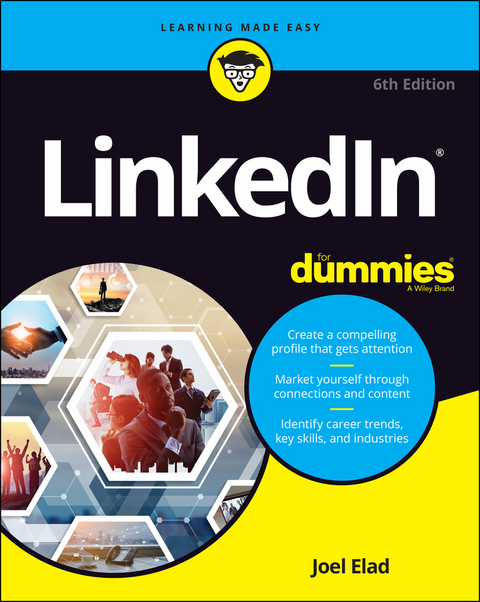
LinkedIn For Dummies (eBook)
John Wiley & Sons (Verlag)
978-1-119-69534-9 (ISBN)
Brand yourself like a pro on LinkedIn
LinkedIn multiplies what you know by the power of who you know to deliver the number one social platform for business professionals and new job seekers. LinkedIn For Dummies shows LinkedIn newcomers the best ways to discover new opportunities, enhance their personal brand, network with other professionals, and give an exponential boost to their career. Consider this book a passport to help you connect more successfully with many of LinkedIn's 660+ million members in over 200 countries, as well as an expert guide to the platform's tools and features and the proven tactics that get you noticed.
In this friendly, all-access introduction to the LinkedIn scene, entrepreneurship guru Joel Elad clues you in on the essentials. Get the latest insight on how to create an attractive profile that will make employers give you a second glance as well as techniques for making useful connections across the globe. In no time at all you'll also be right at home with the profile user interface and getting busy with adding content, searching for career opportunities, and, if you're looking to hire for your company, recruiting top candidates.
- Build your personal brand and market it
- Sell yourself by highlighting skills, awards, and endorsements
- Get connected with LinkedIn groups
- Manage and make introductions via InMail
Relationships matter: LinkedIn For Dummies gives you the online social skills to turn six degrees of separation into the colleagues, mentors, and friends who will transform your career-and your life.
Brand yourself like a pro on LinkedIn LinkedIn multiplies what you know by the power of who you know to deliver the number one social platform for business professionals and new job seekers. LinkedIn For Dummies shows LinkedIn newcomers the best ways to discover new opportunities, enhance their personal brand, network with other professionals, and give an exponential boost to their career. Consider this book a passport to help you connect more successfully with many of LinkedIn s 660+ million members in over 200 countries, as well as an expert guide to the platform s tools and features and the proven tactics that get you noticed. In this friendly, all-access introduction to the LinkedIn scene, entrepreneurship guru Joel Elad clues you in on the essentials. Get the latest insight on how to create an attractive profile that will make employers give you a second glance as well as techniques for making useful connections across the globe. In no time at all you ll also be right at home with the profile user interface and getting busy with adding content, searching for career opportunities, and, if you re looking to hire for your company, recruiting top candidates. Build your personal brand and market it Sell yourself by highlighting skills, awards, and endorsements Get connected with LinkedIn groups Manage and make introductions via InMail Relationships matter: LinkedIn For Dummies gives you the online social skills to turn six degrees of separation into the colleagues, mentors, and friends who will transform your career and your life.
Joel Elad is a social networking, Internet, and ecommerce guru with a software development background and a yearning for entrepreneurship. He is the author or coauthor of several books, including Facebook Advertising For Dummies and Starting an Online Business All-in-One For Dummies as well as previous editions of LinkedIn For Dummies.
Chapter 1
Looking into LinkedIn
IN THIS CHAPTER
Getting to know your networking toolkit
Understanding the different degrees of network connections
Discovering LinkedIn features
Comparing the different accounts
Navigating the LinkedIn menu system
When I hear the terms “social networking” and “business networking,” I always go back to one of my favorite phrases: “It’s not what you know; it’s who you know.” Now imagine a website where both concepts are true, where you can demonstrate what you know and see the power of who you know. That’s just one way to describe LinkedIn, one of the top websites today where you can do professional networking and so much more.
Social networking has garnered a lot of attention over the years, and while newer sites such as Tik Tok, Instagram, and Snapchat are gaining in popularity, the two sites that most people think of first for social networking are Twitter and Facebook. Let me state right now, in the first chapter, that LinkedIn is not one of those sites. You can find some elements of similarity, but LinkedIn isn’t the place to tweet about what you had for lunch or show pictures of last Friday’s beach bonfire.
LinkedIn is a place where relationships matter (the original LinkedIn slogan). It was developed primarily for professional networking. When you look at its mission statement, LinkedIn’s mission is simple: “Connect the world’s professionals to make them more productive and successful.” This is not a website that requires a lot of constant work to be effective. It’s designed to work in the background and help you reach out to whomever you need while learning and growing yourself. The key is to set up your online identity, build your network, and steadily take advantage of the opportunities that most affect you or greatly interest you.
In this chapter, I introduce you to LinkedIn and the basic services it has to offer. I answer the questions “What is LinkedIn?” and, more importantly, “Why should I be using LinkedIn?” I talk about how LinkedIn fits in with the rest of your professional activities, and then I move on to the tangible benefits that LinkedIn can provide you, regardless of your profession or career situation. I discuss some of the premium account capabilities that you can pay to use, but rest assured that LinkedIn has a lot of free features. The last part of the chapter covers basic navigation of the LinkedIn site. I show you the different menus and navigation bars, which you encounter throughout this book.
Understanding Your New Contact Management and Networking Toolkit
When thinking about how people can be connected with each other, it helps to picture a tangible network. For example, roads connect cities. The Internet connects computers. A quilt is a series of connected pieces of fabric. But what about the intangible networks? You can describe the relationship among family members by using a family tree metaphor. People now use the term social network to describe the intangible connections between them and other people, whether they’re friends, co-workers, or acquaintances.
People used to rely on address books or contact organizers (PDAs) to keep track of their social networks. You could grow your social networks by attending networking events or by being introduced in person to new contacts, and then continuing to communicate with these new contacts. Eventually, the new contacts were considered part of your social network.
As people began to rely more and more on technology, though, new tools were created to help manage social networks. Salespeople started using contact management systems such as ACT! to keep track of communications. Phone calls replaced written letters, and cellular phones replaced landline phones. Then email replaced phone calls and letters, with text messaging increasingly handling short bursts of communication. Today, with the mass adoption of smartphones, laptops, and tablets, Internet browsing has dramatically increased. People manage their lives through web browsers, SMS (Short Message Service) communications, and apps on their smartphones.
Internet tools have advanced to the point where online communication within your network is much more automated and accessible. Sites such as LinkedIn have started to replace the older ways of accessing your social network. For example, instead of asking your friend Michael to call his friend Eric to see whether Eric’s friend has a job available, you can use LinkedIn to see whether Eric’s friend works for a company you want to contact, and you can then use LinkedIn to send a message through Michael to Eric (or in some cases, directly to Eric’s friend) to accomplish the same task. (Of course, this assumes you, Michael, and Eric are all members of LinkedIn.)
In the past, you had no way of viewing other people’s social networks (collections of friends and other contacts). Now, though, when folks put their social networks on LinkedIn, you can see your friends’ networks as well as their friends’ networks, and suddenly hidden opportunities start to become available to you.
Because of LinkedIn, you can spend more time researching potential opportunities (such as finding a job or a new employee for your business) as well as receiving information from the larger network and not just your immediate friends. The network is more useful because you can literally see the map that connects you with other people.
However, just because this information is more readily available, networking still involves work. You still have to manage your connections and use the network to gain more connections or knowledge. Remember, too, that nothing can replace the power of meeting people in person. But because LinkedIn works in the background guiding you in finding contacts and starting the networking process, you can spend your time more productively instead of making blind requests and relying solely on other people to make something happen.
Keeping track of your contacts
You made a connection with someone — say, your roommate from college. It’s graduation day; you give him your contact information, he gives you his information, and you tell him to keep in touch. As both of you move to different places, start new jobs, and live your lives, you eventually lose track of each other, and all your contact information grows out of date. How do you find this person again?
One of the benefits of LinkedIn is that after you connect with someone you know who also has an account on LinkedIn, you always have a live link to that person. Even when that person changes email addresses, you’ll always be able to send him or her a message through LinkedIn. In this sense, LinkedIn always keeps you connected with people in your network, regardless of how their lives change. LinkedIn shows you a list of your connections, such as the list in Figure 1-1.
FIGURE 1-1: See all your connections in one centralized list.
Understanding the different degrees of network connections
In the LinkedIn universe, the word connection means a person who is connected to you through the site. The number of connections you have simply means the number of people who are directly connected to you in your professional network.
Here are the different levels of connectedness on LinkedIn:
- First-degree connections: People you know personally; they have a direct relationship from their account to your account. These first-degree connections make up your immediate network and are usually your past colleagues, classmates, group members, friends, family, and close associates. Unlike Facebook, where everyone you connect to is a “friend,” on LinkedIn, you can connect to friends who might not have a work, school, or group connection to you but whom you know personally outside those criteria. Similar to Facebook, though, you can see your list of first-degree connections and they can see yours — provided your settings (and those of your connections) are configured so any connection can see other people’s list of connections.
- Second-degree network members: People who know at least one member of your first-degree connections: in other words, the friends of your friends. You can reach any second-degree network member by asking your first-degree connection to pass along your profile as an introduction from you to his friend.
- Third-degree network members: People who know at least one of your second-degree network members: in other words, friends of your friends of your friends. You can reach any third-degree network member by asking your friend to pass along a request to be introduced to her friend, who then passes it to her friend, who is the third-degree network member.
The result is a large chain of connections and network members, with a core of trusted friends who help you reach out and tap your friends’ networks and extended networks. Take the concept of Six Degrees of Separation (which says that, on average, a chain of six people can connect you to anyone else on Earth), put everyone’s network online, and you have LinkedIn.
So, how powerful can these connections be? Figure 1-2 shows a snapshot of how someone’s network on LinkedIn used to look.
FIGURE 1-2: Only three...
| Erscheint lt. Verlag | 23.3.2021 |
|---|---|
| Sprache | englisch |
| Themenwelt | Mathematik / Informatik ► Informatik ► Web / Internet |
| Schlagworte | Allg. Internet • career advice • Career guide • career networking • change my career • Computer-Ratgeber • End-User Computing • find a new job • get ahead in my career • Internet General • introduction to LinkedIn • jobsearch • job search </p> • LinkedIn • LinkedIn user guide • looking for jobs • <p>LinkedIn guide |
| ISBN-10 | 1-119-69534-1 / 1119695341 |
| ISBN-13 | 978-1-119-69534-9 / 9781119695349 |
| Informationen gemäß Produktsicherheitsverordnung (GPSR) | |
| Haben Sie eine Frage zum Produkt? |
 EPUB (Adobe DRM)
Kopierschutz: Adobe-DRM
Adobe-DRM ist ein Kopierschutz, der das eBook vor Mißbrauch schützen soll. Dabei wird das eBook bereits beim Download auf Ihre persönliche Adobe-ID autorisiert. Lesen können Sie das eBook dann nur auf den Geräten, welche ebenfalls auf Ihre Adobe-ID registriert sind.
Details zum Adobe-DRM
Dateiformat: EPUB (Electronic Publication)
EPUB ist ein offener Standard für eBooks und eignet sich besonders zur Darstellung von Belletristik und Sachbüchern. Der Fließtext wird dynamisch an die Display- und Schriftgröße angepasst. Auch für mobile Lesegeräte ist EPUB daher gut geeignet.
Systemvoraussetzungen:
PC/Mac: Mit einem PC oder Mac können Sie dieses eBook lesen. Sie benötigen eine
eReader: Dieses eBook kann mit (fast) allen eBook-Readern gelesen werden. Mit dem amazon-Kindle ist es aber nicht kompatibel.
Smartphone/Tablet: Egal ob Apple oder Android, dieses eBook können Sie lesen. Sie benötigen eine
Geräteliste und zusätzliche Hinweise
Buying eBooks from abroad
For tax law reasons we can sell eBooks just within Germany and Switzerland. Regrettably we cannot fulfill eBook-orders from other countries.
aus dem Bereich