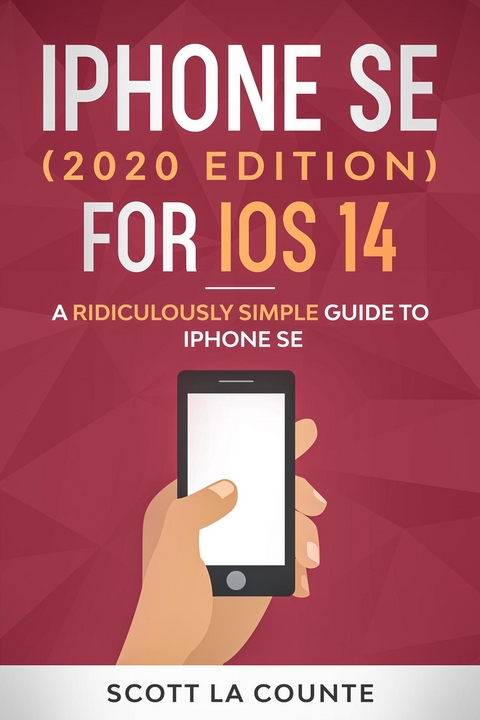
iPhone SE (2020 Edition) For iOS 14 (eBook)
276 Seiten
Diana La Counte (Verlag)
978-1-62917-553-9 (ISBN)
Introduction
So Many Phones! What's the difference?
iPhone SE? iPhone Pro? iPhone XR? What's the difference!
Feature This...
What's New in iOS 14
Setting Things Up
Setting Things Up
Setting Things Up
I Feel Charged!
Enough About Setup! How Do I Use This Thing, Already?!
How Do You Send Cute Emojis to Everyone?
Crash Course
Welcome Home
Control Center
Making Calls
There's An App for That
Organizing Apps
Goodbye Clutter, Hello App Library
There's a Widget for That!
Search Text in App
Messaging
Message Tagging
Pinning Messages
Notifications
Using AirDrop
The Basics
Phone
The Monalisa of FaceTime?
Surfing the Internet with Safari
Set Your Default Email / Web Browser
Privacy
iTunes
Buying Apps
Picture-In-Picture
Calendar
Weather
Maps
Health
Find My
Reminders
Home
ARKit
Apple Translate
App Clips
Magnifier
Notes
Views
Folders
Viewing Attachments
Delete Note
Creating a Note
Lock Note
Create a Table
Create a Checklist
Add a Style
Adding Sketches and Images
Adding Collaborators
Sharing Notes
Searching Notes
Exporting Notes
Pinning Notes
Attaching Files
Spell Check
Font Formatter
iPhone Notes
Make It Yours
Do Not Disturb Mode
Notifications and Widgets
General Settings
Cellular
Sounds
Swipe Keyboard
Customizing Brightness and Wallpaper
Privacy
Mail, Contacts, Calendars Settings
Adding Facebook and Twitter
Family Sharing
Continuity and Handoff
Creating Custom Icons
Taking Photos
Taking Photos
Using the lenes
Different Camera Modes
Burst Mode
QR Codes
Editing Photos
Camera Settings You Should Know
Viewing, Organizing, Searching and Sharing Photos
Hey, Siri
Siri Shortcuts
Apple Services
iCloud
Apple Arcade
Apple TV+
Apple Music
Apple News+
Apple Card
CarPlay
What Is CarPlay
How Much?
How Does CarPlay Work?
How Apps Work
Other Apps
Maintain and Protect
Security
Encryption
Keychain
Battery Tips
Index
About the Author
| Erscheint lt. Verlag | 26.9.2020 |
|---|---|
| Sprache | englisch |
| Themenwelt | Mathematik / Informatik ► Informatik |
| Schlagworte | budget phone • dummies guide • Handbook • Help • idiots guide • Instructional • iOS 14 • iPhone 11 • iPhone 8 • iPhone pro • iPhone SE • Manual • Missing Manual • Reference • Training • User Guide |
| ISBN-10 | 1-62917-553-6 / 1629175536 |
| ISBN-13 | 978-1-62917-553-9 / 9781629175539 |
| Informationen gemäß Produktsicherheitsverordnung (GPSR) | |
| Haben Sie eine Frage zum Produkt? |
 EPUB (Adobe DRM)
Kopierschutz: Adobe-DRM
Adobe-DRM ist ein Kopierschutz, der das eBook vor Mißbrauch schützen soll. Dabei wird das eBook bereits beim Download auf Ihre persönliche Adobe-ID autorisiert. Lesen können Sie das eBook dann nur auf den Geräten, welche ebenfalls auf Ihre Adobe-ID registriert sind.
Details zum Adobe-DRM
Dateiformat: EPUB (Electronic Publication)
EPUB ist ein offener Standard für eBooks und eignet sich besonders zur Darstellung von Belletristik und Sachbüchern. Der Fließtext wird dynamisch an die Display- und Schriftgröße angepasst. Auch für mobile Lesegeräte ist EPUB daher gut geeignet.
Systemvoraussetzungen:
PC/Mac: Mit einem PC oder Mac können Sie dieses eBook lesen. Sie benötigen eine
eReader: Dieses eBook kann mit (fast) allen eBook-Readern gelesen werden. Mit dem amazon-Kindle ist es aber nicht kompatibel.
Smartphone/Tablet: Egal ob Apple oder Android, dieses eBook können Sie lesen. Sie benötigen eine
Geräteliste und zusätzliche Hinweise
Buying eBooks from abroad
For tax law reasons we can sell eBooks just within Germany and Switzerland. Regrettably we cannot fulfill eBook-orders from other countries.
aus dem Bereich