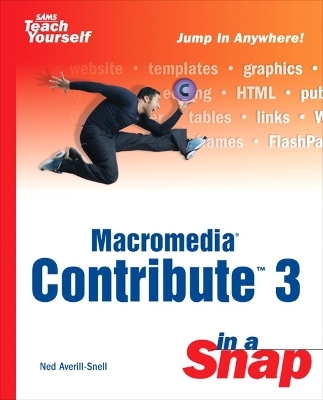
Macromedia Contribute 3 in a Snap
Sams Publishing (Verlag)
9780672325168 (ISBN)
- Keine Verlagsinformationen verfügbar
- Artikel merken
Whether you're a small business owner wanting to update your website to promote a big sale next month, a student assigned to create a website for a class, or you're curious about web design but you don't have any HTML experience, Macromedia Contribute 3 In a Snap can help. Organized into short, bite-sized tasks, you will quickly be able to accomplish the steps required to build a website without any HTML code. You will learn how to easily update text and images to existing web pages and create new pages with the use of Macromedia Contribute 3 and more familiar programs such as Microsoft Word and Excel. Use this tool to help you create web pages in a snap!
Ned Averill-Snell has been making technology make sense since 1986, when he began writing beginner's documentation for one of the world's largest software companies. After writing manuals and training materials for several major technology companies, Ned switched sides and became a computer journalist, serving as a writer and editor for two national magazines, Edge and Art & Design News. A freelance writer since 1991, Ned has written more than two dozen computer books and hundreds of articles. Between books, Ned works as a professional actor in regional theater, commercials and industrial films.
I: GETTING STARTED.
1: Start Here.
2: Connecting to a Web Page to Edit It.
About Connections.
Import a Connection Key.
Locate Editable Regions.
Work Offline.
Delete a Connection.
Disable Connections.
Enable Connections.
Bookmark Websites You Edit Often.
II: EDITING THE CONTENT OF A WEB PAGE.
3: Editing the Content of a Web Page.
About Web Page Text.
Select Text.
Edit and Add Text.
Copy or Move Text.
Insert Special Characters (Symbols).
Insert the Date.
Check Spelling.
Use Find and Replace.
4: Changing the Way Text Looks.
About Text Formatting.
Change the Style of Text.
Make Text Bold, Italic, or Underlined.
Change the Font, Size, or Color of Text.
Apply a Highlight Color to Text.
Align Text on the Page.
Indent Paragraphs.
5: Editing Pictures and Movies.
About Web Images.
Align an Image and Choose Wrapping.
Reposition an Image.
Change the Size of an Image.
Prepare an Image for the Web.
Replace an Image.
| Erscheint lt. Verlag | 12.8.2004 |
|---|---|
| Reihe/Serie | Sams Teach Yourself |
| Verlagsort | Indianapolis |
| Sprache | englisch |
| Maße | 190 x 232 mm |
| Gewicht | 445 g |
| Themenwelt | Mathematik / Informatik ► Informatik ► Web / Internet |
| ISBN-13 | 9780672325168 / 9780672325168 |
| Zustand | Neuware |
| Informationen gemäß Produktsicherheitsverordnung (GPSR) | |
| Haben Sie eine Frage zum Produkt? |
aus dem Bereich