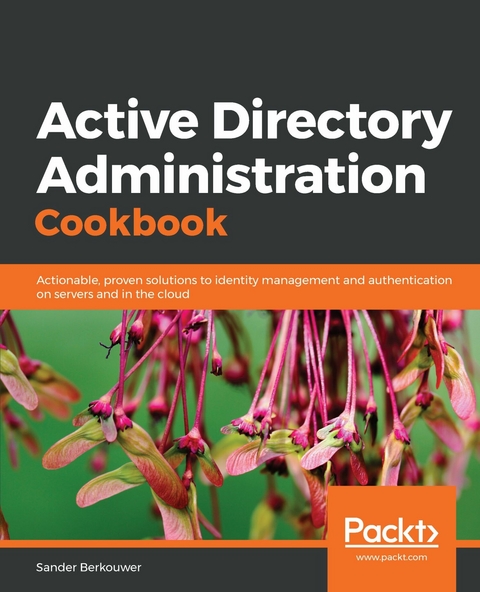
Active Directory Administration Cookbook (eBook)
620 Seiten
Packt Publishing (Verlag)
978-1-78980-473-7 (ISBN)
Learn the intricacies of managing Azure AD and Azure AD Connect, as well as Active Directory for administration on cloud and Windows Server 2019
Key Features
- Expert solutions for the federation, certificates, security, and monitoring with Active Directory
- Explore Azure AD and AD Connect for effective administration on cloud
- Automate security tasks using Active Directory and PowerShell
Book Description
Active Directory is an administration system for Windows administrators to automate network, security and access management tasks in the Windows infrastructure.
This book starts off with a detailed focus on forests, domains, trusts, schemas and partitions. Next, you'll learn how to manage domain controllers, organizational units and the default containers.
Going forward, you'll explore managing Active Directory sites as well as identifying and solving replication problems. The next set of chapters covers the different components of Active Directory and discusses the management of users, groups and computers. You'll also work through recipes that help you manage your Active Directory domains, manage user and group objects and computer accounts, expiring group memberships and group Managed Service Accounts (gMSAs) with PowerShell.
You'll understand how to work with Group Policy and how to get the most out of it. The last set of chapters covers federation, security and monitoring. You will also learn about Azure Active Directory and how to integrate on-premises Active Directory with Azure AD. You'll discover how Azure AD Connect synchronization works, which will help you manage Azure AD.
By the end of the book, you have learned about Active Directory and Azure AD in detail.
What you will learn
- Manage new Active Directory features, such as the Recycle Bin, group Managed Service Accounts, and fine-grained password policies
- Work with Active Directory from the command line and use Windows PowerShell to automate tasks
- Create and remove forests, domains, and trusts
- Create groups, modify group scope and type, and manage memberships
- Delegate control, view and modify permissions
- Optimize Active Directory and Azure AD in terms of security
Who this book is for
This book will cater to administrators of existing Active Directory Domain Services environments and/or Azure AD tenants, looking for guidance to optimize their day-to-day effectiveness. Basic networking and Windows Server Operating System knowledge would come in handy.
Learn the intricacies of managing Azure AD and Azure AD Connect, as well as Active Directory for administration on cloud and Windows Server 2019Key FeaturesExpert solutions for the federation, certificates, security, and monitoring with Active DirectoryExplore Azure AD and AD Connect for effective administration on cloudAutomate security tasks using Active Directory and PowerShellBook DescriptionActive Directory is an administration system for Windows administrators to automate network, security and access management tasks in the Windows infrastructure. This book starts off with a detailed focus on forests, domains, trusts, schemas and partitions. Next, you'll learn how to manage domain controllers, organizational units and the default containers. Going forward, you'll explore managing Active Directory sites as well as identifying and solving replication problems. The next set of chapters covers the different components of Active Directory and discusses the management of users, groups and computers. You'll also work through recipes that help you manage your Active Directory domains, manage user and group objects and computer accounts, expiring group memberships and group Managed Service Accounts (gMSAs) with PowerShell. You'll understand how to work with Group Policy and how to get the most out of it. The last set of chapters covers federation, security and monitoring. You will also learn about Azure Active Directory and how to integrate on-premises Active Directory with Azure AD. You'll discover how Azure AD Connect synchronization works, which will help you manage Azure AD. By the end of the book, you have learned about Active Directory and Azure AD in detail.What you will learnManage new Active Directory features, such as the Recycle Bin, group Managed Service Accounts, and fine-grained password policiesWork with Active Directory from the command line and use Windows PowerShell to automate tasksCreate and remove forests, domains, and trustsCreate groups, modify group scope and type, and manage membershipsDelegate control, view and modify permissionsOptimize Active Directory and Azure AD in terms of securityWho this book is forThis book will cater to administrators of existing Active Directory Domain Services environments and/or Azure AD tenants, looking for guidance to optimize their day-to-day effectiveness. Basic networking and Windows Server Operating System knowledge would come in handy.
| Erscheint lt. Verlag | 3.5.2019 |
|---|---|
| Sprache | englisch |
| Themenwelt | Mathematik / Informatik ► Informatik |
| Schlagworte | AD Security • AD with Powershell • Azure AD • Group Policy • Windows Administration |
| ISBN-10 | 1-78980-473-6 / 1789804736 |
| ISBN-13 | 978-1-78980-473-7 / 9781789804737 |
| Informationen gemäß Produktsicherheitsverordnung (GPSR) | |
| Haben Sie eine Frage zum Produkt? |
 EPUB (Adobe DRM)
Größe: 19,3 MB
Kopierschutz: Adobe-DRM
Adobe-DRM ist ein Kopierschutz, der das eBook vor Mißbrauch schützen soll. Dabei wird das eBook bereits beim Download auf Ihre persönliche Adobe-ID autorisiert. Lesen können Sie das eBook dann nur auf den Geräten, welche ebenfalls auf Ihre Adobe-ID registriert sind.
Details zum Adobe-DRM
Dateiformat: EPUB (Electronic Publication)
EPUB ist ein offener Standard für eBooks und eignet sich besonders zur Darstellung von Belletristik und Sachbüchern. Der Fließtext wird dynamisch an die Display- und Schriftgröße angepasst. Auch für mobile Lesegeräte ist EPUB daher gut geeignet.
Systemvoraussetzungen:
PC/Mac: Mit einem PC oder Mac können Sie dieses eBook lesen. Sie benötigen eine
eReader: Dieses eBook kann mit (fast) allen eBook-Readern gelesen werden. Mit dem amazon-Kindle ist es aber nicht kompatibel.
Smartphone/Tablet: Egal ob Apple oder Android, dieses eBook können Sie lesen. Sie benötigen eine
Geräteliste und zusätzliche Hinweise
Buying eBooks from abroad
For tax law reasons we can sell eBooks just within Germany and Switzerland. Regrettably we cannot fulfill eBook-orders from other countries.
EPUB (Ohne DRM)Digital Rights Management: ohne DRM
Dieses eBook enthält kein DRM oder Kopierschutz. Eine Weitergabe an Dritte ist jedoch rechtlich nicht zulässig, weil Sie beim Kauf nur die Rechte an der persönlichen Nutzung erwerben.
Dateiformat: EPUB (Electronic Publication)
EPUB ist ein offener Standard für eBooks und eignet sich besonders zur Darstellung von Belletristik und Sachbüchern. Der Fließtext wird dynamisch an die Display- und Schriftgröße angepasst. Auch für mobile Lesegeräte ist EPUB daher gut geeignet.
Systemvoraussetzungen:
PC/Mac: Mit einem PC oder Mac können Sie dieses eBook lesen. Sie benötigen dafür die kostenlose Software Adobe Digital Editions.
eReader: Dieses eBook kann mit (fast) allen eBook-Readern gelesen werden. Mit dem amazon-Kindle ist es aber nicht kompatibel.
Smartphone/Tablet: Egal ob Apple oder Android, dieses eBook können Sie lesen. Sie benötigen dafür eine kostenlose App.
Geräteliste und zusätzliche Hinweise
Buying eBooks from abroad
For tax law reasons we can sell eBooks just within Germany and Switzerland. Regrettably we cannot fulfill eBook-orders from other countries.
aus dem Bereich