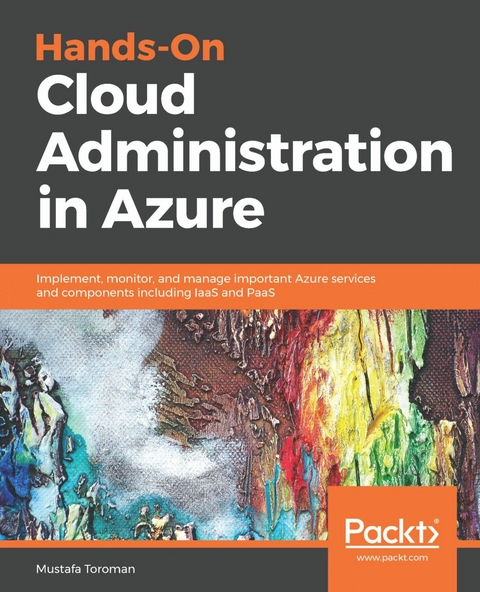
Hands-On Cloud Administration in Azure (eBook)
390 Seiten
Packt Publishing (Verlag)
978-1-78913-977-8 (ISBN)
Explore Azure services such as networking, virtual machines, web apps, databases, cloud migration, and security
Key Features
- Understand Azure services to build, deploy, and manage workloads on cloud
- Learn in-depth core Azure services and work through real-world scenarios and case studies
- A concise and practical guide for learning cloud administration on Azure
Book Description
Azure continues to dominate the public cloud market and grow rapidly thanks to a number of recent innovations. Azure's wide range of services and support has led to a large number of customers switching to Azure cloud.
Hands-On Cloud Administration in Azure starts with the basics of Azure cloud fundamentals and key concepts of the cloud computing ecosystem and services. Then, you will gradually get acquainted with core services provided by Azure, including Azure VNet, types and assignments of IP addresses, and network security groups. You will also work on creating and administering Azure Virtual Machines, types of virtual machines (VMs), and design VM solutions based on computing workloads. As you make your way through the chapters, you will explore Azure App Service, discover how to host your web apps in Azure, and monitor and troubleshoot them. In the concluding chapters, you will learn more complex and abstract services, such as Azure Storage, Azure Backup, and Azure Site Recovery. You will also get to grips with Azure SQL Databases and the SQL on Azure VM concept.
By the end of this book, you will have obtained practical experience of working with Azure services and Azure administration, along with maintaining, monitoring, and securing your Azure resources.
What you will learn
- Understand the concepts of IaaS and PaaS
- Learn design patterns for Azure solutions
- Design data solutions in Azure
- Explore concepts of hybrid clouds with Azure
- Implement Azure Security in cloud
- Create and manage Azure resources with script-based tools
Who this book is for
Hands-On Cloud Administration in Azure is for system administrators, cloud admins, cloud engineers, and DevOps engineers who are interested in understanding administration-related services in Azure. Prior experience of working with Azure is an added advantage.
Explore Azure services such as networking, virtual machines, web apps, databases, cloud migration, and securityKey FeaturesUnderstand Azure services to build, deploy, and manage workloads on cloudLearn in-depth core Azure services and work through real-world scenarios and case studiesA concise and practical guide for learning cloud administration on AzureBook DescriptionAzure continues to dominate the public cloud market and grow rapidly thanks to a number of recent innovations. Azure's wide range of services and support has led to a large number of customers switching to Azure cloud.Hands-On Cloud Administration in Azure starts with the basics of Azure cloud fundamentals and key concepts of the cloud computing ecosystem and services. Then, you will gradually get acquainted with core services provided by Azure, including Azure VNet, types and assignments of IP addresses, and network security groups. You will also work on creating and administering Azure Virtual Machines, types of virtual machines (VMs), and design VM solutions based on computing workloads. As you make your way through the chapters, you will explore Azure App Service, discover how to host your web apps in Azure, and monitor and troubleshoot them. In the concluding chapters, you will learn more complex and abstract services, such as Azure Storage, Azure Backup, and Azure Site Recovery. You will also get to grips with Azure SQL Databases and the SQL on Azure VM concept.By the end of this book, you will have obtained practical experience of working with Azure services and Azure administration, along with maintaining, monitoring, and securing your Azure resources.What you will learnUnderstand the concepts of IaaS and PaaSLearn design patterns for Azure solutionsDesign data solutions in AzureExplore concepts of hybrid clouds with AzureImplement Azure Security in cloudCreate and manage Azure resources with script-based toolsWho this book is forHands-On Cloud Administration in Azure is for system administrators, cloud admins, cloud engineers, and DevOps engineers who are interested in understanding administration-related services in Azure. Prior experience of working with Azure is an added advantage.
| Erscheint lt. Verlag | 23.10.2018 |
|---|---|
| Sprache | englisch |
| Themenwelt | Mathematik / Informatik ► Informatik ► Netzwerke |
| Schlagworte | Virtualization and Cloud |
| ISBN-10 | 1-78913-977-5 / 1789139775 |
| ISBN-13 | 978-1-78913-977-8 / 9781789139778 |
| Informationen gemäß Produktsicherheitsverordnung (GPSR) | |
| Haben Sie eine Frage zum Produkt? |
 EPUB (Adobe DRM)
Größe: 11,7 MB
Kopierschutz: Adobe-DRM
Adobe-DRM ist ein Kopierschutz, der das eBook vor Mißbrauch schützen soll. Dabei wird das eBook bereits beim Download auf Ihre persönliche Adobe-ID autorisiert. Lesen können Sie das eBook dann nur auf den Geräten, welche ebenfalls auf Ihre Adobe-ID registriert sind.
Details zum Adobe-DRM
Dateiformat: EPUB (Electronic Publication)
EPUB ist ein offener Standard für eBooks und eignet sich besonders zur Darstellung von Belletristik und Sachbüchern. Der Fließtext wird dynamisch an die Display- und Schriftgröße angepasst. Auch für mobile Lesegeräte ist EPUB daher gut geeignet.
Systemvoraussetzungen:
PC/Mac: Mit einem PC oder Mac können Sie dieses eBook lesen. Sie benötigen eine
eReader: Dieses eBook kann mit (fast) allen eBook-Readern gelesen werden. Mit dem amazon-Kindle ist es aber nicht kompatibel.
Smartphone/Tablet: Egal ob Apple oder Android, dieses eBook können Sie lesen. Sie benötigen eine
Geräteliste und zusätzliche Hinweise
Buying eBooks from abroad
For tax law reasons we can sell eBooks just within Germany and Switzerland. Regrettably we cannot fulfill eBook-orders from other countries.
EPUB (Ohne DRM)Digital Rights Management: ohne DRM
Dieses eBook enthält kein DRM oder Kopierschutz. Eine Weitergabe an Dritte ist jedoch rechtlich nicht zulässig, weil Sie beim Kauf nur die Rechte an der persönlichen Nutzung erwerben.
Dateiformat: EPUB (Electronic Publication)
EPUB ist ein offener Standard für eBooks und eignet sich besonders zur Darstellung von Belletristik und Sachbüchern. Der Fließtext wird dynamisch an die Display- und Schriftgröße angepasst. Auch für mobile Lesegeräte ist EPUB daher gut geeignet.
Systemvoraussetzungen:
PC/Mac: Mit einem PC oder Mac können Sie dieses eBook lesen. Sie benötigen dafür die kostenlose Software Adobe Digital Editions.
eReader: Dieses eBook kann mit (fast) allen eBook-Readern gelesen werden. Mit dem amazon-Kindle ist es aber nicht kompatibel.
Smartphone/Tablet: Egal ob Apple oder Android, dieses eBook können Sie lesen. Sie benötigen dafür eine kostenlose App.
Geräteliste und zusätzliche Hinweise
Buying eBooks from abroad
For tax law reasons we can sell eBooks just within Germany and Switzerland. Regrettably we cannot fulfill eBook-orders from other countries.
aus dem Bereich