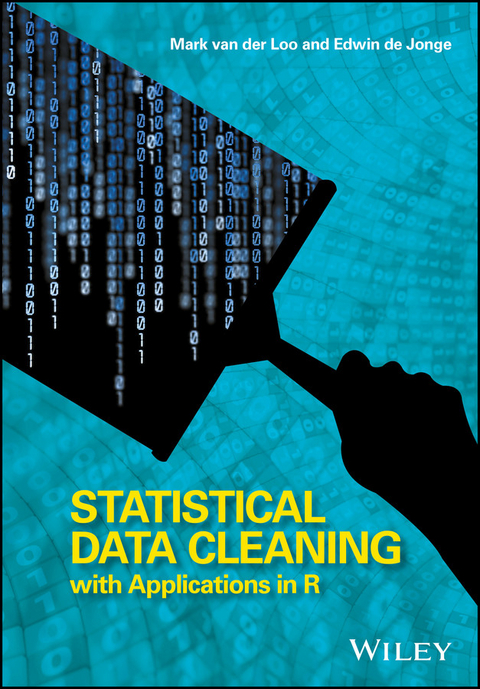
Statistical Data Cleaning with Applications in R (eBook)
John Wiley & Sons (Verlag)
978-1-118-89713-3 (ISBN)
Mark van der Loo and Edwin de Jonge, Department of Statistical Methods, Statistics Netherlands, The Netherlands
A comprehensive guide to automated statistical data cleaning The production of clean data is a complex and time-consuming process that requires both technical know-how and statistical expertise. Statistical Data Cleaning brings together a wide range of techniques for cleaning textual, numeric or categorical data. This book examines technical data cleaning methods relating to data representation and data structure. A prominent role is given to statistical data validation, data cleaning based on predefined restrictions, and data cleaning strategy. Key features: Focuses on the automation of data cleaning methods, including both theory and applications written in R. Enables the reader to design data cleaning processes for either one-off analytical purposes or for setting up production systems that clean data on a regular basis. Explores statistical techniques for solving issues such as incompleteness, contradictions and outliers, integration of data cleaning components and quality monitoring. Supported by an accompanying website featuring data and R code. This book enables data scientists and statistical analysts working with data to deepen their understanding of data cleaning as well as to upgrade their practical data cleaning skills. It can also be used as material for a course in data cleaning and analyses.
Mark van der Loo and Edwin de Jonge, Department of Statistical Methods, Statistics Netherlands, The Netherlands
Chapter 2
A Brief Introduction to R
The following sections provide an overview of some of R's core features. Besides an installation of R, we recommend installing one of the available integrated development environments (IDEs) for R. A good IDE does not only offer a nice interface to R and its help system but also helps you to organize projects, code, and data.
To benefit the most of this tutorial, it is a good idea to try out the code examples for yourself, play around with them, and to explain the results.
2.1 R on the Command Line
After starting R, or an IDE that connects to R, you have access to an interactive console, or command-line interface. The first use of it is to replace a pocket calculator. You can type in a calculation, and R will return the answer (preceded by a [1]).
1 + 1 ## [1] 2 To get started, experiment with the following statements. Make sure to play around a little. All common mathematical functions are implemented in R.
1 + 1 3∧2 sin(pi/2) (1 + 4) * 3 exp(1) sqrt(16) To reuse results or values, you can store them with the <- operator.
x <- 10 y <- 20 R has now remembered the values 10 and 20 and named them x and y. In fact, x and y are now officially R objects. R is very flexible, and there are several other ways to define an R object. We may replace <- with =, we may replace a statement x <- 10 with 10 -> x, or we can be extra verbose and use assign("x",10). The = operator is the only one that is encountered with some frequency in practice. Since = is also used for named argument passing in function calls (see Section 2.6.1), we recommend using the <- for assignment.
The content of an R object can be printed simply by typing its name in the console.
x ## [1] 10 R objects can be stored for further computation, the results of which may again be stored.
x + y ## [1] 30 z <- x * y q <- x∧2*z q ## [1] 20000 Finally, we note that values and variables can be compared using standard comparison operators.
x <= y ## [1] TRUE x == y ## [1] FALSE x> y ## [1] FALSE Observe that the operator testing for equality is written as the double equals symbol ‘==’. Make sure not to confuse this with the single equals symbol, which functions as assignment operator.
2.1.1 Getting Help and Learning R
R has a built-in help system where every possible function is described. If you know the name of the function, its help file can be requested with the ? operator. For example, to show the help of the function mean, type the following:
?mean If you are not sure of the function's name, the help files may be searched using the double question mark operator.
??average IDEs for R have built-in search for the help files that may be more convenient.
There are a number of good online resources to get help from fellow users. Most notably, the Q&A site stackoverflow.com provides many R-related questions that have already been answered by users (and questions about many other topics as well). In fact, if you type an R-related question in a search engine, chances are that the first hit is a stackoverflow page. You may also want to subscribe to the R-help mailing list (see https://www.r-project.org/mail.html). Here, questions are often answered by the developers of the GNU R itself. Do observe the ‘netiquette’ and follow the posting guide before posting a question to the list. In particular, you should search the mailing list prior to posting a question to avoid double posts.
Besides resources where answers to questions can be found, there are many blogs discussing R and applications of R. A good way to become familiar with all the possibilities of R is to frequently visit r-bloggers.com, where many R-related blogs are collected and presented in a newspaper-like format. Browsing through the blogs allows you to stumble upon functions and ideas that you cannot get from just following a tutorial.
Learning R is not something you should do alone. Besides the online community from which you can benefit, many cities have R user groups that organize frequent meetings that you can join. If your organization is using R, it is a good idea to organize a local user group within the organization. All you need is a room, a projector, and a laptop to start organizing meetings. In our experience, user meetings are a very efficient (and fun!) way to share knowledge and experiences among colleagues, friends, or classmates. The point is that even in base R, there are thousands of functions and many ways to solve the same problem. Informal user meetings are a good way of bumping into solutions you otherwise might not have thought of.
2.2 Vectors
The most basic type of object in R is called a vector, a sequence of values of the same type. The object is so basic that you have already worked with them. When in the previous examples we computed x + y, R was in fact adding two numeric vectors of length 1 containing the numbers 10 and 20.
There are several ways to create a vector. One simple way is to use the function c() (for concatenate, or combine).
# a vector with numbers 1, 2, and 3 c(1,3,5) # a vector with two text elements c("hello world","hello universe") Ordered number sequences can be generated with the colon operator (:) or with the seq function.
# a vector with numbers 1,2,…,10 1:10 # a sequence of numbers from 1 to 6 in 100 steps. seq(1,6,length.out=100) Sequences of random numbers from various distributions can be generated as well.
# 100 numbers drawn from the standard normal distribution rnorm(100) # 50 numbers drawn from the uniform distribution on [2,7] runif(50,min=2,max=7) You may try to combine values of a different type in a vector, but R will then convert the type when necessary.
c(1,"hello", 3.14) ## [1] "1" "hello" "3.14" When this vector is printed, there are quotes around the ‘numbers’ "1" and "3.14". That is because R decided to convert these numbers to text since one of the elements in the vector is text (you can always convert a number to text but not the other way around). By the way, in R such a conversion of type is usually referred to as coercion, which is just another word for the same thing.
This automatic conversion has consequences for everyday use. For example, the function read.csv reads csv files into R's working memory. It automatically detects the value types of the columns assuming that the first row contains the column names. Now if you feed it a csv file, where one of the columns contains all numeric data, except in one field, say somewhere at the bottom, that whole column will be interpreted as a categorical variable by default. Of course this behavior can be controlled, but it is typical of R to perform coercion rather than throwing an error.
There are a few basic vector types with which R can work, listed in the following table:
logical | Boolean values TRUE or FALSE |
integer | Whole numbers, |
numeric | Real numbers, |
complex | Complex numbers, |
character | Text |
raw | Binary data. |
There are also types for storing categorical and ordered data.
factor | Categorical data, unordered |
ordered | Ordinal data |
These types are really integer vectors combined with a table that describes which category (level) is stored as what integer.
You can ask any object of what type it is, using the class function.
x <- 1:3 y <- c("foo", "bar") class(x) ## [1] "integer" class(y) ## [1] "character" There are two more types of metadata stored with a vector. The first is its number of elements, which can be retrieved with the length function.
length(y) ## [1] 2 Secondly, the elements of a vector can be given names. For example:
shoesize <- c(jan=43, pier=39, joris=45, korneel=42) The names are printed when a vector is printed to screen, but they do not affect any computations based on the vector.
mean(shoesize) ## [1] 42.25 The names of a vector can be retrieved with the names function.
names(shoesize) ## [1] "jan" "pier" "joris" "korneel" 2.2.1 Computing with Vectors
All arithmetic and comparison operators and mathematical functions...
| Erscheint lt. Verlag | 12.2.2018 |
|---|---|
| Sprache | englisch |
| Themenwelt | Mathematik / Informatik ► Informatik ► Datenbanken |
| Informatik ► Office Programme ► Outlook | |
| Mathematik / Informatik ► Mathematik ► Computerprogramme / Computeralgebra | |
| Schlagworte | automated data cleaning methods • automated statistical data cleaning • automated statistical data cleaning guide • cleaning processes for one-off analytical purposes • Computer Science • data cleaning methods written in R • data cleaning strategy • Data Mining • Data Mining & Knowledge Discovery • Data Mining Statistics • Data Mining u. Knowledge Discovery • data representation and data structure cleaning methods • Datenbereinigung • Informatik • production systems for ongoing data cleaning • R (Programm) • statistical data cleaning • statistical data cleaning techniques • statistical data validation • Statistical Software / R • statistical techniques for solving quality monitoring • Statistics • Statistik • Statistiksoftware / R • technical data cleaning methods • techniques for cleaning textual, numeric or categorical data • upgrade practical data cleaning skills |
| ISBN-10 | 1-118-89713-7 / 1118897137 |
| ISBN-13 | 978-1-118-89713-3 / 9781118897133 |
| Informationen gemäß Produktsicherheitsverordnung (GPSR) | |
| Haben Sie eine Frage zum Produkt? |
 EPUB (Adobe DRM)
Kopierschutz: Adobe-DRM
Adobe-DRM ist ein Kopierschutz, der das eBook vor Mißbrauch schützen soll. Dabei wird das eBook bereits beim Download auf Ihre persönliche Adobe-ID autorisiert. Lesen können Sie das eBook dann nur auf den Geräten, welche ebenfalls auf Ihre Adobe-ID registriert sind.
Details zum Adobe-DRM
Dateiformat: EPUB (Electronic Publication)
EPUB ist ein offener Standard für eBooks und eignet sich besonders zur Darstellung von Belletristik und Sachbüchern. Der Fließtext wird dynamisch an die Display- und Schriftgröße angepasst. Auch für mobile Lesegeräte ist EPUB daher gut geeignet.
Systemvoraussetzungen:
PC/Mac: Mit einem PC oder Mac können Sie dieses eBook lesen. Sie benötigen eine
eReader: Dieses eBook kann mit (fast) allen eBook-Readern gelesen werden. Mit dem amazon-Kindle ist es aber nicht kompatibel.
Smartphone/Tablet: Egal ob Apple oder Android, dieses eBook können Sie lesen. Sie benötigen eine
Geräteliste und zusätzliche Hinweise
Buying eBooks from abroad
For tax law reasons we can sell eBooks just within Germany and Switzerland. Regrettably we cannot fulfill eBook-orders from other countries.
aus dem Bereich