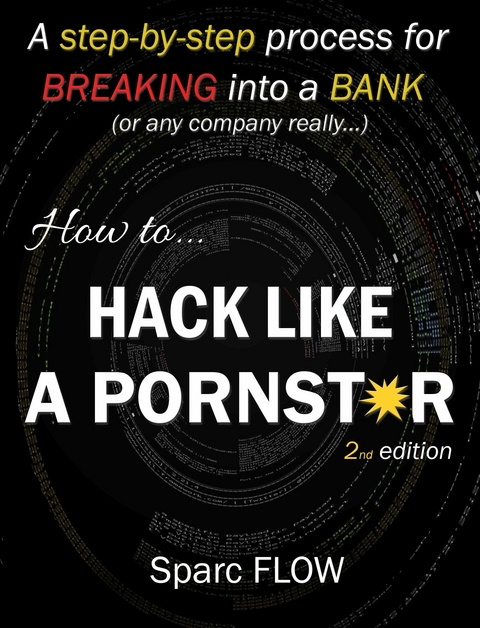
How to Hack Like a Pornstar (eBook)
138 Seiten
Sparc Flow (Verlag)
978-0-00-002928-7 (ISBN)
This is not a book about information security. Certainly not about IT. This is a book about hacking: specifically, how to infiltrate a company's network, locate their most critical data, and make off with it without triggering whatever shiny new security tool the company wasted their budget on.
Whether you are a wannabe ethical hacker or an experienced pentester frustrated by outdated books and false media reports, this book is definitely for you.
We will set up a fake - but realistic enough - target and go in detail over the main steps to pwn the company: building phishing malware, finding vulnerabilities, rooting Windows domains, pwning a mainframe, etc.
Leveraging some vulnerabilities on a front server hosted by the company SPH, we managed to execute code on at least one server52. We now have a shell on a server located inside the Bluebox segment. But besides some email proxies, videoconferencing servers, and some websites, the Bluebox does not contain the data we are looking for.
The Bluebox is simply our gateway to the Greenbox. Think about it. From the internet, we do not see the Greenbox (internal network); however, going through the Bluebox, we may be able to reach some servers within it. The whole purpose of this chapter is to establish a reliable link or tunnel from our Front Gun server to the Greenbox by going through the Bluebox.
If we can knock down a server or two on the way, all the better, but first things first: what kind of machine are we on?
Be it on Windows or Linux, a basic reflex is to snoop around to get valuable information about the environment we are on. Before executing any command, however, we start by disabling the bash history file to avoid having our commands recorded:
www-data@CAREER$ unset HISTFILE
www-data@CAREER$ uname -a
Linux CAREER 4.4.0-31-generic #50-Ubuntu SMP Wed Jul 13 00:06:14 UTC 2016 i686 i686 i686 GNY/Linux
www-data@CAREER$ cat /etc/passwd
[…]
redis:x:124:135::/var/lib/redis:/bin/false
redsocks:x:125:136::/var/run/redsocks:/bin/false
rwhod:x:126:65534::/var/spool/rwho:/bin/false
sslh:x:127:137::/nonexistent:/bin/false
rtkit:x:128:138:RealtimeKit,,,:/proc:/bin/false
saned:x:129:139::/var/lib/saned:/bin/false
usbmux:x:130:46:usbmux daemon,,,:/var/lib/usbmux:/bin/false
beef-xss:x:131:140::/var/lib/beef-xss:/bin/false
Debian-gdm:x:132:142:Display Manager:/var/lib/gdm3:/bin/false
vboxadd:x:999:1::/var/run/vboxadd:/bin/false
ftp:x:133:143:ftp daemon,,,:/srv/ftp:/bin/false
elasticsearch:x:134:144::/var/lib/elasticsearch:/bin/false
debian-tor:x:135:145::/var/lib/tor:/bin/false
mongodb:x:136:65534::/home/mongodb:/bin/false
oinstall:x:1000:1001::/home/oinstall:/bin/sh
oinstall2:x:1001:1002::/home/oinstall2:/bin/sh
[…]
It appears we are on a moderately recent Ubuntu server with 32-bit architecture. The current user is www-data, which does not usually have much privilege on the system.
Although many users are defined on the system, only our session is currently active on the machine:
www-data@CAREER:$ w
19:01:10 up 14:51, 1 user, load average: 0.00, 0.00, 0.00
USER TTY FROM LOGIN@ IDLE JCPU PCPU WHAT
www-data tty1 Thu19 0.00s 1:47 0.00s /bin/bash
If we check the network configuration, we can see that we are on a 192.168.1.0/24 IP segment:
www-data@CAREER:$ ifconfig
eth1 Link encap:Ethernet HWaddr 08:00:27:7d:a6:c0
inet addr:192.168.1.46 Bcast:192.168.1.253
Mask:255.255.255.0
inet6 addr: fe80::a00:27ff:fe7d:a6c0/64 Scope:Link
UP BROADCAST RUNNING MULTICAST MTU:1500 Metric:1
RX packets:158729 errors:0 dropped:501 overruns:0 frame:0
TX packets:1626 errors:0 dropped:0 overruns:0 carrier:0
collisions:0 txqueuelen:1000
RX bytes:18292132 (17.4 MiB) TX bytes:225556 (220.2 KiB)
Finally, there are no local firewall rules that can mess up our pivoting techniques later on:
www-data@CAREER:$ iptables -L
Chain INPUT (policy ACCEPT)
target prot opt source destination
Chain FORWARD (policy ACCEPT)
target prot opt source destination
Chain OUTPUT (policy ACCEPT)
target prot opt source destination
Tip: Keep in mind that we could have used more advanced reverse shells (meterpreter, for instance) that contain modules to automate all of these checks. A cheat sheet of native tools and commands can be found here53.
Some people may argue that obtaining admin privileges on the first server we compromise is not a necessity. True. If we only need to establish a tunnel to access deeper network segments, we can get away with normal privileges. But if we want to erase audit logs, fool admins, or install new tools, it is quite convenient to have admin privileges on the box.
Sometimes, if we are lucky, the vulnerability we exploited to get a shell affects a component running with the highest privileges. In that case, there is really nothing to do more than just move on to the next section.
A striking example would be an SQL injection on a Microsoft SQL server running the DBA account. Any command executed with xp_commandshell has the highest privileges on the system, thus eliminating the need to resort to techniques listed below. In any case, let’s focus on our little Linux machine.
Privilege escalation and setuid files may not rhyme together, but they sure as hell make a sweet combo in the Linux world. This is – and should be – the first reflex of every hacker/pentester to p0wn a Linux box.
Files on Linux distributions may possess a special attribute “s” called setuid bit. This allows any user to execute the file with the privileges of its owner. Say for instance that the root account created a script to delete some critical files. By adding the setuid bit to this file, any other user that executes the script will perform the delete command with the privileges of the root user.
Keep in mind that once we edit a setuid script, it loses its special ability. What we are looking for, then, is a setuid script that uses un-sanitized commands, manipulates environment variables, executes other binaries – something that we can control and leverage to trick it into executing our code.
Let us first list all setuid files using the following command:
CAREER$>find / -type f /( -perm -04000 -o -perm -02000 /) /-exec ls -l {} /;
-r-sr-sr-x 1 oinstall adm 9 Dec 18 14:11 /app/product/def_policy
[…]
The def_policy program pops up. Anyone can run it with the privileges of the oinstall account. It may not be root, but it’s still a small step forward.
We perform a strings command on the def_policy executable, looking for any data hardcoded into the program:
www-data@career$ strings /app/product/def_policy
/lib/ld-linux.so.2
__gmon_start__
libc.so.6
setuid
exit
sprint
strnlen
malloc
system
strsep
strcmp
__libc_start_main
GLIBC_2.0
ADMIN_PATH
%s/install.sh
The def_policy program appears to be a simple wrap program to execute the install.sh script. The ‘%s’ format string means that the location of install.sh is derived from a variable… Maybe ‘ADMIN_PATH’? Probably, but there appears to be no path in the program’s code. It almost certainly is an environment variable defined at the session level.
The interesting part, though, is that every user controls his own...
| Erscheint lt. Verlag | 26.1.2017 |
|---|---|
| Sprache | englisch |
| Themenwelt | Informatik ► Netzwerke ► Sicherheit / Firewall |
| ISBN-10 | 0-00-002928-9 / 0000029289 |
| ISBN-13 | 978-0-00-002928-7 / 9780000029287 |
| Informationen gemäß Produktsicherheitsverordnung (GPSR) | |
| Haben Sie eine Frage zum Produkt? |
 EPUB (Adobe DRM)
Größe: 1,8 MB
Kopierschutz: Adobe-DRM
Adobe-DRM ist ein Kopierschutz, der das eBook vor Mißbrauch schützen soll. Dabei wird das eBook bereits beim Download auf Ihre persönliche Adobe-ID autorisiert. Lesen können Sie das eBook dann nur auf den Geräten, welche ebenfalls auf Ihre Adobe-ID registriert sind.
Details zum Adobe-DRM
Dateiformat: EPUB (Electronic Publication)
EPUB ist ein offener Standard für eBooks und eignet sich besonders zur Darstellung von Belletristik und Sachbüchern. Der Fließtext wird dynamisch an die Display- und Schriftgröße angepasst. Auch für mobile Lesegeräte ist EPUB daher gut geeignet.
Systemvoraussetzungen:
PC/Mac: Mit einem PC oder Mac können Sie dieses eBook lesen. Sie benötigen eine
eReader: Dieses eBook kann mit (fast) allen eBook-Readern gelesen werden. Mit dem amazon-Kindle ist es aber nicht kompatibel.
Smartphone/Tablet: Egal ob Apple oder Android, dieses eBook können Sie lesen. Sie benötigen eine
Geräteliste und zusätzliche Hinweise
Buying eBooks from abroad
For tax law reasons we can sell eBooks just within Germany and Switzerland. Regrettably we cannot fulfill eBook-orders from other countries.
aus dem Bereich