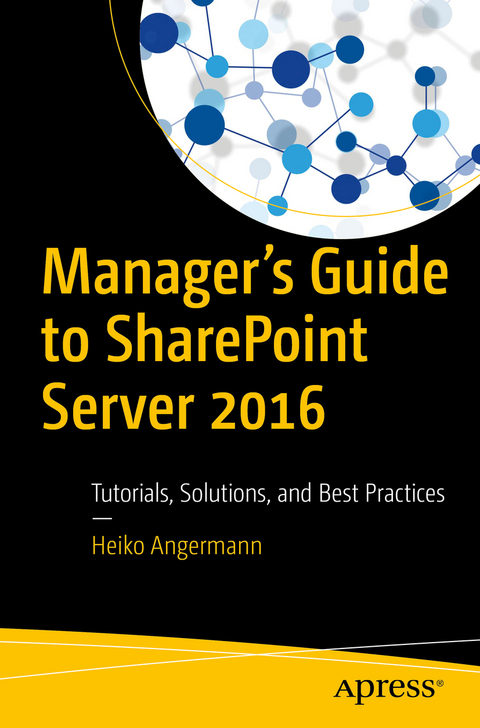
Manager’s Guide to SharePoint Server 2016 (eBook)
IX, 171 Seiten
Apress (Verlag)
978-1-4842-3045-9 (ISBN)
Close the gap between introductory and advanced resources available on SharePoint 2016 with this guide and identify the core benefits of specific techniques in a real-world context, including best practice scenarios. You will find this book to be a comprehensive collection of tutorials and solutions for all of the most widely used techniques (e.g., intranet, Internet, formal metadata management, informal metadata management, document management, social media, project management).
To overcome the high volume, velocity, and variety of data, content management systems usually focus on different sub-tasks, namely document management, web content management, digital asset management, and enterprise records management. As a leading enterprise CMS and all-around solution, SharePoint Server handles all of these sub-tasks using one system; however, the opportunities and limits of SharePoint are often unknown at the management level.
Many managers who decide to use SharePoint do not know how SharePoint can concretely help to improve their business and day-to-day operations. They are often overwhelmed with its functionalities. In addition, daily users are often overwhelmed with the complexity and extensive features and possibilities of the system. Both SharePoint administrators and users need a clear explanation of when SharePoint can be used, where it can help, and how to use it. Manager's Guide to SharePoint Server 2016 is that solution. The book provides coverage of:- SharePoint technology, including the core technologies of SharePoint and the MySite technology, as well as SharePoint administration levels
- Template technology, including the most widely used collaboration, enterprise, and publishing site templates
- Hands-on tutorials and solutions for users and administrators, including use cases in a real-world context
- Best practice scenarios of SharePoint governance, template usage, and additional tools to improve SharePoint
What You'll Learn
- Discern how and where SharePoint can help improve a company's success
- Understand the core elements of SharePoint for customization and how to improve the site's functionalities
- Know how SharePoint can be used as a collaboration and management platform
- Discover what to do within SharePoint and how to more effectively manage SharePoint in daily business across teams
Who This Book Is For
Content managers, systems managers, and software engineering professionals. SharePoint managers, end users, and site administrators will also find this book useful.
Heiko Angermann is head of projects at a German e-commerce consulting house. He received a B.Eng. in print and media technology from Stuttgart Media University (HdM), Germany in 2014 and a Ph.D. in computer engineering from University of the West of Scotland (UWS) in 2017. Before joining UWS, he was a lecturer on Content Management Systems and researcher at HdM, as well as a SharePoint administrator/developer at a Microsoft gold partner in Stuttgart, Germany. Heiko has participated in various CMS-related projects funded by the European Union, German research councils, or enterprises. He has authored or co-authored several publications, including journal articles, conference articles, magazine articles, as well as workshop articles. He is founder of a consulting house which supports academic as well as business users for projects in e-commerce, content management, and omni-channel business.
Close the gap between introductory and advanced resources available on SharePoint 2016 with this guide and identify the core benefits of specific techniques in a real-world context, including best practice scenarios. You will find this book to be a comprehensive collection of tutorials and solutions for all of the most widely used techniques (e.g., intranet, Internet, formal metadata management, informal metadata management, document management, social media, project management). To overcome the high volume, velocity, and variety of data, content management systems usually focus on different sub-tasks, namely document management, web content management, digital asset management, and enterprise records management. As a leading enterprise CMS and all-around solution, SharePoint Server handles all of these sub-tasks using one system; however, the opportunities and limits of SharePoint are often unknown at the management level. Many managers who decide to use SharePoint donot know how SharePoint can concretely help to improve their business and day-to-day operations. They are often overwhelmed with its functionalities. In addition, daily users are often overwhelmed with the complexity and extensive features and possibilities of the system. Both SharePoint administrators and users need a clear explanation of when SharePoint can be used, where it can help, and how to use it. Manager's Guide to SharePoint Server 2016 is that solution. The book provides coverage of: SharePoint technology, including the core technologies of SharePoint and the MySite technology, as well as SharePoint administration levelsTemplate technology, including the most widely used collaboration, enterprise, and publishing site templatesHands-on tutorials and solutions for users and administrators, including use cases in a real-world contextBest practice scenarios of SharePoint governance, template usage, and additional tools to improve SharePoint What You'll Learn Discern how and where SharePoint can help improve a company's successUnderstand the core elements of SharePoint for customization and how to improve the site's functionalitiesKnow how SharePoint can be used as a collaboration and management platformDiscover what to do within SharePoint and how to more effectively manage SharePoint in daily business across teams Who This Book Is For Content managers, systems managers, and software engineering professionals. SharePoint managers, end users, and site administrators will also find this book useful.
Heiko Angermann is head of projects at a German e-commerce consulting house. He received a B.Eng. in print and media technology from Stuttgart Media University (HdM), Germany in 2014 and a Ph.D. in computer engineering from University of the West of Scotland (UWS) in 2017. Before joining UWS, he was a lecturer on Content Management Systems and researcher at HdM, as well as a SharePoint administrator/developer at a Microsoft gold partner in Stuttgart, Germany. Heiko has participated in various CMS-related projects funded by the European Union, German research councils, or enterprises. He has authored or co-authored several publications, including journal articles, conference articles, magazine articles, as well as workshop articles. He is founder of a consulting house which supports academic as well as business users for projects in e-commerce, content management, and omni-channel business.
Contents 5
About the Author 6
About the Technical Reviewer 7
Chapter 1: Introduction 8
Content Management Systems 11
Logical Components of Content Management Systems 11
Finding Information 13
Search Experience 14
Navigation 16
Metadata Techniques 16
Workflows 17
Types of Content Management Systems 18
Document Management Systems 18
Web Content Management Systems 20
Digital Asset Management System 21
Electronic Records Management Systems 22
Enterprise Content Management Systems 23
Types of License and Provision Models 26
Proprietary vs. Open Source Systems 27
On-Premise vs. Cloud Computing 27
Evaluation and Research Methodologies 28
Criteria Catalog 30
Market Research Reports 31
Conclusion 32
Chapter 2: SharePoint Technology 33
SharePoint Technology 35
Basic Elements 35
Core Technology 37
SharePoint Hierarchy 38
SharePoint Applications 40
SharePoint Pages 44
SharePoint Web Parts 45
SharePoint Navigation 47
SharePoint Master Page and Page Layouts 49
SharePoint Branding 50
SharePoint Multilingualism 51
SharePoint Pages 51
SharePoint Search 52
SharePoint Authorization Concept 55
SharePoint Metadata Techniques 56
SharePoint Workflows 57
My Site Technology 58
My Site Profile 59
My Site Features 61
Administration Levels 63
Site (Collection) Administration 64
Central Administration 66
Template Technology 68
Template Types 69
Collaboration Templates 71
Team Site 71
Blog Site 72
Project Site 72
Enterprise Templates 73
Document Center Site 74
Business Intelligence Center Site 75
Search Center Sites 75
Publishing Templates 76
Publishing Portal 77
Enterprise Wiki 78
Product Catalog 78
Conclusion 79
Chapter 3: Hands-On Tutorials 80
Tutorials Methodology and Preparation 82
Tutorials Methodology (Fictitious Firm) 83
Tutorials Preparation 86
Hands-On Tutorials and Their Use Cases 87
Tutorial 1: User Management 88
Use Case 1.1: Manage Site Owners 89
Use Case 1.2: Manage Users’ Permissions 89
Tutorial 2: Improve Social Networking 90
Use Case 2.1: Maintain My Site Profile 90
Use Case 2.2: My Site Features 91
Tutorial 3: Customize Look and Feel 92
Use Case 3.1: Using and Customizing Themes 92
Use Case 3.2: Customizing Navigation and Links 93
Tutorial 4: Integrate Applications 94
Use Case 4.1: Adding and Customizing Lists 94
Use Case 4.2: Adding and Customizing Libraries 95
Use Case 4.3: Adding Workflows to Applications 96
Tutorial 5: Using Metadata Techniques 96
Use Case 5.1: Using Managed Metadata Techniques 96
Use Case 5.2: Using Enterprise Metadata Techniques 98
Tutorial 6: Improving Search Experience 99
Use Case 6.1: Creating an Enterprise Search Center 99
Use Case 6.2: Customizing a Search Center 100
Tutorial 7: Managing Projects 100
Use Case 7.1: Creating Tasks in Projects 101
Use Case 7.2: Managing Tasks in Projects 101
Conclusion 102
Chapter 4: Best Practice Scenarios 103
Best Practices Governance Model 104
Benefits of a Governance Model 105
Elements of a Governance Model 105
Establishing a Governance Committee 106
Establishing a Governance Plan 106
Best Practices Template Usage 109
Using Collaboration Templates 110
Using the Team Site Template 110
Using the Project Site Template 111
Using Enterprise Templates 112
Using the Document Center Template 112
Using the Enterprise Search Center Template 113
Using Publishing Site Templates 114
Best Practices Additional Tools 116
Microsoft Products 116
Managing SharePoint with SharePoint Designer 116
Branding SharePoint with Color Palette Tool 118
Third Party Tools 119
Integrating Complex Workflows with Nintex 119
Connecting SharePoint with Layer 2 BDLC 120
Managing Term Sets with Taxonomy Manager 121
Conclusion 121
Chapter 5: Hands-On Solutions 122
Solutions Methodology and Preparation 123
Solutions Methodology (Fictional Firm) 123
Solutions Preparation 124
Hands-On Solutions and Their Use Cases 124
Solution 1: User Management 125
Use Case 1.1: Manage Site Owners 125
Use Case 1.2: Manage Users Permissions 127
Solution 2: Improve Social Networking 128
Use Case 2.1: Maintain My Site Profile 128
Use Case 2.2: My Site Features 133
Solution 3: Customize Look and Feel 135
Use Case 3.1: Using and Customizing Themes 136
Use Case 3.2: Customizing Navigation and Links 139
Solution 4: Integrate Applications 142
Use Case 4.1: Adding and Customizing Lists 143
Use Case 4.2: Adding and Customizing Libraries 148
Use Case 4.3: Adding Workflows to Applications 152
Solution 5: Using Metadata Techniques 154
Use Case 5.1: Using Managed Metadata Techniques 154
Use Case 5.2: Using Enterprise Metadata Techniques 156
Solution 6: Improving Search Experience 159
Use Case 6.1: Creating Enterprise Search Center 159
Use Case 6.2: Customizing Search Center 162
Solution 7: Managing Projects 165
Use Case 7.1: Creating Tasks in Projects 165
Use Case 7.2: Managing Tasks in Projects 167
Conclusion 169
Chapter 6: Conclusions 170
Index 172
| Erscheint lt. Verlag | 14.12.2017 |
|---|---|
| Zusatzinfo | IX, 171 p. 60 illus., 58 illus. in color. |
| Verlagsort | Berkeley |
| Sprache | englisch |
| Themenwelt | Mathematik / Informatik ► Informatik ► Netzwerke |
| Schlagworte | content management system • SharePoint • SharePoint Exercises • Sharepoint Server • SharePoint Server 2016 • SharePoint Server Best Practices • SharePoint Server Case Studies • SharePoint Site Features • SharePoint Site Templates • SharePoint Solutions • SharePoint Tutorials • SharePoint Workbook |
| ISBN-10 | 1-4842-3045-0 / 1484230450 |
| ISBN-13 | 978-1-4842-3045-9 / 9781484230459 |
| Informationen gemäß Produktsicherheitsverordnung (GPSR) | |
| Haben Sie eine Frage zum Produkt? |
 PDF (Wasserzeichen)
DRM: Digitales Wasserzeichen
Dieses eBook enthält ein digitales Wasserzeichen und ist damit für Sie personalisiert. Bei einer missbräuchlichen Weitergabe des eBooks an Dritte ist eine Rückverfolgung an die Quelle möglich.
Dateiformat: PDF (Portable Document Format)
Mit einem festen Seitenlayout eignet sich die PDF besonders für Fachbücher mit Spalten, Tabellen und Abbildungen. Eine PDF kann auf fast allen Geräten angezeigt werden, ist aber für kleine Displays (Smartphone, eReader) nur eingeschränkt geeignet.
Systemvoraussetzungen:
PC/Mac: Mit einem PC oder Mac können Sie dieses eBook lesen. Sie benötigen dafür einen PDF-Viewer - z.B. den Adobe Reader oder Adobe Digital Editions.
eReader: Dieses eBook kann mit (fast) allen eBook-Readern gelesen werden. Mit dem amazon-Kindle ist es aber nicht kompatibel.
Smartphone/Tablet: Egal ob Apple oder Android, dieses eBook können Sie lesen. Sie benötigen dafür einen PDF-Viewer - z.B. die kostenlose Adobe Digital Editions-App.
Buying eBooks from abroad
For tax law reasons we can sell eBooks just within Germany and Switzerland. Regrettably we cannot fulfill eBook-orders from other countries.
aus dem Bereich