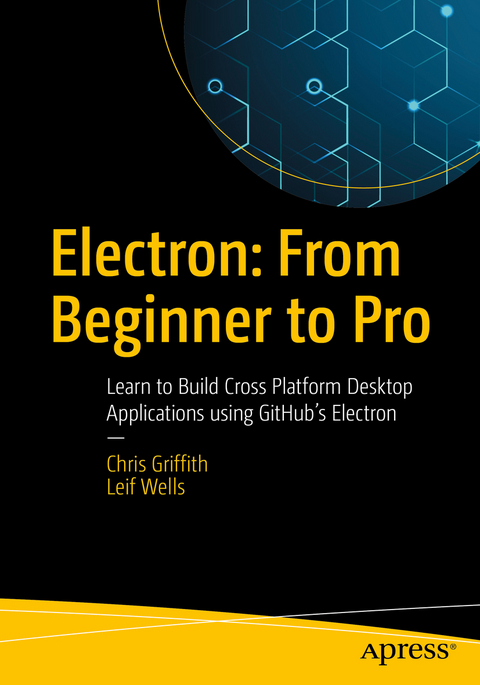
Electron: From Beginner to Pro (eBook)
XIII, 269 Seiten
Apress (Verlag)
978-1-4842-2826-5 (ISBN)
Discover how to take your existing web development skills and learn how to create desktop applications for macOS, Windows, and Linux, using GitHub's Electron. Learn how to combine the power of Node.js and Chromium to provide a powerful development platform for creating web applications that break free from the browser.
Electron: From Beginner to Pro guides you through the capabilities that you have available to create desktop applications. Learn to use features like file system access, create native menus, OS-specific dialogs and more. The authors will show you how to package your application for distribution for multiple platforms and enable auto-updating.
- Leverage your knowledge of HTML, CSS and JavaScript
- Use current web applications for the desktop
- Create and use Electron's main process and render process to create effective desktop applications
- Communicate between processes and between windows
- Build desktop applications that can be updated and distributed
Web developers looking to leverage their HTML, CSS and JavaScript skills to create desktop widgets and applications.
Developers wanting to leverage existing a Web application to extend functionality with a desktop application.
Chris Griffith is the User Experience Lead at a home automation and security company and is also an instructor at UCSD Extension teaching mobile application development. He has over 17 years of experience in developing user experiences for a variety of clients and platforms. He is also an Adobe Community Professional and is regularly invited to speak at conferences such as Adobe MAX, ngConf, UXPA and HTML5DevConf. He has developed several mobile applications, a variety of code hinters, and ConfiGAP for PhoneGap Build. In addition, he has served as a technical reviewer for several publications, and written for uxmag.com. You can follow him on twitter @chrisgriffith or at chrisgriffith.wordpress.com.
Leif Wells is a web, mobile and desktop application developer. Leif's professional experience spans technologies from CD-ROM and desktop applications, Web sites and applications, as well as mobile applications. His current focus is building Web applications using Angular or React and building cross-platform hybrid mobile applications using Ionic. Leif provides insight into his experiences at his blog. Leif's Development Blog-o-rama as well as speaking at user groups and conferences.Discover how to take your existing web development skills and learn how to create desktop applications for macOS, Windows, and Linux, using GitHub's Electron. Learn how to combine the power of Node.js and Chromium to provide a powerful development platform for creating web applications that break free from the browser. Electron: From Beginner to Pro guides you through the capabilities that you have available to create desktop applications. Learn to use features like file system access, create native menus, OS-specific dialogs and more. The authors will show you how to package your application for distribution for multiple platforms and enable auto-updating.What You Will LearnLeverage your knowledge of HTML, CSS and JavaScriptUse current web applications for the desktopCreate and use Electron's main process and render process to create effective desktop applicationsCommunicate between processes and between windowsBuild desktop applications that can be updated and distributedWho This Book Is ForWeb developers looking to leverage their HTML, CSS and JavaScript skills to create desktop widgets and applications. Developers wanting to leverage existing a Web application to extend functionality with a desktop application.
Chris Griffith is the User Experience Lead at a home automation and security company and is also an instructor at UCSD Extension teaching mobile application development. He has over 17 years of experience in developing user experiences for a variety of clients and platforms. He is also an Adobe Community Professional and is regularly invited to speak at conferences such as Adobe MAX, ngConf, UXPA and HTML5DevConf. He has developed several mobile applications, a variety of code hinters, and ConfiGAP for PhoneGap Build. In addition, he has served as a technical reviewer for several publications, and written for uxmag.com. You can follow him on twitter @chrisgriffith or at chrisgriffith.wordpress.com. Leif Wells is a web, mobile and desktop application developer. Leif’s professional experience spans technologies from CD-ROM and desktop applications, Web sites and applications, as well as mobile applications. His current focus is building Web applications using Angular or React and building cross-platform hybrid mobile applications using Ionic. Leif provides insight into his experiences at his blog. Leif's Development Blog-o-rama as well as speaking at user groups and conferences.
Contents 4
About the Authors 11
About the Technical Reviewer 12
Chapter 1: Welcome to Electron 13
What Is Electron? 13
What Is Node? 14
What Is Chromium? 14
Who Is Using Electron? 14
What Do I Need to Know? 15
Why Should I Choose Electron? 15
Electron’s Advantages 16
Beyond the Sandbox 17
Offline First Design 17
How Does Electron Work? 17
The Main Process 18
The Render Process 18
Other Solutions 19
Summary 19
Chapter 2: Installing Electron 20
Before Installing 20
Installing Node 20
Installing Node for macOS 22
Installing Node on Windows 27
Installing Git on macOS 31
Installing Node on Windows 33
Installing Git on Windows 39
Installing Electron 49
Summary 51
Chapter 3: The Electron Quick Start 52
Getting the Quick Start Code 52
Updating the Project to Make It Yours 53
The Main Process File 55
The Quick Start’s Renderer Process 59
Summary 62
Chapter 4: BrowserWindow Basics 63
Getting Started 63
Disabling Chrome DevTools 63
Update Code to Use the ready-to-show Event 66
BrowserWindow Options Argument 67
Basic Window Properties (width, height, minWidth, minHeight, maxWidth, maxHeight) 69
The center, x and y Properties 69
The resizable and movable Properties 70
The title Property 71
Other Window Types 76
Frameless Windows 76
Transparent Windows 80
Summary 82
Chapter 5: Adding Custom Menus 83
Getting Started 83
Menu Templates 85
macOS’s Application Menu 86
Defining Keyboard Shortcuts and Menu Item Roles 86
Creating Submenus and Checkmarks 90
Completing the macOS’s Application Menu 93
macOS’s Window Menu Modifications 94
Contextual Menus 100
Summary 102
Chapter 6: Understanding the IPC Module 103
Getting Started 103
Synchronous IPC Messaging 104
Asynchronous IPC Messaging 108
Managing Event Listeners 111
Summary 112
Chapter 7: Working with the Dialog Module 113
Getting Started 113
The File Open Dialog 113
Additional Open Dialog Properties 116
Selecting a File 118
The BrowserWindow Parameter 120
A Brief Look at Node’s FS Module 122
Opening a File 122
Getting File Information 123
Writing a File 124
Reading Files 124
Deleting a File 125
Watching for Updates 125
Working Directories 125
Reading the Directory Contents 126
Deleting a Directory 126
The File Save Dialog 126
The Message Dialog 129
Custom Icons 135
Handling the Response 137
Error Dialogs 137
Summary 138
Chapter 8: WebContents, Screens, and Locales 139
Getting Started 139
Discovering Electron’s WebContents 140
A Little Setup Before We Begin 144
WebContents Events 147
The “did-start-loading” Event 149
The capturePage Method 154
The printToPDF Method 159
Getting Information about Screens 162
Finding Locales 166
Summary 167
Chapter 9: The Dock Icon on macOS 168
Getting Started 168
The Application’s Dock Icon 169
Making the Dock Icon Bounce 172
Changing the Dock Icon 173
Dock Icon Badges 174
Summary 176
Chapter 10: Shell 177
Getting Started 177
Making the System Alert Sound 178
Showing Files in the Operating System 179
Opening Files with the Operating System 180
Opening HTML Files with the Operating System 181
Summary 182
Chapter 11: Online/Offline Detection 183
Getting Started 183
Using the Renderer Process to Detect Online Status 184
Pros and Cons of the Renderer-Only Solution 190
The Main Process-Only Solution 191
Pros and Cons of a Main Process-Only Approach 195
The Combined Approach 195
Summary 196
Chapter 12: Advanced BrowserWindow 197
Loading an Application 197
Splash Window 197
Installing the Quick Start 198
Setting Up a Splash Window 198
Creating the Splash Window File 199
Showing the Version in Our Splash Window 201
Loading the Main Window 204
Setting Up the Main Window 205
Summary 206
Chapter 13: Debugging Your Electron Application 207
Chromium’s Dev Tools 207
Debugging the Main Process 209
Debugging the Main Process in VS Code 209
Debugging the Main Process in node-inspector 212
Chrome DevTools Extensions 214
Devtron 215
Require Graph 216
Event Listeners 217
IPC Monitor 218
Linter 219
Accessibility 220
Spectron 220
Summary 220
Chapter 14: Testing with Spectron 221
Getting Started 221
Adding a Test File 223
Using Spectron’s browserWindow API 226
Testing the Size of the browserWindow 230
Testing Interactions in the Renderer Process 231
Make the Example Interactive 232
Summary 237
Chapter 15: Building Your Application 238
Installing Electron Builder 238
Adjusting your Build Directories 238
Updating the package.json file 239
Building for Windows on macOS 240
Building for Linux on macOS 240
Configuration Options 240
Testing Our First Build 242
Configuring the App Icon 245
Configuring the macOS DMG 245
Configuring the Windows Installer 246
Summary 251
Chapter 16: Auto Updating Your Application 252
Auto Updating macOS 252
User Feedback 254
Auto Update Server Options 255
Setting Up Heroku 255
The Auto-Update Server 256
Testing Our Auto Update 257
Signing Your Application 257
Building the Application - macOS 258
Generating an Update 258
Auto Updating Windows Applications 259
Signing Your Windows Application 261
Customizing the Squirrel Installer 262
Generating Our First Build 265
Generating an Update 266
Alternative Solutions 267
Summary 268
Chapter 17: Additional Resources 269
Additional Electron APIs 269
desktopCapturer 269
crashReporter 269
ClientRequest 269
net 270
DownloadItem 270
Electron Forge 270
Community Resources 270
Summary 271
Index 272
| Erscheint lt. Verlag | 22.11.2017 |
|---|---|
| Zusatzinfo | XIII, 269 p. 137 illus., 134 illus. in color. |
| Verlagsort | Berkeley |
| Sprache | englisch |
| Themenwelt | Mathematik / Informatik ► Informatik ► Web / Internet |
| Schlagworte | Atom • chromium • CSS • electron • GitHub • HTML • Node.js |
| ISBN-10 | 1-4842-2826-X / 148422826X |
| ISBN-13 | 978-1-4842-2826-5 / 9781484228265 |
| Informationen gemäß Produktsicherheitsverordnung (GPSR) | |
| Haben Sie eine Frage zum Produkt? |
 PDF (Wasserzeichen)
DRM: Digitales Wasserzeichen
Dieses eBook enthält ein digitales Wasserzeichen und ist damit für Sie personalisiert. Bei einer missbräuchlichen Weitergabe des eBooks an Dritte ist eine Rückverfolgung an die Quelle möglich.
Dateiformat: PDF (Portable Document Format)
Mit einem festen Seitenlayout eignet sich die PDF besonders für Fachbücher mit Spalten, Tabellen und Abbildungen. Eine PDF kann auf fast allen Geräten angezeigt werden, ist aber für kleine Displays (Smartphone, eReader) nur eingeschränkt geeignet.
Systemvoraussetzungen:
PC/Mac: Mit einem PC oder Mac können Sie dieses eBook lesen. Sie benötigen dafür einen PDF-Viewer - z.B. den Adobe Reader oder Adobe Digital Editions.
eReader: Dieses eBook kann mit (fast) allen eBook-Readern gelesen werden. Mit dem amazon-Kindle ist es aber nicht kompatibel.
Smartphone/Tablet: Egal ob Apple oder Android, dieses eBook können Sie lesen. Sie benötigen dafür einen PDF-Viewer - z.B. die kostenlose Adobe Digital Editions-App.
Buying eBooks from abroad
For tax law reasons we can sell eBooks just within Germany and Switzerland. Regrettably we cannot fulfill eBook-orders from other countries.
aus dem Bereich