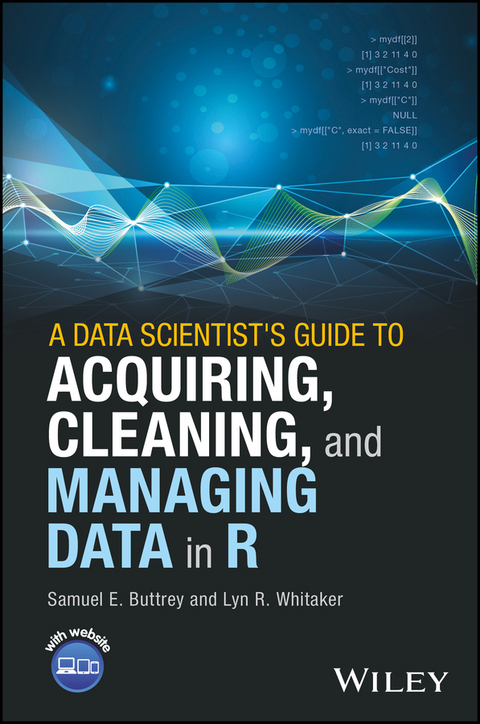
A Data Scientist's Guide to Acquiring, Cleaning, and Managing Data in R (eBook)
John Wiley & Sons (Verlag)
978-1-119-08006-0 (ISBN)
The only how-to guide offering a unified, systemic approach to acquiring, cleaning, and managing data in R
Every experienced practitioner knows that preparing data for modeling is a painstaking, time-consuming process. Adding to the difficulty is that most modelers learn the steps involved in cleaning and managing data piecemeal, often on the fly, or they develop their own ad hoc methods. This book helps simplify their task by providing a unified, systematic approach to acquiring, modeling, manipulating, cleaning, and maintaining data in R.
Starting with the very basics, data scientists Samuel E. Buttrey and Lyn R. Whitaker walk readers through the entire process. From what data looks like and what it should look like, they progress through all the steps involved in getting data ready for modeling. They describe best practices for acquiring data from numerous sources; explore key issues in data handling, including text/regular expressions, big data, parallel processing, merging, matching, and checking for duplicates; and outline highly efficient and reliable techniques for documenting data and recordkeeping, including audit trails, getting data back out of R, and more.
- The only single-source guide to R data and its preparation, it describes best practices for acquiring, manipulating, cleaning, and maintaining data
- Begins with the basics and walks readers through all the steps necessary to get data ready for the modeling process
- Provides expert guidance on how to document the processes described so that they are reproducible
- Written by seasoned professionals, it provides both introductory and advanced techniques
- Features case studies with supporting data and R code, hosted on a companion website
A Data Scientist's Guide to Acquiring, Cleaning and Managing Data in R is a valuable working resource/bench manual for practitioners who collect and analyze data, lab scientists and research associates of all levels of experience, and graduate-level data mining students.
SAMUEL E. BUTTREY, PhD is an Associate Professor of Operations Research at the Naval Postgraduate School, Monterey, California, USA.
LYN R. WHITAKER, PhD is an Associate Professor of Operations Research at the Naval Postgraduate School, Monterey, California, USA.
The only how-to guide offering a unified, systemic approach to acquiring, cleaning, and managing data in R Every experienced practitioner knows that preparing data for modeling is a painstaking, time-consuming process. Adding to the difficulty is that most modelers learn the steps involved in cleaning and managing data piecemeal, often on the fly, or they develop their own ad hoc methods. This book helps simplify their task by providing a unified, systematic approach to acquiring, modeling, manipulating, cleaning, and maintaining data in R. Starting with the very basics, data scientists Samuel E. Buttrey and Lyn R. Whitaker walk readers through the entire process. From what data looks like and what it should look like, they progress through all the steps involved in getting data ready for modeling. They describe best practices for acquiring data from numerous sources; explore key issues in data handling, including text/regular expressions, big data, parallel processing, merging, matching, and checking for duplicates; and outline highly efficient and reliable techniques for documenting data and recordkeeping, including audit trails, getting data back out of R, and more. The only single-source guide to R data and its preparation, it describes best practices for acquiring, manipulating, cleaning, and maintaining data Begins with the basics and walks readers through all the steps necessary to get data ready for the modeling process Provides expert guidance on how to document the processes described so that they are reproducible Written by seasoned professionals, it provides both introductory and advanced techniques Features case studies with supporting data and R code, hosted on a companion website A Data Scientist's Guide to Acquiring, Cleaning and Managing Data in R is a valuable working resource/bench manual for practitioners who collect and analyze data, lab scientists and research associates of all levels of experience, and graduate-level data mining students.
SAMUEL E. BUTTREY, PhD is an Associate Professor of Operations Research at the Naval Postgraduate School, Monterey, California, USA. LYN R. WHITAKER, PhD is an Associate Professor of Operations Research at the Naval Postgraduate School, Monterey, California, USA.
Chapter 2
R Data, Part 1: Vectors
The basic unit of computation in R is the vector. A vector is a set of one or more basic objects of the same kind. (Actually, it is even possible to have a vector with no objects in it, as we will see, and this happens sometimes.) Each of the entries in a vector is called an element. In this chapter, we talk about the different sorts of vectors that you can have in R. Then, we describe the very important topic of subsetting, which is our word for extracting pieces of vectors – all of the elements that are greater than 10, for example. That topic goes together with assigning, or replacing, certain elements of a vector. We describe the way missing values are handled in R; this topic arises in almost every data cleaning problem. The rest of the chapter gives some tools that are useful when handling vectors.
2.1 Vectors
By a “basic” object, we mean an object of one of R's so-called “atomic” classes. These classes, which you can find in help(vector), are logical (values TRUE or FALSE, although T and F are provided as synonyms); integer; numeric (also called double); character, which refers to text; raw, which can hold binary data; and complex. Some of these, such as complex, probably won't arise in data cleaning.
2.1.1 Creating Vectors
We are mostly concerned with vectors that have been given to us as data. However, there are a number of situations when you will need to construct your own vectors. Of course, since a scalar is a vector of length 1, you can construct one directly, by typing its value:
> 5 [1] 5 R displays the [1] before the answer to show you that the 5 is the first element of the resulting vector. Here, of course, the resulting vector only had one entry, but R displays the [1] nonetheless. There is no such thing as a “scalar” in R; even , represented in R by the built-in value pi, is a vector of length 1. To combine several items into a vector, use the c() function, which combines as many items as you need.
> c(1, 17) [1] 1 17 > c(-1, pi, 17) [1] -1.000000 3.141593 17.000000 > c(-1, pi, 1700000) [1] -1.000000e+00 3.141593e+00 1.700000e+06 R has formatted the numbers in the vectors in a consistent way. In the second example, the number of digits of pi is what determines the formatting; see Section 1.3.3. In example three, the same number of digits is used, but the large number has caused R to use scientific notation. We discuss that in Section 4.2.2. Analogous formatting rules are applied to non-numeric vectors as well; this makes output much more readable. The c() function can also be used to combine vectors, as long as all the vectors are of the same sort.
Another vector-creation function is rep(), which repeats a value as many times as you need. For example, rep(3, 4) produces a vector of four 3s. In this example, we show some more of the abilities of rep().
> rep (c(2, 4), 3) # repeat a vector [1] 2 4 2 4 2 4 > rep (c("Yes", "No"), c(3, 1)) # repeat elements of vector [1] "Yes" "Yes" "Yes" "No" > rep (c("Yes", "No"), each = 8) [1] "Yes" "Yes" "Yes" "Yes" "Yes" "Yes" "Yes" "Yes" "No" [10] "No" "No" "No" "No" "No" "No" "No" The last two examples show rep() operating on a character vector. The final one shows how R displays longer vectors – by giving the number of the first element on each line. Here, for example, the [10] indicates that the first "No" on the second line is the 10th element of the vector.
2.1.2 Sequences
We also very often create vectors of sets of consecutive integers. For example, we might want the first 10 integers, so that we can get hold of the first 10 rows in a table. For that task we can use the colon operator, : . Actually, the colon operator doesn't have to be confined to integers; you can also use it to produce a sequence of non-integers that are one unit apart, as in the following example, but we haven't found that to be very useful.
> 1:5 [1] 1 2 3 4 5 > 6:-2 [1] 6 5 4 3 2 1 0 -1 -2 # Can go in reverse, by 1 > 2.3:5.9 [1] 2.3 3.3 4.3 5.3 # Permitted (but unusual) > 3 + 2:7 # Watch out here! This is 3 + [1] 5 6 7 8 9 10 # (vector produced by 2:7) > (3 + 2):7 [1] 5 6 7 # This is 5:7 In that last pair of examples, we see that R evaluates the 2:7 operation before adding the 3. This is because : has a higher precedence in the order of operations than addition. The list of operators and their precedences can be found at ?Syntax, and precedence can always be over-ridden with parentheses, as in the example – but this is the only example of operator precedence that is likely to trip you up. Also notice that adding 3 to a vector adds 3 to each element of that vector; we talk more about vector operations in Section 2.1.4.
Finally, we sometimes need to create vectors whose entries differ by a number other than one. For that, we use seq(), a function that allows much finer control of starting points, ending points, lengths, and step sizes.
2.1.3 Logical Vectors
We can create logical vectors using the c() function, but most often they are constructed by R in response to an operation on other vectors. We saw examples of operators back in Section 1.3.2; the R operators that perform comparisons are <, <=, >, >=, == (for “is equal to”) and != (for “not equal to”). In this example, we do some simple comparisons on a short vector.
> 101:105>= 102 # Which elements are>= 102? [1] FALSE TRUE TRUE TRUE TRUE > 101:105 == 104 # Which equal (==) 104? [1] FALSE FALSE FALSE TRUE FALSE Of course, when you compare two floating-point numbers for equality, you can get unexpected results. In this example, we compute 1 - 1/46 * 46, which is zero; 1 - 1/47 * 47, and so on up through 50. We have seen this example before!
> 1 - 1/46:50 * 46:50 == 0 [1] TRUE TRUE TRUE FALSE TRUE We noted earlier that R provides T and F as synonyms for TRUE and FALSE. We sometimes use these synonyms in the book. However, it is best to beware of using these shortened forms in code. It is possible to create objects named T or F, which might interfere with their usage as logical values. In contrast, the full names TRUE and FALSE are reserved words in R. This means that you cannot directly assign one of these names to an object and, therefore, that they are never ambiguous in code.
The Number and Proportion of Elements That Meet a Criterion
One task that comes up a lot in data cleaning is to count the number (or proportion) of events that meet some criterion. We might want to know how many missing values there are in a vector, for example, or the proportion of elements that are less than 0.5. For these tasks, computing the sum() or mean() of a logical vector is an excellent approach. In our earlier example, we might have been interested in the number of elements that are 102, or the proportion that are exactly 104.
> 101:105>= 102 [1] FALSE TRUE TRUE TRUE TRUE > sum (101:105>= 102) [1] 4 # Four elements are>= 102 > 101:105 == 104 [1] FALSE FALSE FALSE TRUE FALSE > mean (101:105 == 104) [1] 0.2 # 20% are == 104 It may be worth pondering this last example for a moment. We start with the logical vector that is the result of the comparison operator. In order to apply a mathematical function to that vector, R needs to convert the logical elements to numeric ones. FALSE values get turned into zeros and TRUE values into ones (we discuss conversion further in Section 2.2.3). Then, sum() adds up those 0s and 1s, producing the total number of 1s in the converted vector – that is, the number of TRUE values in the logical vector or the number of elements of the original vector that meet the criterion by being . The mean() function computes the sum of the number of 1s and then divides that sum by the total number of elements, and that operation produces the proportion of TRUE values in the logical vector, that is, the proportion of elements in the original vector that meet the criterion.
2.1.4 Vector Operations
Understanding how vectors work is crucial to using R properly and efficiently....
| Erscheint lt. Verlag | 24.10.2017 |
|---|---|
| Sprache | englisch |
| Themenwelt | Mathematik / Informatik ► Informatik ► Datenbanken |
| Informatik ► Theorie / Studium ► Künstliche Intelligenz / Robotik | |
| Mathematik / Informatik ► Mathematik ► Angewandte Mathematik | |
| Mathematik / Informatik ► Mathematik ► Computerprogramme / Computeralgebra | |
| Mathematik / Informatik ► Mathematik ► Statistik | |
| Mathematik / Informatik ► Mathematik ► Wahrscheinlichkeit / Kombinatorik | |
| Schlagworte | acquiring data • acquiring data for modeling • advanced data mining • advanced data modeling techniques • assigning data • atomic data types • cleaning data • cleaning data for modeling • converting data • Data Analysis • data analysis in r • data cleaning tools • data collection • data handling tools • Data manipulation • Data Mining • data mining a-b-c's • Data Mining Statistics • Data Modeling • data modeling basics • data modeling case studies • data modeling for lab scientists • Datenanalyse • designating data • getting data into r • getting data out of r • handling character data • how to model data • matching data • merging data • preparing data for modeling • ready to model data • R (Programm) • r syntax basics • Statistical Software / R • Statistics • Statistik • Statistiksoftware / R • translating data into publishable form • Web Scraping |
| ISBN-10 | 1-119-08006-1 / 1119080061 |
| ISBN-13 | 978-1-119-08006-0 / 9781119080060 |
| Informationen gemäß Produktsicherheitsverordnung (GPSR) | |
| Haben Sie eine Frage zum Produkt? |
 EPUB (Adobe DRM)
Kopierschutz: Adobe-DRM
Adobe-DRM ist ein Kopierschutz, der das eBook vor Mißbrauch schützen soll. Dabei wird das eBook bereits beim Download auf Ihre persönliche Adobe-ID autorisiert. Lesen können Sie das eBook dann nur auf den Geräten, welche ebenfalls auf Ihre Adobe-ID registriert sind.
Details zum Adobe-DRM
Dateiformat: EPUB (Electronic Publication)
EPUB ist ein offener Standard für eBooks und eignet sich besonders zur Darstellung von Belletristik und Sachbüchern. Der Fließtext wird dynamisch an die Display- und Schriftgröße angepasst. Auch für mobile Lesegeräte ist EPUB daher gut geeignet.
Systemvoraussetzungen:
PC/Mac: Mit einem PC oder Mac können Sie dieses eBook lesen. Sie benötigen eine
eReader: Dieses eBook kann mit (fast) allen eBook-Readern gelesen werden. Mit dem amazon-Kindle ist es aber nicht kompatibel.
Smartphone/Tablet: Egal ob Apple oder Android, dieses eBook können Sie lesen. Sie benötigen eine
Geräteliste und zusätzliche Hinweise
Buying eBooks from abroad
For tax law reasons we can sell eBooks just within Germany and Switzerland. Regrettably we cannot fulfill eBook-orders from other countries.
aus dem Bereich