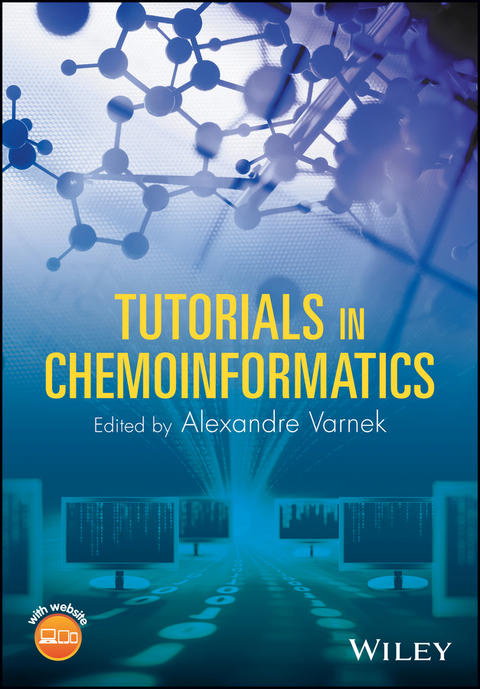
Tutorials in Chemoinformatics (eBook)
John Wiley & Sons (Verlag)
978-1-119-13798-6 (ISBN)
30 tutorials and more than 100 exercises in chemoinformatics, supported by online software and data sets
Chemoinformatics is widely used in both academic and industrial chemical and biochemical research worldwide. Yet, until this unique guide, there were no books offering practical exercises in chemoinformatics methods. Tutorials in Chemoinformatics contains more than 100 exercises in 30 tutorials exploring key topics and methods in the field. It takes an applied approach to the subject with a strong emphasis on problem-solving and computational methodologies.
Each tutorial is self-contained and contains exercises for students to work through using a variety of software packages. The majority of the tutorials are divided into three sections devoted to theoretical background, algorithm description and software applications, respectively, with the latter section providing step-by-step software instructions. Throughout, three types of software tools are used: in-house programs developed by the authors, open-source programs and commercial programs which are available for free or at a modest cost to academics. The in-house software and data sets are available on a dedicated companion website.
Key topics and methods covered in Tutorials in Chemoinformatics include:
- Data curation and standardization
- Development and use of chemical databases
- Structure encoding by molecular descriptors, text strings and binary fingerprints
- The design of diverse and focused libraries
- Chemical data analysis and visualization
- Structure-property/activity modeling (QSAR/QSPR)
- Ensemble modeling approaches, including bagging, boosting, stacking and random subspaces
- 3D pharmacophores modeling and pharmacological profiling using shape analysis
- Protein-ligand docking
- Implementation of algorithms in a high-level programming language
Tutorials in Chemoinformatics is an ideal supplementary text for advanced undergraduate and graduate courses in chemoinformatics, bioinformatics, computational chemistry, computational biology, medicinal chemistry and biochemistry. It is also a valuable working resource for medicinal chemists, academic researchers and industrial chemists looking to enhance their chemoinformatics skills.
Edited by
Alexandre Varnek, PhD, is a professor of theoretical chemistry at The University of Strasbourg, France where he heads the Laboratory of Chemoinformatics, and is Director of two MSc programs: Chemoinformatics and In Silico Drug Design. Professor Varnek's research focuses on developing new approaches and tools for virtual screening and 'in silico' design of new compounds and chemical reactions.
30 tutorials and more than 100 exercises in chemoinformatics, supported by online software and data sets Chemoinformatics is widely used in both academic and industrial chemical and biochemical research worldwide. Yet, until this unique guide, there were no books offering practical exercises in chemoinformatics methods. Tutorials in Chemoinformatics contains more than 100 exercises in 30 tutorials exploring key topics and methods in the field. It takes an applied approach to the subject with a strong emphasis on problem-solving and computational methodologies. Each tutorial is self-contained and contains exercises for students to work through using a variety of software packages. The majority of the tutorials are divided into three sections devoted to theoretical background, algorithm description and software applications, respectively, with the latter section providing step-by-step software instructions. Throughout, three types of software tools are used: in-house programs developed by the authors, open-source programs and commercial programs which are available for free or at a modest cost to academics. The in-house software and data sets are available on a dedicated companion website. Key topics and methods covered in Tutorials in Chemoinformatics include: Data curation and standardization Development and use of chemical databases Structure encoding by molecular descriptors, text strings and binary fingerprints The design of diverse and focused libraries Chemical data analysis and visualization Structure-property/activity modeling (QSAR/QSPR) Ensemble modeling approaches, including bagging, boosting, stacking and random subspaces 3D pharmacophores modeling and pharmacological profiling using shape analysis Protein-ligand docking Implementation of algorithms in a high-level programming language Tutorials in Chemoinformatics is an ideal supplementary text for advanced undergraduate and graduate courses in chemoinformatics, bioinformatics, computational chemistry, computational biology, medicinal chemistry and biochemistry. It is also a valuable working resource for medicinal chemists, academic researchers and industrial chemists looking to enhance their chemoinformatics skills.
Edited by Alexandre Varnek, PhD, is a professor of theoretical chemistry at The University of Strasbourg, France where he heads the Laboratory of Chemoinformatics, and is Director of two MSc programs: Chemoinformatics and In Silico Drug Design. Professor Varnek's research focuses on developing new approaches and tools for virtual screening and "in silico" design of new compounds and chemical reactions.
1
Data Curation
Gilles Marcou and Alexandre Varnek
Goal: Identify and curate problematic chemical information from a data collection. The raw dataset is processed so that it will be ready to feed a relational database dedicated to the organoleptic properties of small organic molecules. Information is interpreted and re‐encoded as categories or bit vectors when relevant.
Software: KNIME 3.0, ChemAxon
Data: The following files are provided in the tutorial:
thegoodscent_dup.csv– The raw data formatted in a semicolon separated file extracted from the web site of The Good Scent Company. The data is prepared and the most visible errors and discrepancies are already corrected.thegoodscent_dup.raw– The raw data without any processing related to the tutorial.MissingOdorTypes.csv– Manually curated Odor Types provided for some difficult cases.StructureCuration.csv– File containing the curation rules for some deficient SMILES of the input.TutoDataCuration.zip– The final KNIME workflow. Unzip the archive in the KNIME workspace and it will appear in your LOCAL workflows.Slurp.pl– A Perl script exploring the website of The Good Scents Company in search of some chemical information.
The Good Scent Company is an online shop providing cosmetic, flavor, and fragrance ingredients. It provides information for the flavor, food, and fragrance industry since 1994, and sales ingredients since 1980.
Theoretical Background
Chemical datasets can be collected from literature, compendiums, web sites, lab‐books, databases, and so on. Aggregation and automatic treatment of data represent additional sources of errors. Therefore, verification of quality and accuracy of chemical information is a crucial step of data valorization.[1]
The problem of the quality of publicly available chemical data can be illustrated on the searching the Web for the chemical structure of antibacterial compound Vancomycine, for which stereochemistry information is essential. One can suggest two possible queries using InChIKey notations:[2,3]
- Query 1: “MYPYJXKWCTUITO” “Vancomycine”
- Query 2: “MYPYJXKWCTUITO‐LYRMYLQWSA‐N” “Vancomycine”
Query 1 corresponds to the first layer of the InChI code of Vancomycine; it encodes only elemental constitution and atoms connectivity, whereas Query 2 includes detailed stereochemistry information.
A search on Google (29/01/2016) retrieves 82 and 71 entries for Queries 1 and 2, respectively. Entries found with Query 2 correspond to the correct chemical structure of Vancomycine, whereas all 11 additional entries retrieved with Query 1 refer to its different enantiomers, see example on Scheme 1.1.
Scheme 1.1 Chemical structures of Vancomycine from PubChem. (a) PubChem CID 441141, InChIKey : MYPYJXKWCTUITO‐UTHKAUQRSA‐N. (b) PubChem CID 14969, InChIKey : MYPYJXKWCTUITO‐LYRMYLQWSA‐N. Notice that Vancomycine corresponds to structure (b), whereas structure (a) is, in fact, its enantiomer.
From this example, one can see that an estimate of the erroneous data associating Vancomycine to the wrong chemical structure is about 13%. Analysis of some 6800 publications in drug discovery[4] show that the average error rate of reported chemical structures is about 8% and, it seems, nothing has changed so far. Numerous examples and alerts about data curation problems, especially in public databases, can be found in the literature.[4–8]
In this tutorial, a dataset regarding organoleptic properties of cosmetic related chemicals was collected from the website http://thegoodscentscompany.com/(January 2016). The dataset contains eight records: the name of the chemical substance, the CAS number, an odor category and description, the source of the odor description, a taste description, the literature for the source of the taste description, and the SMILES encoding the chemical structure of the substance. The data were retrieved automatically using a script provided with the tutorial (however, the script might need changes to work properly if the website has changed its structure in the meantime).
Each substance should be associated to exactly one organoleptic category, its odor type. Besides, some additional descriptions of the odor and tastes can be present. These textual descriptions are interpreted in terms of a dictionary of concepts used to describe the odors and tastes: the organoleptic semantic. With the help of this semantic each substance can be represented as a bit vector: each bit is related to an organoleptic descriptor. A bit is “on” if a particular description is relevant for the substance and it is “off” otherwise. Similarly, the chemical structures are interpreted in terms of MACCS fingerprints. In such a vector, a bit is “on” if the chemical structure of the substance possesses some feature (includes some element or chemical function for instance). Binary descriptions are suitable for further analysis, to compute distances or association rules.
Chemical structures and organoleptic descriptions, organoleptic category and bibliographic references are split into different files that can be loaded into separate tables and then merged into a relational database.
Software
KNIME is an Integrated Development Environment (IDE) and a workflow‐programing language. Processing units, called nodes, are connected to each other. Data is directed from one node to another following the connections between them. By default, KNIME is divided into eight zones (Figure 1.1). The first one (1) is the toolbar of buttons for quick shortcuts. These buttons include creating a new project, saving the current projects, zooming and automatic cleanup of the workbench, running and managing the workflow. The second (2) area is the workbench, the place to drag and drop the nodes and to connect them in order to design a workflow. A miniature of the workbench is provided inside the sixth area (6), the Outline, in order to help navigating the workflow. The third area (3) it the KNIME Explorer, a storage area for workflows: it is divided by default into LOCAL and EXAMPLES. The EXAMPLES require an Internet connection to connect with a public KNIME server (login as guest, no password) where is found useful KNIME examples implementing solutions for many basic and advanced operations. The fourth (4) area is the Node Repository; this is the place where all nodes, representing data processing operations, are stored. Nodes are organized in a tree and a navigation bar provides a node search tool. The most frequently used nodes and the annotated ones are available inside the seventh area (7), the Favorite Nodes. The fifth area (5) is the Node Description. When a node is selected, it displays the help text describing the purpose of the node, its parameters, and the format of input and output. The eighth area (8) is the Console where errors and warning messages are displayed.
Figure 1.1 KNIME Overview. The interface is organized as follows: (1) the toolbar, (2) the workbench, (3) the KNIME Explorer, (4) the Node Repository, (5) the Node Description, (6) the Outline, (7) the Favorite Nodes, (8) the Console.
When KNIME is activated the first time, it requests a directory to use as workspace. This workspace is used to store temporary files and the workflows. The location and name of the workspace is up to the choice of the user. This choice can be changed later in the Preferences menu of KNIME.
Using KNIME consists in manipulating the following basic concepts:
- Drag and drop a node from the node repository into the workbench to use it.
- A node (Figure 1.2) has a main title describing its purpose, a traffic light describing the state of a node, and a custom name. On the side of a node are located handles. The left handles are input and right handles are output.
- The traffic light is red if the node is not configured, orange if the node is ready, green if the node was successful in processing the data. It is modified if the node generated an error or a warning.
- Click on a right handle of a node, pull and release the mouse button on a left handle triangle of another node to connect the two nodes. The connection represents the dataflow. The output of a node (right handed triangle) is the input (left handed triangle) of the next node.
- Right click on a node to open a popup menu. The main action of this menu is to configure the node. Other common actions are to execute the node, edit the tooltip message, or to get a preview of the data processing by the node.
- Lay the mouse over an in or out triangle of a node to get a snippet of the state of the data at this location of the workflow.
- Right click to an edge connecting two nodes to edit or delete it.
- It is recommended to find a particular node using the search tool of the Node Repository.
Figure 1.2 Schematic view of a KNIME node. The main title describes the data processing. To the left and right, the handles represent...
| Erscheint lt. Verlag | 22.6.2017 |
|---|---|
| Sprache | englisch |
| Themenwelt | Mathematik / Informatik ► Informatik ► Theorie / Studium |
| Naturwissenschaften ► Chemie ► Analytische Chemie | |
| Naturwissenschaften ► Chemie ► Technische Chemie | |
| Technik | |
| Schlagworte | 3D pharmacophore modeling • Bioinformatics • Bioinformatics & Computational Biology • Bioinformatik • Bioinformatik u. Computersimulationen in der Biowissenschaften • Biowissenschaften • Chemical Informatics • Chemie • Cheminformatik • Chemistry • Chemoinformatics • chemoinformatics algorithms • chemoinformatics and drug design • chemoinformatics ensemble modeling • chemoinformatics exercises • Chemoinformatics for Drug Discovery • chemoinformatics for industrial chemists • chemoinformatics for pharmaceutical research • chemoinformatics guide • chemoinformatics in biochemistry • chemoinformatics modeling • chemoinformatics practice • chemoinformatics products • chemoinformatics research • chemoinformatics software • chemoinformatics statistical modeling • chemoinformatics text • chemoinformatics tutorials • Chemoinformatik • Computational Biology • computational biology algorithms • computational biology exercises • computational biology software • free chemoinformatics software • how to design chemoinformatics databases • Life Sciences • medicinal chemistry chemoinformatics • molecular descriptors in qsar/qspr • Molecular Graphics • Molecular Modeling • Pharmaceutical & Medicinal Chemistry • Pharmazeutische u. Medizinische Chemie • practical chemoinformatics • Protein Modeling • structure-property/activity modeling • Virtual Screening |
| ISBN-10 | 1-119-13798-5 / 1119137985 |
| ISBN-13 | 978-1-119-13798-6 / 9781119137986 |
| Informationen gemäß Produktsicherheitsverordnung (GPSR) | |
| Haben Sie eine Frage zum Produkt? |
 EPUB (Adobe DRM)
Kopierschutz: Adobe-DRM
Adobe-DRM ist ein Kopierschutz, der das eBook vor Mißbrauch schützen soll. Dabei wird das eBook bereits beim Download auf Ihre persönliche Adobe-ID autorisiert. Lesen können Sie das eBook dann nur auf den Geräten, welche ebenfalls auf Ihre Adobe-ID registriert sind.
Details zum Adobe-DRM
Dateiformat: EPUB (Electronic Publication)
EPUB ist ein offener Standard für eBooks und eignet sich besonders zur Darstellung von Belletristik und Sachbüchern. Der Fließtext wird dynamisch an die Display- und Schriftgröße angepasst. Auch für mobile Lesegeräte ist EPUB daher gut geeignet.
Systemvoraussetzungen:
PC/Mac: Mit einem PC oder Mac können Sie dieses eBook lesen. Sie benötigen eine
eReader: Dieses eBook kann mit (fast) allen eBook-Readern gelesen werden. Mit dem amazon-Kindle ist es aber nicht kompatibel.
Smartphone/Tablet: Egal ob Apple oder Android, dieses eBook können Sie lesen. Sie benötigen eine
Geräteliste und zusätzliche Hinweise
Buying eBooks from abroad
For tax law reasons we can sell eBooks just within Germany and Switzerland. Regrettably we cannot fulfill eBook-orders from other countries.
aus dem Bereich