Beginning Pixlr Editor (eBook)
XIX, 237 Seiten
Apress (Verlag)
978-1-4842-2698-8 (ISBN)
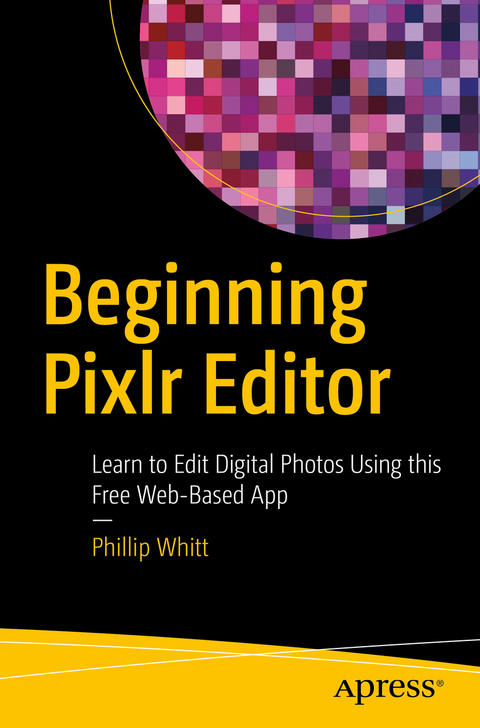
Learn digital image editing without the expense of using subscription-based editors. This book will pave the way for you to leverage Pixlr Editor, a free, web-based image editing solution that works on virtually any computer platform.
You'll learn image editing first hand by using the practice images with the corresponding tutorials-everything from creating simple graphics to enhancing and retouching photos. Explore all of the features you'd expect in a high end photo editing application; layers, history (multiple undos), and an array of powerful tools for handling almost any editing task.
Powerful image editing used to require purchasing and installing expensive, complicated image editing software on your computer. Beginning Pixlr Editor takes an easy-to-access and convenient look at the alternative from the Pixlr family of tools and utilities and offers you advanced editing techniques so you can enhance, retouch, and edit your digital images like a pro.
- Easily access Pixlr Editor from any computer with a high speed Internet connection
- Create an new image, or open an image from your computer, a URL, or the Pixlr library
- Save your images on to your computer or the Pixlr library
- Navigate the the Pixlr interface
- Use the Tools, Layers, image Adjustments, History, and much more
Learn digital image editing without the expense of using subscription-based editors. This book will pave the way for you to leverage Pixlr Editor, a free, web-based image editing solution that works on virtually any computer platform.You'll learn image editing first hand by using the practice images with the corresponding tutorials everything from creating simple graphics to enhancing and retouching photos. Explore all of the features you'd expect in a high end photo editing application; layers, history (multiple undos), and an array of powerful tools for handling almost any editing task.Powerful image editing used to require purchasing and installing expensive, complicated image editing software on your computer. Beginning Pixlr Editor takes an easy-to-access and convenient look at the alternative from the Pixlr family of tools and utilities and offers you advanced editing techniques so you can enhance, retouch, and edit your digital images like a pro.What You'll Learn:Easily access Pixlr Editor from any computer with a high speed Internet connectionCreate an new image, or open an image from your computer, a URL, or the Pixlr librarySave your images on to your computer or the Pixlr libraryNavigate the the Pixlr interfaceUse the Tools, Layers, image Adjustments, History, and much moreWho This Book Is For:Beginner and those with some image editing experience (anyone accustomed to Adobe Photoshop will instantly feel at home with Pixlr Editor).
Phillip Whitt has a passion for images, and has been involved with digital image editing and graphic design since the 1990's. As a freelance photo editing/restoration and graphic design professional, he has retouched and restored countless photographs. Mr. Whitt holds a number of certifications, which include one for Adobe Photoshop CS from Expert Rating, as well as a number of others for demonstrating proficiency in Desktop Publishing, Scribus Basics, GIMP 2.6, and Photo Impact. Mr. Whitt is the author of several Apress titles such as Beginning Photo Retouching and Restoration Using GIMP, Pro Freeware and Open Source Solutions for Business, and Pro Colorizing With GIMP.
Part I Getting to Know Pixlr Editor.- Chapter 1: An Overview of the Pixlr Workspace.- Chapter 2: Pixlr Editor Tools.- Chapter 3: The Pixlr Editor Menu Bar.- Part II Working With Images.- Chapter 4: Composing Images.- Chapter 5: Improving Image Tonality.- Chapter 6: Color Adjustments.- Chapter 7: Photo Touch-up and Repair.- Chapter 8: Removing Objects and Replacing Backgrounds.- Chapter 9: Using Adjustments and Filters.- Chapter 10 title: Using the Drawing and Type Tools.- Appendix: Additional Resources.
| Erscheint lt. Verlag | 29.5.2017 |
|---|---|
| Zusatzinfo | XIX, 237 p. 291 illus., 283 illus. in color. |
| Verlagsort | Berkeley |
| Sprache | englisch |
| Themenwelt | Mathematik / Informatik ► Informatik ► Software Entwicklung |
| Schlagworte | browser-based • Cloud-based • Education • Free image editor • Free Photoshop alternative • Image editor • Image optimizing • Online photo editor • Photo editor • restoration • Retouching • Small business image editing • Training |
| ISBN-10 | 1-4842-2698-4 / 1484226984 |
| ISBN-13 | 978-1-4842-2698-8 / 9781484226988 |
| Informationen gemäß Produktsicherheitsverordnung (GPSR) | |
| Haben Sie eine Frage zum Produkt? |
 PDF (Wasserzeichen)
DRM: Digitales Wasserzeichen
Dieses eBook enthält ein digitales Wasserzeichen und ist damit für Sie personalisiert. Bei einer missbräuchlichen Weitergabe des eBooks an Dritte ist eine Rückverfolgung an die Quelle möglich.
Dateiformat: PDF (Portable Document Format)
Mit einem festen Seitenlayout eignet sich die PDF besonders für Fachbücher mit Spalten, Tabellen und Abbildungen. Eine PDF kann auf fast allen Geräten angezeigt werden, ist aber für kleine Displays (Smartphone, eReader) nur eingeschränkt geeignet.
Systemvoraussetzungen:
PC/Mac: Mit einem PC oder Mac können Sie dieses eBook lesen. Sie benötigen dafür einen PDF-Viewer - z.B. den Adobe Reader oder Adobe Digital Editions.
eReader: Dieses eBook kann mit (fast) allen eBook-Readern gelesen werden. Mit dem amazon-Kindle ist es aber nicht kompatibel.
Smartphone/Tablet: Egal ob Apple oder Android, dieses eBook können Sie lesen. Sie benötigen dafür einen PDF-Viewer - z.B. die kostenlose Adobe Digital Editions-App.
Buying eBooks from abroad
For tax law reasons we can sell eBooks just within Germany and Switzerland. Regrettably we cannot fulfill eBook-orders from other countries.
aus dem Bereich