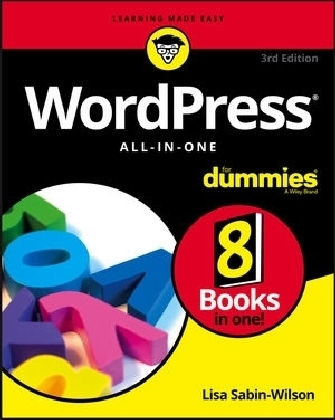
WordPress All-in-One For Dummies
For Dummies (Verlag)
978-1-119-32777-6 (ISBN)
- Titel erscheint in neuer Auflage
- Artikel merken

WordPress powers more than 25% of the web—and for good reason. It's a state-of-the-art blog-publishing platform that makes your site look professional, lets it be searchable, and provides readers with a pleasant user experience. Whether you're just dreaming up your first blog or want to learn to use the latest version of the software to keep your site up to date, WordPress All-in-One For Dummies is the way to go!
Build your site foundation and become an admin pro
Personalize your site with themes and plugins
Use SEO and social media to extend your site
Read and understand site analytics
WordPress is free—and with a bit of help from this how-to guide, it can also be easy!
Lisa Sabin-Wilson is the co-owner of WebDevStudios, a development company specializing in custom WordPress plugins, themes, and deployments. She is a popular conference speaker and bestselling author of WordPress For Dummies.
Introduction 1
About This Book 1
Foolish Assumptions 2
Icons Used in This Book 2
Beyond the Book 3
Where to Go from Here 3
Book 1: WordPress Basics 5
Chapter 1: Exploring Basic WordPress Concepts 7
Discovering Blogging 8
Understanding WordPress Technologies 9
Using WordPress as a Content Management System 15
Chapter 2: Exploring the World of Open-Source Software 19
Defining Open-Source 20
Understanding WordPress Licensing 23
Applying WordPress Licensing to Your Projects 25
Chapter 3: Understanding Development and Release Cycles 29
Discovering WordPress Release Cycles 30
Keeping Track of WordPress Development 33
Downloading Nightly Builds 35
Chapter 4: Meeting the WordPress Community 37
Finding Other WordPress Users 38
Users Helping Users 39
Discovering Professional WordPress Consultants and Services 41
Contributing to WordPress 45
Participating in Live WordPress Events 46
Chapter 5: Discovering Different Versions of WordPress 49
Comparing the Two Versions of WordPress 50
Hosting Multiple Sites with One WordPress Installation 56
Discovering WordPress VIP Services 58
Book 2: Setting Up the WordPress Software 61
Chapter 1: Understanding the System Requirements 63
Establishing Your Domain 64
Finding a Home for Your Blog 66
Chapter 2: Using Secure File Transfer Protocol 73
Understanding SFTP Concepts 73
Setting Up SFTP on Your Hosting Account 74
Finding and Using Free and Easy SFTP Programs 77
Chapter 3: Getting to Know PHP and MySQL 87
Understanding How PHP and MySQL Work Together 88
Exploring PHP Basics 89
Trying Out a Little PHP 90
Managing Your MySQL Database 92
Chapter 4: Installing WordPress on Your Web Server 97
Exploring Preinstalled WordPress 98
Installing WordPress Manually 100
Chapter 5: Configuring WordPress for Optimum Security 111
Understanding the Basics of Web Security 111
Preventing Attacks 113
Using Trusted Sources 115
Managing Users 116
Staying Clear of Soup-Kitchen Servers 117
Hardening WordPress 118
Chapter 6: Updating WordPress 129
Getting Notified of an Available Update 130
Backing Up Your Database 132
Updating WordPress Automatically 134
Updating WordPress Manually 136
Chapter 7: Backing Up, Packing Up, and Moving to a New Host 139
Migrating Your Existing Site to WordPress 140
Moving Your Website to a Different Host 152
Book 3: Exploring the WordPress Dashboard 157
Chapter 1: Logging In and Taking a Look Around 159
Logging In to the Dashboard 160
Navigating the Dashboard 161
Arranging the Dashboard to Your Tastes 166
Finding Inline Documentation and Help 168
Chapter 2: Exploring Tools and Settings 171
Configuring the Settings 172
Creating Your Personal Profile 192
Setting Your Blog’s Format 195
Chapter 3: Managing Users and Multiple Authors 201
Understanding User Roles and Capabilities 202
Allowing New User Registration 203
Adding New Users Manually 204
Editing User Details 206
Managing a Multiauthor Site 208
Chapter 4: Dealing with Comments and Spam 213
Deciding to Allow Comments on Your Site 214
Interacting with Readers through Comments 216
Managing Comments and Trackbacks 218
Tackling Spam with Akismet 221
Chapter 5: Creating Categories and Tags 227
Archiving Content with WordPress 227
Creating and Editing Tags 236
Book 4: Publishing Your Site with WordPress 239
Chapter 1: Writing Your First Post 241
Composing Your Post 241
Refining Your Post Options 247
Publishing Your Post 250
Being Your Own Editor 252
Creating Your Own Workspace for Writing 253
Chapter 2: Creating a Static Page 257
Understanding the Difference between Posts and Pages 257
Creating the Front Page of Your Website 258
Adding a Blog to Your Website 264
Chapter 3: Uploading and Displaying Photos and Galleries 267
Inserting Images into Your Posts 267
Inserting a Photo Gallery 273
Chapter 4: Exploring Podcasting and Video Blogging 279
Inserting Video Files into Your Content 280
Inserting Audio Files into Your Blog Posts 283
Podcasting with WordPress 283
Keeping Media Files Organized 284
Chapter 5: Working with Custom Fields 289
Understanding Custom Fields 290
Exploring the Custom Fields Interface 290
Adding Custom Fields to Your Template File 293
Exploring Different Uses for Custom Fields 298
Chapter 6: Using WordPress as a Content Management System 303
Creating Different Page Views Using WordPress Templates 304
Creating a Template for Each Post Category 308
Pulling in Content from a Single Category 309
Using Sidebar Templates 311
Creating Custom Styles for Sticky, Category, and Tag Posts 312
Working with Custom Post Types 314
Optimizing Your WordPress Site 321
Book 5: Examining SEO and Social Media 327
Chapter 1: Exposing Your Content 329
Understanding the Three Cs of the Social Web 330
Making It Easy for Users to Share Your Content 335
Determining Where You Need to Participate 339
Finding Influencers 342
Leveraging Twitter for Social Media Success 344
Engaging with Facebook 347
Chapter 2: Creating a Social Media Listening Hub 349
Exploring Reasons for a Social Media Listening Hub 350
Exploring Different Listening Tools 351
Creating Your Own Personal Monitoring Mix 356
Editing the Dashboard to Create a Listening Post 358
Chapter 3: Understanding Analytics 361
Understanding the Importance of Analytics 362
Exploring the Options for Tracking Data 362
Understanding Key Analytics Terminology 365
Adding Google Analytics to Your WordPress Site 368
Chapter 4: Search Engine Optimization 377
Understanding the Importance of Search Engine Optimization 378
Outlining the Advantages That WordPress Presents for SEO 378
Understanding How Search Engines See Your Content 380
Optimizing Your Site under the Hood 384
Researching Your Niche 385
Creating Search Engine Strategies 386
Chapter 5: Exploring Popular SEO Plugins 395
Exploring Must-Use Plugins for SEO Best Practices 395
Yoast SEO 396
Google XML Sitemaps for WordPress 400
Redirection 401
WP-PageNavi 402
Book 6: Customizing the Look of Your Site 405
Chapter 1: Examining the Default Theme: Twenty Seventeen 407
Exploring the Layout and Structure 408
Customizing the Header Media 410
Customizing the Colors 413
Including Custom Navigation Menus 415
Enhancing Your Website with Widgets 419
Chapter 2: Finding and Installing WordPress Themes 427
Getting Started with Free Themes 428
Understanding What to Avoid with Free Themes 430
Installing a Theme 431
Exploring Premium Theme Options 436
Chapter 3: Exploring the Anatomy of a Theme 443
Starting with the Basics 444
Understanding the Stylesheet 447
Exploring Template Tags, Values, and Parameters 449
Creating New Widget Areas 453
Examining the Main Index and The Loop 456
Examining Other Template Files 464
Customizing Your Posts with Template Tags 465
Putting It All Together 466
Chapter 4: Customizing Your Theme 477
Changing Your Background Graphic 478
Changing Your Header Graphic 483
Personalizing Your Theme with CSS 486
Understanding Basic HTML Techniques 490
Changing Basic Elements for a Unique Look 491
Finding Additional Resources 495
Chapter 5: Understanding Parent and Child Themes 497
Customizing Theme Style with Child Themes 498
Modifying Theme Structure with Child Themes 507
Preparing a Parent Theme 511
Chapter 6: Digging Into Advanced Theme Development 513
Getting Started with Advanced Theming 514
Adding New Template Files 516
Adding Theme Support for Built-In Features 525
Exploring Theme Options 555
Chapter 7: Using Theme Frameworks to Simplify Customization 563
Understanding Theme Frameworks 564
Discovering Popular Frameworks 564
Using Common Framework Features 567
Customizing Theme Frameworks 570
Book 7: Using and Developing Plugins 571
Chapter 1: Introducing WordPress Plugins 573
Finding Out What Plugins Are 574
Extending WordPress with Plugins 575
Identifying Core Plugins 575
Distinguishing between Plugins and Themes 577
Finding Plugins in the WordPress Plugin Directory 578
Finding Plugins outside the Plugin Directory 590
Comparing Free and Commercial Plugins 591
Chapter 2: Installing and Managing Plugins 595
Installing Plugins within the WordPress Dashboard 595
Installing Plugins Manually 597
Upgrading Plugins 598
Activating and Deactivating Plugins 602
Deleting Plugins 604
Exploring the Plugins Included with WordPress 606
Chapter 3: Configuring and Using Plugins 611
Exploring Activate-and-Go Plugins 611
Discovering Settings Pages 612
Using Widgets 617
Enhancing Content with Shortcodes 621
Chapter 4: Modifying Existing Plugin Code 629
Setting the Foundation for Modifying Plugins 630
Removing Part of a Form 631
Modifying the Hello Dolly Plugin’s Lyrics 633
Changing a Shortcode’s Name 635
Chapter 5: Creating Simple Plugins from Scratch 637
Understanding Plugin Structure 638
Creating Your First Plugin 643
Fixing Problems 645
Filtering Content 647
Creating Shortcodes 654
Adding Widgets 661
Building a Settings Page 673
Chapter 6: Exploring Plugin Development Best Practices 691
Adding a File Header 692
Creating a readme.txt File 695
Internationalizing or Localizing Your Plugin 701
Chapter 7: Plugin Tips and Tricks 707
Using a Plugin Template 707
Making Your Plugin Pluggable 710
Enhancing Plugins with CSS and JavaScript 712
Working with Custom Post Types 715
Using Custom Shortcodes 718
Adding Functionality to Profile Filters 721
Correcting Hyperlink Problems 723
Book 8: Running Multiple Sites with WordPress 725
Chapter 1: An Introduction to Multiple Sites 727
Deciding When to Use the Multisite Feature 728
Understanding the Difference between Sites and Blogs 730
Setting Up the Optimal Hosting Environment 730
Chapter 2: Setting Up and Configuring Multisite Features 737
Enabling the Multisite Feature 738
Installing the Network on Your Site 739
Disabling the Network 742
Dealing with Common Errors 743
Chapter 3: Becoming a Network Admin 745
Exploring the Network Admin Dashboard 745
Managing Your Network 748
Stopping Spam Sign-Ups and Splogs 762
Chapter 4: Managing Users and Access Control 765
Setting Default User Permissions 766
Changing Defaults 770
Exploring Default Site Settings 772
Chapter 5: Using Network Plugins and Themes 775
Using One Theme on Multiple Sites 776
Gathering and Displaying Networkwide Content 782
Using and Installing Networkwide Plugins 787
Discovering Handy Multisite Plugins 788
Chapter 6: Using Multiple Domains within Your Network 789
Finding Your Way with Domain Mapping 789
Installing the Domain Mapping Plugin 793
Mapping a Large Volume of Domains 796
Setting Up Multiple Networks 801
Index 803
| Erscheinungsdatum | 07.05.2017 |
|---|---|
| Sprache | englisch |
| Maße | 188 x 234 mm |
| Gewicht | 1247 g |
| Themenwelt | Informatik ► Web / Internet ► Content Management Systeme |
| ISBN-10 | 1-119-32777-6 / 1119327776 |
| ISBN-13 | 978-1-119-32777-6 / 9781119327776 |
| Zustand | Neuware |
| Informationen gemäß Produktsicherheitsverordnung (GPSR) | |
| Haben Sie eine Frage zum Produkt? |
aus dem Bereich