


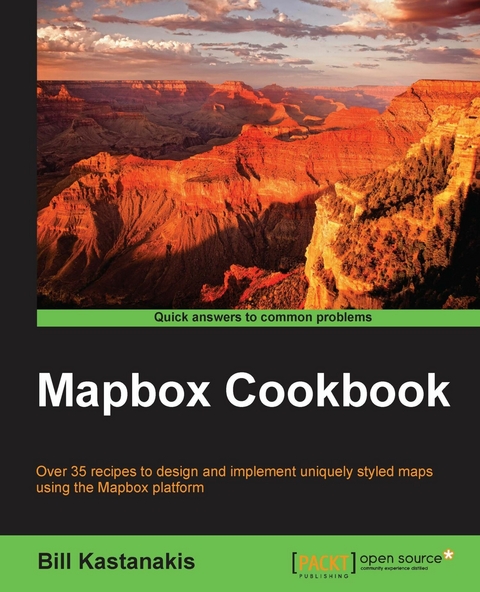
Mapbox Cookbook (eBook)
264 Seiten
Packt Publishing (Verlag)
978-1-78439-515-5 (ISBN)
Over 35 recipes to design and implement uniquely styled maps using the Mapbox platform
About This Book
- Design and develop beautifully styled maps using TileMill, MapBox Studio, and CartoCSS
- Get to grips with the mapbox.js and Leaflet to create visually stunning web and mobile applications
- An easy-to-follow, quick reference guide to integrate powerful APIs and services like Foursquare, Fusion Tables, Geoserver, and CartoDB to populate your maps
Who This Book Is For
If you are a web developer seeking for GIS expertise on how to create, style, and publish interactive and unique styled maps, then this book is for you. Basic knowledge of programming and javascripts is assumed.
What You Will Learn
- Get accustomed to the MapBox Editor to visually style your maps
- Learn everything about CartoCSS, and how it will help you fine tune your styled maps
- Use MapBox Studio and Tilemill to generate your own tiles and vector maps
- Publish your maps using a variety of technologies like node.js, PHP, and Geoserver
- Integrate with third party APIs and services to populate your maps with public or private data
- Create many different map visualization styles like choropleth and heat maps, add interactivity, and even learn how to animate data over time
- Work with many different data formats and external services to create robust maps
- Learn to use MapBox GL to create a mobile application
In Detail
Maps are an essential element in today's location aware applications. Right from displaying earth surface information to creating thematic maps displaying plethora of information, most of the developers lack the necessary knowledge to create customizable maps with combination of various tools and libraries. The MapBox platform is one such platform which offers all the tools and API required to create and publish a totally customizable map.
Starting with building your first map with the online MapBox Editor, we will take you all the way to building advanced web and mobile applications with totally customizable map styles. Through the course of chapters we'll learn CartoCSS styling language and understand the various components of MapBox platform and their corresponding JavaScript API.
In the initial few chapters we will dive deeper into the TileMill and MapBox Studio components of MapBox and use them to generate custom styled map tiles and vector maps. Furthermore, we will publish these custom maps using PHP, node.js and third party tools like Geoserver.
We'll also learn to create different visualizations and map styles like a choropleth map, a heat map and add user interactivity using a UFTGrid. Moving on, we dive into advanced concepts and focus on integration with third party services like Foursquare, Google FusionTables, CartoDB, and Torque to help you populate and even animate your maps.
In the final chapter we'll learn to use the Mapbox SDK to create and publish interactive maps for the iOS platform. By the end of this book, you will learn about MapBox GL and how to create a fully functional, location-aware mobile app, using the maps styles created in the recipes.
Style and approach
An easy-to-use recipe driven book that will not just serve code samples, but also explains all the theory and concepts required to fully understand each recipe.
Over 35 recipes to design and implement uniquely styled maps using the Mapbox platformAbout This BookDesign and develop beautifully styled maps using TileMill, MapBox Studio, and CartoCSSGet to grips with the mapbox.js and Leaflet to create visually stunning web and mobile applicationsAn easy-to-follow, quick reference guide to integrate powerful APIs and services like Foursquare, Fusion Tables, Geoserver, and CartoDB to populate your mapsWho This Book Is ForIf you are a web developer seeking for GIS expertise on how to create, style, and publish interactive and unique styled maps, then this book is for you. Basic knowledge of programming and javascripts is assumed.What You Will LearnGet accustomed to the MapBox Editor to visually style your mapsLearn everything about CartoCSS, and how it will help you fine tune your styled mapsUse MapBox Studio and Tilemill to generate your own tiles and vector mapsPublish your maps using a variety of technologies like node.js, PHP, and GeoserverIntegrate with third party APIs and services to populate your maps with public or private dataCreate many different map visualization styles like choropleth and heat maps, add interactivity, and even learn how to animate data over timeWork with many different data formats and external services to create robust mapsLearn to use MapBox GL to create a mobile applicationIn DetailMaps are an essential element in today's location aware applications. Right from displaying earth surface information to creating thematic maps displaying plethora of information, most of the developers lack the necessary knowledge to create customizable maps with combination of various tools and libraries. The MapBox platform is one such platform which offers all the tools and API required to create and publish a totally customizable map.Starting with building your first map with the online MapBox Editor, we will take you all the way to building advanced web and mobile applications with totally customizable map styles. Through the course of chapters we'll learn CartoCSS styling language and understand the various components of MapBox platform and their corresponding JavaScript API.In the initial few chapters we will dive deeper into the TileMill and MapBox Studio components of MapBox and use them to generate custom styled map tiles and vector maps. Furthermore, we will publish these custom maps using PHP, node.js and third party tools like Geoserver.We'll also learn to create different visualizations and map styles like a choropleth map, a heat map and add user interactivity using a UFTGrid. Moving on, we dive into advanced concepts and focus on integration with third party services like Foursquare, Google FusionTables, CartoDB, and Torque to help you populate and even animate your maps.In the final chapter we'll learn to use the Mapbox SDK to create and publish interactive maps for the iOS platform. By the end of this book, you will learn about MapBox GL and how to create a fully functional, location-aware mobile app, using the maps styles created in the recipes.Style and approachAn easy-to-use recipe driven book that will not just serve code samples, but also explains all the theory and concepts required to fully understand each recipe.
| Erscheint lt. Verlag | 22.3.2016 |
|---|---|
| Sprache | englisch |
| Themenwelt | Mathematik / Informatik ► Informatik ► Programmiersprachen / -werkzeuge |
| ISBN-10 | 1-78439-515-3 / 1784395153 |
| ISBN-13 | 978-1-78439-515-5 / 9781784395155 |
| Informationen gemäß Produktsicherheitsverordnung (GPSR) | |
| Haben Sie eine Frage zum Produkt? |
 EPUB (Adobe DRM)
Kopierschutz: Adobe-DRM
Adobe-DRM ist ein Kopierschutz, der das eBook vor Mißbrauch schützen soll. Dabei wird das eBook bereits beim Download auf Ihre persönliche Adobe-ID autorisiert. Lesen können Sie das eBook dann nur auf den Geräten, welche ebenfalls auf Ihre Adobe-ID registriert sind.
Details zum Adobe-DRM
Dateiformat: EPUB (Electronic Publication)
EPUB ist ein offener Standard für eBooks und eignet sich besonders zur Darstellung von Belletristik und Sachbüchern. Der Fließtext wird dynamisch an die Display- und Schriftgröße angepasst. Auch für mobile Lesegeräte ist EPUB daher gut geeignet.
Systemvoraussetzungen:
PC/Mac: Mit einem PC oder Mac können Sie dieses eBook lesen. Sie benötigen eine
eReader: Dieses eBook kann mit (fast) allen eBook-Readern gelesen werden. Mit dem amazon-Kindle ist es aber nicht kompatibel.
Smartphone/Tablet: Egal ob Apple oder Android, dieses eBook können Sie lesen. Sie benötigen eine
Geräteliste und zusätzliche Hinweise
Buying eBooks from abroad
For tax law reasons we can sell eBooks just within Germany and Switzerland. Regrettably we cannot fulfill eBook-orders from other countries.
aus dem Bereich


