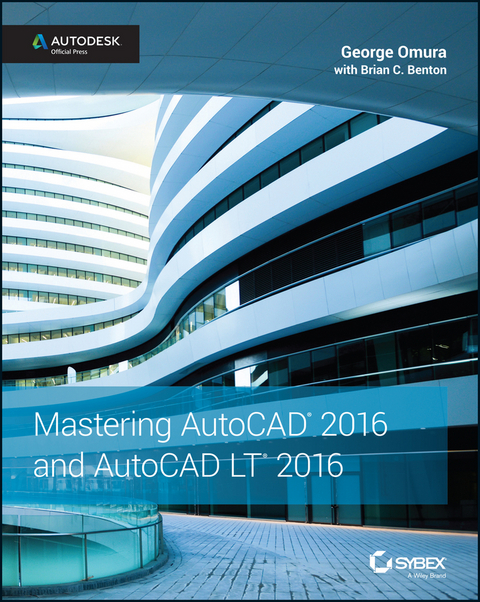
Mastering AutoCAD 2016 and AutoCAD LT 2016 is a complete tutorial and reference, helping you design accurately and efficiently while getting the most out of the AutoCAD 2016 software. Concise explanations and focused examples strengthen your understanding of AutoCAD concepts, while step-by-step instruction and hands-on projects help you develop the skills you need for real-world projects. This new edition covers the latest AutoCAD capabilities, and gives you access to videos demonstrating crucial techniques. The companion website provides all of the project files necessary for the tutorials, and features additional video tutorials and other bonus content. You'll start with the basics of AutoCAD drafting, and gradually build your skills to an advanced level as you learn 3D modeling and imaging. Whether you're preparing for the Autodesk certification or just want to be an AutoCAD guru, this book provides the comprehensive information you need.
- Get acquainted with the AutoCAD 2016 interface and drafting tools
- Work with hatches, fields, tables, dynamic blocks, solid fills, and more
- Build an accurate, scalable 3D model of your design for reference
- Customize your AutoCAD and integrate it with other software
Packed with expert tips, tricks, techniques, and tutorials, Mastering AutoCAD 2016 and AutoCAD LT 2016 is your essential guide to get up to speed quickly.
George Omura is a licensed architect and Autodesk Authorized Author, with more than 30 years of experience in the field and 20 years of experience with AutoCAD. As a CAD specialist, he has worked on projects ranging from resort hotels to metropolitan transit systems to the San Francisco Library project. George is the all-time bestselling CAD author. Brian Benton is a Senior Engineering Design Technician, CAD Service Provider, trainer, technical writer and blogger. He has over 20 years of experience in various design fields (Mechanical, Structural, Civil, Survey, Marine, Environmental), has a degree in Design Drafting and is well versed in many design software packages (CAD, GIS, Graphics). He has been Cadalyst Magazine's Tip Patroller and writer, an AUGI HotNews Production Manager, is a contributing author, and an AutoCAD training video author as well as a member of the Autodesk Expert Elite Program.
Introduction
Welcome to Mastering AutoCAD 2016 and AutoCAD LT 2016. As many readers have already discovered, this book is a unique blend of tutorial and reference that includes everything that you need to get started and stay ahead with Autodesk® AutoCAD® software. With this edition, you get coverage of the latest features of both AutoCAD 2016 and AutoCAD LT® 2016 software along with detailed information on existing features.
How to Use This Book
Rather than just showing you how each command works, this book shows you AutoCAD 2016 in the context of a meaningful activity. You’ll learn how to use commands while working on an actual project and progressing toward a goal. This book also provides a foundation on which you can build your own methods for using AutoCAD and become an AutoCAD expert. For this reason, we haven’t covered every single command or every permutation of a command response. You should think of this book as a way to get a detailed look at AutoCAD as it’s used on a real project. As you follow the exercises, we also encourage you to explore AutoCAD on your own, applying the techniques that you learn to your own work.
Both experienced and beginning AutoCAD users will find this book useful. If you aren’t an experienced user, the way to get the most out of this book is to approach it as a tutorial—chapter by chapter, at least for the first two parts of the book. You’ll find that each chapter builds on the skills and information that you learned in the previous one. To help you navigate, the exercises are shown in numbered steps. To address the needs of all readers worldwide, the exercises provide both Imperial (feet/inches) and metric measurements. Some exercises use generic units of measurement or, if the focus of the exercise is not dependent on the measurement system, Imperial is used.
After you’ve mastered the material in Parts 1 and 2, you can follow your interests and explore other parts of the book in whatever order you choose. Part 3 takes you to a more advanced skill level. There you’ll learn more about storing and sharing drawing data and how to create more complex drawings. If you’re interested in 3D, check out Part 4. If you want to start customizing right away, go to Part 5. You can check out Chapter 25 at any time because it gives you general information about sharing AutoCAD files with your coworkers and consultants. You can also use this book as a ready reference for your day-to-day problems and questions about commands. The Bottom Line section at the end of each chapter will help you review and look at different ways to apply the information that you’ve learned. Experienced users will also find this book a handy reference tool.
Finally, you can learn more about AutoCAD through the author-supplied bonus chapters found at www.omura.com/chapters. For example, if you run into problems using AutoCAD, see the section “When Things Go Wrong” in Bonus Chapter 3, “Hardware and Software Tips.” To delve into the details of printers and plotting, check out Bonus Chapter 5,“Understanding Plot Styles.”
AutoCAD 2016 and AutoCAD LT 2016
Autodesk has released both AutoCAD 2016 and AutoCAD LT 2016 simultaneously. Not surprisingly, they’re nearly identical in the way they look and work. You can share files between the two programs with complete confidence that you won’t lose data or corrupt files. The main differences are that AutoCAD LT doesn’t support all of the 3D functions of AutoCAD 2016, nor does it support the customization tools of AutoLISP® or the .NET Framework. But AutoCAD LT still has plenty to offer in both the productivity and customization areas. Because they’re so similar, we can present material for both programs with only minor adjustments.
When a feature is discussed that is available only in AutoCAD 2016, you’ll see the AutoCAD Only icon.
For the purposes of this publication, the “ACAD only” icon means that the relevant (or adjacent) content applies only to AutoCAD software and not to AutoCAD LT software.
You’ll also see warning messages when tutorials vary between AutoCAD 2016 and AutoCAD LT. If only minor differences occur, you’ll see either a warning message or directions embedded in the exercise indicating the differences between the two programs.
We’ve also provided workaround instructions wherever possible when AutoCAD LT doesn’t offer a feature found in AutoCAD 2016.
Getting Information Fast
In each chapter, you’ll find extensive tips and discussions in the form of sidebars set off from the main text. These provide a wealth of information that we have gathered over years of using AutoCAD on a variety of projects in different office environments. You may want to browse through the book and read these boxes just to get an idea of how they might be useful to you.
Another available quick reference is Bonus Chapter 4, “System Variables and Dimension Styles.” It contains descriptions of all the dimension settings with comments on their uses. If you experience any problems, you can consult the section “When Things Go Wrong” in Bonus Chapter 3, “Hardware and Software Tips.”
The Mastering Series
The Mastering series from Sybex provides outstanding instruction for readers with intermediate and advanced skills in the form of top-notch training and development for those already working in their field, and clear, serious education for those aspiring to become pros. Every Mastering book includes the following:
- Skill-based instruction with chapters organized around real tasks rather than abstract concepts or subjects
- Self-review test questions, so that you can be certain you’re equipped to do the job right
What to Expect
Mastering AutoCAD 2016 and AutoCAD LT 2016 is divided into five parts, each representing a milestone in your progress toward becoming an expert AutoCAD user. Here is a description of those parts and what they will show you.
Part 1: The Basics
As with any major endeavor, you must begin by tackling small, manageable tasks. In this first part, you’ll become familiar with the way that AutoCAD looks and feels.
- Chapter 1, “Exploring the Interface,” shows you how to get around in AutoCAD.
- Chapter 2, “Creating Your First Drawing,” details how to start and exit the program and how to respond to AutoCAD commands.
- Chapter 3, “Setting Up and Using the Drafting Tools,” tells you how to set up a work area, edit objects, and lay out a drawing.
- Chapter 4, “Organizing Objects with Blocks and Groups,” explores some tools unique to CAD: symbols, blocks, and layers. As you’re introduced to AutoCAD, you’ll also get a chance to make some drawings that you can use later in the book and perhaps even in future projects of your own.
- Chapter 5, “Keeping Track of Layers and Blocks,” shows you how to use layers to keep similar information together and object properties such as linetypes to organize things visually.
Part 2: Mastering Intermediate Skills
After you have the basics down, you’ll begin to explore some of the more subtle qualities of AutoCAD.
- Chapter 6, “Editing and Reusing Data to Work Efficiently,” tells you how to reuse drawing setup information and parts of an existing drawing.
- Chapter 7, “Mastering Viewing Tools, Hatches, and External References,” details how to use viewing tools and hatches and how to assemble and edit a large drawing file.
- Chapter 8, “Introducing Printing, Plotting, and Layouts,” shows you how to get your drawing onto hard copy.
- Chapter 9, “Adding Text to Drawings,” tells you how to annotate your drawing and edit your notes.
- Chapter 10, “Using Fields and Tables,” shows you how to add spreadsheet functionality to your drawings.
- Chapter 11, “Using Dimensions,” gives you practice in using automatic dimensioning (another unique CAD capability).
Part 3: Mastering Advanced Skills
At this point, you’ll be on the verge of becoming a real AutoCAD expert. Part 3 is designed to help you polish your existing skills and give you a few new ones.
- Chapter 12, “Using Attributes,” tells you how to attach information to drawing objects and how to export that information to database and spreadsheet files.
- Chapter 13, “Copying Existing Drawings from Other Sources,” details techniques for transferring paper drawings to AutoCAD. You’ll also learn how to include aerial and map views in your drawings.
- Chapter 14, “Advanced Editing and Organizing,” is where you’ll complete the apartment building tutorial. During this process, you’ll learn how to integrate what you’ve learned so far and gain some tips on working in groups.
- Chapter 15, “Laying Out Your Printer Output,” shows you the tools that let you display your drawing in an organized fashion.
- Chapter 16, “Making ‘Smart’ Drawings with Parametric Tools,” introduces you to parametric drawing. This feature lets you quickly modify a drawing by changing a few parameters.
- Chapter 17, “Using Dynamic Blocks,” shows you how you can create blocks that can be edited with grips without having to redefine them.
- Chapter 18, “Drawing Curves,” gives you an in-depth look at some special drawing objects, such as splines and fitted curves.
- Chapter 19, “Getting and Exchanging Data from Drawings,” is where you’ll practice getting information about a drawing and learn how AutoCAD can interact with other applications, such as spreadsheets and page...
| Erscheint lt. Verlag | 23.4.2015 |
|---|---|
| Co-Autor | Brian C. Benton |
| Sprache | englisch |
| Themenwelt | Informatik ► Office Programme ► Outlook |
| Informatik ► Weitere Themen ► CAD-Programme | |
| Schlagworte | 3D AutoCAD • AutoCad 2016 • AutoCAD 2016 and AutoCAD LT 2016 • AutoCAD certification prep • AutoCAD certification study guide • AutoCAD design • AutoCAD exam prep • AutoCAD guide • AutoCAD handbook • AutoCAD help • AutoCad LT 2016 • AutoCAD LT guide • AutoCAD manual • AutoCad Modeling • AutoCAD reference • AutoCAD step by step • autocad tutorial • AutoCAD video tutorial • Autodesk AutoCAD 2016 • Autodesk AutoCAD LT 2016 • Autodesk Official Press • beginner AutoCAD • Brian C. Benton • Computer-Ratgeber • drafting with AutoCAD • easy AutoCAD LT • End-User Computing • essential AutoCAD • George Omura • Graphics & Design software (Non-Microsoft) • Graphik- u. Designsoftware (auÃer Microsoft) • Graphik- u. Designsoftware (außer Microsoft) • learning AutoCAD • Mastering AutoCAD and AutoCAD LT |
| ISBN-13 | 9781119044840 / 9781119044840 |
| Informationen gemäß Produktsicherheitsverordnung (GPSR) | |
| Haben Sie eine Frage zum Produkt? |
 EPUB (Adobe DRM)
Kopierschutz: Adobe-DRM
Adobe-DRM ist ein Kopierschutz, der das eBook vor Mißbrauch schützen soll. Dabei wird das eBook bereits beim Download auf Ihre persönliche Adobe-ID autorisiert. Lesen können Sie das eBook dann nur auf den Geräten, welche ebenfalls auf Ihre Adobe-ID registriert sind.
Details zum Adobe-DRM
Dateiformat: EPUB (Electronic Publication)
EPUB ist ein offener Standard für eBooks und eignet sich besonders zur Darstellung von Belletristik und Sachbüchern. Der Fließtext wird dynamisch an die Display- und Schriftgröße angepasst. Auch für mobile Lesegeräte ist EPUB daher gut geeignet.
Systemvoraussetzungen:
PC/Mac: Mit einem PC oder Mac können Sie dieses eBook lesen. Sie benötigen eine
eReader: Dieses eBook kann mit (fast) allen eBook-Readern gelesen werden. Mit dem amazon-Kindle ist es aber nicht kompatibel.
Smartphone/Tablet: Egal ob Apple oder Android, dieses eBook können Sie lesen. Sie benötigen eine
Geräteliste und zusätzliche Hinweise
Buying eBooks from abroad
For tax law reasons we can sell eBooks just within Germany and Switzerland. Regrettably we cannot fulfill eBook-orders from other countries.
aus dem Bereich