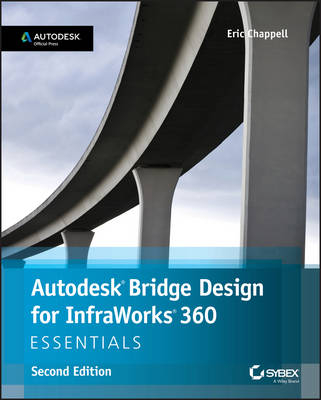
Autodesk Bridge Design for InfraWorks 360 Essentials
Sybex Inc.,U.S. (Verlag)
9781119059257 (ISBN)
- Titel ist leider vergriffen;
keine Neuauflage - Artikel merken
Design safer, more efficient bridges with the newest InfraWorks add-on module Autodesk Bridge Design for InfraWorks 360 Essentials, Second Edition allows you to begin designing immediately as you learn the ins and outs of the Bridge-specific InfraWorks module. Straightforward explanations coupled with hands-on exercises help you get up to speed and quickly become productive with the module's core features and functions. The Bridge Design module includes tools and features that go beyond the base software, and this useful guide walks you through the entire design process to show you how and where functions like intersection optimization and sightline analysis are best applied. Compelling screenshots illustrate step-by-step tutorials, and the companion website provides downloadable starting and ending files so you can jump in at any point and compare your work to the pros.
Autodesk is releasing special modules that expand InfraWorks functionality. Bridge Design for InfraWorks is available to all InfraWorks users, and provides an extended toolset and interface specifically designed to streamline your workflow.
Master the Bridge tools that go beyond the base software
Create new designs and add detail with step-by-step tutorials
Utilize the powerful bridge-specific analysis and optimization functions
Import and work with real-world data for more comprehensive design
InfraWorks allows you to incorporate BIM, CAD, GIS, and other outside data into your project from the start of the design process, and the Bridge module provides the focused tools you need to design safer, stronger, more efficient bridges. If you're ready to work faster and more efficiently, Autodesk Bridge Design for InfraWorks 360 Essentials, Second Edition is the hands-on guide to this exciting new module.
About the Author Eric Chappell, E.I.T. , a 20-year veteran in the world of civil engineering software, is a recognized expert on Autodesk AutoCAD Civil 3D and InfraWorks 360 and InfraWorks 360 LT. He has written training materials and conducted training for end users, trainers, and Autodesk employees around the globe, and has worked with Autodesk in authoring and developing two Autodesk certification exams. Eric is a highly rated instructor at Autodesk University, where he has taught for over 10 years.
Introduction xv Chapter 1 Getting Started 1
Understanding the Capabilities of Bridge Design for InfraWorks 360 1
Engineering Geometry 1
Rules-Based Design 5
Bridge Styles 6
Quantities 7
The Bridge Design User Interface 8
Bridge Design Intelligent Tools 8
Bridge Design Asset Cards 10
Right-Click Commands 12
Bridge Properties 13
Exercise 1.1: Explore the Bridge Design for InfraWorks 360 Software 13
Now You Know 18
Chapter 2 Designing Bridges 19
Creating Bridges 19
Exercise 2.1: Create a Bridge 22
Editing Bridges Graphically 24
Selecting Bridges and Bridge Components 24
Editing Bridges Using Gizmos 26
Exercise 2.2: Edit a Bridge Graphically 28
Using Bridge Design Asset Cards 30
Using the Bridge Asset Card 30
Exercise 2.3: Use the Bridge Asset Card 32
Using the Girder Asset Cards 34
Exercise 2.4: Use the Girder Asset Cards 41
Using the Abutment Asset Card 44
Exercise 2.5: Use the Abutment Asset Card 46
Using the Quantities Asset Card 49
Exercise 2.6: Use the Quantities Asset Card 50
Designing Using Properties 51
Bearing Properties 52
Girder Group Properties 53
Girder Properties 55
Abutment Properties 56
Pier Properties 57
Pier Foundation Properties 59
Exercise 2.7: Design Using Properties 61
Designing for Clearance 64
Exercise 2.8: Design for Clearance 66
Now You Know 69
Index 71
| Erscheint lt. Verlag | 9.10.2015 |
|---|---|
| Verlagsort | New York |
| Sprache | englisch |
| Maße | 188 x 234 mm |
| Gewicht | 236 g |
| Themenwelt | Informatik ► Weitere Themen ► CAD-Programme |
| Technik ► Bauwesen | |
| ISBN-13 | 9781119059257 / 9781119059257 |
| Zustand | Neuware |
| Informationen gemäß Produktsicherheitsverordnung (GPSR) | |
| Haben Sie eine Frage zum Produkt? |
aus dem Bereich