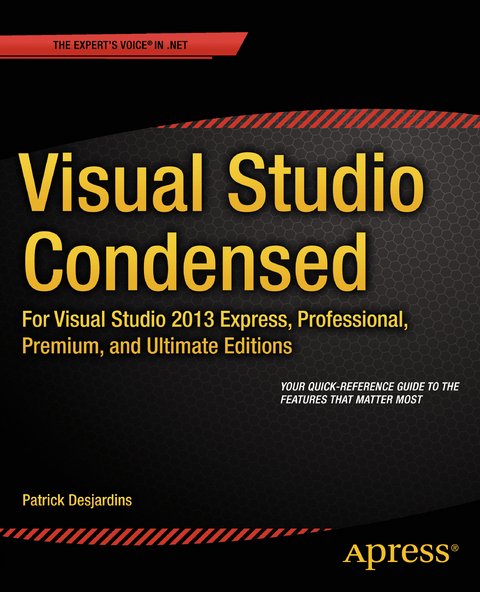
Visual Studio Condensed (eBook)
XVII, 260 Seiten
Apress (Verlag)
978-1-4302-6823-9 (ISBN)
Visual Studio 2013 is one of the most sophisticated integrated development environments in the world today. With hundreds of features and several different editions available, it can be hard to learn your way around, and hard to know whether you're using it to its full potential. Visual Studio Condensed gives you a quick and systematic guide to the features that matter most, tagged clearly according to their availability.
The book starts by familiarizing you with the main features of Visual Studio and how to configure the user interface depending on your needs. You'll then dive into each key developer tool in turn, starting with the editor window and going through the navigation pane, documentation, and the NuGet package manager. Debugging is a difficult skill to master with a range of approaches and tools at your disposal, so you'll see how to make best use of breakpoints, the debugging windows, tracing and managed memory analysis, as well as tips and tricks on advanced debugging techniques that can make a real difference to your productivity.
Visual Studio 2013 comes with sophisticated code improvement tools. You can visualize relationships in your code with the Code Map feature, find duplicated code to maximize your code reuse, and use Visual Studio's inbuilt list of metrics to figure out just how healthy your code is and how difficult or easy it will be to maintain. Testing is also made easy with unit testing and web performance tests as well as a Test Manager to organize your tests into test plans and suites. The final chapters of the book cover team work with Team Foundation Server, framework-specific features, and how to build your own Visual Studio extensions.
Visual Studio Condensed is the ideal manual for busy developers who just want to get on with what matters: writing code. Whether you're new to Visual Studio or brushing up on the latest features, this book will get you up to speed in no time.
Patrick Desjardins has been a Microsoft Most Valuable Professional (MVP) in ASP.NET since 2013. He is a software engineer known for his analysis, resourcefulness and ability to find effective solutions quickly. Since the early days of his professional career, his focus has been on keeping his knowledge up to date in order to provide quality services to meet customers’ needs. His main area of interest is Web development, which he has embraced since the early 2000s, and he continues to train in new technologies on a daily basis. Patrick has been developing on .NET professionally since 2004. He has also developed many projects in PHP, giving him a broad perspective on how the web can be developed. Patrick is driven to help people embrace Microsoft technologies in the enterprise. He is a professional who has a well developed work ethic and who has the desire to perform on both quality and timeliness. He is a strong believer in ASP.NET MVC and Entity Framework, which help to produce professional quality websites that follow good standards using HTML5, CSS3 and proven design patterns.
Visual Studio 2013 is one of the most sophisticated integrated development environments in the world today. With hundreds of features and several different editions available, it can be hard to learn your way around, and hard to know whether you're using it to its full potential. Visual Studio Condensed gives you a quick and systematic guide to the features that matter most, tagged clearly according to their availability.The book starts by familiarizing you with the main features of Visual Studio and how to configure the user interface depending on your needs. You'll then dive into each key developer tool in turn, starting with the editor window and going through the navigation pane, documentation, and the NuGet package manager. Debugging is a difficult skill to master with a range of approaches and tools at your disposal, so you'll see how to make best use of breakpoints, the debugging windows, tracing and managed memory analysis, as well as tips and tricks on advanced debugging techniques that can make a real difference to your productivity.Visual Studio 2013 comes with sophisticated code improvement tools. You can visualize relationships in your code with the Code Map feature, find duplicated code to maximize your code reuse, and use Visual Studio's inbuilt list of metrics to figure out just how healthy your code is and how difficult or easy it will be to maintain. Testing is also made easy with unit testing and web performance tests as well as a Test Manager to organize your tests into test plans and suites. The final chapters of the book cover team work with Team Foundation Server, framework-specific features, and how to build your own Visual Studio extensions.Visual Studio Condensed is the ideal manual for busy developers who just want to get on with what matters: writing code. Whether you're new to Visual Studio or brushing up on the latest features, this book will get you up to speed in no time.
Patrick Desjardins has been a Microsoft Most Valuable Professional (MVP) in ASP.NET since 2013. He is a software engineer known for his analysis, resourcefulness and ability to find effective solutions quickly. Since the early days of his professional career, his focus has been on keeping his knowledge up to date in order to provide quality services to meet customers’ needs. His main area of interest is Web development, which he has embraced since the early 2000s, and he continues to train in new technologies on a daily basis. Patrick has been developing on .NET professionally since 2004. He has also developed many projects in PHP, giving him a broad perspective on how the web can be developed. Patrick is driven to help people embrace Microsoft technologies in the enterprise. He is a professional who has a well developed work ethic and who has the desire to perform on both quality and timeliness. He is a strong believer in ASP.NET MVC and Entity Framework, which help to produce professional quality websites that follow good standards using HTML5, CSS3 and proven design patterns.
Contents at a Glance 3
Contents 234
About the Author 243
About the Technical Reviewer 244
Acknowledgments 245
Introduction 4
Chapter 1: Introducing Visual Studio 5
Visual Studio Editions 5
Visual Studio Express Edition 5
Visual Studio Professional Edition 6
Visual Studio Premium Edition 7
Visual Studio Ultimate Edition 7
Visual Studio Online 7
Guided Tour of the Visual Studio UI 8
The General UI 9
The Start Page 11
Pinning Panels 14
Docking Panels 15
Navigation 16
Properties 18
Command Window 18
Immediate Window 18
Error List 18
The Object Browser 19
Code vs. Debug View 20
Smart Tag 20
IntelliSense 21
Code Snippet 23
Find and Replace 25
Summary 27
Chapter 2: Configuring Visual Studio 28
Customizing Menus and Toolbars 28
Menu 28
Toolbars 31
Visual Studio Options 32
Environment 32
General 33
Add-in Security 34
AutoRecover 34
Documents 34
Extensions and Updates, Find and Replace, Fonts and Color 36
Import and Export Settings 36
International Settings 36
Keyboard 36
Quick Launch 37
Startup 38
Synchronized Settings 38
Tabs and Windows 38
Task List 40
Web Browser 41
Projects and Solutions 41
Source Control 43
Text Editor 44
Debugging 47
IntelliTrace Configuration 48
Performance Tools 49
Database Tools 50
HTML Designer 52
Package Manager 53
Import and Export Settings 54
Project Properties 55
Application/Library 56
Build 57
Build Events 57
Debug/Web 58
Resources 58
Signing 59
Code Analysis 60
Summary 61
Chapter 3: Development Tools 62
The Editor Window 62
C# IntelliSense 62
JavaScript IntelliSense 63
CSS IntelliSense 65
Code Lens 66
Peek Definition 67
Go To Features 68
Razor 68
The Database Panel 70
Report Designer 72
The WPF Editor 74
Resource Files 77
Navigability 79
Solution Explorer Class Navigation 79
Navigating Methods in Solution Explorer 81
Navigate To 82
Quick Find and Find in Files 83
Bookmark 84
Search Solution Explorer 84
The Pending Changes Filter 85
The Enhanced Scrollbar 86
Documentation 87
C# 87
Visual Basic 88
Razor 88
XAML 89
Visual C++ 89
Deploying Your Code 89
Web Deploy 90
One Click Web Deployment 90
Click Once 91
Win8 Application Deployment 91
NuGet 93
Summary 95
Chapter 4: Debugging 96
Breakpoints 96
An Overview of Breakpoints 96
Conditional Breakpoints, Breakpoint Filters, and Hit Counts 98
Edit and Continue 99
Attaching to a Process 100
Debugging Windows 100
The Output Window 101
The Immediate Window 102
The Watch Window 102
The QuickWatch Window 103
The Autos and Locals Windows 103
The Breakpoints Window 105
The Memory Window 105
Advanced Debugging 106
The Threads Window 106
The Parallel Stacks Window 107
The Modules Window 108
The Process Window 108
The Page Inspector 108
Tracing 110
Call Stack 110
Code Map 111
IntelliTrace 112
Tracepoint 114
Memory Analysis with Profiling 115
Summary 116
Chapter 5: Code Improvement Tools 117
Code Map 117
Using Code Map for Methods 117
Using Code Map for Libraries 119
Finding Cloned Code 120
How the Code Clone Analyzer Works 120
Refining Results 121
Limitations 121
When to Use the Code Clone Analyzer 121
Architecture Tools 122
Editing 122
UML and Validation 122
Visualization 122
Layer Diagrams 122
Sequence Diagrams 125
Class Diagrams 126
Activity Diagrams 128
Use Case Diagrams 129
Component Diagrams 130
Directed-Graph Diagrams 130
Code Metrics 132
Lines of Code 132
Depth of Inheritance 133
Class Coupling 134
Cyclomatic Complexity 134
Maintainability Index 135
Static Code Analysis 135
The Code Analysis Panel 135
FxCop, StyleCop, and Code Analysis 136
Summary 137
Chapter 6: Testing Your Applications 138
Unit Testing and Code Coverage 138
Unit Testing 138
Code Coverage 139
Microsoft Fakes 141
Shims 141
Stubs 142
Load Testing and Web Performance Testing 142
Load Testing 143
Web Performance Testing 145
Testing Windows Store Applications 147
Coded UI Test Project 147
Visual Studio Remote Debugging 149
Visual Studio 2013 Windows Phone Emulator 150
Microsoft Test Manager 151
Exploratory Testing 151
Lab Center 152
Summary 154
Chapter 7: Teamwork with Visual Studio 155
How to Use TFS Source Control 155
What Is a Branch? 155
Merging Your Code 157
Resolving Conflicts 158
Change Tracking 159
Checking In and Checking Out Code 160
Viewing an Application’s History 161
Labeling a Check-In 162
Annotating Code 162
Shelving Your Code 163
Code Review 163
Managing Your Work with Work Items 167
Work Item Types 167
Querying Work Items 169
Multiple Workspace 170
Visual Studio Integration with Different Development Processes 171
Life Cycle with Scrum 172
Life Cycle with Agile 172
Life Cycle with CMMI 173
Managing Your Project with the Web 173
Build Server 176
Summary 178
Chapter 8: Framework -Specific Features 179
Web Frameworks 179
The SharePoint Framework 182
The Windows Forms (WinForms) Framework 182
Changing WinForms Properties 183
Laying Out a WinForm with Visual Studio 184
Accessing Component Events with WinForms 185
The WPF Framework 186
The Visual Designer 187
The WPF Properties Window 188
Windows Store Applications 189
What Is Microsoft Blend? 191
Using JavaScript to Create Win 8 Apps 191
Visual Studio WCF Tools 192
Configuring the WCF Service 193
Testing a WCF Service 194
Consuming a WCF Service 195
The Workflow Foundation Framework 196
Building a Flowchart Workflow 196
Building a Sequential Workflow 198
Building a State Machine Workflow 200
Visual Studio LightSwitch 201
Visual Studio TypeScript 205
Summary 206
Chapter 9: Extending Visual Studio 207
Downloading and Exploring the Software Development Kit ( SDK) 207
What You Can Do with the SDK 207
Installing VSPackages with Visual Studio 208
VSIX Project Templates 208
Uninstalling an Extension 211
Visual Studio Shell Extensions 211
T4 Templates 211
Runtime T4 Templates 212
Design-Time T4 Templates 213
New Visual Studio 2013 Features for T4 Templates 214
SideWaffle 214
Extending Visual Studio with the SideWaffle Item Template 214
Extending Visual Studio with the SideWaffle Project Template 215
Browser Link Communication with Visual Studio 215
Extending Visual Studio with Browser Link 217
Customizing Code Snippets 218
Creating Your Own HTML Smart Tag 220
Creating a Smart Tag for the Code Editor 222
Using an MSIL Disassembler 223
Using ildasm.exe 223
Using ILSpy 224
Obfuscation Techniques to Protect Your Code 225
Summary 225
Index 226
| Erscheint lt. Verlag | 17.9.2014 |
|---|---|
| Zusatzinfo | XVII, 260 p. 283 illus. |
| Verlagsort | Berkeley |
| Sprache | englisch |
| Themenwelt | Mathematik / Informatik ► Informatik ► Software Entwicklung |
| ISBN-10 | 1-4302-6823-9 / 1430268239 |
| ISBN-13 | 978-1-4302-6823-9 / 9781430268239 |
| Informationen gemäß Produktsicherheitsverordnung (GPSR) | |
| Haben Sie eine Frage zum Produkt? |
 PDF (Wasserzeichen)
DRM: Digitales Wasserzeichen
Dieses eBook enthält ein digitales Wasserzeichen und ist damit für Sie personalisiert. Bei einer missbräuchlichen Weitergabe des eBooks an Dritte ist eine Rückverfolgung an die Quelle möglich.
Dateiformat: PDF (Portable Document Format)
Mit einem festen Seitenlayout eignet sich die PDF besonders für Fachbücher mit Spalten, Tabellen und Abbildungen. Eine PDF kann auf fast allen Geräten angezeigt werden, ist aber für kleine Displays (Smartphone, eReader) nur eingeschränkt geeignet.
Systemvoraussetzungen:
PC/Mac: Mit einem PC oder Mac können Sie dieses eBook lesen. Sie benötigen dafür einen PDF-Viewer - z.B. den Adobe Reader oder Adobe Digital Editions.
eReader: Dieses eBook kann mit (fast) allen eBook-Readern gelesen werden. Mit dem amazon-Kindle ist es aber nicht kompatibel.
Smartphone/Tablet: Egal ob Apple oder Android, dieses eBook können Sie lesen. Sie benötigen dafür einen PDF-Viewer - z.B. die kostenlose Adobe Digital Editions-App.
Buying eBooks from abroad
For tax law reasons we can sell eBooks just within Germany and Switzerland. Regrettably we cannot fulfill eBook-orders from other countries.
aus dem Bereich