


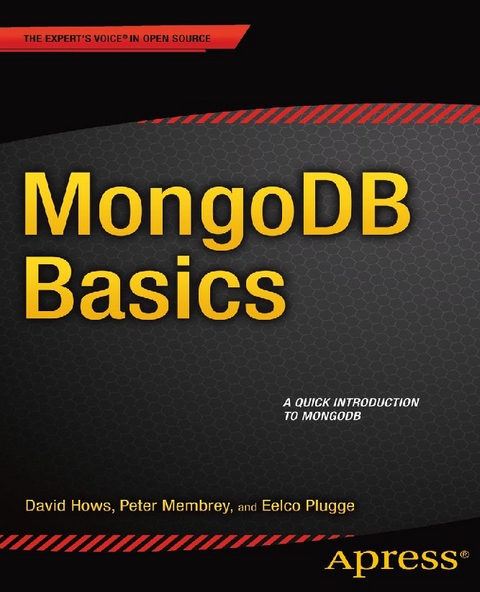
MongoDB Basics (eBook)
144 Seiten
Apress (Verlag)
978-1-4842-0895-3 (ISBN)
Need a quick and easy to understand introduction to MongoDB and NoSQL databases? MongoDB Basics, from The Definitive Guide to MongoDB, 2E, shows you how a document-oriented database system differs from a relational database, and how to install and get started using it. You'll also learn MongoDB design basics, including geospatial indexing, how to navigate, view, and query your database, and how to use GridFS with a bit of Python.
Need a quick and easy to understand introduction to MongoDB and NoSQL databases? MongoDB Basics, from The Definitive Guide to MongoDB, 2E, shows you how a document-oriented database system differs from a relational database, and how to install and get started using it. You'll also learn MongoDB design basics, including geospatial indexing, how to navigate, view, and query your database, and how to use GridFS with a bit of Python.
Hailing from the U.K., strongPeter Membrey/strong has worked for Red Hat, holds a RHCE certification, and worked and taught at a number of educational institutions since the beginning of his career. He knows what Linux users like and need, and hopes that CentOS will get the kudos it deserves. He lives in Hong Kong and is teaching and consulting on all matters to do with Linux Enterprise networking, while studying for his master's degree.
Contents at a Glance 3
Contents 125
About the Authors 130
About the Technical Reviewers 132
Acknowledgments 133
Introduction 4
Chapter 1: Introduction to MongoDB 5
Reviewing the MongoDB Philosophy 5
Using the Right Tool for the Right Job 5
Lacking Innate Support for Transactions 7
JSON and MongoDB 8
Adopting a Nonrelational Approach 10
Opting for Performance vs. Features 11
Running the Database Anywhere 12
Fitting Everything Together 13
Generating or Creating a Key 13
Using Keys and Values 14
Implementing Collections 14
Understanding Databases 15
Reviewing the Feature List 15
Using Document-Oriented Storage (BSON) 15
Supporting Dynamic Queries 16
Indexing Your Documents 17
Leveraging Geospatial Indexes 18
Profiling Queries 18
Updating Information In-Place 18
Storing Binary Data 19
Replicating Data 19
Implementing Sharding 20
Using Map and Reduce Functions 20
The MongoDB Aggregation Framework 21
Getting Help 21
Visiting the Website 21
Chatting with the MongoDB Developers 21
Cutting and Pasting MongoDB Code 22
Finding Solutions on Google Groups 22
Leveraging the JIRA Tracking System 22
Summary 22
Chapter 2: Installing MongoDB 23
Choosing Your Version 23
Understanding the Version Numbers 24
Installing MongoDB on Your System 24
Installing MongoDB under Linux 25
Installing MongoDB through the Repositories 25
Installing MongoDB Manually 26
Installing MongoDB under Windows 27
Running MongoDB 27
Prerequisites 27
Surveying the Installation Layout 28
Using the MongoDB Shell 29
Installing Additional Drivers 30
Installing the PHP Driver 31
Getting MongoDB for PHP 31
Installing the PHP Driver on Unix-Based Platforms Automatically 32
Installing the PHP Driver on Unix-Based Platforms Manually 33
Installing the PHP Driver on Windows 34
Confirming That Your PHP Installation Works 34
Connecting to and Disconnecting from the PHP Driver 35
Installing the Python Driver 36
Installing PyMongo under Linux 37
Installing PyMongo Automatically 37
Installing PyMongo Manually 37
Installing PyMongo under Windows 38
Confirming That Your PyMongo Installation Works 39
Summary 40
Chapter 3: The Data Model 41
Designing the Database 41
Drilling Down on Collections 43
Using Documents 45
Embedding vs. Referencing Information in Documents 46
Creating the _id Field 48
Building Indexes 49
Impacting Performance with Indexes 49
Implementing Geospatial Indexing 50
Querying Geospatial Information 51
Using MongoDB in the Real World 56
Summary 57
Chapter 4: Working with Data 58
Navigating Your Databases 58
Viewing Available Databases and Collections 59
Inserting Data into Collections 59
Querying for Data 61
Using the Dot Notation 63
Using the Sort, Limit, and Skip Functions 65
Working with Capped Collections, Natural Order, and $natural 66
Retrieving a Single Document 68
Using the Aggregation Commands 68
Returning the Number of Documents with count(?) 68
Retrieving Unique Values with distinct() 69
Grouping Your Results 70
Working with Conditional Operators 71
Performing Greater-Than and Less-Than Comparisons 72
Retrieving All Documents but Those Specified 73
Specifying an Array of Matches 73
Finding a Value Not in an Array 74
Matching All Attributes in a Document 74
Searching for Multiple Expressions in a Document 74
Retrieving a Document with $slice 75
Searching for Odd/Even Integers 76
Filtering Results with $size 77
Returning a Specific Field Object 77
Matching Results Based on the BSON Type 78
Matching an Entire Array 79
$not (meta-operator) 80
Specifying Additional Query Expressions 80
Leveraging Regular Expressions 81
Updating Data 81
Updating with update() 81
Implementing an Upsert with the save(?) Command 82
Updating Information Automatically 83
Incrementing a Value with $inc 83
Setting a Field’s Value 84
Deleting a Specified Field 84
Appending a Value to a Specified Field 84
Specifying Multiple Values in an Array 85
Adding Data to an Array with $addToSet 86
Removing Elements from an Array 87
Removing Each Occurrence of a Specified Value 88
Removing Multiple Elements from an Array 88
Specifying the Position of a Matched Array 88
Atomic Operations 89
Using the Update if Current Method 90
Modifying and Returning a Document Atomically 91
Renaming a Collection 92
Removing Data 93
Referencing a Database 94
Referencing Data Manually 94
Referencing Data with DBRef 96
Implementing Index-Related Functions 98
Surveying Index-Related Commands 100
Forcing a Specified Index to Query Data 100
Constraining Query Matches 101
Summary 102
Chapter 5: GridFS 103
Filling in Some Background 104
Working with GridFS 105
Getting Started with the Command-Line Tools 105
Using the _ id Key 106
Working with Filenames 107
Determining a File’s Length 107
Working with Chunk Sizes 108
Tracking the Upload Date 108
Hashing Your Files 108
Looking Under MongoDB’s Hood 109
Using the search Command 111
Deleting 112
Retrieving Files from MongoDB 113
Summing Up mongofiles 113
Exploiting the Power of Python 113
Connecting to the Database 114
Accessing the Words 115
Putting Files into MongoDB 115
Retrieving Files from GridFS 116
Deleting Files 116
Summary 117
Index 118
| Erscheint lt. Verlag | 5.12.2014 |
|---|---|
| Zusatzinfo | XIV, 144 p. 13 illus. |
| Verlagsort | Berkeley |
| Sprache | englisch |
| Themenwelt | Mathematik / Informatik ► Informatik ► Datenbanken |
| ISBN-10 | 1-4842-0895-1 / 1484208951 |
| ISBN-13 | 978-1-4842-0895-3 / 9781484208953 |
| Informationen gemäß Produktsicherheitsverordnung (GPSR) | |
| Haben Sie eine Frage zum Produkt? |
 PDF (Wasserzeichen)
Größe: 1,6 MB
DRM: Digitales Wasserzeichen
Dieses eBook enthält ein digitales Wasserzeichen und ist damit für Sie personalisiert. Bei einer missbräuchlichen Weitergabe des eBooks an Dritte ist eine Rückverfolgung an die Quelle möglich.
Dateiformat: PDF (Portable Document Format)
Mit einem festen Seitenlayout eignet sich die PDF besonders für Fachbücher mit Spalten, Tabellen und Abbildungen. Eine PDF kann auf fast allen Geräten angezeigt werden, ist aber für kleine Displays (Smartphone, eReader) nur eingeschränkt geeignet.
Systemvoraussetzungen:
PC/Mac: Mit einem PC oder Mac können Sie dieses eBook lesen. Sie benötigen dafür einen PDF-Viewer - z.B. den Adobe Reader oder Adobe Digital Editions.
eReader: Dieses eBook kann mit (fast) allen eBook-Readern gelesen werden. Mit dem amazon-Kindle ist es aber nicht kompatibel.
Smartphone/Tablet: Egal ob Apple oder Android, dieses eBook können Sie lesen. Sie benötigen dafür einen PDF-Viewer - z.B. die kostenlose Adobe Digital Editions-App.
Zusätzliches Feature: Online Lesen
Dieses eBook können Sie zusätzlich zum Download auch online im Webbrowser lesen.
Buying eBooks from abroad
For tax law reasons we can sell eBooks just within Germany and Switzerland. Regrettably we cannot fulfill eBook-orders from other countries.
aus dem Bereich


