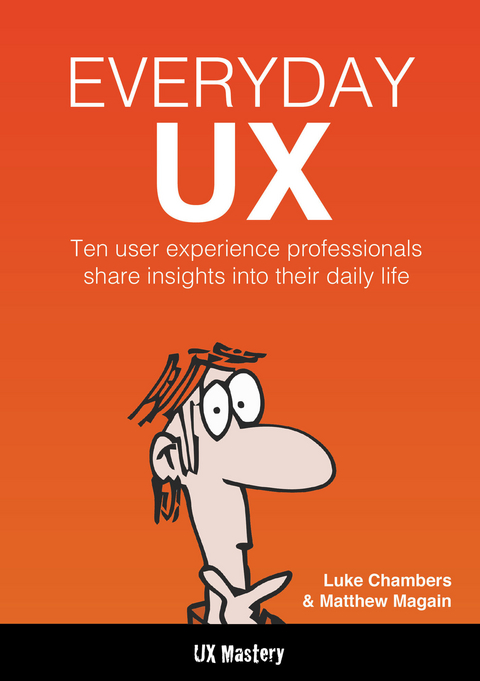
Everyday UX (eBook)
160 Seiten
UX Mastery (Verlag)
978-0-9925380-0-2 (ISBN)
Ever wondered how Lean UX author Jeff Gothelf got started? Which tools usability guru Gerry Gaffney uses? We interviewed 10 amazing UX designers to ask them these questions and more; the result is a fascinating glimpse into the diversity of the role of a UX Designer. One of the most popular questions asked by people in the UX Mastery community is:What does a day in the life of a user experience designer look like? This book is about what user experience designers do each day, but it offers much more than just a snapshot of their calendar. As you might expect, there is no such thing as a "e;typical day"e;; the organisations, people and projects that UXers deal with are as varied and unique as the design challenges they face, and every designer tackles a problem in their own way. This variety is part of what makes our jobs so exciting-we all have our own stories to tell. Here are ten of those stories, from around the globe. We hope they help you to make your own story worth telling too.
Ben Tollady
Ben Tollady is a founder and the UX Director of Melbourne-based user experience design agency Thirst Studios. He is originally from Oxford, UK.
How did you get into UX? What other jobs have you had?
I trained in industrial design in the UK, and have always loved the challenge of designing products that humans interact with. After graduation, I got a job in automotive design, and somehow fell into web design in London during the dot-com bubble days. After several information architecture and UX jobs, I did a few stints as a freelancer, both here and in London. I finally established Thirst Studios in 2008, with a business partner here in Melbourne.
"It’s like solving a puzzle. It’s fun, and I get to do it every day."
What are your favourite parts of the job?
I really enjoy the problem solving part of my job the most—taking complex interactions and turning them into something intuitive and easy for people to use. It’s like solving a puzzle. It’s fun, and I get to do it every day. I also really enjoy conducting user tests. It’s fascinating, seeing real people using the designs that you’ve put together. I never cease to be amazed by the things that you can learn watching somebody else use a website or product.
Where does your inspiration come from?
Most of my inspiration comes from blogs, design websites, from talking to inspiring peers within the industry and attending meet-ups. I also find inspiration in products, architecture and furniture design magazines, and in nature and the environment around us too.
"Quite regularly we come up against the challenge of explaining our job to our clients ... they tend to think that UX is just nice UI."
What sort of unique challenges might you come across in your job, and how do you overcome them?
I think the job of UX and the processes involved are very wide-reaching and encompass a lot of unique disciplines, from research through to testing and design. Quite regularly, we come up against the challenge of explaining our job to our clients—what UX means and the many facets involved. They tend to think that UX is just nice UI or simply about putting some wireframes together. We like to support our designs with data collected through research, to make sure that all of the designs are truly user-centred. That means having access to site users to observe them and understand their needs. Unfortunately it’s hard to convince all of our clients to let us have access to that kind of data or to invest in the research phase before we can start designing.
What makes a good user experience designer?
I think a good user experience designer is somebody who’s empathetic and open-minded, with a creative, inquisitive brain. Obviously, having a love of technology and an ability to sketch are useful too!
Are there any useful websites that you use regularly?
The first ones that come to mind are Boxes & Arrows, Smashing Magazine and Konigi. We use some of the tools that Zurb offer too, and read UX related sites such as UX Magazine, UX Matters and UX Mastery of course.
"The tasks I do and the responsibilities I have throughout the day are pretty varied—that's what I like most about UX."
Take us through what a typical day looks like for you.
The tasks I do and the responsibilities I have throughout the day are pretty varied—that's what I like most about UX. I work closely with the team here to sketch out ideas and whiteboard various bits and pieces. Most days usually consist of wireframes and perhaps some user testing and report writing.
I seem to be having lots of meetings at the moment. I’ve been involved in new business meetings with prospective or new clients, which involves me explaining what we do, what our UX processes are, and how we like to work. Other meetings consist of stakeholder management, focus groups with clients, and meetings with some of the site users so that we understand the requirements for a site or product.
"Paper, pencil and a Sharpie are my favourite tools. I find sketching to be the fastest, easiest and most tactile way to get ideas out of my head and to start working out solutions for design problems. "
Do you have a favourite set of tools to help you do your job?
Paper, pencil and a Sharpie are my favourite tools. I find sketching to be the fastest, easiest and most tactile way to get ideas out of my head and to start working out solutions for design problems. We also use a whiteboard a fair bit for thrashing out ideas and approaches to certain problems.
We use OmniGraffle Pro for wireframes, and Adobe Photoshop for all of our user interface design—I use those tools on an almost daily basis. We’re also using Zurb’s products, mostly Notable, which is a great tool for sharing designs and gathering feedback from clients.
The more regular applications we use are Word, Dropbox, Basecamp and Harvest. For reminders, I use Apple’s Reminders—if it isn’t written down I completely forget to do it so I have to keep making long to-do lists.
"A good user experience designer is somebody who’s empathetic and open-minded."
Do you have any favourite mobile apps or software that you use?
Probably hundreds! There’s a calendar app called Tempo that I’ve been playing with which is cool—it’s a variation on the iCal app that comes with my iPhone. I’m also using an app called Pocket, which collects web-based news articles and saves them so you can read them later. Obviously, I use Twitter and Instagram. There’s also an app called IA writer, which enables me to do a bit of writing on my phone on the train.
How do you deal with information overload?
I’m actually not particularly good at it. I’ve been putting more information straight in to Basecamp and Highrise to keep things out of my email, because I keep losing messages deep in my inbox.
What I tend to do when I first get into the studio is to write down the tasks that I need to get done that day on a piece of paper at my desk. I’m finding that it helps me focus on getting things done.
"I love my work and I also consider it a hobby, so I would rather work on a UX design challenge than play on an Xbox or watch crap reality TV."
Is that how you manage a work/life balance as well?
That’s something else I’m not very good at! Having spent quite a few years freelancing I’m used to working on the laptop at home. I often find myself slipping back into working at home in the evenings. I’m trying to discipline myself to spend more quality time with the family at home rather than do work.
I love my work and I also consider it a hobby, so I would rather work on a UX design challenge than play on an Xbox or watch crap reality TV. I’ve come to realise that, in a way, the work we do is a luxury. I know for a lot of people work is work, and they don’t want to do it after hours, but for me it’s actually something I love doing. It’s the work/life balance that’s difficult.
Interview by L. Chambers. Photos by L. Chambers & B. Tollady.
1) Dotgrid.co graphpaper sketchpad 2) Premium A4 writing pad (grid lined), 3) 15" Macbook Pro, 4) Sennheiser headphones, 5) Responsive Web Design by Ethan Marcotte and Designing for Emotion by Aaron Walter, 6) Reading glasses, 7) Staedtler Mars Fineline mechanical pencil, blue Mitsubishi Uniball UB157 pen, black Mitsubishi Uniball UB157 pen, Light blue Pantone art pen, Fine point Sharpie marker, Staedtler eraser, 8) Apple iPhone 5 32MB, 9) Flip camera, 10) R2D2 figurine.
Ben’s Tips:
- Ask lots of questions. Successful UX design solves a problem, and you can't hope to find the solution without first understanding what the problem is. Ask as many questions as you need before you start designing, and don't stop observing, analysing and asking more as the project progresses. There are no silly questions!
- Wear someone else's shoes. Never forget the importance of the 'user' in user experience design. Successful UX design should always be user-centred, so take the time to empathise with them; step into their world and understand their needs of the interface or system you're designing. Also consider additional, external factors such as the environment the person is operating within.
- Get away from the computer. It's tempting to jump straight onto the computer and start designing, but stepping away from your desk can be a great thing to do at the start of a UX project. The first design is rarely the best solution, so rather than narrowing your design approach immediately, get out and talk to representative users of the system. Sketch ideas quickly with a pencil & paper and explore the problem for a while instead. Your designs will be much better for the slower, more considered approach.
- Test and iterate. The best way to check that your designs are going to hit the mark is to test them with real users. There's simply no better alternative. You'll have heard the mantra before but it's worth repeating—test & iterate early and often, throughout the project life-span.
- Keep it usable. I've experienced several beautiful UI designs recently that whilst looking fantastic, have not adhered to ideal usability principles. It's important to remember there are many facets of user experience (of which UI and usability are just two) and we should ensure that all are...
| Erscheint lt. Verlag | 7.10.2014 |
|---|---|
| Sprache | englisch |
| Themenwelt | Mathematik / Informatik ► Informatik |
| ISBN-10 | 0-9925380-0-9 / 0992538009 |
| ISBN-13 | 978-0-9925380-0-2 / 9780992538002 |
| Informationen gemäß Produktsicherheitsverordnung (GPSR) | |
| Haben Sie eine Frage zum Produkt? |
 EPUB (Ohne DRM)
Größe: 6,9 MB
Digital Rights Management: ohne DRM
Dieses eBook enthält kein DRM oder Kopierschutz. Eine Weitergabe an Dritte ist jedoch rechtlich nicht zulässig, weil Sie beim Kauf nur die Rechte an der persönlichen Nutzung erwerben.
Dateiformat: EPUB (Electronic Publication)
EPUB ist ein offener Standard für eBooks und eignet sich besonders zur Darstellung von Belletristik und Sachbüchern. Der Fließtext wird dynamisch an die Display- und Schriftgröße angepasst. Auch für mobile Lesegeräte ist EPUB daher gut geeignet.
Systemvoraussetzungen:
PC/Mac: Mit einem PC oder Mac können Sie dieses eBook lesen. Sie benötigen dafür die kostenlose Software Adobe Digital Editions.
eReader: Dieses eBook kann mit (fast) allen eBook-Readern gelesen werden. Mit dem amazon-Kindle ist es aber nicht kompatibel.
Smartphone/Tablet: Egal ob Apple oder Android, dieses eBook können Sie lesen. Sie benötigen dafür eine kostenlose App.
Geräteliste und zusätzliche Hinweise
Buying eBooks from abroad
For tax law reasons we can sell eBooks just within Germany and Switzerland. Regrettably we cannot fulfill eBook-orders from other countries.
aus dem Bereich