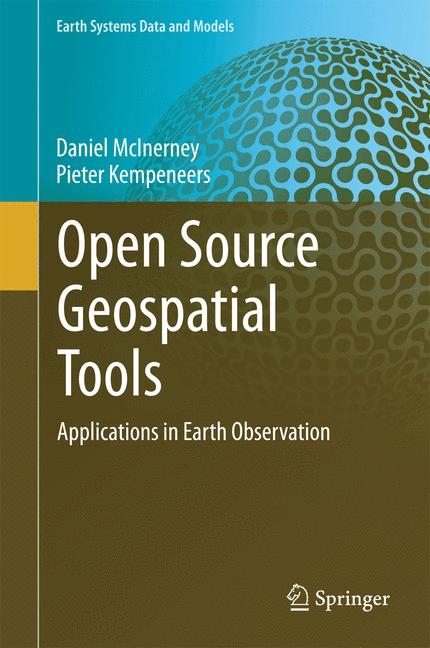
Open Source Geospatial Tools (eBook)
XXVII, 358 Seiten
Springer International Publishing (Verlag)
978-3-319-01824-9 (ISBN)
This book focuses on the use of open source software for geospatial analysis. It demonstrates the effectiveness of the command line interface for handling both vector, raster and 3D geospatial data. Appropriate open-source tools for data processing are clearly explained and discusses how they can be used to solve everyday tasks.
A series of fully worked case studies are presented including vector spatial analysis, remote sensing data analysis, landcover classification and LiDAR processing. A hands-on introduction to the application programming interface (API) of GDAL/OGR in Python/C++ is provided for readers who want to extend existing tools and/or develop their own software.
Foreword 8
Preface 10
Acknowledgments 14
Contents 16
Acronyms 21
Command Line Utilities 23
Part I Geospatial Data Processing withGDAL/OGR 26
1 Introduction 27
1.1 Introduction to Geospatial Data 29
1.2 Projections and Coordinate Reference Systems 30
1.3 Spatial Data Models 30
1.4 Earth Observation Data 31
1.5 Software Tools Covered in the Book 34
1.5.1 Geospatial Visualization Tools 35
1.6 Structure of the Book 39
2 Vector Data Processing 43
2.1 Vector Data Model 43
2.2 OGR Simple Features Library 45
2.3 ogrinfo 46
2.4 ogr2ogr 51
2.4.1 Manipulating Data 56
2.5 ogrtindex 61
2.6 OGR Virtual Format 63
2.7 Spatial Databases 69
2.7.1 PostGIS 70
2.7.2 Spatialite 70
2.7.3 ogr2ogr with Spatialite 73
3 Raster Data Explained 75
3.1 Coordinate Reference Systems 76
3.2 Single and Multi-band Images 80
3.3 Complex Datasets 81
3.4 Raster Data Types 82
3.5 Raster Data Encoding 84
4 Introduction to GDAL Utilities 85
5 Manipulating Raster Data 87
5.1 gdalinfo 87
5.2 gdalmanage 92
5.3 gdalcompare.py 93
5.4 gdal_edit.py 94
5.5 gdal_translate 96
5.5.1 Convert and Scale Rasters 99
5.5.2 Subset Rasters 100
5.5.3 Change Raster Attributes and Encoding 101
5.5.4 Compress Rasters 103
6 Indexed Color Images 105
6.1 rgb2pct.py 106
6.2 pct2rgb.py 107
7 Image Overviews, Tiling and Pyramids 109
7.1 gdaltindex 110
7.2 gdaladdo 113
7.3 gdal_retile.py 115
7.4 gdal2tiles.py 118
8 Image (Re-)projections and Merging 122
8.1 Introduction on Projection and Image Merging 122
8.2 Resampling 123
8.3 gdalwarp 127
8.3.1 Reproject Images 132
8.3.2 Warp Images 133
8.3.3 Mosaic Images 134
8.3.4 Clip Images 135
8.4 gdal_merge.py 137
8.5 nearblack 141
8.6 gdaltransform 142
8.7 gdalsrsinfo 145
8.8 gdalmove.py 147
9 Raster Meets Vector Data 151
9.1 gdal_sieve.py 151
9.2 gdal_polygonize.py 152
9.3 gdal_rasterize 155
9.4 gdal_contour 159
10 Raster Meets Point Data 162
10.1 gdal_grid 162
10.1.1 Interpolation Methods 166
10.1.2 Data Metrics 166
10.2 gdallocationinfo 168
10.3 gdal2xyz.py 170
10.4 gdal_fillnodata.py 171
10.5 gdal_proximity.py 175
10.6 gdaldem 177
10.6.1 Hillshade 178
10.6.2 Slope 179
10.6.3 Aspect 180
10.6.4 Color-Relief 181
10.6.5 Terrain Ruggedness Index 182
10.6.6 Topographic Position Index 182
10.6.7 Roughness 182
11 Virtual Rasters and Raster Calculations 183
11.1 Virtual Raster Format Description 184
11.2 gdalbuildvrt 184
11.3 Virtual Processing 187
11.4 gdal_calc.py 188
Part II Third Party Open Source GeospatialUtilities 191
12 Pktools 193
12.1 Basic Usage 193
12.2 pkcomposite 194
12.3 pkextract 199
12.4 pkstatogr 204
12.5 pksvm 206
12.5.1 The SVM Classifier 210
12.5.2 Class Labels 211
12.5.3 No-Data Values 212
12.5.4 Optimizing the SVM Parameters 212
12.5.5 Feature Selection 213
12.6 pkdiff 215
13 Orfeo Toolbox 218
13.1 Atmospheric Corrections 219
13.2 Download SRTM 223
13.3 Image Segmentation 225
13.4 Edge Detection 230
13.5 Texture Features 233
14 Write Your Own Geospatial Utilities 237
14.1 Introduction to API Programming 237
14.2 OGR API 239
14.2.1 OGR API Using Python 240
14.2.2 The OGR Data Model 240
14.2.3 Visualizing Vectors with OGR 240
14.2.4 Buffering with OGR 246
14.2.5 X-Y CSV to OGR Format 248
14.2.6 Point-Based Sampling Frames 252
14.3 GDAL API 257
14.3.1 GDAL API Using C++ 257
14.3.2 The GDAL Raster Data Model 258
14.3.3 Read Raster Files 259
14.3.4 Create and Write Raster Files 262
14.3.5 Parse Options from the Command Line 264
14.3.6 Add Color Tables via the GDAL API 265
14.3.7 Create Cloud Mask Based on Landsat QA 273
14.3.8 The GDAL Algorithms API 279
15 3D Point Cloud Data Processing 280
15.1 Introduction to LiDAR Data 280
15.2 LiDAR Data Formats and APIs 282
15.3 LiDAR Data Utilities 285
15.3.1 LibLAS 285
15.3.2 PDAL Utilities 288
15.3.3 LAStools 290
15.3.4 PulseTools 291
15.3.5 SPDLib 292
15.4 LiDAR Data Derived Products and Applications 293
15.4.1 Digital Elevation Models 293
15.4.2 Canopy Models 296
15.4.3 Point Density 296
15.4.4 LiDAR Intensity 298
Part III Case Studies 300
16 Case Study on Vector Spatial Analysis 301
16.1 Digitizing in Google Earth 301
16.2 Preprocessing Data 305
17 Case Study on Multispectral Land Cover Classification 310
17.1 Create Input Data 312
17.1.1 Create Cloud Mask 313
17.1.2 Create NDVI Mask 316
17.2 Create Training Data 319
17.2.1 Get Training Data 319
17.2.2 Add Label Attributes 321
17.2.3 Add Band Attributes 324
17.3 Image Classification 325
17.3.1 Unsupervised Classification 325
17.3.2 Supervised Classification 327
17.3.3 Post-processing 328
17.3.4 Accuracy Assessment 329
18 Case Study on Point Data 338
18.1 Convert Data to SPD Format 338
18.2 Classify Ground Returns 339
18.3 Interpolate Points to Raster Format 341
18.4 Calculate Canopy Metrics 343
19 Conclusions and Future Outlook 345
19.1 Outlook on Geospatial Processing 346
19.1.1 Developments in GDAL/OGR 346
19.1.2 Other Emerging Developments 347
19.2 Anticipated EO Data and Related Software Requirements 348
20 Erratum to: Open Source Geospatial Tools 350
Erratum to: D. McInerney and P. Kempeneers, Open Source Geospatial Tools, Earth Systems Data and Models 3, DOI 10.1007/978-3-319-01824-9 350
Appendix AData Covered in the Book 351
Appendix BInstallation of Software 356
Glossary 362
References 363
Index 365
| Erscheint lt. Verlag | 22.11.2014 |
|---|---|
| Reihe/Serie | Earth Systems Data and Models | Earth Systems Data and Models |
| Zusatzinfo | XXVII, 358 p. 96 illus., 50 illus. in color. |
| Verlagsort | Cham |
| Sprache | englisch |
| Themenwelt | Mathematik / Informatik ► Informatik ► Grafik / Design |
| Mathematik / Informatik ► Informatik ► Programmiersprachen / -werkzeuge | |
| Naturwissenschaften ► Geowissenschaften ► Geografie / Kartografie | |
| Technik | |
| Schlagworte | Command Line Interface • Geospatial Data Analysis • GIS • Image Processing • Open Source Software • Remote Sensing • Remote Sensing/Photogrammetry • software development |
| ISBN-10 | 3-319-01824-8 / 3319018248 |
| ISBN-13 | 978-3-319-01824-9 / 9783319018249 |
| Informationen gemäß Produktsicherheitsverordnung (GPSR) | |
| Haben Sie eine Frage zum Produkt? |
 PDF (Wasserzeichen)
DRM: Digitales Wasserzeichen
Dieses eBook enthält ein digitales Wasserzeichen und ist damit für Sie personalisiert. Bei einer missbräuchlichen Weitergabe des eBooks an Dritte ist eine Rückverfolgung an die Quelle möglich.
Dateiformat: PDF (Portable Document Format)
Mit einem festen Seitenlayout eignet sich die PDF besonders für Fachbücher mit Spalten, Tabellen und Abbildungen. Eine PDF kann auf fast allen Geräten angezeigt werden, ist aber für kleine Displays (Smartphone, eReader) nur eingeschränkt geeignet.
Systemvoraussetzungen:
PC/Mac: Mit einem PC oder Mac können Sie dieses eBook lesen. Sie benötigen dafür einen PDF-Viewer - z.B. den Adobe Reader oder Adobe Digital Editions.
eReader: Dieses eBook kann mit (fast) allen eBook-Readern gelesen werden. Mit dem amazon-Kindle ist es aber nicht kompatibel.
Smartphone/Tablet: Egal ob Apple oder Android, dieses eBook können Sie lesen. Sie benötigen dafür einen PDF-Viewer - z.B. die kostenlose Adobe Digital Editions-App.
Buying eBooks from abroad
For tax law reasons we can sell eBooks just within Germany and Switzerland. Regrettably we cannot fulfill eBook-orders from other countries.
aus dem Bereich