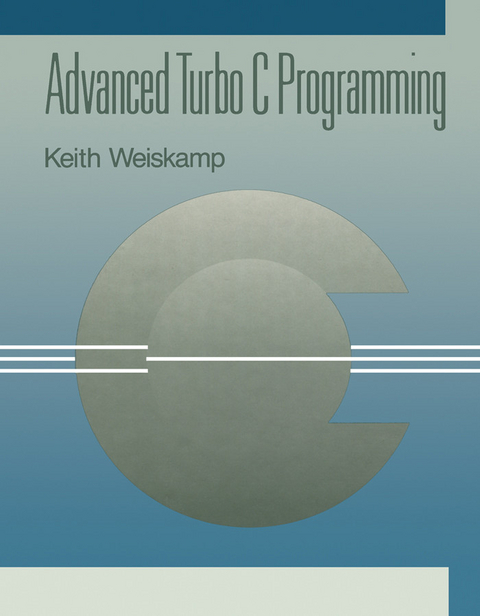
Advanced Turbo C Programming (eBook)
574 Seiten
Elsevier Science (Verlag)
978-1-4832-6559-9 (ISBN)
Advanced Turbo C Programming provides the necessary programming tools for programmers who are interested in learning new skills in developing some useful tools and PC applications using the Turbo C Version 1.5 programming language and environment. This book covers both the advanced programming features of the IBM PC and Turbo C. It is organized into five sections. In Section 1 the proposed ANSI standard features, tips and techniques about C programming style, working with the C preprocessor, and tips for using pointers and managing memory allocation tasks are introduced. Section 2 discusses techniques for constructing useful and reliable data structures from linked lists to binary trees. The third section provides the complete Turbo C I/O system and takes an in-depth look at the many tools that Turbo C provides for accessing files and other I/O devices. Section 4 explains the techniques for interacting with DOS and the special features of Turbo C such as the Borland Graphic Interface (BGI). The final section, Section 5 presents the tools and techniques for developing Turbo C-like user interfaces, such as pop-up windows, pop-up menus, and pulldown menus. Computer programmers will find the text invaluable.
Front Cover 1
Advanced Turbo C Programming 4
Copyright Page 5
Table of Contents 6
Introduction 12
Who This Book Is For 12
How This Book Is Different 12
What about Standards? 13
What You'll Need 13
How This Book Is Organized 13
SECTION 1:
16
Chapter 1. Inside Turbo C: Standards and Features 18
Working Towards a New Standard 18
Function Prototypes 19
Prototypes with Variable Arguments 22
Using the void Type 24
Generic Pointers 25
Special Pointers 26
Function Modifiers 29
Using Nested Comments 32
Defining Constants and Volatiles 34
Enumerated Types 36
Turbo C Global Variables 36
A Look at Style 48
Summary 51
Chapter 2. Turbo C Programming Techniques 52
The C Preprocessor 52
Using the Preprocessor Directives 54
Conditional Compilation 64
Working with Command Line Arguments 65
The Common Interface 67
Tips on Memory Allocation and Pointers 70
Summary 79
SECTION 2:
80
Chapter 3. Data Structures: The Building Blocks 82
Building Static Lists 83
Building Dynamic Data Structures 90
The Singly Linked List 90
Creating the List Package 93
Defining the Operations 93
Storing Elements 98
Inserting and Deleting Elements 101
List Membership 112
Overview of the List Construction Program 113
Summary 125
Chapter 4. Developing Extended List Tools 126
Doubly Linked Lists 127
Modifying List Functions 128
Adding New Features 133
Inserting Elements in a Sorted List 136
Developing a String List Package 151
Using the String List Package 158
Stacks 171
Queues 176
Summary 177
Chapter 5. Advanced Data Structures 180
Binary Trees 180
Constructing a Binary Tree 184
Using the Tree Program 193
Building An Expression Evaluator 200
Building the Data Structures 201
Structure of the Program 203
Building the Expression Tree 204
Processing the Expression Tree 207
Using the Expression Tree Program 208
Summary 221
SECTION 3: I/O and File Handling 222
Chapter 6. Working With Stream I/O 224
A Quick Overview of the I/O System 225
A Look at the Stream I/O System 229
Using Stream I/O 233
Reading and Writing Strings 236
Mastering scanf and printf 239
Working with Files 247
Opening and Closing Files 248
A Look at Formatted I/O 261
Summary 265
Chapter 7. Advanced I/O Techniques 266
Reading and Writing Blocks of Data in Stream I/O 266
Developing a Database Program 268
Random Access Files with fseek 283
Controlling Stream Buffers 285
Redirecting Stream I/O 287
Console and Port I/O 290
Text Mode and Window Support 293
Displaying and Controlling Windows 299
Low-level I/O 300
Tips for Opening Low-Level Files 305
A Look at DOS Files 306
Reading and Writing with Low-Level I/O 307
Using the Low-Level Routines 308
Summary 314
SECTION 4:
316
Chapter 8. Opening the Window to the PC 318
A Quick Look at DOS and the ROM BIOS 318
Developing Video Tools 324
Working with Characters and Attributes 332
Developing a General Screen Package 337
Putting the Screen Package Together 345
Testing the Screen Package 353
Working with the Keyboard 356
A Quick Look at Sound 362
The ioutil.c Package 363
Summary 366
Chapter 9. Working with DOS Directories 368
The Turbo C Directory Tools 368
A File Reviewer 379
Summary 390
Chapter 10. Turbo C Graphics 392
BGI Quick Overview 392
Initializing and Using the Graphics System 400
Working with Drawing Commands 423
Summary 429
SECTION 5:
430
Chapter 11. Getting Started with Windows and Menus 432
Thinking about the User 433
Working with Windows 433
Developing Window Support Functions 436
Chapter 12. Developing the Pop-up Window Tools 468
Overview of the Pop-up Window Package 468
Creating the Window Functions 474
Overview of the Window Routines 498
Using the Window Routines 500
Status Bar Messages 508
Summary 510
Chapter 13. Developing Pop-Up Menus 512
Getting Started 512
Creating a Menu 518
The Complete Menu Package 531
Creating Pull-Down Menus 557
Summary 566
INDEX 568
| Erscheint lt. Verlag | 10.5.2014 |
|---|---|
| Sprache | englisch |
| Themenwelt | Mathematik / Informatik ► Informatik ► Theorie / Studium |
| ISBN-10 | 1-4832-6559-5 / 1483265595 |
| ISBN-13 | 978-1-4832-6559-9 / 9781483265599 |
| Informationen gemäß Produktsicherheitsverordnung (GPSR) | |
| Haben Sie eine Frage zum Produkt? |
 PDF (Adobe DRM)
Kopierschutz: Adobe-DRM
Adobe-DRM ist ein Kopierschutz, der das eBook vor Mißbrauch schützen soll. Dabei wird das eBook bereits beim Download auf Ihre persönliche Adobe-ID autorisiert. Lesen können Sie das eBook dann nur auf den Geräten, welche ebenfalls auf Ihre Adobe-ID registriert sind.
Details zum Adobe-DRM
Dateiformat: PDF (Portable Document Format)
Mit einem festen Seitenlayout eignet sich die PDF besonders für Fachbücher mit Spalten, Tabellen und Abbildungen. Eine PDF kann auf fast allen Geräten angezeigt werden, ist aber für kleine Displays (Smartphone, eReader) nur eingeschränkt geeignet.
Systemvoraussetzungen:
PC/Mac: Mit einem PC oder Mac können Sie dieses eBook lesen. Sie benötigen eine
eReader: Dieses eBook kann mit (fast) allen eBook-Readern gelesen werden. Mit dem amazon-Kindle ist es aber nicht kompatibel.
Smartphone/Tablet: Egal ob Apple oder Android, dieses eBook können Sie lesen. Sie benötigen eine
Geräteliste und zusätzliche Hinweise
Buying eBooks from abroad
For tax law reasons we can sell eBooks just within Germany and Switzerland. Regrettably we cannot fulfill eBook-orders from other countries.
aus dem Bereich