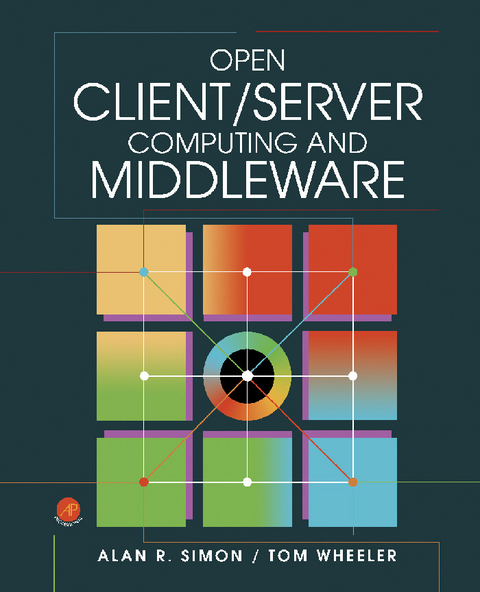
Open Client/Server Computing and Middleware (eBook)
288 Seiten
Elsevier Science (Verlag)
978-1-4832-1427-6 (ISBN)
Tom Wheeler has a long track record of building organizations to develop commercial software, including products for financial services and contact centers. He has built, sold and been a senior manager in a variety of different types of companies, including international conglomerates and garage-sized start ups. He first created the Six Week Solution back in the 1980's and has been fine-tuning it since.
Open Client/Server Computing and Middleware provides a tutorial-oriented overview of open client/server development environments and how client/server computing is being done. This book analyzes an in-depth set of case studies about two different open client/server development environments-Microsoft Windows and UNIX, describing the architectures, various product components, and how these environments interrelate. Topics include the open systems and client/server computing, next-generation client/server architectures, principles of middleware, and overview of ProtoGen+. The ViewPaint environment, ProtoView screen manager, SQLView visual database access, and ProtoView WinControl library are also elaborated. This text likewise covers the interaction with db-UIM/X, widgets and building interfaces, network object toolkit, and integration of cross-platform components. This publication is suitable for computing professionals and researchers interested in open client/server computing.
Front Cover 1
Open Client/Server Computing and Middleware 4
Copyright Page 5
Table of Contents 6
Preface 14
Acknowledgments 16
PART I: Overview 18
Chapter 1. Open Systems and Client/Server Computing: An Overview 20
INTRODUCTION 20
WHAT ARE OPEN SYSTEMS? 20
ENTERPRISE COMPUTING AND OPEN SYSTEMS 22
OPERATING SYSTEMS 24
POSIX 25
CLIENT/SERVER COMPUTING FOR THE ENTERPRISE 28
MOTIVATIONS FOR CLIENT/SERVER COMPUTING 28
DATABASE MANAGEMENT 29
USER INTERFACES 34
APPLICATION DEVELOPMENT 34
MIDDLEWARE AND NEXT-GENERATION CLIENT/SERVER TECHNOLOGY 38
SUMMARY 38
ENDNOTES 39
Chapter 2. Next-Generation Client/Server Architectures 40
INTRODUCTION 40
THE FIRST GENERATION: A "C" REPORT CARD 40
EMERGING CLIENT/SERVER ARCHITECTURES: AN OVERVIEW 47
MIDDLEWARE: AN INTRODUCTION 51
SUMMARY 54
ENDNOTES 55
Chapter 3. Principles of Middleware 56
INTRODUCTION 56
CLASSES OF MIDDLEWARE 56
DATABASE MIDDLEWARE 60
RPC MIDDLEWARE 66
MESSAGING MIDDLEWARE 67
OBJECT-ORIENTED MIDDLEWARE 68
FUTURE DIRECTIONS 69
SUMMARY 70
ENDNOTES 70
PART II: Case Study 1 72
Chapter 4. Overview of ProtoGen+ 74
INTRODUCTION 74
PROTOGEN+ COMPONENTS 75
GENERAL WORKBENCH FEATURES 78
WORKING WITH THE PROTOGEN+ WORKBENCH 81
TESTING (ANIMATING) AN APPLICATION 86
CODE GENERATION 86
FUNCTIONAL POINTS 87
VARIABLES AND DATA ELEMENTS 90
MESSAGE PROCESSING 92
MORE ABOUT THE WORKBENCH ENVIRONMENT 93
SUMMARY 95
Chapter 5. ViewPaint 96
INTRODUCTION 96
THE VIEWPAINT ENVIRONMENT 97
THE TOOLS PALETTE CONTROLS 100
CONTROL METHODS 109
SUMMARY 115
Chapter 6. The ProtoView Screen Manager 116
INTRODUCTION 116
COMPONENTS 116
VIEWS 117
CONTROLS 118
PROGRAMMING 118
BUILDING PROTOVIEW SCREEN MANAGER APPLICATIONS 121
SUMMARY 126
Chapter 7. SQLView Visual Database Access 128
INTRODUCTION 128
SQLVIEW STRUCTURE AND MIDDLEWARE 129
SQLVIEW CONNECTIONS 130
ESTABLISHING CONNECTIONS 132
USING SQLVIEW IN VIEWPAINT 132
ERROR DISPLAYS 135
SQLVIEW METHODS 135
ATTACHING DATABASE ACTIONS TO PUSHBUTTONS, BITMAPS, AND ICONS 136
OTHER METHODS 140
SQLVIEW AND CONTROLS 141
LINKING ACTION CONTROLS TO SQL SCRIPTS 142
SUMMARY 143
Chapter 8. The ProtoView
144
INTRODUCTION 144
WINCONTROL ARCHITECTURE 144
VALIDATION WITH WINCONTROL 149
SUMMARY 150
PART III: Case Study 2 152
Chapter 9. Overview of db-UIM/X 154
INTRODUCTION 154
PROJECTS 154
DESIGNING THE INTERFACE LAYOUT 155
AHACHING C CODE 156
SETTING APPLICATION DEFAULTS 158
TESTING AND REFINING INTERFACES 158
GENERATING CODE 159
OTHER CAPABILITIES 159
SOFTBENCH INTERACTION 160
SUMMARY 160
ENDNOTES 160
Chapter 10. Interacting with db-UIM/X 162
INTRODUCTION 162
STARTING DB-UIM/X 163
THE PROJECT WINDOW 164
CHANGING THE OPERATING MODE 165
STARTING DB-UIM/X WITH ALTERNATIVE INTERFACES AND FILES 165
COMMON WINDOW BUTTONS 168
THE TEXT EDITOR 168
SAVING WORK 168
RESETTING DB-UIM/X 168
THE PROJECT WINDOW'S MENU BAR 169
POP-UP MENUS 169
PROJECT WINDOW MENUS IN TEST MODE 169
SUMMARY 170
Chapter 11. Working with Widgets and Building Interfaces 172
INTRODUCTION 172
INTERFACES AND SHELLS 172
CREATING WIDGETS 179
CREATING THE MANAGER WIDGET 181
SUMMARY 182
Chapter 12. Drawing Interfaces 184
INTRODUCTION 184
CREATING ADDITIONAL WIDGETS 184
USING THE BROWSER 186
EDITING LABELS 187
CREATING A SECOND INTERFACE 189
USING THE DECLARATIONS EDITOR 191
ADDING BEHAVIOR 192
TESTING THE INTERFACES 194
WRITING C CODE 194
BUILDING A WORKING APPLICATION WITH DB-UIM/X 195
THE REST OF THE APPLICATION 204
MAKING REUSABLE INTERFACES 205
SUMMARY 208
Chapter 13.
210
INTRODUCTION 210
NETWORK OBJECT TYPES 211
CREATING DSQL OBJECTS 212
THE NETWORK OBJECT BROWSER 213
THE NETWORK OBJECT SELECTOR 215
THE NETWORK OBJECT EDITOR 215
THE OBJECT RESULTS VIEWER 217
THE OBJECT BIND EDITOR 218
THE BIND BROWSER 223
THE DATABASE LOGIN DIALOG 224
THE SERVER/DATABASE MANAGER 224
THE BIND MANAGER 226
SUMMARY 227
Chapter 14. Integrating Cross-Platform Components 228
INTRODUCTION 228
WIDGETS AND SWIDGETS 228
CREATING ADAPTER SWIDGETS 231
MANAGING INSTANCES 231
DESIGNATING A CHILD SITE 232
CREATING INSTANCES OF COMPONENTS 232
DEFINING DESIGN-TIME METHODS 232
ADDING EVENT PROCEDURES 233
THE INTEGRATION CODE AND AUGMENTING UIM/X 235
SUMMARY 235
Appendices 238
Appendix A:
240
CLIENT/SERVER APPLICATIONS DEPLOYMENT 240
EMERGING CLIENT/SERVER TECHNOLOGY TRENDS 241
NETWORK AVAILABILITY 241
OBJECT TECHNOLOGY 242
Appendix B: ProtoGen+ Client/Server Suite 5.0 246
TEAM PROGRAMMING 247
VERTICAL TEAM DEVELOPMENT 248
DLL Code Generation 251
ProtoGen+ Code Generation 251
WRITE ONLY SOME USER CODE 254
DATABASE 254
VISUAL PROGRAMMING 255
NEW GRAPHIC VISUAL CODER 256
REPORT WRITER VISUAL CODER 256
DATATABLE SPREADSHEET GRID CONTROL 256
SUMMARY 257
Appendix C: Client/Server and
258
APPLICATION DEVELOPMENT TOOL 259
MIDDLEWARE 268
Index 282
| Erscheint lt. Verlag | 10.5.2014 |
|---|---|
| Sprache | englisch |
| Themenwelt | Mathematik / Informatik ► Informatik ► Theorie / Studium |
| ISBN-10 | 1-4832-1427-3 / 1483214273 |
| ISBN-13 | 978-1-4832-1427-6 / 9781483214276 |
| Informationen gemäß Produktsicherheitsverordnung (GPSR) | |
| Haben Sie eine Frage zum Produkt? |
 PDF (Adobe DRM)
Kopierschutz: Adobe-DRM
Adobe-DRM ist ein Kopierschutz, der das eBook vor Mißbrauch schützen soll. Dabei wird das eBook bereits beim Download auf Ihre persönliche Adobe-ID autorisiert. Lesen können Sie das eBook dann nur auf den Geräten, welche ebenfalls auf Ihre Adobe-ID registriert sind.
Details zum Adobe-DRM
Dateiformat: PDF (Portable Document Format)
Mit einem festen Seitenlayout eignet sich die PDF besonders für Fachbücher mit Spalten, Tabellen und Abbildungen. Eine PDF kann auf fast allen Geräten angezeigt werden, ist aber für kleine Displays (Smartphone, eReader) nur eingeschränkt geeignet.
Systemvoraussetzungen:
PC/Mac: Mit einem PC oder Mac können Sie dieses eBook lesen. Sie benötigen eine
eReader: Dieses eBook kann mit (fast) allen eBook-Readern gelesen werden. Mit dem amazon-Kindle ist es aber nicht kompatibel.
Smartphone/Tablet: Egal ob Apple oder Android, dieses eBook können Sie lesen. Sie benötigen eine
Geräteliste und zusätzliche Hinweise
Buying eBooks from abroad
For tax law reasons we can sell eBooks just within Germany and Switzerland. Regrettably we cannot fulfill eBook-orders from other countries.
aus dem Bereich