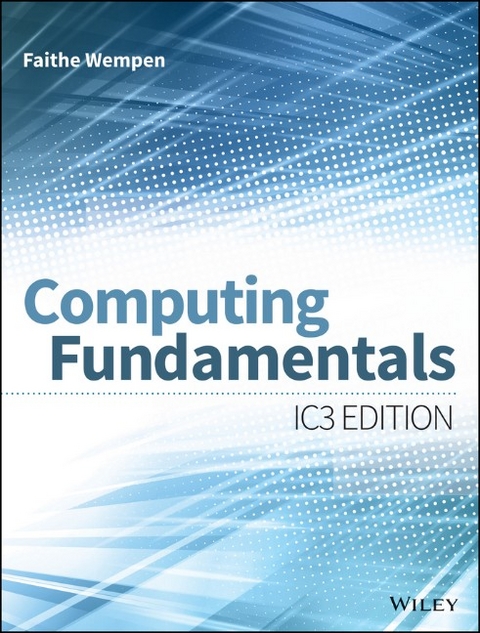
Faithe Wempen, M.A., is a Microsoft Office Master Instructor and A+ certified computer technician, and the author of more than 120 books on computer hardware and software. An adjunct instructor of Computer Information Technology at Purdue University, she has also written and taught online technology courses that have educated over a quarter of a million students for corporate clients including Hewlett-Packard, CNET, and Sony.
Introduction 1
Part I: Computer Basics and Hardware 9
Chapter 1: Computer Basics 11
Chapter 2: The System Unit 33
Chapter 3: Input, Output, and Storage 65
Part II: Software 107
Chapter 4: Operating System Basics 109
Chapter 5: Introduction to Windows 7 139
Chapter 6: Windows 7 Administration and Maintenance 173
Chapter 7: Understanding Application Software 211
Part III: Microsoft Office 243
Chapter 8: Understanding Microsoft Office 2010 245
Chapter 9: Word Processing with Microsoft Word 277
Chapter 10: Creating Spreadsheets with Microsoft Excel 327
Chapter 11: Managing Databases with Access 371
Chapter 12: Creating Presentation Graphics with
PowerPoint 403
Part IV: Connectivity and Communication 437
Chapter 13: Networking and Internet Basics 439
Chapter 14: Online Communication 471
Chapter 15: Web Basics 507
Chapter 16: Network and Internet Privacy and Security 541
Chapter 17: Legal, Ethical, Health, and Environmental Issues in
Computing 577
Appendix A: What's New in Windows 81? 601
Appendix B: Customizing Windows 7 625
Answers to Chapter Questions 661
Glossary 669
Index 697
| Erscheint lt. Verlag | 22.7.2014 |
|---|---|
| Sprache | englisch |
| Themenwelt | Mathematik / Informatik ► Informatik ► Theorie / Studium |
| Schlagworte | basic computer concepts • basic computer skills, basic computing skills • Computer • Computer book • computer course • Computer-Ratgeber • Computing Fundamentals • End-User Computing • entry-level computer skills • entry-level computing skills • Faithe Wempen • IC3 certification • IC3 exam • Internet and Computing Core Certification Exam • introduction to computers • introduction to Microsoft Office • introduction to Windows 7 • National Skill Standards Board • NSBB • understand computers • use Microsoft Excel • use Microsoft PowerPoint • use Microsoft Word • using the Internet |
| ISBN-10 | 1-118-91016-8 / 1118910168 |
| ISBN-13 | 978-1-118-91016-0 / 9781118910160 |
| Informationen gemäß Produktsicherheitsverordnung (GPSR) | |
| Haben Sie eine Frage zum Produkt? |
 PDF (Adobe DRM)
Kopierschutz: Adobe-DRM
Adobe-DRM ist ein Kopierschutz, der das eBook vor Mißbrauch schützen soll. Dabei wird das eBook bereits beim Download auf Ihre persönliche Adobe-ID autorisiert. Lesen können Sie das eBook dann nur auf den Geräten, welche ebenfalls auf Ihre Adobe-ID registriert sind.
Details zum Adobe-DRM
Dateiformat: PDF (Portable Document Format)
Mit einem festen Seitenlayout eignet sich die PDF besonders für Fachbücher mit Spalten, Tabellen und Abbildungen. Eine PDF kann auf fast allen Geräten angezeigt werden, ist aber für kleine Displays (Smartphone, eReader) nur eingeschränkt geeignet.
Systemvoraussetzungen:
PC/Mac: Mit einem PC oder Mac können Sie dieses eBook lesen. Sie benötigen eine
eReader: Dieses eBook kann mit (fast) allen eBook-Readern gelesen werden. Mit dem amazon-Kindle ist es aber nicht kompatibel.
Smartphone/Tablet: Egal ob Apple oder Android, dieses eBook können Sie lesen. Sie benötigen eine
Geräteliste und zusätzliche Hinweise
Buying eBooks from abroad
For tax law reasons we can sell eBooks just within Germany and Switzerland. Regrettably we cannot fulfill eBook-orders from other countries.
aus dem Bereich