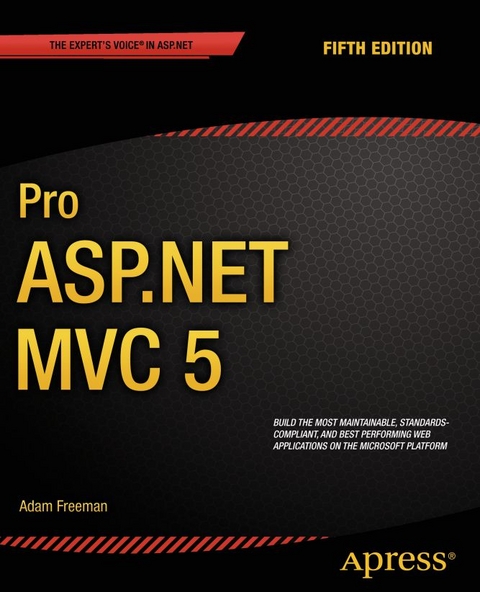
Pro ASP.NET MVC 5 (eBook)
XXIV, 832 Seiten
Apress (Verlag)
978-1-4302-6530-6 (ISBN)
ASP.NET MVC 5 contains a number of advances over previous versions, including the ability to define routes using C# attributes and the ability to override filters. The user experience of building MVC applications has also been substantially improved. The new, more tightly integrated, Visual Studio 2013 IDE has been created specifically with MVC application development in mind and provides a full suite of tools to improve development times and assist in reporting, debugging and deploying your code.
The popular Bootstrap JavaScript library has also now been included natively within MVC 5 providing you, the developer, with a wider range of multi-platform CSS and HTML5 options than ever before without the penalty of having to load-in third party libraries.
Adam Freeman is an experienced IT professional who has held senior positions in a range of companies, most recently serving as chief technology officer and chief operating officer of a global bank. Now retired, he spends his time writing and long-distance running.
The ASP.NET MVC 5 Framework is the latest evolution of Microsoft’s ASP.NET web platform. It provides a high-productivity programming model that promotes cleaner code architecture, test-driven development, and powerful extensibility, combined with all the benefits of ASP.NET.ASP.NET MVC 5 contains a number of advances over previous versions, including the ability to define routes using C# attributes and the ability to override filters. The user experience of building MVC applications has also been substantially improved. The new, more tightly integrated, Visual Studio 2013 IDE has been created specifically with MVC application development in mind and provides a full suite of tools to improve development times and assist in reporting, debugging and deploying your code. The popular Bootstrap JavaScript library has also now been included natively within MVC 5 providing you, the developer, with a wider range of multi-platform CSS and HTML5 options than ever before without the penalty of having to load-in third party libraries.
Adam Freeman is an experienced IT professional who has held senior positions in a range of companies, most recently serving as chief technology officer and chief operating officer of a global bank. Now retired, he spends his time writing and long-distance running.
Contents at a Glance 3
Contents 794
About the Author 811
About the Technical Reviewer 812
Chapter 1: Putting ASP.NET MVC in Context 5
Understanding the History of ASP.NET 5
What Is Wrong with ASP.NET Web Forms? 6
Web Development Today 7
Web Standards and REST 7
Agile and Test-Driven Development 7
Ruby on Rails 8
Node.js 8
Key Benefits of ASP.NET MVC 9
MVC Architecture 9
Extensibility 9
Tight Control over HTML and HTTP 10
Testability 10
Powerful Routing System 11
Built on the Best Parts of the ASP.NET Platform 11
Modern API 11
ASP.NET MVC Is Open Source 12
What Do I Need to Know? 12
What Is the Structure of This Book? 12
Part 1: Introducing ASP.NET MVC 5 12
Part 2: ASP.NET MVC in Detail 12
What’s New in this Edition? 13
Where Can I Get the Example Code? 13
What Software Do I Need for This Book? 14
Credits 14
Summary 14
Chapter 2: Your First MVC Application 15
Preparing Visual Studio 15
Creating a New ASP.NET MVC Project 15
Adding the First Controller 19
Understanding Routes 23
Rendering Web Pages 23
Creating and Rendering a View 23
Adding Dynamic Output 27
Creating a Simple Data-Entry Application 29
Setting the Scene 29
Designing a Data Model 30
Adding a Model Class 30
Linking Action Methods 31
Creating the Action Method 32
Adding a Strongly Typed View 33
Building the Form 34
Setting the Start URL 36
Handling Forms 37
Using Model Binding 39
Rendering Other Views 39
Adding Validation 40
Highlighting Invalid Fields 43
Styling the Content 46
Using NuGet to Install Bootstrap 46
Styling the Index View 47
Styling the RsvpForm View 48
Styling the Thanks View 50
Completing the Example 52
Summary 53
Chapter 3: The MVC Pattern 54
The History of MVC 54
Understanding the MVC Pattern 54
Understanding the Domain Model 55
The ASP.NET Implementation of MVC 55
Comparing MVC to Other Patterns 56
Understanding the Smart UI Pattern 56
Understanding the Model-View Architecture 57
Understanding Classic Three-Tier Architectures 58
Understanding Variations on MVC 58
Understanding the Model-View-Presenter Pattern 58
Understanding the Model-View-View Model Pattern 59
Building Loosely Coupled Components 59
Using Dependency Injection 60
Breaking and Declaring Dependencies 61
Injecting Dependencies 61
Using a Dependency Injection Container 62
Getting Started with Automated Testing 63
Understanding Unit Testing 63
Using TDD and the Red-Green-Refactor Workflow 67
Understanding Integration Testing 68
Summary 69
Chapter 4: Essential Language Features 70
Preparing the Example Project 70
Adding the System.Net.Http Assembly 72
Using Automatically Implemented Properties 72
Using Object and Collection Initializers 75
Using Extension Methods 77
Applying Extension Methods to an Interface 79
Creating Filtering Extension Methods 82
Using Lambda Expressions 83
Using Automatic Type Inference 87
Using Anonymous Types 87
Performing Language Integrated Queries 89
Understanding Deferred LINQ Queries 93
Using Async Methods 94
Applying the async and await Keywords 96
Summary 97
Chapter 5: Working with Razor 98
Preparing the Example Project 98
Defining the Model 98
Defining the Controller 99
Creating the View 100
Working with the Model Object 100
Working with Layouts 102
Creating the Layout 103
Applying a Layout 105
Using a View Start File 105
Demonstrating Shared Layouts 106
Using Razor Expressions 110
Inserting Data Values 111
Setting Attribute Values 113
Using Conditional Statements 115
Enumerating Arrays and Collections 118
Dealing with Namespaces 120
Summary 121
Chapter 6: Essential Tools for MVC 122
Preparing the Example Project 123
Creating the Model Classes 123
Adding the Controller 124
Adding the View 125
Using Ninject 126
Understanding the Problem 126
Applying an Interface 126
Adding Ninject to the Visual Studio Project 128
Getting Started with Ninject 128
Setting up MVC Dependency Injection 130
Creating the Dependency Resolver 130
Register the Dependency Resolver 131
Refactoring the Home Controller 131
Creating Chains of Dependency 133
Specifying Property and Constructor Parameter Values 134
Using Conditional Binding 136
Setting the Object Scope 137
Unit Testing with Visual Studio 140
Creating the Unit Test Project 140
Creating the Unit Tests 142
Running the Unit Tests (and Failing) 145
Implementing the Feature 146
Testing and Fixing the Code 147
Using Moq 148
Understanding the Problem 149
Adding Moq to the Visual Studio Project 150
Adding a Mock Object to a Unit Test 150
Creating a Mock Object 151
Selecting a Method 152
Defining the Result 153
Using the Mock Object 153
Creating a More Complex Mock Object 153
Mocking For Specific Values (and Throwing an Exception) 155
Mocking For a Range of Values 156
Summary 156
Chapter 7: SportsStore: A Real Application 157
Getting Started 158
Creating the Visual Studio Solution and Projects 158
Installing the Tool Packages 160
Adding References Between Projects 160
Setting Up the DI Container 161
Running the Application 162
Starting the Domain Model 162
Creating an Abstract Repository 163
Making a Mock Repository 164
Displaying a List of Products 165
Adding a Controller 165
Adding the Layout, View Start File and View 167
Rendering the View Data 168
Setting the Default Route 168
Running the Application 169
Preparing a Database 170
Creating the Database 171
Defining the Database Schema 173
Adding Data to the Database 175
Creating the Entity Framework Context 176
Creating the Product Repository 178
Adding Pagination 180
Displaying Page Links 182
Adding the View Model 182
Adding the HTML Helper Method 183
Adding the View Model Data 185
Displaying the Page Links 189
Improving the URLs 191
Styling the Content 192
Installing the Bootstrap Package 192
Applying Bootstrap Styles to the Layout 193
Creating a Partial View 195
Summary 198
Chapter 8: SportsStore: Navigation 199
Adding Navigation Controls 199
Filtering the Product List 199
Refining the URL Scheme 204
Building a Category Navigation Menu 206
Creating the Navigation Controller 207
Generating Category Lists 208
Creating the View 210
Highlighting the Current Category 211
Correcting the Page Count 214
Building the Shopping Cart 216
Defining the Cart Entity 217
Adding the Add to Cart Buttons 221
Implementing the Cart Controller 222
Displaying the Contents of the Cart 224
Summary 227
Chapter 9: SportsStore: Completing the Cart 228
Using Model Binding 228
Creating a Custom Model Binder 228
Completing the Cart 233
Removing Items from the Cart 233
Adding the Cart Summary 235
Submitting Orders 237
Extending the Domain Model 237
Adding the Checkout Process 238
Implementing the Order Processor 245
Defining the Interface 245
Implementing the Interface 246
Registering the Implementation 248
Completing the Cart Controller 249
Displaying Validation Errors 253
Displaying a Summary Page 255
Summary 255
Chapter 10: SportsStore: Mobile 256
Putting Mobile Web Development in Context 256
Doing Nothing (Or As Little As Possible) 256
Using Responsive Design 258
Creating a Responsive Header 259
Creating a Responsive Product List 262
Helping the Controller Select a View 265
Removing View Duplication 267
Creating Mobile Specific Content 270
Creating a Mobile Layout 271
Creating the Mobile Views 272
Summary 275
Chapter 11: SportsStore: Administration 276
Adding Catalog Management 276
Creating a CRUD Controller 276
Creating a New Layout 278
Implementing the List View 279
Editing Products 283
Creating the Edit Action Method 283
Creating the Edit View 285
Updating the Product Repository 289
Handling Edit POST Requests 291
Displaying a Confirmation Message 293
Adding Model Validation 295
Enabling Client-Side Validation 297
Creating New Products 298
Deleting Products 301
Summary 304
Chapter 12: SportsStore: Security & Finishing Touches
Securing the Administration Controller 305
Creating a Basic Security Policy 305
Applying Authorization with Filters 307
Creating the Authentication Provider 309
Creating the Account Controller 311
Creating the View 312
Image Uploads 315
Extending the Database 316
Enhancing the Domain Model 316
Creating the Upload User Interface Elements 317
Saving Images to the Database 319
Implementing the GetImage Action Method 321
Displaying Product Images 325
Summary 327
Chapter 13: Deployment 328
Preparing Windows Azure 329
Creating the Web Site and Database 329
Preparing the Database for Remote Administration 332
Creating the Schema 333
Getting the Schema Command 334
Adding the Table Data 334
Deploying the Application 335
Summary 342
Chapter 14: Overview of MVC Projects 343
Working with Visual Studio MVC Projects 343
Creating the Project 343
Understanding MVC Conventions 347
Following Conventions for Controller Classes 348
Following Conventions for Views 348
Following Conventions for Layouts 349
Debugging MVC Applications 349
Preparing the Example Project 349
Creating the Controller 351
Creating the View 352
Launching the Visual Studio Debugger 353
Causing the Visual Studio Debugger to Break 355
Using Breakpoints 355
Viewing Data Values in the Code Editor 356
Viewing Application State in the Debugger Windows 358
Breaking on Exceptions 359
Using Edit and Continue 361
Enabling Edit and Continue 361
Modifying the Project 362
Editing and Continuing 363
Using Browser Link 364
Summary 366
Chapter 15: URL Routing 367
Preparing the Example Project 368
Creating the Example Controllers 369
Creating the View 370
Setting the Start URL and Testing the Application 371
Introducing URL Patterns 371
Creating and Registering a Simple Route 373
Using the Simple Route 375
Defining Default Values 379
Using Static URL Segments 381
Defining Custom Segment Variables 386
Using Custom Variables as Action Method Parameters 389
Defining Optional URL Segments 389
Using Optional URL Segments to Enforce Separation of Concerns 391
Defining Variable-Length Routes 392
Prioritizing Controllers by Namespaces 394
Constraining Routes 397
Constraining a Route Using a Regular Expression 397
Constraining a Route to a Set of Specific Values 398
Constraining a Route Using HTTP Methods 399
Using Type and Value Constraints 400
Defining a Custom Constraint 403
Using Attribute Routing 405
Enabling and Applying Attribute Routing 406
Creating Routes with Segment Variables 408
Applying Route Constraints 409
Combining Constraints 410
Using a Route Prefix 411
Summary 412
Chapter 16: Advanced Routing Features 413
Preparing the Example Project 414
Simplifying the Routes 414
Adding the Optimization Package 414
Updating the Unit Test Project 414
Generating Outgoing URLs in Views 415
Using the Routing System to Generate an Outgoing URL 415
Targeting Other Controllers 418
Passing Extra Values 420
Specifying HTML Attributes 422
Generating Fully Qualified URLs in Links 423
Generating URLs (and Not Links) 424
Generating Outgoing URLs in Action Methods 425
Generating a URL from a Specific Route 426
Customizing the Routing System 428
Creating a Custom RouteBase Implementation 428
Routing Incoming URLs 429
Generating Outgoing URLs 431
Creating a Custom Route Handler 432
Working with Areas 434
Creating an Area 434
Populating an Area 436
Resolving the Ambiguous Controller Issue 438
Creating Areas with Attributes 440
Generating Links to Actions in Areas 441
Routing Requests for Disk Files 441
Configuring the Application Server 443
Defining Routes for Disk Files 444
Bypassing the Routing System 446
URL Schema Best Practices 447
Make Your URLs Clean and Human-Friendly 447
GET and POST: Pick the Right One 448
Summary 448
Chapter 17: Controllers and Actions 449
Preparing the Example Project 450
Setting the Start URL 450
Introducing the Controller 450
Creating a Controller with IController 450
Creating a Controller by Deriving from the Controller Class 453
Receiving Request Data 454
Getting Data from Context Objects 455
Using Action Method Parameters 456
Understanding How Parameters Objects Are Instantiated 457
Understanding Optional and Compulsory Parameters 457
Specifying Default Parameter Values 457
Producing Output 458
Understanding Action Results 460
Returning HTML by Rendering a View 463
Passing Data from an Action Method to a View 467
Providing a View Model Object 467
Passing Data with the View Bag 470
Performing Redirections 472
Redirecting to a Literal URL 472
Redirecting to a Routing System URL 474
Redirecting to an Action Method 475
Returning Errors and HTTP Codes 477
Sending a Specific HTTP Result Code 477
Sending a 404 Result 478
Sending a 401 Result 478
Summary 479
Chapter 18: Filters 480
Preparing the Example Project 480
Setting the Start URL and Testing the Application 483
Using Filters 483
Introducing the Filter Types 484
Applying Filters to Controllers and Action Methods 485
Using Authorization Filters 486
Applying the Custom Authorization Filter 488
Using the Built-in Authorization Filter 489
Using Authentication Filters 490
Understanding the IAuthenticationFilter Interface 490
Implementing the Authentication Check 492
Combining Authentication and Authorization Filters 494
Handling the Final Challenge Request 495
Using Exception Filters 496
Creating an Exception Filter 496
Applying the Exception Filter 498
Using a View to Respond to an Exception 500
Avoiding the Wrong Exception Trap 502
Using the Built-in Exception Filter 503
Preparing to Use the Built-in Exception Filter 504
Applying the Built-in Exception Filter 505
Using Action Filters 506
Implementing the OnActionExecuting Method 506
Implementing the OnActionExecuted Method 509
Using Result Filters 510
Using the Built-in Action and Result Filter Class 512
Using Other Filter Features 514
Filtering Without Attributes 514
Using Global Filters 516
Ordering Filter Execution 518
Overriding Filters 521
Summary 524
Chapter 19: Controller Extensibility 525
Preparing the Example Project 526
Setting the Start URL 528
Creating a Custom Controller Factory 528
Dealing with the Fallback Controller 530
Instantiating Controller Classes 531
Implementing the Other Interface Methods 531
Registering a Custom Controller Factory 532
Working with the Built-in Controller Factory 532
Prioritizing Namespaces 533
Customizing DefaultControllerFactory Controller Instantiation 534
Using the Dependency Resolver 534
Using a Controller Activator 534
Overriding DefaultControllerFactory Methods 536
Creating a Custom Action Invoker 537
Using the Built-in Action Invoker 538
Using a Custom Action Name 539
Using Action Method Selection 541
Creating a Custom Action Method Selector 543
Handling Unknown Actions 546
Improving Performance with Specialized Controllers 547
Using Sessionless Controllers 547
Managing Session State in a Custom IControllerFactory 547
Managing Session State Using DefaultControllerFactory 548
Using Asynchronous Controllers 549
Creating the Example 550
Creating an Asynchronous Controller 552
Consuming Asynchronous Methods in a Controller 553
Summary 554
Chapter 20: Views 555
Creating a Custom View Engine 555
Preparing the Example Project 558
Creating a Custom IView 559
Creating an IViewEngine Implementation 560
Registering a Custom View Engine 561
Testing the View Engine 562
Working with the Razor Engine 564
Preparing the Example Project 564
Understanding Razor View Rendering 565
Configuring the View Search Locations 566
Adding Dynamic Content to a Razor View 569
Using Layout Sections 570
Testing For Sections 573
Rendering Optional Sections 574
Using Partial Views 575
Creating a Partial View 576
Using Strongly Typed Partial Views 578
Using Child Actions 579
Creating a Child Action 579
Rendering a Child Action 580
Summary 581
Chapter 21: Helper Methods 582
Preparing the Example Project 582
Setting the Start URL 583
Testing the Example Application 584
Creating Custom Helper Methods 584
Creating an Inline Helper Method 584
Creating an External Helper Method 586
Using a Custom External Helper Method 588
Managing String Encoding in a Helper Method 590
Demonstrating the Problem 590
Encoding Helper Method Content 592
Using the Built-In Form Helper Methods 594
Creating Form Elements 594
Creating Form Elements 598
Specifying the Route Used by a Form 601
Using Input Helpers 603
Generating the Input Element from a Model Property 605
Using Strongly Typed Input Helpers 606
Creating Select Elements 608
Summary 610
Chapter 22: Templated Helper Methods 611
Preparing the Example Project 611
Using Templated Helper Methods 614
Generating Label and Display Elements 618
Using Whole-Model Templated Helpers 620
Using Model Metadata 623
Using Metadata to Control Editing and Visibility 624
Using Metadata for Labels 626
Using Metadata for Data Values 628
Using Metadata to Select a Display Template 629
Applying Metadata to a Buddy Class 631
Working with Complex Type Properties 633
Customizing the Templated View Helper System 634
Creating a Custom Editor Template 634
Creating a Generic Template 636
Replacing the Built-in Templates 637
Summary 638
Chapter 23: URL and Ajax Helper Methods 639
Preparing the Example Project 640
Defining Additional CSS Styles 640
Installing the NuGet Packages 641
Creating Basic Links and URLs 641
Using MVC Unobtrusive Ajax 644
Creating the Synchronous Form View 644
Preparing the Project for Unobtrusive Ajax 645
Creating an Unobtrusive Ajax Form 647
Preparing the Controller 647
Creating the Ajax Form 649
Understanding How Unobtrusive Ajax Works 651
Setting Ajax Options 651
Ensuring Graceful Degradation 652
Providing the User with Feedback While Making an Ajax Request 653
Prompting the User Before Making a Request 655
Creating Ajax Links 656
Ensuring Graceful Degradation for Links 658
Working with Ajax Callbacks 658
Working with JSON 661
Adding JSON Support to the Controller 661
Processing JSON in the Browser 662
Preparing Data for Encoding 665
Detecting Ajax Requests in the Action Method 666
Summary 669
Chapter 24: Model Binding 670
Preparing the Example Project 670
Understanding Model Binding 673
Using the Default Model Binder 675
Binding to Simple Types 675
Binding to Complex Types 678
Creating Easily-Bound HTML 680
Specifying Custom Prefixes 682
Selectively Binding Properties 684
Binding to Arrays and Collections 685
Binding to Arrays 685
Binding to Collections 687
Binding to Collections of Custom Model Types 688
Manually Invoking Model Binding 691
Dealing with Binding Errors 693
Customizing the Model Binding System 694
Creating a Custom Value Provider 694
Creating a Custom Model Binder 697
Registering the Custom Model Binder 699
Registering a Model Binder with an Attribute 700
Summary 700
Chapter 25: Model Validation 701
Preparing the Example Project 702
Creating the Layout 703
Creating the Views 703
Explicitly Validating a Model 705
Displaying Validation Errors to the User 706
Displaying Validation Messages 708
Displaying Property-Level Validation Messages 712
Using Alternative Validation Techniques 713
Performing Validation in the Model Binder 713
Specifying Validation Rules Using Metadata 715
Creating a Custom Property Validation Attribute 716
Deriving from the Built-In Validation Attributes 718
Creating a Model Validation Attribute 719
Defining Self-Validating Models 721
Performing Client-Side Validation 723
Enabling Client-Side Validation 723
Adding the NuGet Packages 724
Using Client-Side Validation 725
Understanding How Client-Side Validation Works 726
Performing Remote Validation 727
Summary 731
Chapter 26: Bundles 732
Preparing the Example Application 732
Adding the NuGet Packages 732
Creating the Model and Controller 733
Creating the Layout and View 734
Profiling Script and Style Sheet Loading 737
Using Script and Style Bundles 738
Adding the NuGet Package 739
Defining the Bundles 739
Applying Bundles 741
Optimizing the JavaScript and CSS Files 743
Summary 745
Chapter 27: Web API and Single-page Applications 746
Understanding Single-page Applications 746
Preparing the Example Application 747
Creating the Model 747
Adding the NuGet Packages 749
Adding the Controller 750
Adding the Layout and Views 751
Setting the Start Location and Testing the Example Application 753
Using Web API 754
Creating the Web API Controller 754
Testing the API Controller 755
Understanding How the API Controller Works 756
Understanding API Controller Action Selection 758
Mapping HTTP Methods to Action Methods 758
Using Knockout for Single-page Applications 759
Adding the JavaScript Libraries to the Layout 760
Implementing the Summary 761
Defining the Ajax Functions 762
Defining the Model 763
Defining the Bindings 764
Processing the Bindings 765
Testing the Summary Bindings 765
Improving the Delete Feature 767
Implementing the Create Feature 768
Extending the Model 770
Implement the Input Elements 770
Creating the Event Handler 770
Testing the Create Feature 771
Completing the Application 771
Simplify the Home Controller 772
Manage Content Visibility 772
Summary 775
Index 776
| Erscheint lt. Verlag | 28.2.2014 |
|---|---|
| Zusatzinfo | XXIV, 832 p. 311 illus. |
| Verlagsort | Berkeley |
| Sprache | englisch |
| Themenwelt | Mathematik / Informatik ► Informatik ► Software Entwicklung |
| Mathematik / Informatik ► Informatik ► Web / Internet | |
| ISBN-10 | 1-4302-6530-2 / 1430265302 |
| ISBN-13 | 978-1-4302-6530-6 / 9781430265306 |
| Informationen gemäß Produktsicherheitsverordnung (GPSR) | |
| Haben Sie eine Frage zum Produkt? |
 PDF (Wasserzeichen)
DRM: Digitales Wasserzeichen
Dieses eBook enthält ein digitales Wasserzeichen und ist damit für Sie personalisiert. Bei einer missbräuchlichen Weitergabe des eBooks an Dritte ist eine Rückverfolgung an die Quelle möglich.
Dateiformat: PDF (Portable Document Format)
Mit einem festen Seitenlayout eignet sich die PDF besonders für Fachbücher mit Spalten, Tabellen und Abbildungen. Eine PDF kann auf fast allen Geräten angezeigt werden, ist aber für kleine Displays (Smartphone, eReader) nur eingeschränkt geeignet.
Systemvoraussetzungen:
PC/Mac: Mit einem PC oder Mac können Sie dieses eBook lesen. Sie benötigen dafür einen PDF-Viewer - z.B. den Adobe Reader oder Adobe Digital Editions.
eReader: Dieses eBook kann mit (fast) allen eBook-Readern gelesen werden. Mit dem amazon-Kindle ist es aber nicht kompatibel.
Smartphone/Tablet: Egal ob Apple oder Android, dieses eBook können Sie lesen. Sie benötigen dafür einen PDF-Viewer - z.B. die kostenlose Adobe Digital Editions-App.
Buying eBooks from abroad
For tax law reasons we can sell eBooks just within Germany and Switzerland. Regrettably we cannot fulfill eBook-orders from other countries.
aus dem Bereich