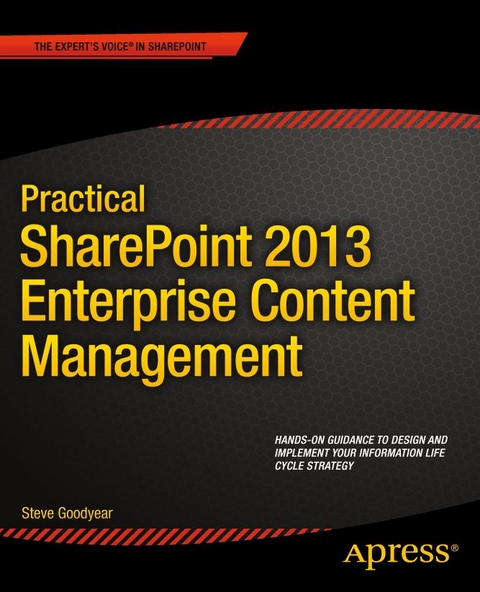
Practical SharePoint 2013 Enterprise Content Management (eBook)
XVII, 320 Seiten
Apress (Verlag)
978-1-4302-6170-4 (ISBN)
Inside, you will develop a full understanding of how SharePoint 2013 manages content including identifying and understanding your organization's information within SharePoint, collaborating on transitory content, and capturing and controlling your records. You'll get practical advice and best practice instruction for each phase of the information life cycle to guide you on designing your ECM strategy and implementing your own ECM solution.
You learn how to:
- Apply a content life cycle model to analyze and understand your organization's information
- Design your file plan with content routing rules for your SharePoint records repository
- Plan and configure your eDiscovery portal and manage discovery cases
- Design solutions to interface and integrate with external records management systems
- Identify your organization's information security requirements
- Design content types and implement an enterprise content type hub to organize your information
Steve Goodyear is an author and a SharePoint expert living in Vancouver, Canada, where he writes and works as a consultant and solution architect. Previously, he worked for Microsoft as an Enterprise Consultant engaging as a SharePoint specialist with Microsoft s largest enterprise and government customers around North America to design technology solutions for their most challenging business problems. Before joining Microsoft, Steve was also a Software Engineer and Technical Lead at Electronic Arts. Steve is a Microsoft Certified Trainer and he holds several Microsoft Certified Professional (MCP) certifications, including: SharePoint Administration and Development, SQL Server Administration and Development, and ASP.NET Development. He loves writing about technology to share ideas that inform, entertain, and inspire readers.
Practical SharePoint 2013 Enterprise Content Management is the first book to guide you through planning and designing each phase of your information life cycle with SharePoint 2013. Author and SharePoint expert Steve Goodyear walks you through how to analyze and plan enterprise content management (ECM) solutions for an effective and end-to-end information design based on your organization's needs and business requirements. Inside, you will develop a full understanding of how SharePoint 2013 manages content including identifying and understanding your organization's information within SharePoint, collaborating on transitory content, and capturing and controlling your records. You'll get practical advice and best practice instruction for each phase of the information life cycle to guide you on designing your ECM strategy and implementing your own ECM solution. You learn how to: Apply a content life cycle model to analyze and understand your organization's information Design your file plan with content routing rules for your SharePoint records repository Plan and configure your eDiscovery portal and manage discovery cases Design solutions to interface and integrate with external records management systems Identify your organization's information security requirements Design content types and implement an enterprise content type hub to organize your information Practical SharePoint 2013 Enterprise Content Management is for you if you are a SharePoint architect, administrator, consultant, or project manager, and you implement SharePoint solutions that relate to one or more aspects of the information life cycle involved with ECM.
Steve Goodyear is an author and a SharePoint expert living in Vancouver, Canada, where he writes and works as a consultant and solution architect. Previously, he worked for Microsoft as an Enterprise Consultant engaging as a SharePoint specialist with Microsoft s largest enterprise and government customers around North America to design technology solutions for their most challenging business problems. Before joining Microsoft, Steve was also a Software Engineer and Technical Lead at Electronic Arts. Steve is a Microsoft Certified Trainer and he holds several Microsoft Certified Professional (MCP) certifications, including: SharePoint Administration and Development, SQL Server Administration and Development, and ASP.NET Development. He loves writing about technology to share ideas that inform, entertain, and inspire readers.
Contents at a Glance 3
Contents 291
About the Author 299
About the Technical Reviewer 300
Acknowledgments 301
Introduction 5
Part1: Planning and Analyzing Your Information Life Cycle 7
Chapter 1: Overview of Enterprise Content Management 8
Understanding the Value of Enterprise Content Management 8
What Is Enterprise Content Management? 9
Enterprise Content Management Concepts 12
Document Management Concepts 13
Security Management Concepts 14
Business Process Management Concepts 14
General Information Management Concepts 15
Transitory Content vs. Official Records 16
Understanding the Content Life Cycle Model 18
Comparing ECM Costs and Value 22
Approaching an ECM Program 23
Wrapping Up 26
Chapter 2: SharePoint 2013 Enterprise Content Management Features 27
Overview of SharePoint 2013 27
Relating SharePoint Capability Areas to Each Other 30
Understanding the SharePoint Site Architecture 33
SharePoint Site Types 35
SharePoint List and Library Types 40
SharePoint 2013 ECM-Specific Features 44
Overview of the SharePoint Infrastructure 47
Wrapping Up 50
Chapter 3: Analyzing Your Information Life Cycle 51
Applying the Content Life Cycle Model 51
Building an Inventory of Your Organization’s Content 55
Analyzing Your Content-Related Business Processes 58
Diagramming Your Business Processes Using Microsoft Visio 59
Identifying Your Information Security Needs 60
Documenting Your Content Life Cycle Requirements 63
Wrapping Up 66
Chapter 4: Designing Your Information Architecture 67
Understanding Information Architecture 67
Analyzing Your Information Architecture 69
Creating a Data Dictionary 70
Facilitating a Card Sort to Organize Information 71
Building Your Information Architecture 72
Implementing Your Enterprise Taxonomy Design 75
Designing Your Site Structure 77
Designing Your Navigation 80
Wrapping Up 82
Part2: Managing Your Transitory Content 83
Chapter 5: Configuring SharePoint for Your Collaboration Content 84
Understanding Collaboration 84
Liberating Collaboration 85
Designing a Site Creation Process 87
Configuring Self-Service Site Creation 87
Designing Your Content Containers 88
Identifying Your Document Management Needs 92
Configuring Document Columns 93
Enabling Document Versioning 94
Requiring a Check Out for Document Edits 94
Managing Document Alerts 95
Associating Document Workflows 96
Setting a Document Template and the Information Panel 97
Managing Document Information Management Policies 99
Reviewing Audit and Usage Reports for Site Content 100
Inside Story: Notes from the Field 102
Wrapping Up 102
Chapter 6: Classifying and Organizing Your Content 104
Organizing Content 104
Understanding Content Types 105
Analyzing and Designing Content Types 109
Implementing Content Types 110
Understanding and Configuring Document Sets 113
Configuring Your Enterprise Content Type Hub 116
Windows Workflow Foundation Overview 118
Creating Content Life Cycle Workflows 119
Optimizing Databases with Remote BLOB Storage 122
Wrapping Up 124
Chapter 7: Publishing Your Web Content 125
Overview of Web Content Management 125
Analyzing Your WCM Requirements 128
SharePoint 2013 WCM Features 130
Creating and Configuring a Publishing Portal 133
Configuring a Publishing Approval Workflow 137
Managing Content Deployment Settings 140
Configuring Cross-Site Collection Publishing 141
Wrapping Up 145
Chapter 8: Designing Your Electronic Form Processes 146
Types of Forms in Organizations 146
Paper Forms vs. Electronic Forms 147
Modeling Paper Form Processes 148
Analyzing and Designing Form Processes 151
Overview of InfoPath 2013 151
Building Electronic Forms in InfoPath 153
Overview of SharePoint Designer 2013 158
Workflow Actions in SharePoint Designer 161
Core Actions 162
Coordination Actions 163
List Actions 163
Task Actions 163
Utility Actions 164
Building Approval Workflows in SharePoint Designer 164
Inside Story: Notes from the Field 166
Wrapping Up 166
Part3: Designing Your Information Discovery 167
Chapter 9: Implementing Enterprise Search 168
The Importance of Search 168
Understanding Enterprise Search 170
SharePoint Search Architecture Overview 171
Analyzing Your Enterprise Search Requirements 172
Administering an Enterprise Search Service 174
Configuring Search Content Sources 176
Configuring Crawl Rules 178
Configuring Result Sources 179
Configuring Query Suggestions 180
Building an Enterprise Glossary 181
Configuring Query Rules 182
Wrapping Up 183
Chapter 10: Planning Social Computing 184
Understanding Social Computing 184
Overview of Social Computing Capabilities 186
Analyzing Your Social Computing Requirements 187
Deploying a People Search 188
Managing My Site Features 190
Managing Profile Properties and Synchronization 194
Promoting a Site 197
Configuring Audience Targeting 198
Creating a Personal Blog 200
Wrapping Up 201
Chapter 11: Managing eDiscovery and Discovery Cases 202
Overview of eDiscovery 202
SharePoint 2013 eDiscovery Features 204
Creating and Configuring an eDiscovery Portal 206
Creating and Managing Discovery Cases 211
Exporting and Packaging Content 215
Wrapping Up 217
Chapter 12: Securing Your Content 218
Overview of Security 218
Threat Modeling 220
Analyzing Your Information Security Requirements 221
Configuring SharePoint Groups and Permissions 222
Configuring Web Application User Policies 226
Understanding Rights Management Service (RMS) 229
Configuring RMS in SharePoint 230
Inside Story: Notes from the Field 231
Wrapping Up 232
Part4: Designating and Managing Your Records 233
Chapter 13: Designing Your File Plan 234
Overview of File Plans 234
Creating a Content Classification Index 237
Sample Content Classification Index 240
Designing Your File Plan 243
Understanding Disk Storage Options 244
Identifying Different Archive Formats 245
Inside Story: Notes from the Field 246
Wrapping Up 246
Chapter 14: Implementing Your Records Repository 247
Overview of Records Repositories 247
Planning Your SharePoint Records Repository 250
Creating and Configuring Your Records Center 252
Configuring Record Routing 254
Configuring Send To Connections 256
Designing Workflows to Process Records 259
Auditing and Reporting on Your Records 261
Wrapping Up 262
Chapter 15: Managing Record Retention and Disposition 263
Identifying Your Record Retention Requirements 263
Planning the Life Cycle of Records 265
Modeling Record Disposition Workflows 267
Configuring Record Disposition Workflows 268
Configuring a Retention Policy 271
Wrapping Up 275
Chapter 16: Integrating with Other Records Repositories 276
Understanding Requirements for Integration 276
Planning a Document Imaging Solution 277
Interfacing with External Records Repositories 279
Extending SharePoint 2013 Records Management 279
Wrapping Up 281
Index 282
| Erscheint lt. Verlag | 21.1.2014 |
|---|---|
| Zusatzinfo | XVII, 320 p. 187 illus. |
| Verlagsort | Berkeley |
| Sprache | englisch |
| Themenwelt | Mathematik / Informatik ► Informatik ► Netzwerke |
| Mathematik / Informatik ► Informatik ► Software Entwicklung | |
| ISBN-10 | 1-4302-6170-6 / 1430261706 |
| ISBN-13 | 978-1-4302-6170-4 / 9781430261704 |
| Informationen gemäß Produktsicherheitsverordnung (GPSR) | |
| Haben Sie eine Frage zum Produkt? |
 PDF (Wasserzeichen)
DRM: Digitales Wasserzeichen
Dieses eBook enthält ein digitales Wasserzeichen und ist damit für Sie personalisiert. Bei einer missbräuchlichen Weitergabe des eBooks an Dritte ist eine Rückverfolgung an die Quelle möglich.
Dateiformat: PDF (Portable Document Format)
Mit einem festen Seitenlayout eignet sich die PDF besonders für Fachbücher mit Spalten, Tabellen und Abbildungen. Eine PDF kann auf fast allen Geräten angezeigt werden, ist aber für kleine Displays (Smartphone, eReader) nur eingeschränkt geeignet.
Systemvoraussetzungen:
PC/Mac: Mit einem PC oder Mac können Sie dieses eBook lesen. Sie benötigen dafür einen PDF-Viewer - z.B. den Adobe Reader oder Adobe Digital Editions.
eReader: Dieses eBook kann mit (fast) allen eBook-Readern gelesen werden. Mit dem amazon-Kindle ist es aber nicht kompatibel.
Smartphone/Tablet: Egal ob Apple oder Android, dieses eBook können Sie lesen. Sie benötigen dafür einen PDF-Viewer - z.B. die kostenlose Adobe Digital Editions-App.
Buying eBooks from abroad
For tax law reasons we can sell eBooks just within Germany and Switzerland. Regrettably we cannot fulfill eBook-orders from other countries.
aus dem Bereich