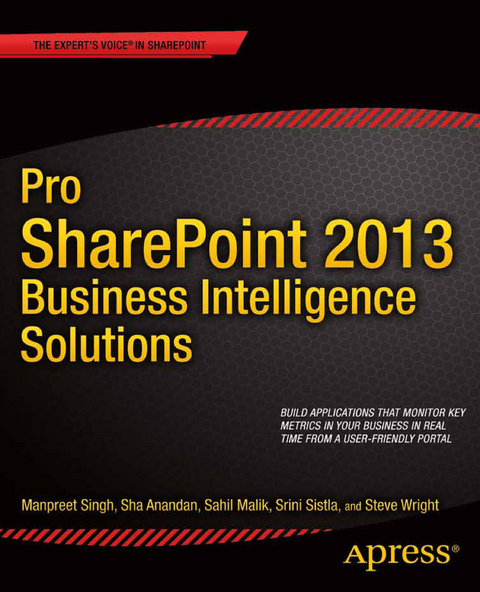
Pro SharePoint 2013 Business Intelligence Solutions (eBook)
XV, 440 Seiten
Apress (Verlag)
978-1-4302-5894-0 (ISBN)
To get ahead in today's hyper-competitive marketplace, your business has to take advantage of the data you already have and mine that data to give you new insight, metrics, and clues to what drives successful customer interactions. In Pro SharePoint 2013 Business Intelligence Solutions, you'll learn exactly how to unlock that magic, build business intelligence facilities on SharePoint, and glean insights from data to propel your business to the next level.
To understand the various business intelligence offerings in SharePoint 2013, you need to understand the core SQL Server business intelligence concepts, and the first part of the book presents a comprehensive tutorial on those fundamentals. Pro SharePoint 2013 Business Intelligence Solutions then focuses on specific SharePoint business intelligence investments including:
- Visio Services
- Excel Services
- SQL Server Reporting Services
- Business Connectivity Services
- Power View and PerformancePoint Services
Authors Manpreet Singh, Sha Anandan, Sahil Malik, and Steve Wright walk you through all of this material comprehensively in practical, hands-on format, with plenty of examples to empower you to use these products in your real-life projects.
As compelling as SharePoint and SQL Server business intelligence are together, the challenge always has been finding people who understand both SharePoint and SQL Server well enough to deliver such business intelligence solutions. With this book in hand, you become part of that select group. Get your copy of Pro SharePoint 2013 Business Intelligence Solutions today!
Manpreet Singh has been working on Microsoft Technologies for the last 5 years. At present he is working with Microsoft as a Consultant. Manpreet has an expertise in developing Business Intelligence solutions on Microsoft SharePoint. Along with Sha, he has been a part of some of the largest implementation of BI. He recently co-authored a book on SharePoint 2010 Development which was published by Pearson - SAMS Publishing earlier this year. One of his articles on Extension of SQL Server Reporting Services was published in Jan -2012 issue of the MSDN Magazine as a featured column.
To get ahead in today's hyper-competitive marketplace, your business has to take advantage of the data you already have and mine that data to give you new insight, metrics, and clues to what drives successful customer interactions. In Pro SharePoint 2013 Business Intelligence Solutions, you'll learn exactly how to unlock that magic, build business intelligence facilities on SharePoint, and glean insights from data to propel your business to the next level. To understand the various business intelligence offerings in SharePoint 2013, you need to understand the core SQL Server business intelligence concepts, and the first part of the book presents a comprehensive tutorial on those fundamentals. Pro SharePoint 2013 Business Intelligence Solutions then focuses on specific SharePoint business intelligence investments including: Visio Services Excel Services SQL Server Reporting Services Business Connectivity Services Power View and PerformancePoint Services Authors Manpreet Singh, Sha Anandan, Sahil Malik, and Steve Wright walk you through all of this material comprehensively in practical, hands-on format, with plenty of examples to empower you to use these products in your real-life projects.As compelling as SharePoint and SQL Server business intelligence are together, the challenge always has been finding people who understand both SharePoint and SQL Server well enough to deliver such business intelligence solutions. With this book in hand, you become part of that select group. Get your copy of Pro SharePoint 2013 Business Intelligence Solutions today!
Manpreet Singh has been working on Microsoft Technologies for the last 5 years. At present he is working with Microsoft as a Consultant. Manpreet has an expertise in developing Business Intelligence solutions on Microsoft SharePoint. Along with Sha, he has been a part of some of the largest implementation of BI. He recently co-authored a book on SharePoint 2010 Development which was published by Pearson - SAMS Publishing earlier this year. One of his articles on Extension of SQL Server Reporting Services was published in Jan -2012 issue of the MSDN Magazine as a featured column.
Contents at a Glance 3
Contents 423
About the Authors 429
About the Technical Reviewer 431
Acknowledgments 432
Introduction 4
Chapter 1: Business Intelligence Basics 5
What Will You Learn? 5
Software Prerequisites 5
Introduction to Business Intelligence 6
Why Intelligence? 7
Understanding BI 7
OLTP vs. OLAP 8
Online Transaction Processing System 8
Online Analytical Processing System 11
The Unified Dimensional Model and Data Cubes 12
Facts and Dimensions 14
Extract, Transform, and Load 16
Need for Staging 16
Transformation 17
MDX Scripting 18
Tuples and Sets 19
Putting It All Together 20
The BI Foundation 20
Data Warehouses 20
Data Marts 21
Decision Support Systems and Data Mining 22
Tools 22
SQL Server Management Studio 23
SQL Server Data Tools 24
Transforming OLTP Data Using SSIS 25
Creating Cubes Using SSAS 44
Final Pointers for Migrating OLTP Data to OLAP 57
SQL Server 2012 Analysis Services Tabular Model 58
SharePoint and Business Intelligence 58
What’s New in SharePoint 2013? 58
Visio Services 59
Reporting Services and Power View 59
PerformancePoint Services 59
Excel and PowerPivot 59
Business Connectivity Services 60
Summary 60
What’s Next? 61
Chapter 2: Visio Services 62
What Will You Learn? 62
Software Prerequisites 62
Introduction to Visio Services 63
Why Visio? 63
Presenting Visio Services 64
Setting Up Visio Services 64
Visio Services Features 70
Architecture 73
The Visio 2013 Client’s Data Tab 74
Link Data to Shapes 75
Data Graphics 76
Automatically Link 79
Refresh All 81
Insert Legend 82
Shape Data Window 83
External Data window 84
Integrating Visio with SharePoint 84
Using the Visio Web Access Web Part 92
Visio Web Access Web Part Connections 94
Using a SQL Server Data Source 97
Secure Store Services 102
Configuring Secure Store Services 102
Using Visio with SQL Server and SSS 107
Visio Services JavaScript Mashup API 109
Understanding the assets.js Code 113
Working with SharePoint Designer 2013 114
Creating Your Own Custom Data Providers 122
Administration of Visio Services 140
Creating a New Visio Graphics Service Application 141
Deleting an Existing Visio Graphics Service Application 141
List all Existing Visio Graphics Service Applications 141
Creating a New Visio Graphics Service Application Proxy 141
Delete an Existing Visio Graphics Service Application Proxy 141
List All Existing Visio Graphics Service Application Proxies 142
Setting Up Visio Graphics Service Global Settings 142
Setting Up a Graphics Service Trusted Data Provider 142
Factors Affecting the Performance of Visio Services 143
Summary 143
What’s Next? 144
Chapter 3: Reporting Services 145
What Will You Learn in This Chapter? 145
Software Prerequisites 145
Introduction to Reporting Services 146
Architecture 146
Choosing the Right SSRS Mode 148
Setting Up the Infrastructure 148
Reporting Services Add-in Features 151
Reporting Services Local Mode vs. Connected Mode 151
Report Life Cycle 152
Data Source Management 152
Authoring Tools 153
Building and Publishing a Basic Report 153
Using Report Builder to Edit a Published Report 162
Loading Reports Using the Report Viewer Web Part 167
Reporting Services Content Types 169
Creating a Report Data Source 170
Subscription to Reports 171
Integration with a SharePoint List 176
Power View 178
Creating a Power View Report 178
Interacting with Power View Reports 184
Summary 188
What’s Next? 188
Chapter 4: Business Connectivity Services 189
What Will You Learn in This Chapter? 189
Software Prerequisites 189
BCS Terminology 190
Introduction to BCS Concepts 190
Setting Up Business Data Connectivity Services 191
Set Up a New BDC Service Application 192
BDC Models View 194
Import, Export, and Delete 194
Set Object Permissions 195
Set Metadata Store Permissions 195
External Systems View 196
Settings 196
Delete 196
External Content Types View 196
Configure 196
Create or Upgrade 196
Business Connectivity Services Layer 198
External System Layer 199
Office Client Layer 199
Tools Decision Tree 200
External Content Types 200
Creating Your First ECT Using SharePoint Designer 201
Configure External Content Type Permissions 207
Configure ECT Data Connections with Secure Store Service 209
Authoring an ECT Using Visual Studio with a .NET Connector 212
Creating an ECT Using SharePoint Designer and a .NET Type 226
BDC Runtime 228
Integration with Office Applications 232
Integration with Office Word 232
App-Scoped ECTs 236
Working with OData Sources 236
PowerShell Commands 244
Summary 247
What’s Next? 247
Chapter 5: Excel Services 248
What Will You Learn in This Chapter? 248
Software Prerequisites 248
Introduction 249
Architecture 249
Setting Up Excel Services 250
Global Settings 253
Security 253
Load-Balancing Scheme 254
Session Management: Maximum Sessions per User 254
Memory Utilization 254
Workbook Cache 255
External Data 255
Trusted File Locations 255
Location 256
Session Management 256
Workbook Properties 256
Calculation Behavior 257
External Data 257
User-Defined Functions Allowed 258
Trusted Data Providers 258
Trusted Data Connection Libraries 258
User-Defined Function Assemblies 259
Data Model Settings 259
Authoring Your First Excel Sheet and Publishing It to Excel Services 260
What’s New in Excel Services 2013 262
Backup and Recovery Operation 262
Authoring and Publishing 262
Excel Services REST API 267
Excel Services OData API 271
Excel Services SOAP API 272
Excel Services and SSAS 277
Configuring Secure Store Services 277
Interacting with Excel Services Workbook 286
Data Connection 287
PowerPivot for Excel 288
Setting Up PowerPivot 290
Excel Services and ECMAScript 301
Summary 304
What’s Next? 304
Chapter 6: PerformancePoint Services 305
What Will You Learn? 305
Software Prerequisites 305
Introduction to PerformancePoint Services 306
PerformancePoint Services Architecture 306
Service Components and Interfaces 306
SharePoint Content Lists and Libraries 308
PerformancePoint Service Databases 308
SQL Server Analysis Services (SSAS) Cubes 308
Other Reporting Data Sources 308
Securing PerformancePoint Solutions 309
Business Intelligence Solution Components 309
BI Component Types 309
Dashboards 309
Indicators and Key Performance Indicators 311
Data Sources 313
Filters 313
Scorecards 314
Reports 315
PerformancePoint SharePoint Components 317
PPS Content Types 317
List and Library Templates 317
Web Parts 318
Business Intelligence Center Site Template 318
Features 319
Setting Up PerformancePoint Services 319
Application Settings 321
Secure Store and Unattended Service Account 322
Comments 322
Cache 323
Analysis Services EffectiveUserName 323
Data Sources 323
Filters 323
Select Measure Control 324
Show Details 324
Decomposition Tree 325
Trusted Data Source Locations 326
Trusted Content Locations 328
Authoring and Publishing PerformancePoint Solutions 329
Deploying the Business Intelligence Center 330
Creating a Dashboard Designer Workspace 333
Creating a Data Source 333
Creating Key Performance Indicators 338
Creating a Scorecard 352
Creating Filters 358
Creating Reports 367
Creating a Dashboard 373
Deploying the Solution to SharePoint, and Exploring 379
Advanced Report Types 384
Create an Excel Services Report 385
Create a Strategy Map Report 401
Summary 410
Index 411
| Erscheint lt. Verlag | 13.9.2013 |
|---|---|
| Zusatzinfo | XV, 440 p. 420 illus. |
| Verlagsort | Berkeley |
| Sprache | englisch |
| Themenwelt | Mathematik / Informatik ► Informatik ► Software Entwicklung |
| Mathematik / Informatik ► Informatik ► Theorie / Studium | |
| ISBN-10 | 1-4302-5894-2 / 1430258942 |
| ISBN-13 | 978-1-4302-5894-0 / 9781430258940 |
| Informationen gemäß Produktsicherheitsverordnung (GPSR) | |
| Haben Sie eine Frage zum Produkt? |
 PDF (Wasserzeichen)
DRM: Digitales Wasserzeichen
Dieses eBook enthält ein digitales Wasserzeichen und ist damit für Sie personalisiert. Bei einer missbräuchlichen Weitergabe des eBooks an Dritte ist eine Rückverfolgung an die Quelle möglich.
Dateiformat: PDF (Portable Document Format)
Mit einem festen Seitenlayout eignet sich die PDF besonders für Fachbücher mit Spalten, Tabellen und Abbildungen. Eine PDF kann auf fast allen Geräten angezeigt werden, ist aber für kleine Displays (Smartphone, eReader) nur eingeschränkt geeignet.
Systemvoraussetzungen:
PC/Mac: Mit einem PC oder Mac können Sie dieses eBook lesen. Sie benötigen dafür einen PDF-Viewer - z.B. den Adobe Reader oder Adobe Digital Editions.
eReader: Dieses eBook kann mit (fast) allen eBook-Readern gelesen werden. Mit dem amazon-Kindle ist es aber nicht kompatibel.
Smartphone/Tablet: Egal ob Apple oder Android, dieses eBook können Sie lesen. Sie benötigen dafür einen PDF-Viewer - z.B. die kostenlose Adobe Digital Editions-App.
Buying eBooks from abroad
For tax law reasons we can sell eBooks just within Germany and Switzerland. Regrettably we cannot fulfill eBook-orders from other countries.
aus dem Bereich