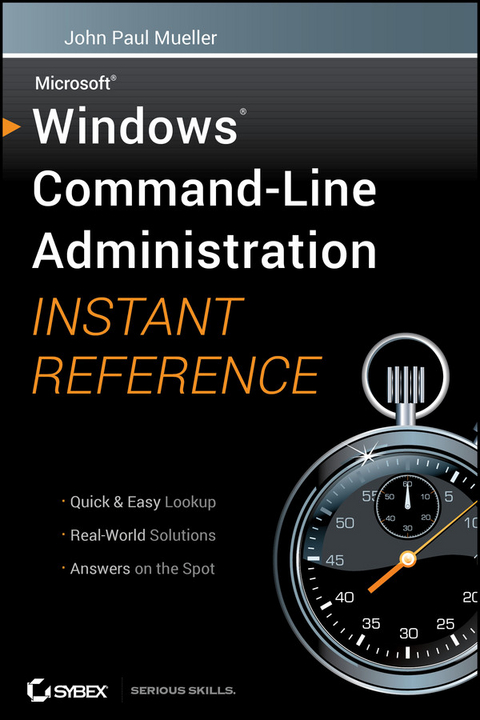
Windows Command Line Administration Instant Reference (eBook)
576 Seiten
John Wiley & Sons (Verlag)
978-0-470-93090-8 (ISBN)
Windows 7, and the quickest way to access critical information
Focusing just on the essentials of command-line interface (CLI),
Windows Command-Line Administration Instant Reference easily
shows how to quickly perform day-to-day tasks of Windows
administration without ever touching the graphical user interface
(GUI). Specifically designed for busy administrators, Windows
Command-Line Administration Instant Reference replaces many
tedious GUI steps with just one command at the command-line, while
concise, easy to access answers provide solutions on the spot.
* Provides practical examples, step-by-step instructions, and
contextual information
* Quick-reference style delivers the commands needed for managing
data and the network; working with Active Directory; performing
diagnostics and maintenance; and, creating batch files and
scripts
* Covers administration for Windows Server 2008 Server Core,
Windows Server 2008 (including R2), and Windows 7
Administrators can get more done in less time with CLI than they
can with the standard GUI. Compact enough to keep on hand at all
times, Windows Command-Line Administration Instant Reference
provides administrators with a convenient, fast and simple way to
use CLI.
ABOUT THE AUTHORJohn Paul Mueller, consultant, application developer, writer, and technical editor, has written over 300 articles and 86 books, including Professional IronPython. His topics range from programming and operating systems to home security and accessibility. He has contributed articles to such magazines as DevSource, asp.netPro, InformIT, SQL Server Professional, and Visual C++ Developer, among others. His website is www.mwt.net/~jmueller/.
Part I: Configuring the Local Machine.
Chapter 1: Configuring the Local Machine.
Chapter 2: Making Remote Connections.
Chapter 3: Automating Tasks.
Part II: Managing Data.
Chapter 4: Working with File and Directory.
Chapter 5: Administering File and Directory Content.
Chapter 6: Managing the Hard Drive.
Chapter 7: Securing the Data.
Part III: Managing the Network.
Chapter 8: Managing the Network.
Chapter 9: Working with TCP/IP.
Chapter 10: Creating System Connections.
Part IV: Interacting with the Active Directory.
Chapter 11: Configuring Directory Services.
Chapter 12: Work with Directory Objects.
Part V: Performing Diagnostics.
Chapter 13: Monitoring System Events.
Chapter 14: Monitoring System Performance.
Part VI: Performing Maintenance.
Chapter 15: Performing Basic Maintenance.
Chapter 16: Managing System Users.
Chapter 17: Securing the System.
Chapter 18: Interacting with the Registry.
Part VII: Creating Batch Files.
Chapter 19: Changing the Batch File Environment.
Chapter 20: Working at the Command Prompt.
Chapter 21: Creating and Testing Batch Files.
Part VIII: Creating Scripts.
Chapter 22: Scripting Basics.
Chapter 23: Using the Scripting Objects.
Chapter 24: Advanced Scripting Examples.
| Erscheint lt. Verlag | 13.9.2010 |
|---|---|
| Sprache | englisch |
| Themenwelt | Mathematik / Informatik ► Informatik ► Netzwerke |
| Schlagworte | Computer Science • Informatik • Networking • Netzwerk • Netzwerke |
| ISBN-10 | 0-470-93090-X / 047093090X |
| ISBN-13 | 978-0-470-93090-8 / 9780470930908 |
| Informationen gemäß Produktsicherheitsverordnung (GPSR) | |
| Haben Sie eine Frage zum Produkt? |
 PDF (Adobe DRM)
Größe: 10,5 MB
Kopierschutz: Adobe-DRM
Adobe-DRM ist ein Kopierschutz, der das eBook vor Mißbrauch schützen soll. Dabei wird das eBook bereits beim Download auf Ihre persönliche Adobe-ID autorisiert. Lesen können Sie das eBook dann nur auf den Geräten, welche ebenfalls auf Ihre Adobe-ID registriert sind.
Details zum Adobe-DRM
Dateiformat: PDF (Portable Document Format)
Mit einem festen Seitenlayout eignet sich die PDF besonders für Fachbücher mit Spalten, Tabellen und Abbildungen. Eine PDF kann auf fast allen Geräten angezeigt werden, ist aber für kleine Displays (Smartphone, eReader) nur eingeschränkt geeignet.
Systemvoraussetzungen:
PC/Mac: Mit einem PC oder Mac können Sie dieses eBook lesen. Sie benötigen eine
eReader: Dieses eBook kann mit (fast) allen eBook-Readern gelesen werden. Mit dem amazon-Kindle ist es aber nicht kompatibel.
Smartphone/Tablet: Egal ob Apple oder Android, dieses eBook können Sie lesen. Sie benötigen eine
Geräteliste und zusätzliche Hinweise
Buying eBooks from abroad
For tax law reasons we can sell eBooks just within Germany and Switzerland. Regrettably we cannot fulfill eBook-orders from other countries.
 EPUB (Adobe DRM)
Kopierschutz: Adobe-DRM
Adobe-DRM ist ein Kopierschutz, der das eBook vor Mißbrauch schützen soll. Dabei wird das eBook bereits beim Download auf Ihre persönliche Adobe-ID autorisiert. Lesen können Sie das eBook dann nur auf den Geräten, welche ebenfalls auf Ihre Adobe-ID registriert sind.
Details zum Adobe-DRM
Dateiformat: EPUB (Electronic Publication)
EPUB ist ein offener Standard für eBooks und eignet sich besonders zur Darstellung von Belletristik und Sachbüchern. Der Fließtext wird dynamisch an die Display- und Schriftgröße angepasst. Auch für mobile Lesegeräte ist EPUB daher gut geeignet.
Systemvoraussetzungen:
PC/Mac: Mit einem PC oder Mac können Sie dieses eBook lesen. Sie benötigen eine
eReader: Dieses eBook kann mit (fast) allen eBook-Readern gelesen werden. Mit dem amazon-Kindle ist es aber nicht kompatibel.
Smartphone/Tablet: Egal ob Apple oder Android, dieses eBook können Sie lesen. Sie benötigen eine
Geräteliste und zusätzliche Hinweise
Buying eBooks from abroad
For tax law reasons we can sell eBooks just within Germany and Switzerland. Regrettably we cannot fulfill eBook-orders from other countries.
aus dem Bereich