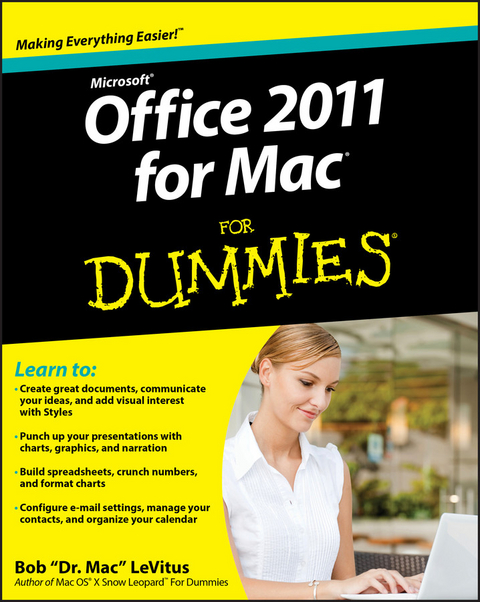
Bob LeVitus, aka Dr. Mac, is a leading authority on the iPad, iPhone, and Mac OS X. One of the Mac community's most trusted gurus for almosttwenty years, he has written or co-written more than 55 books. Bob isalso a columnist for the Houston Chronicle and The Mac Observer.
Introduction.
Part I: Introduction to the Microsoft Office 2011
Suite.
Chapter 1: Overview from 10,000 Feet.
Chapter 2: A Sweet Suite: Introducing the Office 2011
Applications.
Chapter 3: Common Knowledge: Things That Work the Same in All
Office Applications.
Part II: Mastering Microsoft Word.
Chapter 4: Getting to Know Microsoft Word.
Chapter 5: Processing Documents with Word.
Chapter 6: Refining and Editing Documents with Word.
Chapter 7: Going for the Designer Look: Using Templates and
Other Design Elements.
Chapter 8: This and That: Advanced and Collaboration
Features.
Part III: Powerful Presentations with Microsoft
PowerPoint.
Chapter 9: Getting to Know Microsoft PowerPoint.
Chapter 10: Creating Slide Shows.
Chapter 11: Making Your Slide Shows Sing.
Chapter 12: Presentation Mastery.
Part IV: Crunching Data with Microsoft's Most Excellent
Excel.
Chapter 13: Getting to Know Microsoft Excel.
Chapter 14: Crunching Numbers (And Data) with Excel.
Chapter 15: Enhancing and Printing Your Excel Spreadsheets.
Chapter 16: Advanced Spreadsheeting.
Part V: Microsoft Outlook: Miraculous Manager of Most
Things.
Chapter 17: Getting to Know Outlook.
Chapter 18: Outlook Online.
Chapter 19: Managing Your Affairs with Outlook.
Chapter 20: Getting Advanced with Outlook.
Part VI: The Part of Tens.
Chapter 21: Ten Things in Offi ce 2011 That Didn't Fit
Elsewhere.
Chapter 22: Ten Timesaving Shortcuts and Tips for Enhanced
Productivity.
Chapter 23: Ten Ways to Customize Office.
Index.
| Erscheint lt. Verlag | 2.2.2011 |
|---|---|
| Zusatzinfo | Screen captures: 175 B&W, 0 Color |
| Sprache | englisch |
| Themenwelt | Informatik ► Betriebssysteme / Server ► Macintosh / Mac OS X |
| Informatik ► Office Programme ► Office | |
| Informatik ► Office Programme ► Outlook | |
| Schlagworte | Bob LeVitus, how to use Office 2011 for Mac, how to use Word for Mac, how to use PowerPoint for Mac, how to use Excel for Mac, how to use Outlook for Mac, learn Office 2011 for Mac, learn Word for mac, learn PowerPoint for Mac, learn Excel for Mac, learn Outlook for Mac, Office 2011 for Mac instruction, Word for Mac instruction, PowerPoint for Mac instruction, Excel for Mac instruction, Outlook for Mac instruction, Dummies, Dr. Mac, Bob ???Dr. Mac??? LeVitus • Computer-Ratgeber • End-User Computing • Office 2011 • Office Productivity-Microsoft (General & Office suite) • Office-Software Microsoft |
| ISBN-10 | 1-118-04864-4 / 1118048644 |
| ISBN-13 | 978-1-118-04864-1 / 9781118048641 |
| Informationen gemäß Produktsicherheitsverordnung (GPSR) | |
| Haben Sie eine Frage zum Produkt? |
 EPUB (Adobe DRM)
Größe: 21,1 MB
Kopierschutz: Adobe-DRM
Adobe-DRM ist ein Kopierschutz, der das eBook vor Mißbrauch schützen soll. Dabei wird das eBook bereits beim Download auf Ihre persönliche Adobe-ID autorisiert. Lesen können Sie das eBook dann nur auf den Geräten, welche ebenfalls auf Ihre Adobe-ID registriert sind.
Details zum Adobe-DRM
Dateiformat: EPUB (Electronic Publication)
EPUB ist ein offener Standard für eBooks und eignet sich besonders zur Darstellung von Belletristik und Sachbüchern. Der Fließtext wird dynamisch an die Display- und Schriftgröße angepasst. Auch für mobile Lesegeräte ist EPUB daher gut geeignet.
Systemvoraussetzungen:
PC/Mac: Mit einem PC oder Mac können Sie dieses eBook lesen. Sie benötigen eine
eReader: Dieses eBook kann mit (fast) allen eBook-Readern gelesen werden. Mit dem amazon-Kindle ist es aber nicht kompatibel.
Smartphone/Tablet: Egal ob Apple oder Android, dieses eBook können Sie lesen. Sie benötigen eine
Geräteliste und zusätzliche Hinweise
Buying eBooks from abroad
For tax law reasons we can sell eBooks just within Germany and Switzerland. Regrettably we cannot fulfill eBook-orders from other countries.
aus dem Bereich