Laptops for the Older and Wiser (eBook)
John Wiley & Sons (Verlag)
978-0-470-97104-8 (ISBN)
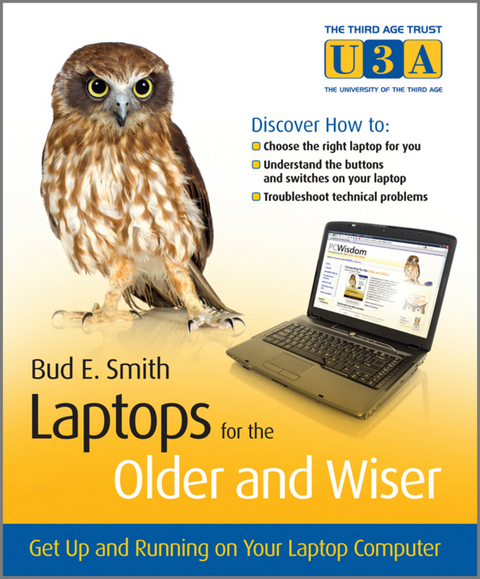
Laptops are fun and more popular than ever, but they are still computers and come with their own set of issues: easier to steal, more likely to be dropped, often dependent on wireless Internet access, and other concerns. If you're entering the computer world as an older adult—and wondering about laptops—this straightforward, helpful book is for you.
Written in full color with lots of screenshots and clear, easy-to-read type, this friendly guide walks you through the process from start to finish: selecting which type of laptop is right for you (PC or Mac?), handling setup, safely adding wireless Internet access, staying secure online, and much more.
- Provides guidance for purchasing your laptop, bringing it home, and setting up
- Walks you through all the various connections, buttons and switches
- Shows you how to connect wirelessly at home and abroad, safely
- Delves into laptop accessories, whether you need them, and how to get the most out of them
- Addresses online security issues and how to stay safe
- Explores troubleshooting problems and how to save your precious data
Prepare properly, enjoy the freedom, and maybe even show the kids a thing or two with this fun and practical guide!
Helpful, easy-to-follow guide for new laptop users over the age of 50 Laptops are fun and more popular than ever, but they are still computers and come with their own set of issues: easier to steal, more likely to be dropped, often dependent on wireless Internet access, and other concerns. If you're entering the computer world as an older adult and wondering about laptops this straightforward, helpful book is for you. Written in full color with lots of screenshots and clear, easy-to-read type, this friendly guide walks you through the process from start to finish: selecting which type of laptop is right for you (PC or Mac?), handling setup, safely adding wireless Internet access, staying secure online, and much more. Provides guidance for purchasing your laptop, bringing it home, and setting up Walks you through all the various connections, buttons and switches Shows you how to connect wirelessly at home and abroad, safely Delves into laptop accessories, whether you need them, and how to get the most out of them Addresses online security issues and how to stay safe Explores troubleshooting problems and how to save your precious data Prepare properly, enjoy the freedom, and maybe even show the kids a thing or two with this fun and practical guide!
Bud Smith (London, UK) is a leading computer book author and technology company consultant and manager. Bud has been writing computer books for more than 20 years, on topics from microprocessors to computer buying to Web authoring to use of Google tools. His best-selling book is Creating Web Pages For Dummies, currently in its 9th Edition, and his books have sold more than a million copies.
Acknowledgements.
About the Author.
Publisher's Acknowledgements.
Icons used in this book.
Chapter 1 - Introduction.
How this book is structured.
Challenging old beliefs.
Challenging fears.
Part I - Getting your laptop.
Chapter 2 - Choosing the right laptop for you.
Choosing the computer size.
Where to get advice.
Choosing the type of computer.
Summary.
Chapter 3 - Understanding laptop specifi
cations.
The parts you can see and feel.
The parts you can't see.
Printer specifi cations.
Summary.
Chapter 4 - Buying your laptop.
Setting your budget.
Shopping online for a laptop.
Finding a laptop in the shops.
Summary.
Part II - Setup.
Chapter 5 - Buying broadband.
Choosing a broadband provider.
Buying your laptop in a package deal.
Summary.
Chapter 6 - Bringing your laptop home.
Setting your laptop up at home.
Making sure everything works.
Deleting software.
Loading software.
Summary.
Chapter 7 - Customising the Windows desktop.
Touring the desktop.
Control Panel.
Summary.
Part III - Getting up and running.
Chapter 8 - Getting power to the people.
How your laptop uses power.
Using power management.
Getting plugged in.
Summary.
Chapter 9 - Staying connected.
Wireless connections at home and away.
Finding and choosing a wireless network.
Alternatives to a wireless network.
Summary.
Chapter 10 - Using your laptop's
software.
Using Accessories.
Using word processing and spreadsheets.
Summary.
Chapter 11 - Learning what you can do online.
Using email.
Using online search.
Finding videos, music and more online.
Summary.
Chapter 12 - Preventing problems.
Preventing loss or theft.
Preventing damage.
Preventing freezes and slowdowns.
Preventing loss of data.
Summary.
Part IV - Glossary.
Glossary.
Index.
| Erscheint lt. Verlag | 29.9.2010 |
|---|---|
| Sprache | englisch |
| Themenwelt | Mathematik / Informatik ► Informatik ► Theorie / Studium |
| Informatik ► Weitere Themen ► Hardware | |
| Schlagworte | Allg. Hardware • Computer Hardware (general) • Computer-Ratgeber • Computers for seniors, laptops for seniors, advice for seniors on computing, choosing laptops for older adults, computers and older adults, books on laptops for older adults, laptop computers for senior citizens, laptops for people over 50, computers for people over 50, computer advice for adults over 50 • End-User Computing • Laptop |
| ISBN-10 | 0-470-97104-5 / 0470971045 |
| ISBN-13 | 978-0-470-97104-8 / 9780470971048 |
| Informationen gemäß Produktsicherheitsverordnung (GPSR) | |
| Haben Sie eine Frage zum Produkt? |
 EPUB (Adobe DRM)
Kopierschutz: Adobe-DRM
Adobe-DRM ist ein Kopierschutz, der das eBook vor Mißbrauch schützen soll. Dabei wird das eBook bereits beim Download auf Ihre persönliche Adobe-ID autorisiert. Lesen können Sie das eBook dann nur auf den Geräten, welche ebenfalls auf Ihre Adobe-ID registriert sind.
Details zum Adobe-DRM
Dateiformat: EPUB (Electronic Publication)
EPUB ist ein offener Standard für eBooks und eignet sich besonders zur Darstellung von Belletristik und Sachbüchern. Der Fließtext wird dynamisch an die Display- und Schriftgröße angepasst. Auch für mobile Lesegeräte ist EPUB daher gut geeignet.
Systemvoraussetzungen:
PC/Mac: Mit einem PC oder Mac können Sie dieses eBook lesen. Sie benötigen eine
eReader: Dieses eBook kann mit (fast) allen eBook-Readern gelesen werden. Mit dem amazon-Kindle ist es aber nicht kompatibel.
Smartphone/Tablet: Egal ob Apple oder Android, dieses eBook können Sie lesen. Sie benötigen eine
Geräteliste und zusätzliche Hinweise
Buying eBooks from abroad
For tax law reasons we can sell eBooks just within Germany and Switzerland. Regrettably we cannot fulfill eBook-orders from other countries.
aus dem Bereich