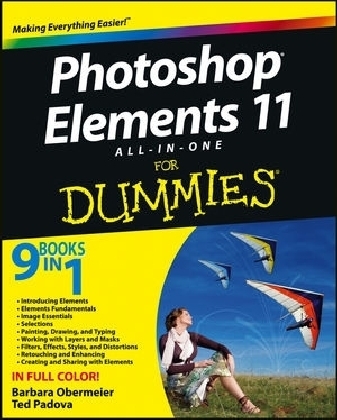
Photoshop Elements 11 All-in-One For Dummies
For Dummies (Verlag)
978-1-118-40822-3 (ISBN)
- Titel ist leider vergriffen;
keine Neuauflage - Artikel merken
Photoshop Elements is the top selling consumer photo editing software and Adobe continues to add innovative features that allow digital photo enthusiasts to do it all.
Bring out the best in your images with the latest version of Photoshop Elements
Photoshop Elements is the top selling consumer photo editing software and Adobe continues to add innovative features that allow digital photo enthusiasts to do it all. This value-packed reference combines nine content-rich minibooks in one complete package. User-friendly and detailed, it covers the key features and tools that beginner and experienced users need to create high-quality images for print, e-mail, and the web using the latest release of Photoshop Elements: Photoshop Elements 11. Presented in full color, this resource goes beyond the basics of the application and is undoubtedly the most comprehensive Elements book on the market.
Explores filters, effects, styles, and distortions
Shows you how to enhance your images by painting, drawing, and typing
Walks you through working with layers and masks
Details ways to retouch and enhance your photos
Checks out the toolbox, options, and other essential menus
Fantastic photos and interesting images are just a click away with Photoshop Elements 11 All-in-One For Dummies!
Barbara Obermeier is principal of Obermeier Design, a graphic design studio in California. She is currently a faculty member in the School of Graphic Design at Brooks Institute. Ted Padova is an internationally recognized authority on Adobe Acrobat, PDF, and digital imaging.
Introduction 1
Book I: Introducing Elements 7
Chapter 1: Examining the Elements Environment 9
Chapter 2: Getting to Know the Tools 35
Chapter 3: Viewing and Navigating Images 57
Chapter 4: Setting Your Preferences 71
Book II: Elements Fundamentals 91
Chapter 1: Acquiring, Saving, and Exporting Images 93
Chapter 2: Working in the Organizer 119
Chapter 3: Sorting and Organizing Files 137
Chapter 4: Working with iHardware 171
Book III: Image Essentials 183
Chapter 1: Specifying Resolution and Changing Image Sizing 185
Chapter 2: Choosing Color Modes and File Formats 203
Chapter 3: Working with Camera Raw 223
Chapter 4: Using and Managing Color 239
Chapter 5: Time Travel — Undoing in Elements 257
Book IV: Selections 263
Chapter 1: Making Selections 265
Chapter 2: Modifying and Transforming Selections 287
Book V: Painting, Drawing, and Typing 307
Chapter 1: Painting and Drawing with Elements 309
Chapter 2: Filling and Stroking 327
Chapter 3: Working with Type 345
Book VI: Working with Layers and Masks 367
Chapter 1: Creating Layers 369
Chapter 2: Managing Layers 395
Chapter 3: Playing with Opacity and Blend Modes 411
Chapter 4: Cutting, Extracting, and Masking 425
Book VII: Filters, Effects, Styles, and Distortions 439
Chapter 1: Making Corrections and Having Fun with Filters 441
Chapter 2: Distorting with the Liquify Command 465
| Erscheint lt. Verlag | 20.11.2012 |
|---|---|
| Sprache | englisch |
| Maße | 188 x 226 mm |
| Gewicht | 1588 g |
| Themenwelt | Informatik ► Grafik / Design ► Digitale Bildverarbeitung |
| Informatik ► Grafik / Design ► Photoshop | |
| Informatik ► Office Programme ► Outlook | |
| ISBN-10 | 1-118-40822-5 / 1118408225 |
| ISBN-13 | 978-1-118-40822-3 / 9781118408223 |
| Zustand | Neuware |
| Informationen gemäß Produktsicherheitsverordnung (GPSR) | |
| Haben Sie eine Frage zum Produkt? |
aus dem Bereich