


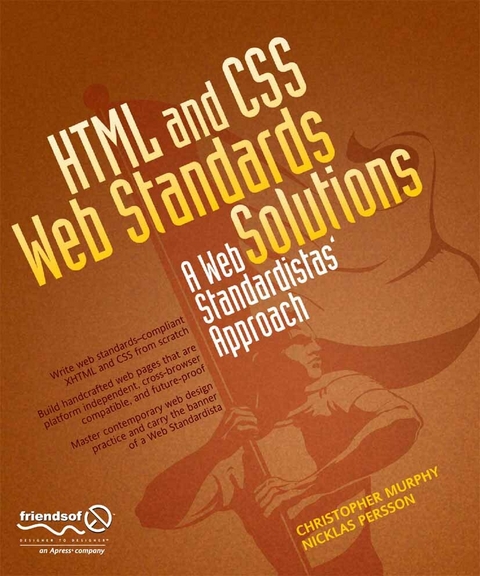
HTML and CSS Web Standards Solutions (eBook)
XXIV, 400 Seiten
Apress (Verlag)
978-1-4302-1607-0 (ISBN)

This book will teach you how to build hand-crafted web pages the Web Standardistas way: using well-structured XHTML for content and CSS for presentation.
By embracing a web standards approach, you will hold the key to creating web sites that not only look great in all modern browsers, but also are accessible to a wide variety of audiences across a range of platforms-from those browsing on everyday computers, to those accessing the Web on the latest emerging mobile devices.
Even if you're an absolute beginner in web design, this book will teach you how to build future-proof web pages the right way using easy-to-master tools which are, in most cases, free. Through 14 easy-to-follow chapters, we introduce you to the fundamentals of contemporary web design practice. Step by step we'll assemble well-structured XHTML webpages, which we'll then style using handcrafted CSS.
By the end of the book, you'll have a firm knowledge of the essentials of web design: everything you need to know to move forward in your lifelong journey as a Web Standardista.
To equip you on this noble quest, we've included enjoyable practical assignments at the end of each chapter. Embracing these challenges will not only teach you how to create great looking web sites that are the envy of your peers, but also equip you with an unrivaled knowledge of monkeys that journeyed to space and apes that starred in the movies-the real stars of this book.
On completion of this book not only will you be able to create well-crafted web sites, but you will have earned the badge of a Web Standardista, proving your worth as a good citizen of the Web.
A bio is not available for this author.
This book will teach you how to build hand-crafted web pages the Web Standardistas way: using well-structured XHTML for content and CSS for presentation.By embracing a web standards approach, you will hold the key to creating web sites that not only look great in all modern browsers, but also are accessible to a wide variety of audiences across a range of platforms from those browsing on everyday computers, to those accessing the Web on the latest emerging mobile devices.Even if you're an absolute beginner in web design, this book will teach you how to build future-proof web pages the right way using easy-to-master tools which are, in most cases, free. Through 14 easy-to-follow chapters, we introduce you to the fundamentals of contemporary web design practice. Step by step we'll assemble well-structured XHTML webpages, which we'll then style using handcrafted CSS.By the end of the book, you'll have a firm knowledge of the essentials of web design: everything you need to know to move forward in your lifelong journey as a Web Standardista.To equip you on this noble quest, we've included enjoyable practical assignments at the end of each chapter. Embracing these challenges will not only teach you how to create great looking web sites that are the envy of your peers, but also equip you with an unrivaled knowledge of monkeys that journeyed to space and apes that starred in the movies the real stars of this book. On completion of this book not only will you be able to create well-crafted web sites, but you will have earned the badge of a Web Standardista, proving your worth as a good citizen of the Web.
A bio is not available for this author.
Title Page 2
Copyright Page 3
CONTENTS AT A GLANCE 5
Table of Contents 7
ABOUT THE AUTHORS 16
About the Technical Reviewer 17
ACKNOWLEDGMENTS 18
INTRODUCTION 20
A little background 20
Who is this book aimed at? 21
What you’ll achieve 21
Conventions used in this book 22
Accessing the code 23
PART ONE: A SOLID XHTML FOUNDATION 24
Chapter 1: Are You a Web Standardista? 25
A brief history of the World Wide Web 26
The Web is born 26
The perfect Web 26
The chaotic Web 27
HTML rewind 27
HTML evolved 28
The X in XHTML 29
A web standards approach 29
What are standards? 29
So, web standards? 30
Why use web standards? 30
Separating content and presentation 31
Efficiency through reduced markup 31
Increased accessibility 32
Cross-browser compatibility 32
Nonbrowser compatibility 32
Forward compatibility 33
The Web Standardistas’ approach 33
Wax on . . . wax off 33
Why use XHTML? 34
The benefits of CSS 34
The Web Standardistas’ toolbox 34
We’re not WYSIWYG 34
What’s your favorite plain text editor? 35
Mac OS X, Windows, or Linux? 35
Summary 36
Homework: Set up your work environment 36
Chapter 2: Building Basic Web Pages 38
HTML: Tags in action 39
What are tags? 39
Tags come in pairs, usually 41
It’s an element, my dear Watson 42
Your first web page: Hello World! 43
To mark up a web page, you just type 44
The markup makes the web page 45
Learning from others: How to view source 46
Every page has a < head>
The importance of using the title element 47
Defining your document type 49
It all starts with a DOCTYPE 49
A short Quirks Mode interlude 49
It’s all in a namespace 50
Just one more thing 50
You don’t have to memorize all this 50
Hello World!: DOCTYPE edition 51
Tags have structure too: Nested elements 51
Making your markup easier to follow 53
Commenting your markup 53
White space 55
Summary 56
Homework: Create your first space-monkey- themed XHTML page 56
Chapter 3: Structured Markup 59
Adding structure and meaning 60
What is structured markup? 61
What is semantic markup? 62
Making markup meaningful 62
POSH and proud 63
Signposts for reading 63
Creating structure with headings and paragraphs 64
Applying information hierarchy 65
Case study: The Guardian 66
An introduction to phrase elements 69
What is an element? 69
Adding meaning to fragments of text 70
Adding emphasis: < em>
Other phrase elements 71
Block-level and inline-level elements 71
Imagine a box 72
The difference between block- level and inline-level elements 72
Valid code is browser- friendly code 73
The W3C Markup Validation Service 73
Valid code is not necessarily well- structured code 78
Getting the search mix right 78
Summary 80
Homework: Introducing Miss Baker 80
Chapter 4: Markup That Adds Meaning 83
Lists: First- level organizers 84
Why use lists? 84
Unordered and ordered lists 85
Enter the ordered list 86
Nesting lists 88
Definition lists 89
Tables: The good, the bad, and the alternatives 91
What is tabular data? 92
< table>
Improving table accessibility 94
Adding a descriptive summary to a table 95
Quoting text 97
What’s a < blockquote>
Citations (or < cite>
Quotations (or < q>
Other tags in the Standardistas’ toolbox 100
Abbreviations 100
Making a case for rules: < hr />
A note on self- closing tags 102
< code>
Marking up changes with < del>
< sup>
Summary 106
Homework: Gordo’s Adventure 106
Chapter 5: Including Images 108
Introducing the < img />
An < img />
Adding width, height, and title attributes to images 113
Working with images 114
Which image editor? (Or how long is a piece of string?) 115
Photoshop 115
Fireworks 116
Photoshop Express 116
Bring out the GIMP (and its friends) 117
Image optimization 117
Why compressing your files is important 118
Save for Web 119
Image formats for the Web 120
JPG: Photographs 120
GIF: Graphics and type 122
PNG: The new (old) kid on the block 123
PNG-8 124
PNG-24 124
A pixel is a pixel is a pixel 126
Size matters 126
The limitations of bitmaps 127
Vector graphics 127
Finding the right image 129
Low-cost images 129
Flickr and Creative Commons 129
Summary 130
Homework: A picture is worth a thousand words 130
Chapter 6: Creating Links with Anchors 132
Meet < a>
Using descriptive link text 134
The title attribute 135
Let’s create some links! 137
External links 137
The dreaded ampersand and the validator 138
Checking your links 139
The (evil) target attribute 139
Local links 140
Internal links 141
E-mail links 142
Wrapping up 143
Absolute vs. relative links 144
Structuring your site 145
Organizing your files and folders 145
The magic index file 147
Linking between different folders in our site 149
Linking within a folder 150
Linking down into a subfolder 151
Linking up into a “parent” folder 152
Linking up and then linking down 153
Summary 154
Homework: Housekeeping first links second
Chapter 7: Getting Your Site Online 158
Your address on the Web 159
What is a domain name? 159
What’s a TLD? 160
Think of a name! 161
Registering a domain name 162
Web hosting 163
Free web hosting? 163
Getting the balance right 164
Things to look for in a hosting company 164
Disk space 164
Bandwidth 165
E-mail 165
A control panel 165
Support 165
Moving web hosts 166
Uploading your files 166
Local vs. remote 166
File Transfer Protocol 167
Propagation 168
Tools we’re using 168
Which FTP client? 169
Transferring files to the server: A walkthrough 169
What you need 169
The address of the server 170
Your username 170
Your password 170
Let’s get started 170
Online walkthrough 174
Summary 174
Homework: Getting your site online 175
PART TWO: ADDING STYLE WITH CSS 177
Chapter 8: CSS 101 178
Adding some style 180
HTML: A brief refresher 180
CSS isn’t new 181
Tag soup or lean and mean? 181
CSS to the rescue 183
Meet CSS 183
Anatomy of a CSS rule 184
A note on formatting 185
A slightly more complex rule 186
Adding CSS to a web page 187
Adding an embedded style sheet 188
A simple walkthrough 190
Getting colorful 190
Styling the < body>
Styling the headings: < h1>
Styling the < p>
Commenting your CSS 198
Summary 202
Homework: Adding some CSS to Gordo’s web page 202
Chapter 9: Styling Text 205
Typography on the Web 206
What is typography? 206
CSS: Our flexible friend 207
Making your text accessible 207
Inheritance and specificity 208
Inheritance 208
Meet specificity 210
Specifying type on the Web 212
Core Web Fonts 213
Writing more reliable CSS rules to specify fonts 214
Serif 215
Sans serif 216
Monospace 216
Cursive 216
Fantasy 216
Size matters 216
Sizing text with pixels 217
Sizing text with ems 217
Writing more efficient rules 219
Show and tell: Adding a few more rules 221
Specifying a typeface 221
Let’s lose some weight 222
Text transform 223
Letter spacing 224
Styling paragraphs 225
Setting a line height 225
Adding paragraph indents 227
Aligning text using text-align 228
Styling links 230
Using pseudo-classes to style links 230
LoVe HAte your links 234
Summary 235
Homework: Improving Gordo’s typography 235
Chapter 10: A One-Column CSS Layout 238
The Cascade in Cascading Style Sheets 239
So what exactly is the cascade? 239
The order of your CSS rules is important 241
Introducing margins, borders, and padding 242
Meet the box model 242
Applying margins, borders, and padding 243
Using CSS shorthand for margins, borders, and padding 249
Styling our < blockquote>
Dividing up your document 253
Identifying your document’s sections 254
Using div and span elements with id and class attributes 255
div and span elements 256
id and class attributes 257
It’s all in a name 258
Using div elements to create CSS layouts 259
A one-column CSS layout 261
Using descendant selectors to minimize markup 269
Styling details with the span element 271
Using a span to style inline content 271
Dan Cederholm’s illustrious ampersand 272
Styling with class attributes 273
Enhancing your design by adding background images with CSS 274
Adding a background image to the body 275
Using background images with other elements 277
Summary 279
Homework: Creating a one- column CSS layout 280
Chapter 11: A Two-Column CSS Layout 283
A float-based CSS layout 284
Floating divs 285
Applying floats to layouts 293
Creating our two-column CSS layout 296
Calculating the width of your elements 301
A short box model recap 301
What happens when your elements are too wide? 303
Collapsing margins 305
Applying a float to an image 307
Faux Columns 312
Wrapping up with King Kong 315
Summary 317
Homework: Adding a second column to Gordo’s web page 317
Chapter 12: List-O-Matic 320
Styling lists 322
Styling a simple list 322
Styling a navigation list 328
Creating horizontal lists 333
Styling nested lists 336
Styling a site map with a nested list 337
Styling an ordered list 344
Summary 346
Homework: Adding the Famous Primates web site’s navigation 347
Chapter 13: Harnessing the Power of External Style Sheets 349
The head elements that make it all happen 350
The importance of meta tags 351
It’s all in a name 353
Speaking a foreign language 354
External Style Sheets 356
Embedded vs. linked style sheets 356
Linking to an external style sheet 357
Media types 357
Using @import 358
Creating our external CSS file 358
The real power of CSS 360
Adding a print style sheet 361
Building the print style sheet 361
Style the body 362
Hide unnecessary content 362
Style the headings 362
Style the links 363
Click Print and check the results 364
Conditional comments for Internet Explorer 365
A conditional comment in action 366
Adding a favicon 367
Adding scripts 368
Testing and troubleshooting 369
Testing 369
Web-based browser test services 370
Building a guerilla testing suite 372
Graded browser support 372
Troubleshooting 374
Validate, validate, validate! 374
Leanr to spel 375
Adopt a lurid palette 376
Check for repetition 376
Reduce to deduce 377
XHTML rule reference 377
Summary 378
Homework: Linking to external style sheets 378
Chapter 14: Where to from Here? 381
But really, where to from here? 382
JavaScript libraries 385
Database-driven sites 386
AJAX and Rich Internet Applications 386
www.webstandardistas.com 387
The Web Standardistas’ periodical 388
Book reviews 388
Resources 388
Tools 388
Badges 389
Tea 389
Tools to make your life easier 389
Firefox Web Developer Add-on 389
Firebug 390
Tools for other browsers 392
Basecamp 392
What else is out there? 393
Recommended books 393
Bulletproof Web Design 394
CSS Artistry 394
The Zen of CSS Design 394
CSS Mastery 395
HTML Mastery 395
Other books we recommend 395
Recommended sites 396
Organizations and publications 396
W3C 396
Web Standards Project 396
A List Apart 397
Digital Web Magazine 397
Design and inspiration 397
Design Observer 397
The Elements of Typographic Style Applied to the Web 398
Stylegala 398
CSS Zen Garden 398
Accessibility 398
456 Berea Street 398
Dive Into Accessibility 399
Joe Clark 399
North Temple Journal of Design 399
People 399
Dan Cederholm 399
John Gruber 400
John Hicks 400
Jeffrey Zeldman 400
A fond farewell 400
Summary 401
Homework: You’ve earned the badges—now use them! 401
Index 402
| Erscheint lt. Verlag | 6.8.2010 |
|---|---|
| Zusatzinfo | XXIV, 400 p. |
| Verlagsort | Berkeley |
| Sprache | englisch |
| Themenwelt | Mathematik / Informatik ► Informatik ► Programmiersprachen / -werkzeuge |
| Mathematik / Informatik ► Informatik ► Web / Internet | |
| Schlagworte | Browser • Computer • CSS • HTML • Monkey • XHTML |
| ISBN-10 | 1-4302-1607-7 / 1430216077 |
| ISBN-13 | 978-1-4302-1607-0 / 9781430216070 |
| Informationen gemäß Produktsicherheitsverordnung (GPSR) | |
| Haben Sie eine Frage zum Produkt? |
 PDF (Wasserzeichen)
DRM: Digitales Wasserzeichen
Dieses eBook enthält ein digitales Wasserzeichen und ist damit für Sie personalisiert. Bei einer missbräuchlichen Weitergabe des eBooks an Dritte ist eine Rückverfolgung an die Quelle möglich.
Dateiformat: PDF (Portable Document Format)
Mit einem festen Seitenlayout eignet sich die PDF besonders für Fachbücher mit Spalten, Tabellen und Abbildungen. Eine PDF kann auf fast allen Geräten angezeigt werden, ist aber für kleine Displays (Smartphone, eReader) nur eingeschränkt geeignet.
Systemvoraussetzungen:
PC/Mac: Mit einem PC oder Mac können Sie dieses eBook lesen. Sie benötigen dafür einen PDF-Viewer - z.B. den Adobe Reader oder Adobe Digital Editions.
eReader: Dieses eBook kann mit (fast) allen eBook-Readern gelesen werden. Mit dem amazon-Kindle ist es aber nicht kompatibel.
Smartphone/Tablet: Egal ob Apple oder Android, dieses eBook können Sie lesen. Sie benötigen dafür einen PDF-Viewer - z.B. die kostenlose Adobe Digital Editions-App.
Buying eBooks from abroad
For tax law reasons we can sell eBooks just within Germany and Switzerland. Regrettably we cannot fulfill eBook-orders from other countries.
aus dem Bereich


