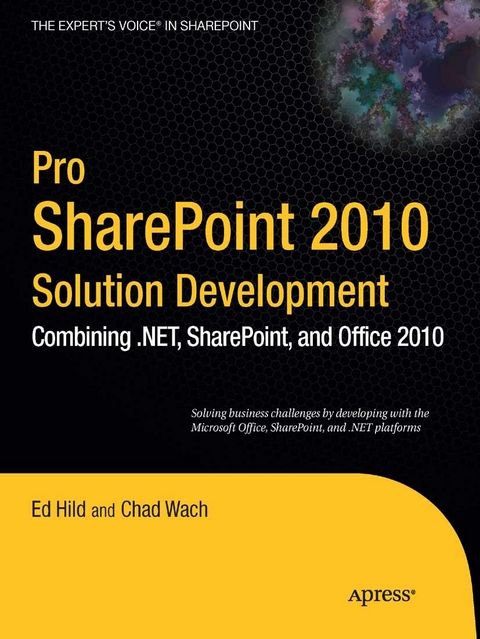
Pro SharePoint 2010 Solution Development (eBook)
392 Seiten
Apress (Verlag)
978-1-4302-2782-3 (ISBN)
This book takes a practical problem-solution approach to common business challenges. You'll not only encounter interesting code samples, but also see how to combine these examples with the Microsoft collaboration platform's services. The book's solutions focus on using Visual Studio 2008 and its built-in Office development tools to construct the user interface layer. And solutions can interact with SharePoint as a service provider, taking advantage of SharePoint's many collaboration features like document repositories, collaboration sites, and search functions.
This book is unique because it starts with challenges that end users deal with every day when using the Microsoft collaboration platform to support business processes. The solutions are presented as hypothetical business challenges of a fictional company. By presenting the examples in this context, author Ed Hild makes it easier to relate to the challenges and solution value. The goal of these examples is to build applications that apply the benefits of the Office desktop interface to the richness of SharePoint collaboration features. This book will help you develop real-world solutions to complex business problems and challenges.
Ed Hild's first job after college was as a math and computer science teacher at Walt Whitman High School in Bethesda, Maryland. After upgrading the curriculum, he decided to practice what he was teaching and moved into consulting. Ed soon felt the teaching itch again, and took a position teaching MCSD and MCSE courses for a technical education center as well as developing the software that would run the franchise. Ed gained most of his development experience at his next position as director of technology at e.magination, a Microsoft partner in Baltimore. There, he worked for several years building web applications for a wide variety of customers using Microsoft technologies. He was then lured to Microsoft and now works as the collaboration technology architect in the Microsoft Technology Center in Reston, Virginia.
This book takes a practical problem-solution approach to common business challenges. You'll not only encounter interesting code samples, but also see how to combine these examples with the Microsoft collaboration platform's services. The book's solutions focus on using Visual Studio 2008 and its built-in Office development tools to construct the user interface layer. And solutions can interact with SharePoint as a service provider, taking advantage of SharePoint's many collaboration features like document repositories, collaboration sites, and search functions. This book is unique because it starts with challenges that end users deal with every day when using the Microsoft collaboration platform to support business processes. The solutions are presented as hypothetical business challenges of a fictional company. By presenting the examples in this context, author Ed Hild makes it easier to relate to the challenges and solution value. The goal of these examples is to build applications that apply the benefits of the Office desktop interface to the richness of SharePoint collaboration features. This book will help you develop real-world solutions to complex business problems and challenges.
Ed Hild's first job after college was as a math and computer science teacher at Walt Whitman High School in Bethesda, Maryland. After upgrading the curriculum, he decided to practice what he was teaching and moved into consulting. Ed soon felt the teaching itch again, and took a position teaching MCSD and MCSE courses for a technical education center as well as developing the software that would run the franchise. Ed gained most of his development experience at his next position as director of technology at e.magination, a Microsoft partner in Baltimore. There, he worked for several years building web applications for a wide variety of customers using Microsoft technologies. He was then lured to Microsoft and now works as the collaboration technology architect in the Microsoft Technology Center in Reston, Virginia.
Title Page 1
Copyright Page 2
Contents at a Glance 4
Table of Contents 5
About the Authors 13
About the Technical Reviewer 14
Introduction 15
Who This Book Is For 16
Downloading the Code 16
Contacting the Authors 16
CHAPTER 1 Office Business Applications 17
Overview of the Solutions Chapters 21
Chapter 5: Beyond the Spreadsheet 21
Chapter 6: Merging SharePoint List Data into Word Documents— 21
Chapter 7: Automating Document Assembly 21
Chapter 8: Extending PowerPoint to Build a Presentation Based on SiteContent— 22
Chapter 9: Building a Presentation Server-Side within a Web Part 22
Chapter 10: Surfacing Line-of-Business Data in Outlook 22
Chapter 11: Site Provisioning Workflows 22
Chapter 12: Rapid SharePoint Application Development with Access 23
Chapter 13: Using Visio Services to Visualize Data 23
Chapter 14: Building Mashups 23
Development Environment Requirements 23
CHAPTER 2 SharePoint 2010: Overview and New Features 25
History of SharePoint Technologies 25
SharePoint 2010 Overview 27
Communities 31
Content 31
Search 34
Insights 35
Composites 37
Leveraging the Platform 40
CHAPTER 3 SharePoint Developmentwith Visual Studio 2010 41
SharePoint for the Professional Developer 41
A Brief History of SharePoint Development 42
What’s New in SharePoint for Developers 42
What’s New in Visual Studio for SharePoint 44
Building Your First Project 46
Creating the HelloWorld Project 46
Exploring the HelloWorld Project 48
Creating the HelloWorldFeature Feature 49
Deploying the HelloWorld Project 54
Further Reading 56
CHAPTER4 Microsoft Office Overviewfor Developers 57
Why Developers Should Care About Office 58
History of Microsoft Office Development 57
Development Opportunities with Office 58
The Open XML File Format 59
The Open XML Format SDK 65
Moving Toward Managed Code 67
Visual Studio Tools for Office 67
Developing with VSTO 69
Add-Ins 69
Ribbon Customization 71
Custom Panes 72
Outlook Form Regions 74
Document-Level Projects 75
The 2010 Enhancements 76
Deployment Guidelines 80
Further Reading 80
CHAPTER5 Beyond the Spreadsheet 82
Real-World Examples 82
Solution Overview 83
Solution Walkthrough 83
Introducing the Spreadsheet 83
Storage for Our Solution Files 86
Supporting Business Process 87
Create the Form 88
Add Lookups 89
Submitting the New Event 91
Deploying Our Form 98
Providing Insight 99
Viewing the Spreadsheet 99
Adding Comments 102
Creating the Chart Browser 106
Important Lessons 114
Extension Points 115
Further Reading 115
CHAPTER6 Merging SharePoint List Datain to Word Documents 116
Real-World Examples 116
Real-World Examples 116
Solution Overview 117
Solution Walkthrough 117
Creating Content Types 117
Building the CustomerDocuments Feature Project 121
Defining the Feature 123
Deploying the Feature 129
Building a Custom Application Page 130
Using a Custom XML Part in a Document Template 133
Performing the Merge 137
Important Lessons 139
Extension Points 140
Further Reading 141
CHAPTER7 Automating Document Assembly 142
Real-World Examples 142
Solution Overview 143
Solution Walkthrough 143
Setting up the SharePoint Site and Document ID Service 144
Preparing the Document Template 146
Creating the Visual Studio Tools for Office Solution 148
The Document Actions Pane 150
Extending Backstage 155
Deploying the Proposal Template Tool 158
Using SPMetal 160
The Proposal Document Event Handler 161
The Résumé Tasks Event Handler 168
Incorporating Word Automation Services 171
Important Lessons 176
Extension Points 176
Further Reading 177
CHAPTER8 Extending PowerPoint to Build a Presentation Basedon Site Content 179
Real-World Examples 179
Solution Overview 180
Solution Walkthrough 180
Creating the Project 180
Customizing the Ribbon 182
Architecture of the Task Pane and Wizard Step User Controls 184
The step1 User Control: Examining the Site 187
The step2 User Control: Building Objectives 190
The step3 User Control: Building Agenda Items 192
The step4 User Control: Integration with Slide Libraries 194
Important Lessons 196
Extension Points 197
Further Reading 198
CHAPTER9 Building a Presentation Server-Side within a Web Part 199
Real-World Examples 199
Solution Overview 199
Solution Walkthrough 200
Setting Up the Team Site and Content 201
Creating the Presentation Template 202
Creating the Project and Defining the SharePoint Feature 203
Adding the Visual Web Part 205
Building the Web Part User Interface 209
Overview of Office XML Formats, SDK Tool, and PresentationML 210
The SPMetal Tool 214
Iterating through the Template 216
Building the Title Slide 217
Building the Slide for Hardware Issues 219
Building the Slide for Software Issues 221
Deploying and Debugging the Web Part 223
Important Lessons 225
Extension Points 226
Further Reading 226
CHAPTER10 Surfacing Line-of-Business Data in Outlook 227
Real-World Examples 227
Solution Overview 228
Solution Walkthrough 228
The Sample LOB Database 229
Creating the External Content Type with SharePoint Designer 231
Connecting the External List to Outlook 237
Visualizing Customer Order Data using Excel 240
Extending the Outlook Contact Form 246
Important Lessons 250
Extension Points 251
Further Reading 252
CHAPTER11 Site Provisioning Workflows 253
Real-World Examples 253
Solution Overview 253
Solution Walkthrough 254
Proposing the Workflow Using Visio 254
Building the Custom Workflow Activity 257
Deploying the Activity through a SharePoint Feature 262
Preparing the SharePoint Site 269
Building the Workflow with SharePoint Designer 272
Exporting the Updated Visio Diagram 280
Testing the Solution 280
Important Lessons 282
Extension Points 282
Further Reading 283
CHAPTER12 Rapid SharePoint Application Development Using Access 285
Real-World Examples 285
Solution Overview 286
Solution Walkthrough 286
Create the Asset Tracking System Database 286
Create a Web Database 286
Add Some Forms 292
What about the Code? 298
Reporting is Key 305
Publishing Our Asset Tracking System to SharePoint Using Access Services 309
Now What? 310
Important Lessons 311
Extension Points 311
CHAPTER13 Using Visio Services to Visualize Data 313
Real-World Examples 313
Solution Overview 314
Solution Walkthrough 314
Creating the Floor Plan 314
Setting up the Data 316
Giving Our Floor Plan Life 322
Sharing Your Floor Plan 325
Adding More Interactivity 326
Setting up the Project 327
Writing Some Code 328
Adding an Overlay 330
Adding a UI 331
Responding to Clicks 332
The Home Stretch 335
Important Lessons 337
Extension Points 337
Further Reading 338
CHAPTER14 Building Mashups 339
Real-World Examples 339
Solution Overview 339
Solution Walkthrough 340
Getting the Bing Maps Silverlight SDK 340
Create the Silverlight Mashup Application 341
Retrieve and Parse the Geocoded RSS Feed 346
Retrieve and Parse the KML file 350
Add the SharePoint List to the Mashup 354
Deploy the Mashup as a Sandboxed Solution 357
Create a Geocoded Contacts List Feature 361
Setting up the SharePoint Site 366
Important Lessons 368
Extension Points 369
Further Reading 369
CHAPTER15 Realizing the Vision 371
Viewing SharePoint as a Set of Services 372
A Real-World Example 375
A Thank-You 375
Index 376
| Erscheint lt. Verlag | 4.8.2010 |
|---|---|
| Zusatzinfo | 392 p. |
| Verlagsort | Berkeley |
| Sprache | englisch |
| Themenwelt | Mathematik / Informatik ► Informatik ► Netzwerke |
| Mathematik / Informatik ► Informatik ► Software Entwicklung | |
| Mathematik / Informatik ► Informatik ► Theorie / Studium | |
| Schlagworte | ACCESS • Business Process • InfoPath • Microsoft Office • Microsoft Office 2007 • Offline • Outlook • PowerPoint • Processing • spreadsheet • Technology • Visio • Visual Studio • WORD |
| ISBN-10 | 1-4302-2782-6 / 1430227826 |
| ISBN-13 | 978-1-4302-2782-3 / 9781430227823 |
| Informationen gemäß Produktsicherheitsverordnung (GPSR) | |
| Haben Sie eine Frage zum Produkt? |
 PDF (Wasserzeichen)
DRM: Digitales Wasserzeichen
Dieses eBook enthält ein digitales Wasserzeichen und ist damit für Sie personalisiert. Bei einer missbräuchlichen Weitergabe des eBooks an Dritte ist eine Rückverfolgung an die Quelle möglich.
Dateiformat: PDF (Portable Document Format)
Mit einem festen Seitenlayout eignet sich die PDF besonders für Fachbücher mit Spalten, Tabellen und Abbildungen. Eine PDF kann auf fast allen Geräten angezeigt werden, ist aber für kleine Displays (Smartphone, eReader) nur eingeschränkt geeignet.
Systemvoraussetzungen:
PC/Mac: Mit einem PC oder Mac können Sie dieses eBook lesen. Sie benötigen dafür einen PDF-Viewer - z.B. den Adobe Reader oder Adobe Digital Editions.
eReader: Dieses eBook kann mit (fast) allen eBook-Readern gelesen werden. Mit dem amazon-Kindle ist es aber nicht kompatibel.
Smartphone/Tablet: Egal ob Apple oder Android, dieses eBook können Sie lesen. Sie benötigen dafür einen PDF-Viewer - z.B. die kostenlose Adobe Digital Editions-App.
Buying eBooks from abroad
For tax law reasons we can sell eBooks just within Germany and Switzerland. Regrettably we cannot fulfill eBook-orders from other countries.
aus dem Bereich