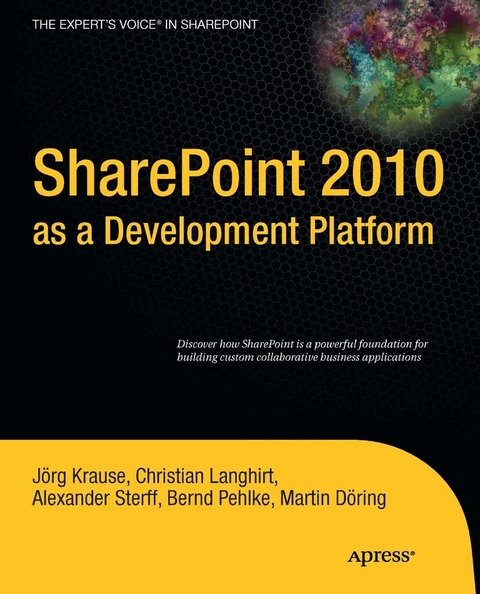
SharePoint 2010 as a Development Platform (eBook)
1164 Seiten
Apress (Verlag)
978-1-4302-2707-6 (ISBN)
SharePoint is gaining recognition as a full-fledged application server with many features and enhancements that specifically allow non-developers to create sophisticated intranet sites. However, with the 2010 release, Microsoft's SharePoint increasingly becomes a compelling development platform. The strong application programming interface (API), its highly extensible nature, and its foundation on the underlying .NET Framework all generate 'the perfect storm' to make it one of the most powerful web development platforms available.
However, with power comes complexity. The wide range of usage scenarios make it difficult for developers to grasp the full ability of this next-generation platform. This book takes an in-depth, all-encompassing approach to programming concepts, the extensibility interfaces, and how to embrace SharePoint as a toolkit full of features available to web developers.
- Take an in-depth look into the internals of SharePoint.
- Create sophisticated applications using SharePoint controls and databases.
- Understand the API and use in conjunction with ASP.NET to extend SharePoint.
SharePoint is more than a portal and more than an intranet. Harness its capabilities and put it to work for you.
Joerg Krause has been working with software and software technology since the early 1980s, starting with a ZX-81 and taking the first steps using BASIC and assembler language. He studied information technology at Humboldt University Berlin, Germany, but left early to start his own operation in the 1990s. He is the author of several books about Online Marketing, PHP, ASP.NET, and SharePoint. He s MCP for .NET technology and SharePoint development. He currently works as a freelance consultant and software developer for Microsoft Technologies. Joerg can be reached at joerg@krause.net and you can get more information at http://www.joergkrause.de.
SharePoint is gaining recognition as a full-fledged application server with many features and enhancements that specifically allow non-developers to create sophisticated intranet sites. However, with the 2010 release, Microsoft's SharePoint increasingly becomes a compelling development platform. The strong application programming interface (API), its highly extensible nature, and its foundation on the underlying .NET Framework all generate "e;the perfect storm"e; to make it one of the most powerful web development platforms available. However, with power comes complexity. The wide range of usage scenarios make it difficult for developers to grasp the full ability of this next-generation platform. This book takes an in-depth, all-encompassing approach to programming concepts, the extensibility interfaces, and how to embrace SharePoint as a toolkit full of features available to web developers. Take an in-depth look into the internals of SharePoint. Create sophisticated applications using SharePoint controls and databases. Understand the API and use in conjunction with ASP.NET to extend SharePoint. SharePoint is more than a portal and more than an intranet. Harness its capabilities and put it to work for you.
Joerg Krause has been working with software and software technology since the early 1980s, starting with a ZX-81 and taking the first steps using BASIC and assembler language. He studied information technology at Humboldt University Berlin, Germany, but left early to start his own operation in the 1990s. He is the author of several books about Online Marketing, PHP, ASP.NET, and SharePoint. He s MCP for .NET technology and SharePoint development. He currently works as a freelance consultant and software developer for Microsoft Technologies. Joerg can be reached at joerg@krause.net and you can get more information at http://www.joergkrause.de.
Title Page 1
Copyright Page 2
Contents at a Glance 3
Table of Contents 4
About the Author 11
About the Technical Reviewer 13
Acknowledgments 14
Introduction 15
What Does This Book Cover? 15
Conventions Used in This Book 15
Who Is This Book For? 16
Prerequisites 16
How This Book Is Organized 16
Support 17
Welcome to SharePoint Development 17
SharePoint Applications 18
The SharePoint Community 20
Windows SharePoint Foundation for Developers 20
The Execution Environment 20
The Data Layer 20
The Business Logic Layer 21
The User Interface Layer 21
The Security Layer 22
The Developer Toolbox 23
Microsoft SharePoint Server for Developers 23
Content 23
Search 23
Dashboards 24
Forms and Workflows 24
Community 24
Content Publishing 24
Applications Make the World Go Round 25
PART 1 Basic Tasks 26
CHAPTER 1 Developer Basics 27
Before You Start 27
Setting Up a Development Environment for SharePoint 28
Working Outside a Server 28
Considering Remote Development 29
Installation Scenarios 29
Developer Workstation on Windows Vista or Windows 7 30
Steps for Vista SP1 Only 31
Installing Required Windows Features 31
Installing Visual Studio 2010 35
Team Development 35
Optimizing Your Development Experience 35
Preparing to Use .NET 3.5 36
SharePoint’s Developer Support at a Glance 37
Bridging the Gap 38
Connecting Your Systems 38
Advantages of SharePoint Functions 40
Understanding the API 40
Critical Tasks 42
Debugging the Server 42
Looking into the Event Log for SharePoint 43
Looking into the SharePoint and IIS Logs 43
Using Common Debugging Techniques 44
The Developer Dashboard 44
Activating the Developer Dashboard Using stsadm 44
Activating the Developer Dashboard Using PowerShell 45
Activating the Developer Dashboard Using Code 46
Working with the Developer Dashboard 46
Making Your Code Dashboard-Aware 47
Debugging the Client 49
Using Fiddler to Understand What’s Going on the Wire 49
Using Developer Tools to Investigate What’s Running in the Browser 51
Introducing Visual Studio 2010’s SharePoint Support 52
Visual Studio 2010 52
Preparing Visual Studio 53
The SharePoint Development Templates 53
Adding Items to a Project 56
Investigating a Package 57
The Feature Designer 57
Working with SharePoint Designer Workflows 58
Importing Packages 58
Creating a Package 58
Building and Deploying 59
SharePoint Designer 2010 vs. Visual Studio 2010 59
SharePoint Designer 2010 for Professional Developers 60
Installation Hints 61
Features at a Glance 61
SharePoint Designer Rights 61
New Dashboard Interface 62
Simplified Object Creation 63
Easy Use of Content Types 63
Resource Management 64
XSLT Views 65
Accessing Data Sources 65
Managing Business Data Connectivity Services 65
Managing Workflows 65
Master and Site Pages 66
SharePoint as a Development Toolkit and Framework 66
Command-Line Tools 66
psconfig.exe 66
stsadm.exe 66
SPMetal.exe 67
Graphical Tools 67
psconfigui.exe 67
Handling 64-Bit Quirks 67
Programming SharePoint Using a Console Application 67
Programming SharePoint Using ASP.NET 68
Preparing ASP.NET for the x64 Platform 69
Configuring IIS to Run with the Right Account 70
Summary 72
CHAPTER 2 Architecture 74
The Architectural View 74
SharePoint 2010 Foundation 75
SharePoint Server 76
Why Develop with the SharePoint Platform? 76
The Technical Integration 76
IIS and ASP.NET 77
What Is ASP.NET? 77
From ISAPI to ASP.NET 77
The IIS 7 Integrated Pipeline 78
ASP.NET Extensibility 82
Modules, Handlers, and IIS 82
The Provider Model 84
The Configuration Model 85
Virtual Path Provider 85
SharePoint Integration with ASP.NET 86
Understanding the Web Application 86
Understanding the Configuration 89
Using the Virtual Path Provider 90
SharePoint and Ajax 91
What Is Ajax? 91
Security Model 91
Safe Mode 92
Safe Controls 92
Manipulating web.config to Add Safe Controls Programmatically 92
Making a Web Part Safe by Default 93
The Foundation’s Object Model 94
Data-Related Building Blocks 95
Lists and Document Libraries 95
Files and Documents 98
Columns and Field Types 100
Queries and Views 105
Deployment- and Maintenance-Related Building Blocks 108
Features 108
Web Sites and Site Collections 113
Building Blocks to Create the UI 116
Pages and UI Support Elements 116
Ribbon 118
Web Parts 120
Control Flow, Action, and Events 121
Event Handling 121
Alerts 123
Workflows 124
The Administrative Object Model 126
Overview of Namespaces 126
An Administrative View 127
The Database Architecture 128
The Server Architecture 130
Working with Top-Level Objects 131
The Administrative Server Object Model Organization 133
Physical Hierarchy 134
Content Hierarchy 135
Services Hierarchy 137
Summary 138
CHAPTER 3 Accessing the API 139
Finding the Entry Points 139
Establishing the Site Context 140
Utilities, Helper Classes, and Support Classes 141
Examining the Namespaces 141
SPUtility Class Examples 141
Formatting a Date Using SPUtility.FormatDate 141
Getting the 14 Hive File System Path 142
Getting the Full (Absolute) URL 142
Redirecting to Another Page 143
Formatting Scalar Data 146
Common Utility Classes 147
The DateOptions Class 147
The SPUrlUtility Class 147
The SPHttpUtility Class 147
The SPDiffUtility Class 147
Object Disposal Issues 147
Best Practice Advice 147
Handling Objects Used in a Publishing Web 149
Disposing of Objects and Collections 151
Objects Owned by SharePoint 153
Example of Incorrect Disposal 154
Finding Incorrectly Disposed-Of Objects 155
SharePoint Security: Users and Roles 155
Security Primer 155
Authentication 155
Access 159
Search 160
Users, Groups, and Roles 160
Retrieving Users 161
Retrieving the Current User 162
Getting a Specific SPUser Object 163
Working with Groups 163
Security Issues in Custom Code 165
Running with Elevated Privileges 166
Securing Objects 169
Handling Authorization Failures 173
Using Helper Classes 175
The Isolated Programming Style 176
Console-Based Applications 177
Creating a Console Application 177
Controlling a Console Application Using Parameters 179
Handling Output of a Console Application 182
Using Object Constructors 182
Console Example 183
Windows Forms and WPF Applications 185
Summary 185
CHAPTER 4 Data Access 186
Organizing Data in Lists 186
Lists and Their Elements 186
Lists and Content Types 187
Content Type Elements 188
Working with Lists 188
Creating a List Programmatically 190
Adding Fields to the List 192
Changing Field Properties 193
Enumerating the Fields Collection 194
Adding Items to the List 194
Working with Collections 195
Working with Attachments 196
Handle Huge Lists 200
Define and Use Views 201
Modifying an Existing View 204
Creating a New View Programmatically 205
Custom Field Types 206
Content Types 207
Difference between Lists and Libraries 207
Parts of a Content Type 207
When to Use Content Types Programmatically 210
Item- and List-Level Event Receivers 210
Synchronous vs. Asynchronous Events 210
List Item Events 211
List Events 212
Developing and Deploying an Event Receiver 213
The Elements.xml 215
The Event Handler Code 215
Document Libraries and Document Sets 218
Libraries, Folders, and Documents 218
Example: Reading a File from the Shared Documents Library 218
Example: Adding a Folder to a Library 220
Example: Saving Data to Libraries 220
Example: Deleting a File 221
Working with Office Documents 222
Enriching a Word Document with Placeholders 223
Creating Documents from Templates 225
Working with Open Packaging Convention Packages 225
Creating the Report 226
Document Sets 229
Advantages of Document Sets 230
Prepare Document Sets 230
Access a Document Set Programmatically 233
Reading the Properties 234
Example: Checking Whether an Item Is in a Set 235
Query Data Using CAML and LINQ 235
CAML vs. LINQ 235
Obsolete Methods in SharePoint 2010 236
Avoid Using SharePoint Data Providing Web Services 236
Avoid Direct Calls to owssvr.dll 236
Query Data Using CAML 236
Understanding CAML 236
Using CAML to Retrieve Data 237
How to Create a CAML Query 238
The Query Schema 239
Working with Lists, Joins, and Projections 241
Using List Joins and Projections in Site Templates 245
Understanding LINQ 245
Examining the LINQ Basics 245
Architecture of LINQ 246
Keywords 247
Enumerations 247
Operators 247
Simple Queries 248
Aggregators 250
Selectors 251
LINQ to SharePoint 251
Understanding the LINQ to SharePoint Provider 252
Creating the Layer with SPMetal.exe 254
Where to Get SPMetal? 254
How to Use SPMetal? 255
Advanced Configuration 255
What SPMetal Generates 256
Using LINQ 259
Example: Reading Data 259
Example: Read Joined Data 261
Example: Inserting Items Using EntityList< T>
Example: Deleting Items 262
Example: Updating Properties Using the ForEach Pattern 263
Advanced List Examples 263
Handle Queries Containing Functions 264
Customize the Mapping 264
Track Changes 267
Declare Your Own Type Classes 270
Examine Relationships 270
Understanding LINQ to CAML Conversion 274
Summary 275
CHAPTER 5 External Data Access 276
Introducing External Data Access 276
Query Data Using Data Services 277
The WCF Data Services Framework 277
Introducing REST 278
What About SOAP? 278
Constraints and Opportunities 279
Addresses for Resources 279
Reading the Response 279
Install and Use WCF Data Services 281
Download the Data Services Update 282
Installing the Package 282
Programming WCF Data Services with SharePoint 282
Data Services URIs and URI Parameters 285
Options for Data Representation 288
Querying Data 288
Examples 288
Work with Data Services 289
External Data: Business Connectivity Services 291
Business Connectivity Architecture at a Glance 291
External Content Types 292
Create an External Content Type Using SharePoint Designer 292
Manage Appropriate Security Settings 297
Access External Data 298
Create an External List Using the Browser UI 299
Access External Data Through the Object Model 300
Access External Data Through the Client Object Model 301
Highly Efficient Data Access 301
Using LINQ to SQL 301
Understanding the Content Database 301
Creating SQL Views for SharePoint Lists 305
Querying with LINQ to SQL 309
Limitations of This Method 312
Conclusion 313
Efficient Access to Huge Lists 313
Using Paging in Advanced Scenarios 314
Summary 315
CHAPTER 6 Web Parts 316
Fundamentals 316
Usage Scenarios 316
Distinctions Between SharePoint and ASP.NET Web Parts 317
Web Part Primer 318
Creating a Simple Web Part 319
Built-In Web Parts 320
Web Part Properties 321
Web Part in a Chrome 321
Securing Web Parts 322
Visual Web Parts 328
Understanding the Project Structure 330
Running Visual Web Parts in a Sandbox 333
Creating Visual Web Parts 333
Understanding ASP.NET Web Parts 335
How It Works 336
The Zone Concept 339
Structure of a Web Part Page 340
SPWebPartManager 344
WebPartZone 344
EditorZone 344
CatalogZone 344
ConnectionsZone 345
WebPart’s Class Hierarchy 345
Advanced Web Part Development 346
Personalizing Web Parts 346
Customizing the Property Pane 347
Understanding Properties 348
Global Settings 350
Editing Complex Properties with Editor Parts 350
Using Editor Parts to Edit Properties 350
Creating a Custom Editor Part Example 354
Editing Complex Properties Using a Pop-Up 364
Connectable Web Parts 368
Understanding Data Connections 368
Developing Connected Web Parts 369
Creating the Web Part Definition Files 369
Coding a Connected Web Part 371
Advanced Connection Scenarios 377
Using Generic Interfaces 377
Enhancing Web Parts Using Ajax 382
The Web Part Page Services Component 387
Creating Private Actions Using Verbs 387
Adding Entries to the Web Part Drop-Down Menu 387
Using Client Script to Handle Menu Clicks 388
Adding Server-Side and Client-Side Handlers 389
Asynchronous Web Parts 390
Making a Web Part Asynchronously 390
Creating an Asynchronous Data Source 394
Best Practices for Developing Web Parts for SharePoint 396
Avoiding Error-Prone Web Parts 396
Handling All Exceptions to Prevent Web Part Page Failures 396
Checking Permissions Before Rendering Your Web Part 397
Validating Properties Before Saving Changes to the Database 397
Specifying Custom Error Messages When Appropriate 397
Validating All User Input 398
Optimizing Performance 398
Registering the Client-Side Script Shared by Multiple Web Parts to Improve Performance 398
Techniques to Improve Web Part Performance 399
Supporting the End User 399
Specifying Whether Web Part Properties Can Be Exported 400
Supporting SharePoint Designer and the Visual Studio Design-Time Experience 401
Making Properties User-Friendly in the Tool Pane 401
Encoding All User Input Rendered to the Client 402
Checking Web Part Zone Properties Whenever You Attempt to Save Changes 403
Using Simple Types for Custom Properties You Define 403
Making Properties Independent of Each Other If They Both Appear in the Tool Pane 404
Making Web Parts Easily Searchable in the Galleries 404
Providing a Preview of Your Web Part for the Web Part Gallery 404
Localizing Your Custom Properties 405
Supporting Anonymous Access 405
Help Using Resources 405
Summary 406
CHAPTER 7 Templates 407
Templates Overview 407
Column Templates 408
List Templates 411
List Definitions vs. List Templates 412
Custom List Definitions 412
List Template Definition Files 416
The List Element 416
The ContentTypes Element 417
The Fields Element 418
The Views Element 420
Forms 425
Using List Templates 426
Site Templates 428
Visual Studio 2010 Support 429
SiteTemplate vs. SiteDefinition 430
Site Definition Structure 431
webTemp.xml 431
default.aspx 435
Onet.xml 437
Using a Site Definition 445
stsadm.exe 445
Create Workspace or Site Collection via the UI 446
Custom Code 447
Summary 448
CHAPTER 8 Application Techniques 449
Application Pages 449
Creating Application Pages Using Visual Studio 449
Using the Base Class 452
Using Inline Code 452
Using Code-Behind 454
Using the Master Page 454
Integrating Application Pages 455
Security Considerations 455
Resources and Localization 456
Resource Primer 456
Defining Resources in SharePoint 457
Usage Scenarios in SharePoint 459
Using Resources in Web Parts 459
Using Resources for Static Data in Web Parts 460
Using Resources for Localization with Embedded Resource Files 463
Using Resources to Localize Web Part Attributes 464
Using Resources for Linked Data 465
The Resource Manager 468
Using Resources to Localize a Feature 469
The Event Model 471
The Event Receiver Principles 471
Events at a Glance 471
Events at the Deployment Stage: Feature Receivers 472
Creating a Feature with the Application Page’s Navigation 473
Creating the Feature Receiver 474
Registering the Event 477
Events at the Site and Site Collection Levels 478
Defining the Event Receiver 479
Creating a Web Event Receiver Class 480
Dealing with Error Conditions 481
Sending E-mail 482
Sending E-mail Using ASP.NET 482
Using SharePoint’s Mail-Sending Classes 483
Sending E-Mail from a WCF Service 485
Custom Helper Classes 486
Data Manager Functions 486
Getting a Web with Elevated Privileges 486
Getting a List Instance 487
Getting a List with a Data Model Behind the Scenes 487
Extension Methods Elaborated 493
Caching Queries to Improve Performance 498
Summary 499
CHAPTER 9 Solution Deployment 500
SharePoint Features 500
Solution Packages 504
Sandboxed Solutions 508
Restrictions of Sandboxed Solutions 508
The Sandbox Architecture 510
Life Cycle of a Sandboxed Solution 510
Deploying a Sandboxed Solution 512
Upgrading a Sandboxed Solution 512
Monitoring Sandboxed Solutions 513
Sandboxed Solution Validators 515
Sandboxed Solution Full-Trust Proxies 516
Deploying Solution Packages Using PowerShell Cmdlets 518
PowerShell and SharePoint 2010 521
PowerShell Cmdlets for SharePoint 2010 Overview 522
Getting Help: What Are Cmdlets Good For? 523
Deploying a Farm Solution Package 523
Deploying a Sandboxed Solution using PowerShell 524
Deploying Solution Packages Using stsadm 524
Adding a Solution Package 525
Removing Solutions 526
Installing Features 526
Creating a Solution Package Step by Step 527
Step 1: Creating the Folder Structure 527
Step 2: Building the Feature 528
Step 3: Creating a Solution Definition 529
Step 4: Creating a DDF 530
Step 5: Creating the Solution Package 530
How To: Creating a Solution Package Using Visual Studio 2010 531
Using the Project Templates 532
Site and Security Level for Debugging 533
Adding SharePoint Items and Features to Your Project 533
Editing Your Features 535
Editing Your Solution Package 538
Project Properties and Deployment Configuration 540
Debugging the Solution 542
Packaging the Solution 543
How To: Creating a Sandboxed Solution Using Visual Studio 2010 544
Debugging the Solution 546
Creating a Full-Trust Proxy 547
Deploying the Full-Trust Proxy DLL to the GAC 551
Registering the Full-Trust Proxy Using a Feature Receiver 552
Using the Full-Trust Proxy to Extend a Sandboxed Solution 553
Creating a Solution Validator 555
Upgrading Custom Developed Solutions to SharePoint 2010 562
Backward Compatibility Mode 563
Reasons for Upgrading 563
Upgrading a VSeWSS Solution 564
Upgrading a WSP Package 567
Upgrading Custom Solutions 569
Using Existing SharePoint 2007 Code in SharePoint 2010 569
Deprecated APIs 570
Summary 571
PART 2 User Interface 572
CHAPTER 10 Extending the User Interface 573
Master Pages 573
Master Page Types 575
System Master Page (Default Master Page) 575
Site Master Page (Custom Master Page) 576
Application Master Pages 577
Dialog Master Pages 585
Content Pages vs. Application Pages 589
Conclusion 589
Master Page Tokens 590
Dynamic Tokens 590
Static Tokens 591
Master Page Gallery 592
Example: Applying a Master Page Recursively 593
Navigation 596
Navigation Controls 596
Top Link Bar Navigation 597
Quick Launch Navigation 599
Breadcrumb Navigation 601
Tree View Navigation 602
Understanding ASP.NET Site Map Providers 602
SharePoint Foundation Navigation Providers 604
The SPNavigationProvider Class 605
The SPSiteMapProvider Class 605
The SPContentMapProvider Class 605
The SPXmlContentMapProvider Class 605
SharePoint Server Navigation Providers 606
Example: Browsing Through Navigation Providers 608
Themes 609
Understanding Themes 610
Customization Levels 610
Applying Fonts and Colors 611
Dynamic Stylesheets 611
Correlation with Office THMX Files 612
Separation of Design and Implementation 612
SharePoint Theming 612
Themes in SharePoint 2010 612
Theming Prerequisites 613
Theme Colors and Variations 613
Dynamic Stylesheets 614
Applying Themes 617
Creating Themable Application Pages 618
Extending the UI 622
Custom Actions 622
Custom Action Examples 627
Listing All Custom Actions 627
Extending Site Settings 630
Adding Nested Menus 631
Using Ribbons 635
Adding a Button 637
Removing a Button 638
Replacing a Button 638
Summary 639
CHAPTER 11 Using Web Controls 640
Overview 640
Field Controls 641
Understanding the BaseFieldControl Base Class 642
Custom Field Controls 647
Field Type Definition 648
XSL Stylesheets for Custom Fields 650
The Field Class 651
The Field-Rendering Control Class 652
The Field-Rendering Template 654
Getting the Custom Field to Work 655
Custom Field Properties 655
Field Editor User Control: Web Form (ASCX) 657
Field Editor User Control: Code-Behind (CS) 658
Input Form Controls 660
Sections 660
Text Controls 661
Check Boxes and Radio Buttons 662
Using Validator Controls 663
InputFormRequiredFieldValidator 664
InputFormCompareValidator 665
InputFormRangeValidator 665
InputFormRegularExpressionValidator 665
InputFormCustomValidator 666
Security Trimming 666
Deriving from SPSecurityTrimmedControl 668
Pickers and Selector Controls 668
Useful Controls 668
Schedule Picker 671
People Picker 673
Implementing Custom Pickers 678
The Data Source 679
Dialog Editor Class 681
Dialog Picker Class 683
Query Control Class 685
Getting the Custom Picker to Work 687
Toolbar and Ribbon Controls 689
Toolbar Control 689
Ribbon Control 691
Ribbon Basics 691
Ribbon Controls Overview 697
Customizing the Ribbon 703
Prerequisites for a Custom Ribbon 703
Creating a Feature with a Ribbon Definition 703
Creating an Application Page and Displaying the Ribbon Bar 704
Creating Client-Side JavaScript Code for a PageComponent Implementation 708
Implementing Server-Side Event Handlers 710
Data Controls 711
Working with the SPGridView Control 711
Example: Implementing a Grid for a SharePoint List 712
Example: Using the DataTable Class 714
Example: Adding Custom Menus 715
Example: Enabling Sorting 716
Example: Enabling Sorting and Filtering Using a LINQ Data Source 718
Working with the JS Grid Control 719
Features 720
Example: Using the JS Grid Control 722
Summary 726
CHAPTER 12 Client Programming 727
Understanding the Client Object Model 727
Getting Started 729
JavaScript Applications 731
Namespaces Overview 731
The Client Context 733
Authentication Modes 733
Client and Value Objects 734
Automatically Obtaining Object Identity 734
Working with Data 735
Data Loading and Querying 736
Differences and Limitations 738
Absolute and Relative URLs Within the Constructors 739
Different Data Types 739
Specifying the Authentication Mode 739
Using the Digest Web Control 739
Summary 740
Using the Dialog Framework 740
Working with Modal Pop-Up Dialogs 740
Using Callback Functions and Return Values 743
Building Dialog Pages 745
Working with Status Information and Notifications 748
Status API 748
Notification API 750
Development Best Practices 751
Preparing Visual Studio for JavaScript 751
Workaround to Enable JavaScript IntelliSense in Custom Application Pages 752
Using JavaScript IntelliSense Within JS Files 754
Programming Examples 755
Common Pitfalls 755
Objects Cannot Be Accessed Until They Are Loaded 755
Not All Values Are Retrieved 757
The Difference Between Value Objects and Client Objects 759
Accessing Webs and Sites 761
How to Retrieve Site and Web Properties 761
How to Retrieve Specific Properties Only 762
How to Update Properties 763
Accessing Lists 766
How to Retrieve All SharePoint Lists in a Web Site 766
How to Retrieve List Field Information 767
How to Create a New SharePoint List 768
How to Modify an Existing SharePoint List 769
How to Delete a SharePoint List 770
Accessing List Items 771
How to Retrieve All Items in a SharePoint List 771
How to Retrieve List Items Using CAML Queries 772
How to Create a New List Item 774
How to Update a List Item 775
How to Delete a List Item 776
Accessing Users and Roles 776
How to Add Users to a SharePoint Group 777
How to Retrieve Members of a SharePoint Group 778
How to Create a Role 779
How to Add Users or Groups to Roles 780
How to Create a New SharePoint Group and Assign the Group to a Role 782
How to Break the Role Inheritance 783
Accessing Web Parts 785
How to Update the Title of a Web Part 785
How to Add a Web Part to a Page 788
How to Delete a Web Part from a Page 790
Advanced Examples 792
How to Use Exception-Handling Scope 792
How to Use Conditional Scope 795
How to Access Large Lists 796
Summary 798
CHAPTER 13 Integrating Silverlight 799
Introducing Silverlight 799
Being Prepared for Silverlight 800
The Architecture of Silverlight 800
The Client Library 801
The Core Libraries 801
The Presentation Core 801
Silverlight and XAML 802
Describing a Silverlight UI Using XAML 802
Events 804
Silverlight Hosting and Distribution 810
Setup and Deployment 810
Treat Silverlight as an External Application 810
Cross-Domain Security 810
Managing the Client-Access Policy 811
Creating an HTTP Request Forwarder 812
Activating the Handler Using an External Application Provider 813
Integrating Silverlight 816
Using Silverlight in an Application Page 817
Using Silverlight in a Web Part 820
Accessing SharePoint Data 822
Using the SharePoint Client Object Model 822
Executing Queries 823
Example: Reading List Data from SharePoint and Writing Changes Back 823
Example: Accessing Lists 828
Retrieving All SharePoint Lists in a Web Site 828
Retrieving List Field Information 830
Creating a New SharePoint List 833
Retrieving List Items Using CAML Queries 836
Example: Accessing Users and Roles 837
How to Add Users to a SharePoint Group 837
Summary 841
CHAPTER 14 Integrating Charts and Maps 842
Data Access Scenarios 842
Integrating Charts 843
Understanding Microsoft Chart Controls 843
Prerequisites 844
Features 847
Setting Up 847
Using Microsoft Chart Control 849
Chart Elements 849
Working with Data 851
Conclusion 865
Using the Google Chart API 865
Chart Types 866
Using the Google Chart API with SharePoint 869
Using the Google Visualization API 872
Chart Types 875
Using the Google Visualization API with SharePoint 877
Integrating Map Services 877
Bing Maps 878
Integrating Bing Maps into Application Pages 878
Integrating Bing Maps into Web Parts 880
Populating Bing Maps Using the JavaScript Client Object Model 882
Google Maps 885
Integrating Google Maps into Application Pages 886
Integrating Google Maps into Web Parts 889
Populating Google Maps Using the JavaScript Client Object Model 890
Bing Maps vs. Google Maps 893
Limitations When Using SSL/HTTPS 893
Licensing 894
Summary 894
PART 3 Advanced Techniques 896
CHAPTER 15 Forms Services and InfoPath 897
Internals of InfoPath Forms 897
InfoPath Form Template 898
Form Definition Files 900
Form Schema File (XSD) 904
Form Views (XSL) 907
Form XML Template (XML) 908
InfoPath Form Data 908
Designing Browser-Enabled Form Templates 909
Defining the Data Structure 910
Designing the Form Templates 911
Adding Rules and Validation 912
Accessing External Data 914
Forms Security 918
Enabling Browser Support 920
Setting Form Compatibility 920
Configuring Interface Options for InfoPath Forms Services 922
Configuring Submit Options 923
Deploying InfoPath Forms to SharePoint 924
Using InfoPath Forms in SharePoint 925
Publishing and Deploying Using the InfoPath Wizard 926
Publishing Form Templates to Document Libraries 927
Publishing Form Templates as a Separate Content Type 927
Publishing Form Templates as Administrator-Approved Templates 928
Publishing Form Templates to a Network Location 929
Embedding Forms into SharePoint Features 930
Deploying Forms Using Command-Line Utilities 932
stsadm.exe 932
PowerShell Cmdlets 933
Deploying Forms with Code 934
Programming InfoPath Forms 935
Attaching Managed Code 935
InfoPath Object Model 937
Events 938
Accessing the Form Data 940
Maintaining State in Browser-Based Forms 942
Accessing Views 942
Handling Errors 943
InfoPath Forms Services 943
Preparing InfoPath Forms Services Support 943
State Service 944
Configuring InfoPath Forms Services 944
Configuring Libraries 946
Managing Form Templates 947
Displaying Forms in the InfoPath Form Web Part 947
Customizing the Browser View Using XmlFormView 949
Integrating XmlFormView in an Application Page 949
Accessing the XmlForm Object 951
Integrating InfoPath Forms with the Environment 953
Property Promotion and Demotion of XML Documents 953
Web Part Connection Parameters 956
Passing Parameters from SharePoint to InfoPath Forms 956
Summary 959
CHAPTER 16 Workflows 960
Workflows in SharePoint 960
SharePoint Workflow Basics 961
Workflow Building Blocks 961
Workflow Architecture 962
SharePoint Workflow Life Cycle 966
Using Workflows in SharePoint 968
SharePoint Out-Of-the-Box Workflows 968
Associate Workflows with SharePoint Items 969
Starting Workflows 972
Managing and Monitoring Running Workflows 973
User Interaction Using Tasks 976
Tools for Workflow Development 977
Visio 2010: Process Design 978
SharePoint Designer 2010: Declarative Workflow 979
Visual Studio 2010: Custom Workflows 984
Tool Comparison 986
Workflows with SharePoint Designer 987
Creating Workflows with SharePoint Designer 988
Declaring a Workflow using Actions and Conditions 988
Actions and Conditions 991
Working with Steps and Branches 996
Working with Tasks 996
Source Files of SharePoint Designer Workflows 998
Developing Custom Activities for SharePoint Designer 999
Setting Up the Visual Studio Solution 999
Implementing the Activity Class 1002
Describing a SharePoint Designer Action in the .ACTIONS File 1006
Applying Settings to the Configuration 1010
Custom Workflows with Visual Studio 1010
Understanding Workflow Foundation 1011
WF Activities and Their Facets 1011
Dependency Properties and Activity Binding 1015
Correlation Tokens 1017
SharePoint Workflow Object Model 1017
SPWorkflow 1020
SPWorkflowTemplate 1020
SPWorkflowAssociation 1020
SPWorkflowManager 1022
SPWorkflowTask 1022
SPWorkflowModification 1022
SPWorkflowEventReceiver 1023
SPItemKey 1023
Developing Workflows with Visual Studio 2010 1023
Modeling the Workflow 1024
Developing the Workflow 1024
Deploying Workflows 1033
Using ASPX Workflow Forms 1035
Integrate InfoPath Forms with Workflows 1043
Summary 1046
CHAPTER 17 Administrative Tasks 1047
Introduction 1047
Why Automate Tasks? 1048
Creating Objects 1049
Creating a Web Application 1049
Creating a Site Collection 1051
Creating a Web 1053
Working with Site Configurations 1055
Working with Site Properties 1055
Maintaining Settings in web.config Programmatically 1057
Setting Up the Configuration 1058
Accessing the Current Settings 1060
Working with Features 1061
Working with Site Information 1066
Retrieving the Configuration Database 1067
Summary 1068
CHAPTER 18 Enterprise Features 1069
Enterprise Search 1069
Search Products 1069
Preparing Index and Query Services 1070
Query Results from the Index 1071
User Profiles and My Sites 1074
Using User Profiles 1075
Work Within the Context of My Sites 1077
Personalize a User’s Settings 1077
Web Content Management 1078
Working with SPPublishingWeb Class 1079
Content Deployment 1080
What’s New in SharePoint 2010 Web Content Management 1082
Page Authoring Experience 1083
Rich Media Integration 1083
Content Query Web Part 1084
Web Analytics 1084
Advanced Document Management and Metadata 1084
Document Management 1084
Working with Metadata Navigation 1085
Working with Metadata Taxonomies 1086
Check In and Check Out 1088
Versioning 1089
Records Management 1090
Moving Documents to the Records Center Using the API 1091
Maintain Retention Policies 1092
Summary 1094
Index 1095
| Erscheint lt. Verlag | 28.12.2010 |
|---|---|
| Zusatzinfo | 1164 p. |
| Verlagsort | Berkeley |
| Sprache | englisch |
| Themenwelt | Mathematik / Informatik ► Informatik ► Netzwerke |
| Mathematik / Informatik ► Informatik ► Programmiersprachen / -werkzeuge | |
| Mathematik / Informatik ► Informatik ► Software Entwicklung | |
| Mathematik / Informatik ► Informatik ► Theorie / Studium | |
| Schlagworte | Business Intelligence • Complexity • Control • Database • Intranet • Management • programming |
| ISBN-10 | 1-4302-2707-9 / 1430227079 |
| ISBN-13 | 978-1-4302-2707-6 / 9781430227076 |
| Informationen gemäß Produktsicherheitsverordnung (GPSR) | |
| Haben Sie eine Frage zum Produkt? |
 PDF (Wasserzeichen)
DRM: Digitales Wasserzeichen
Dieses eBook enthält ein digitales Wasserzeichen und ist damit für Sie personalisiert. Bei einer missbräuchlichen Weitergabe des eBooks an Dritte ist eine Rückverfolgung an die Quelle möglich.
Dateiformat: PDF (Portable Document Format)
Mit einem festen Seitenlayout eignet sich die PDF besonders für Fachbücher mit Spalten, Tabellen und Abbildungen. Eine PDF kann auf fast allen Geräten angezeigt werden, ist aber für kleine Displays (Smartphone, eReader) nur eingeschränkt geeignet.
Systemvoraussetzungen:
PC/Mac: Mit einem PC oder Mac können Sie dieses eBook lesen. Sie benötigen dafür einen PDF-Viewer - z.B. den Adobe Reader oder Adobe Digital Editions.
eReader: Dieses eBook kann mit (fast) allen eBook-Readern gelesen werden. Mit dem amazon-Kindle ist es aber nicht kompatibel.
Smartphone/Tablet: Egal ob Apple oder Android, dieses eBook können Sie lesen. Sie benötigen dafür einen PDF-Viewer - z.B. die kostenlose Adobe Digital Editions-App.
Buying eBooks from abroad
For tax law reasons we can sell eBooks just within Germany and Switzerland. Regrettably we cannot fulfill eBook-orders from other countries.
aus dem Bereich