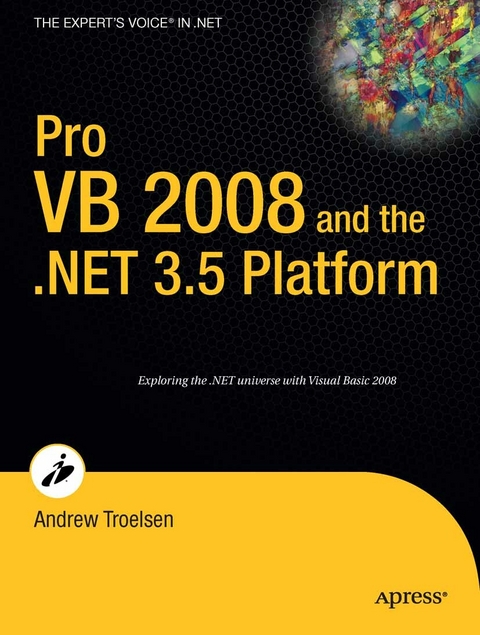
Pro VB 2008 and the .NET 3.5 Platform (eBook)
LX, 1377 Seiten
Apress (Verlag)
978-1-4302-0200-4 (ISBN)
This book provides a complete A-to-Z reference for using VB with the .NET 2.0 platform and the .NET 3.0 extensions. It contains new chapters that explore the interactions between the existing framework and the new extensions, offering readers an edge when they evaluate and implement .NET 3.0 for the first time. To provide even more support, the book comes with a bonus CD that provides over 500 pages of carefully selected additional content to help broaden a reader's understanding of both .NET 2.0 and .NET 3.0.
Andrew Troelsen is a partner, trainer, and consultant at Intertech Inc., and is a leading authority on both .NET and COM. His book Pro C# 2005 and the .NET 2.0 Platform won the prestigious 2003 Referenceware Excellence Award and is in its third edition. Also of note are his earlier five-star treatment of traditional COM in the bestselling Developer's Workshop to COM and ATL mirrored in his book, COM and .NET Interoperability, and his top-notch investigation of VB .NET in Visual Basic .NET and the .NET Platform: An Advanced Guide. Troelsen has a degree in mathematical linguistics and South Asian studies from the University of Minnesota, and is a frequent speaker at numerous .NET-related conferences. He currently lives in Minneapolis with his wife, Amanda, and spends his free time investigating .NET and waiting for the Wild to win the Stanley Cup. You can check out his blog at AndrewTroelsen.blogspot.com.
The point of this chapter was to demystify the garbage collection process. As you have seen, the garbage collector will only run when it is unable to acquire the necessary memory from the m- aged heap (or when a given AppDomain unloads from memory). When a garbage collection does occur, you can rest assured that Microsoft's collection algorithm has been optimized by the use of object generations, secondary threads for the purpose of object finalization, and a managed heap dedicated to host large objects. This chapter also illustrated how to programmatically interact with the garbage collector using the System. GC class type. As mentioned, the only time when you will really need to do so is when you are building finalizable or disposable class types. Recall that finalizable types are classes that have overridden the virtual System. Object. Finalize() method to clean up unmanaged resources (at some time in the future). Disposable objects, on the other hand, are classes (or structures) that implement the IDisposable interface. Using this technique, you expose a public method to the object user that can be called to perform internal cleanup ASAP. Finally, you learned about an of- cial "e;disposal"e; pattern that blends both approaches. PART 3 Advanced VB Programming Constructs CHAPTER 9 Working with Interface Types This chapter builds on your current understanding of object-oriented development by examining the topic of interface-based programming.
Andrew Troelsen is a partner, trainer, and consultant at Intertech Inc., and is a leading authority on both .NET and COM. His book Pro C# 2005 and the .NET 2.0 Platform won the prestigious 2003 Referenceware Excellence Award and is in its third edition. Also of note are his earlier five-star treatment of traditional COM in the bestselling Developer's Workshop to COM and ATL mirrored in his book, COM and .NET Interoperability, and his top-notch investigation of VB .NET in Visual Basic .NET and the .NET Platform: An Advanced Guide. Troelsen has a degree in mathematical linguistics and South Asian studies from the University of Minnesota, and is a frequent speaker at numerous .NET-related conferences. He currently lives in Minneapolis with his wife, Amanda, and spends his free time investigating .NET and waiting for the Wild to win the Stanley Cup. You can check out his blog at AndrewTroelsen.blogspot.com.
Contents at a Glance 5
Contents 7
About the Author 20
About the Technical Reviewer 20
Acknowledgments 21
Introduction and Welcome 22
We’re a Team, You and I 23
Who Should Read This Book? 23
An Overview of This Book 24
Obtaining This Book’s Source Code 31
Obtaining Updates for This Book 31
Contacting Me 31
Introducing Visual Basic 2008 and the . NET Platform 32
The Philosophy of .NET 33
Understanding the Previous State of Affairs 33
The . NET Solution 36
Introducing the Building Blocks of the . NET Platform ( the CLR, CTS, and CLS) 36
What Visual Basic 2008 Brings to the Table 37
Additional . NET- Aware Programming Languages 39
An Overview of . NET Assemblies 40
Understanding the Common Type System 46
Understanding the Common Language Specification 49
Understanding the Common Language Runtime 51
The Assembly/ Namespace/ Type Distinction 52
Using ildasm. exe 57
Using Lutz Roeder’s Reflector 60
Deploying the . NET Runtime 60
The Platform- Independent Nature of . NET 61
Summary 62
Building Visual Basic 2008 Applications 64
The Role of the . NET Framework 3.5 SDK 64
The VB 2008 Command- Line Compiler ( vbc. exe) 65
Building VB 2008 Applications Using vbc. exe 66
Working with vbc. exe Response Files 69
Building . NET Applications Using SharpDevelop 72
Building . NET Applications Using Visual Basic 2008 Express 75
Building . NET Applications Using Visual Studio 2008 76
The Role of the Visual Basic 6.0 Compatibility Assembly 88
A Partial Catalog of Additional . NET Development Tools 90
Summary 90
Core VB Programming Constructs 91
VB 2008 Programming Constructs, Part I 92
The Role of the Module Type 92
The Role of the Main Method 96
An Interesting Aside: Some Additional Members of the System. Environment Class 99
The System. Console Class 100
System Data Types and VB Shorthand Notation 104
Understanding the System. String Type 110
Narrowing ( Explicit) and Widening ( Implicit) Data Type Conversions 116
Building Visual Basic 2008 Code Statements 121
VB 2008 Flow- Control Constructs 123
VB 2008 Iteration Constructs 126
Summary 129
VB 2008 Programming Constructs, Part II 130
Defining Subroutines and Functions 130
Understanding Member Overloading 138
Array Manipulation in VB 2008 140
Understanding VB 2008 Enumerations 147
Introducing the VB 2008 Structure Type 153
Summary 155
Designing Encapsulated Class Types 156
Introducing the VB 2008 Class Type 156
Understanding Class Constructors 160
The Role of the Me Keyword 164
Understanding the Shared Keyword 169
Defining the Pillars of OOP 175
Visual Basic 2008 Access Modifiers 178
The First Pillar: VB 2008’s Encapsulation Services 181
Understanding Constant Data 188
Understanding Read- Only Fields 190
Understanding Partial Type Definitions 191
Documenting VB 2008 Source Code via XML 192
Visualizing the Fruits of Our Labor 197
Summary 198
Understanding Inheritance and Polymorphism 199
The Basic Mechanics of Inheritance 199
Revising Visual Studio 2008 Class Diagrams 203
The Second Pillar: The Details of Inheritance 204
Programming for Containment/ Delegation 210
The Third Pillar: VB 2008’s Polymorphic Support 213
Understanding Base Class/ Derived Class Casting Rules 224
The Master Parent Class: System. Object 226
Summary 232
Understanding Structured Exception Handling 233
Ode to Errors, Bugs, and Exceptions 233
The Role of . NET Exception Handling 234
The Simplest Possible Example 236
Configuring the State of an Exception 240
System- Level Exceptions ( System. SystemException) 244
Application- Level Exceptions ( System. ApplicationException) 245
Processing Multiple Exceptions 248
The Finally Block 252
Who Is Throwing What? 253
The Result of Unhandled Exceptions 254
Debugging Unhandled Exceptions Using Visual Studio 2008 254
Blending VB6 Error Processing and Structured Exception Handling 256
Summary 256
Understanding Object Lifetime 258
Classes, Objects, and References 258
The Basics of Object Lifetime 259
The Role of Application Roots 262
Understanding Object Generations 264
The System. GC Type 265
Building Finalizable Objects 268
Building Disposable Objects 271
Building Finalizable and Disposable Types 273
Summary 276
Advanced VB Programming Constructs 277
Working with Interface Types 278
Understanding Interface Types 278
Defining Custom Interfaces 280
Implementing an Interface 282
Interacting with Types Supporting Interfaces 285
Resolving Name Clashes with the Implements Keyword 291
Building Enumerable Types ( IEnumerable and IEnumerator) 296
Building Comparable Objects ( IComparable) 303
Using Interfaces As a Callback Mechanism 308
Summary 312
Collections, Generics, and Nullable Data Types 313
The Nongeneric Types of System. Collections 313
System. Collections. Specialized Namespace 320
Understanding Boxing and Unboxing Operations 320
Type Safety and Strongly Typed Collections 324
The System. Collections. Generic Namespace 329
Understanding Nullable Data Types and the System. Nullable( Of T) Generic Type 332
Creating Generic Methods 335
Creating Generic Structures ( or Classes) 338
Creating a Custom Generic Collection 339
Creating Generic Interfaces 345
Creating Generic Delegates 346
Summary 348
Delegates, Events, and Lambdas 349
Understanding the . NET Delegate Type 349
The Simplest Possible Delegate Example 353
Retrofitting the Car Type with Delegates 356
Understanding ( and Using) Events 361
Defining a “ Prim- and- Proper” Event 367
Defining Strongly Typed Events 369
Customizing the Event Registration Process 370
Visual Basic Lambda Expressions 374
Summary 379
Operator Overloading and Custom Conversion Routines 381
Understanding Operator Overloading 381
The Details of Value Types and Reference Types 387
Creating Custom Conversion Routines 396
Defining Implicit Conversion Routines 399
The VB DirectCast Keyword 400
Summary 403
VB 2008–Specific Language Features 404
Understanding Implicit Data Typing 404
Understanding Extension Methods 412
Understanding Object Initializer Syntax 420
Understanding Anonymous Types 424
Summary 429
An Introduction to LINQ 430
Understanding the Role of LINQ 430
A First Look at LINQ Query Expressions 433
LINQ and Generic Collections 438
LINQ and Nongeneric Collections 440
The Internal Representation of LINQ Query Operators 441
Investigating the VB LINQ Query Operators 445
LINQ Queries: An Island unto Themselves? 453
Summary 454
Programming with .NET Assemblies 455
Introducing .NET Assemblies 456
The Role of . NET Assemblies 456
Understanding the Format of a . NET Assembly 458
Constructing Custom . NET Namespaces 462
Building and Consuming a Single- File Assembly 467
Building and Consuming a Multifile Assembly 476
Understanding Private Assemblies 479
Understanding Shared Assemblies 485
Consuming a Shared Assembly 490
Configuring Shared Assemblies 492
Understanding Publisher Policy Assemblies 496
Understanding the < codeBase>
The System. Configuration Namespace 499
Summary 500
Type Reflection, Late Binding, and Attribute- Based Programming 501
The Necessity of Type Metadata 501
Understanding Reflection 505
Building a Custom Metadata Viewer 508
Dynamically Loading Assemblies 512
Reflecting on Shared Assemblies 514
Understanding Late Binding 516
Understanding Attributed Programming 518
Building Custom Attributes 523
Assembly- Level ( and Module- Level) Attributes 525
Reflecting on Attributes Using Early Binding 527
Reflecting on Attributes Using Late Binding 528
Putting Reflection, Late Binding, and Custom Attributes in Perspective 529
Building an Extendable Application 529
Summary 534
Processes, AppDomains, and Object Contexts 535
Reviewing Traditional Win32 Processes 535
Interacting with Processes Under the . NET Platform 537
Understanding . NET Application Domains 544
Understanding Object Context Boundaries 549
Summarizing Processes, AppDomains, and Context 553
Summary 554
Building Multithreaded Applications 555
The Process/ AppDomain/ Context/ Thread Relationship 555
A Brief Review of the . NET Delegate 557
The Asynchronous Nature of Delegates 559
Invoking a Method Asynchronously 560
The System. Threading Namespace 565
The System. Threading. Thread Class 566
Programmatically Creating Secondary Threads 569
The Issue of Concurrency 574
Programming with Timer Callbacks 580
Understanding the CLR ThreadPool 582
The Role of the BackgroundWorker Component 583
Summary 587
.NET Interoperability Assemblies 588
The Scope of . NET Interoperability 588
A Simple Example of . NET to COM Interop 589
Investigating a . NET Interop Assembly 592
Understanding the Runtime Callable Wrapper 595
The Role of COM IDL 597
Late Binding to the CoCalc Coclass 603
Building a More Interesting VB6 COM Server 604
Examining the Interop Assembly 607
Understanding COM to . NET Interoperability 610
The Role of the CCW 612
The Role of the . NET Class Interface 613
Building Your . NET Types 614
Generating the Type Library and Registering the . NET Types 617
Examining the Exported Type Information 618
Building a Visual Basic 6.0 Test Client 619
Summary 620
Introducing the .NET Base Class Libraries 621
File and Directory Manipulation 622
Exploring the System. IO Namespace 622
The Directory( Info) and File( Info) Types 623
Working with the DirectoryInfo Type 624
Working with the Directory Type 628
Working with the DriveInfo Class Type 629
Working with the FileInfo Class 630
Working with the File Type 633
The Abstract Stream Class 635
Working with StreamWriters and StreamReaders 638
Working with StringWriters and StringReaders 641
Working with BinaryWriters and BinaryReaders 642
Programmatically “ Watching” Files 644
Performing Asynchronous File I/ O 646
Summary 647
Introducing Object Serialization 648
Understanding Object Serialization 648
Configuring Objects for Serialization 651
Choosing a Serialization Formatter 652
Serializing Objects Using the BinaryFormatter 654
Serializing Objects Using the SoapFormatter 655
Serializing Objects Using the XmlSerializer 656
Persisting Collections of Objects 659
Customizing the Serialization Process 660
Summary 666
ADO.NET Part I: The Connected Layer 667
A High- Level Definition of ADO. NET 667
Understanding ADO. NET Data Providers 669
Additional ADO. NET Namespaces 672
The Types of the System. Data Namespace 672
Abstracting Data Providers Using Interfaces 677
Creating the AutoLot Database 679
The ADO. NET Data Provider Factory Model 685
Understanding the Connected Layer of ADO. NET 691
Working with Data Readers 696
Building a Reusable Data Access Library 698
Creating a Console UI – Based Front End 706
Asynchronous Data Access Using SqlCommand 711
An Introduction to Database Transactions 712
Summary 717
ADO.NET Part II: The Disconnected Layer 718
Understanding the Disconnected Layer of ADO. NET 718
Understanding the Role of the DataSet 719
Working with DataColumns 722
Working with DataRows 724
Working with DataTables 728
Binding DataTable Objects to User Interfaces 733
Filling DataSet/ DataTable Objects Using Data Adapters 743
Revisiting AutoLotDAL. dll 746
Navigating Multitabled DataSet Objects 749
The Data Access Tools of Visual Studio 2008 755
Decoupling Autogenerated Code from the UI Layer 766
Summary 769
Programming with the LINQ APIs 771
The Role of LINQ to ADO. NET 771
Programming with LINQ to DataSet 772
Programming with LINQ to SQL 777
Generating Entity Classes Using sqlmetal. exe 782
Building Entity Classes Using Visual Studio 2008 788
Programming with LINQ to XML 791
The Integrated XML Support of Visual Basic 2008 793
Programmatically Creating XML Elements 795
Programmatically Creating XML Documents 797
Generating Documents from LINQ Queries 799
Loading and Parsing XML Content 800
Navigating an In- Memory XML Document 801
Summary 806
Introducing Windows Communication Foundation 807
A Potpourri of Distributed Computing APIs 807
The Role of WCF 813
Investigating the Core WCF Assemblies 816
The Visual Studio WCF Project Templates 817
The Basic Composition of a WCF Application 819
The ABCs of WCF 820
Building a WCF Service 825
Hosting the WCF Service 828
Building the WCF Client Application 836
Using the WCF Service Library Project Template 838
Hosting the WCF Service As a Windows Service 841
Invoking a Service Asynchronously 845
Designing WCF Data Contracts 847
Summary 853
Introducing Windows Workflow Foundation 854
Defining a Business Process 854
The Building Blocks of WF 855
WF Assemblies, Namespaces, and Projects 861
Building a Simple Workflow- Enabled Application 863
Examining the WF Engine Hosting Code 867
Invoking Web Services Within Workflows 870
Building a Reusable WF Code Library 884
A Brief Word Regarding Custom Activities 889
Summary 890
Desktop Applications with Windows Forms 892
Introducing Windows Forms 893
Overview of the System. Windows. Forms Namespace 893
Working with the Windows Forms Types 895
The Role of the Application Class 897
The Anatomy of a Form 900
The Functionality of the Control Class 901
The Functionality of the Form Class 906
Building Windows Applications with Visual Studio 2008 910
Working with MenuStrips and ContextMenuStrips 915
Working with StatusStrips 923
Working with ToolStrips 929
Building an MDI Application 934
Summary 937
Rendering Graphical Data with GDI+ 938
A Survey of the GDI+ Namespaces 938
An Overview of the System. Drawing Namespace 939
The System. Drawing Utility Types 940
Understanding the Graphics Class 942
Understanding Paint Sessions 944
The GDI+ Coordinate Systems 948
Defining a Color Value 952
Manipulating Fonts 954
Survey of the System. Drawing. Drawing2D Namespace 962
Working with Pens 962
Working with Brushes 966
Rendering Images 972
Dragging and Hit Testing the PictureBox Control 974
Understanding the Windows Forms Resource Format 982
Summary 990
Programming with Windows Forms Controls 991
The World of Windows Forms Controls 991
Adding Controls to Forms by Hand 992
Adding Controls to Forms Using Visual Studio 2008 994
Working with the Basic Controls 995
Configuring the Tab Order 1011
Setting the Form’s Default Input Button 1012
Working with More Exotic Controls 1012
Building Custom Windows Forms Controls 1030
Testing the CarControl Type 1036
Building a Custom CarControl Form Host 1037
The Role of the System. ComponentModel Namespace 1038
Building Custom Dialog Boxes 1042
Dynamically Positioning Windows Forms Controls 1047
Summary 1051
Desktop Applications with WPF 1052
Introducing Windows Presentation Foundation and XAML 1053
The Motivation Behind WPF 1053
The Various Flavors of WPF Applications 1056
Investigating the WPF Assemblies 1059
Building a ( XAML- Free) WPF Application 1066
Additional Details of the Application Type 1069
Additional Details of the Window Type 1071
Building a ( XAML- Centric) WPF Application 1076
Transforming Markup into a . NET Assembly 1080
Separation of Concerns Using Code- Behind Files 1084
The Syntax of XAML 1086
Building WPF Applications Using Visual Studio 2008 1097
Processing XAML at Runtime: SimpleXamlPad. exe 1101
The Role of Microsoft Expression Blend 1105
Summary 1107
Programming with WPF Controls 1108
A Survey of the WPF Control Library 1108
Declaring Controls in XAML 1111
Understanding the Role of Dependency Properties 1113
Understanding Routed Events 1117
Working with Button Types 1121
Working with CheckBoxes and RadioButtons 1125
Working with the ListBox and ComboBox Types 1128
Working with Text Areas 1134
Controlling Content Layout Using Panels 1136
Building a Window’s Frame Using Nested Panels 1146
Understanding WPF Control Commands 1152
Understanding the WPF Data Binding Model 1155
Data Conversion Using IValueConverter 1158
Binding to Custom Objects 1161
Binding UI Elements to XML Documents 1166
Summary 1170
WPF 2D Graphical Rendering, Resources, and Themes 1171
The Philosophy of WPF Graphical Rendering Services 1171
Exploring the Shape- Derived Types 1179
Working with WPF Brushes 1181
Working with WPF Pens 1184
Exploring the Drawing- Derived Types 1185
The Role of UI Transformations 1189
Understanding WPF’s Animation Services 1191
Understanding the WPF Resource System 1199
Defining and Applying Styles for WPF Controls 1202
Altering a Control’s UI Using Templates 1211
Summary 1215
Building Web Applications with ASP. NET 1216
Building ASP.NET Web Pages 1217
The Role of HTTP 1217
Understanding Web Applications and Web Servers 1218
The Role of HTML 1221
The Role of Client- Side Scripting 1226
Submitting the Form Data ( GET and POST) 1228
Building a Classic ASP Page 1229
Problems with Classic ASP 1231
The ASP. NET Namespaces 1232
The ASP. NET Web Page Code Model 1233
Details of an ASP. NET Website Directory Structure 1244
The ASP. NET Page Compilation Cycle 1245
The Inheritance Chain of the Page Type 1248
Interacting with the Incoming HTTP Request 1249
Interacting with the Outgoing HTTP Response 1252
The Life Cycle of an ASP. NET Web Page 1254
The Role of the web. config File 1258
Summary 1261
ASP.NET Web Controls, Themes, and Master Pages 1262
Understanding the Nature of Web Controls 1262
The System. Web. UI. Control Type 1264
Key Members of the System. Web. UI. WebControls. WebControl Type 1268
Categories of ASP. NET Web Controls 1268
Building an ASP. NET Website 1270
The Role of the Validation Controls 1286
Working with Themes 1290
Summary 1296
ASP.NET State Management Techniques 1297
The Issue of State 1297
ASP. NET State Management Techniques 1299
Understanding the Role of ASP. NET View State 1300
The Role of the Global. asax File 1303
Understanding the Application/ Session Distinction 1305
Working with the Application Cache 1310
Maintaining Session Data 1315
Understanding Cookies 1318
The Role of the < sessionState>
Understanding the ASP. NET Profile API 1324
Summary 1330
Index 1331
| Erscheint lt. Verlag | 21.8.2008 |
|---|---|
| Zusatzinfo | LX, 1377 p. |
| Verlagsort | Berkeley |
| Sprache | englisch |
| Themenwelt | Mathematik / Informatik ► Informatik ► Programmiersprachen / -werkzeuge |
| Mathematik / Informatik ► Informatik ► Software Entwicklung | |
| Mathematik / Informatik ► Informatik ► Web / Internet | |
| Schlagworte | ASP.NET • Computer Science • Functional Programming • interfaces • language • LINQ • .NET • programming • Software • SQL • user interface • Visual BASIC • Web Services • WINDOWS • XML |
| ISBN-10 | 1-4302-0200-9 / 1430202009 |
| ISBN-13 | 978-1-4302-0200-4 / 9781430202004 |
| Informationen gemäß Produktsicherheitsverordnung (GPSR) | |
| Haben Sie eine Frage zum Produkt? |
 PDF (Wasserzeichen)
DRM: Digitales Wasserzeichen
Dieses eBook enthält ein digitales Wasserzeichen und ist damit für Sie personalisiert. Bei einer missbräuchlichen Weitergabe des eBooks an Dritte ist eine Rückverfolgung an die Quelle möglich.
Dateiformat: PDF (Portable Document Format)
Mit einem festen Seitenlayout eignet sich die PDF besonders für Fachbücher mit Spalten, Tabellen und Abbildungen. Eine PDF kann auf fast allen Geräten angezeigt werden, ist aber für kleine Displays (Smartphone, eReader) nur eingeschränkt geeignet.
Systemvoraussetzungen:
PC/Mac: Mit einem PC oder Mac können Sie dieses eBook lesen. Sie benötigen dafür einen PDF-Viewer - z.B. den Adobe Reader oder Adobe Digital Editions.
eReader: Dieses eBook kann mit (fast) allen eBook-Readern gelesen werden. Mit dem amazon-Kindle ist es aber nicht kompatibel.
Smartphone/Tablet: Egal ob Apple oder Android, dieses eBook können Sie lesen. Sie benötigen dafür einen PDF-Viewer - z.B. die kostenlose Adobe Digital Editions-App.
Buying eBooks from abroad
For tax law reasons we can sell eBooks just within Germany and Switzerland. Regrettably we cannot fulfill eBook-orders from other countries.
aus dem Bereich