


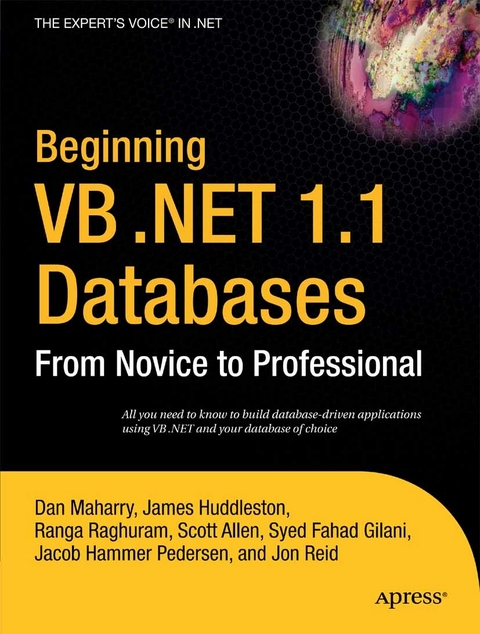
Beginning VB .NET 1.1 Databases (eBook)
632 Seiten
Apress (Verlag)
9781430200109 (ISBN)
* Written by best selling author Peter Wright, and marks a return to his best form as he writes with a mission again. 'Beginning VB6' by Peter Wright sold circa 100k copies, and he followed up with Beginning VB6 Objects which sold circa 30k copies on a more niche topic.
* A personal journey with an expert in VB.NET database programming, this is a book that stands out from the crowd.
* A complete tutorial involving the reader in all the key areas of VB.NET database programming that they need to progress their skill set in VB.NET.
* All the skills are covered that a novice programmer will need to meet the database programming challenges they may meet in their programming career.
* 2 months free subscription to ASP.Today for readers of this title.
Dan Maharry is a UK-based professional technical author with over a dozen books to his name and many more as technical reviewer and editor for a variety of publishers including Wrox, Apress, Microsoft Press and O'Reilly Associates. He's also a .NET developer with past stints for the dotCoop TLD registry and various web development houses under his belt. He contributes code and documentation to various open source projects and tries to blog and to speak from time to time to user groups about cool stuff. He listens to a lot of new music as he does the above.
Visual Basic .NET is a powerful .NET programming language that is often considered the "e;workhorse"e; of programming. Further, development in VB .NET accounts for a huge portion of all programming efforts. To understand VB .NET is to meet challenging programming projects head-on. Author Dan Maharry livens the topic with his unique style, and presents you with the skill set you want and need, to enter today's VB .NET programming jobs. This book is an ideal read for beginning and intermediate VB .NET students who want to understand the core of VB .NET and database programming. Maharry is at the height of his powers, and promises to lead you on a memorable VB .NET journey.
Dan Maharry is a UK-based professional technical author with over a dozen books to his name and many more as technical reviewer and editor for a variety of publishers including Wrox, Apress, Microsoft Press and O'Reilly Associates. He's also a .NET developer with past stints for the dotCoop TLD registry and various web development houses under his belt. He contributes code and documentation to various open source projects and tries to blog and to speak from time to time to user groups about cool stuff. He listens to a lot of new music as he does the above.
Contents 7
About the Authors 19
Acknowledgments 20
Introduction 21
Chapter 1 Installing MSDE 24
Obtaining and Installing MSDE 24
Installing the Sample Databases 27
Installing the SQL Server Documentation 28
Introducing Authentication Modes 30
Windows Authentication 30
SQL Server Authentication 30
Mixed Mode 31
Connecting with Server Explorer 31
Summary 34
Chapter 2 Creating a Simple Database Application 35
Creating the Application 35
Try It Out: Creating the Foundations 36
How It Works 37
Establishing a Database Connection 37
Try It Out: Creating a Connection 38
How It Works 41
Introducing Data Binding 41
Try It Out: Creating a User Interface 42
How It Works 45
Try It Out: Making the Form Dynamic 46
How It Works 47
Editing Data 48
Try It Out: Adding Edit Functionality 48
How It Works 49
Using the Data Form Wizard 50
Try It Out: Creating a User Interface with the Data Form Wizard 50
Summary 55
Chapter 3 Introducing SQL 57
What Is SQL? 57
Using SQL 59
Executing SQL from Visual Studio .NET 59
Executing SQL from the Command Line 62
Using the Custom Query Tool 64
Retrieving Data 65
Using Queries 65
Using the WHERE Clause 69
Sorting Data 73
Inserting Data 75
Updating Data 76
Deleting Data 78
Using SQL Data Types 79
Numeric Data Types 80
Character String Data Types 80
Date and Time Data Types 80
Using Binary Data Types 81
Using Money Data Types 81
Using Other Data Types 82
Summary 82
Chapter 4 What’s ADO.NET? 83
Why ADO.NET? 83
A Brief History 83
ADO.NET Isn’t a New Version of ADO 84
ADO.NET and the .NET Framework 85
Understanding ADO.NET Architecture 87
Using the SQL Server Data Provider 89
Using the OLE DB Data Provider 95
Using the ODBC Data Provider 99
Data Providers Are APIs 107
Summary 108
Chapter 5 Creating Connections 109
Introducing the Data Provider Connection Classes 109
Connecting to MSDE with SqlConnection 110
Try It Out: Using SqlConnection 110
How It Works 112
Debugging Connections to SQL Server 114
Setting Up Security and Passwords in SqlConnection 116
Using SQL Server Security 116
Setting Connection String Parameters for SqlConnection 116
Understanding Connection Pooling 118
Improving Your Use of Connection Objects 118
Using the Connection String in the Connection Constructor 118
Displaying Connection Information 118
Connecting to Microsoft Access with OleDbConnection 122
Try It Out: Connecting to Access with the OLE DB Data Provider 122
How It Works 124
Connecting to Oracle 125
Try It Out: Connecting to Oracle with System.Data.OracleClient 125
How It Works 126
Connecting to DB2 127
Try It Out: Connecting to DB2 with IBM.Data.DB2 127
How It Works 129
Connecting to MySQL 129
Try It Out: Connecting to MySql with MySql.Data.MySqlClient 129
How It Works 131
Summary 131
Chapter 6 Introducing Commands 133
Creating a Command 133
Try It Out: Creating a Command with a Constructor 134
How It Works 135
Associating a Command with a Connection 135
Assigning Text to a Command 137
Executing Commands 138
Try It Out: Using the ExecuteScalar Method 138
How It Works 140
Executing Commands with Multiple Results 141
Try It Out: Using the ExecuteReader Method 141
How It Works 142
Executing Statements 143
Try It Out: Using the ExecuteNonQuery Method 143
How It Works 145
Creating Tables 147
Creating Databases 150
Setting Command Parameters 153
Try It Out: Using Command Parameters and the Prepare Method 155
How It Works 156
Using Commands with Other Data Providers 158
Try It Out: Using OleDbCommand 158
How It Works 160
Try It Out: Using OdbcCommand 160
How It Works 162
Summary 164
Chapter 7 Introducing Data Readers 165
Understanding Data Readers in General 165
Try It Out: Looping Through a Result Set 166
How It Works 168
Using Ordinal Indexers 170
Using Column Name Indexers 173
Using Typed Accessor Methods 174
Getting Data About Data 180
Try It Out: Getting Information About a Result Set with a Data Reader 181
How It Works 183
Getting Data About Tables 184
Try It Out: Getting Schema Information 184
How It Works 186
Using Multiple Result Sets with a Data Reader 187
Try It Out: Handling Multiple Result Sets 187
How It Works 190
Summary 190
Chapter 8 Introducing Datasets and Data Adapters 191
Understanding the Object Model 192
Datasets vs. Data Readers 192
Introducing Datasets 192
Introducing Data Adapters 193
Introducing Data Tables, Data Columns, and Data Rows 194
Working with Datasets and Data Adapters 195
Try It Out: Populating a Dataset with a Data Adapter 195
How It Works 197
Filtering and Sorting in a DataSet 198
Comparing FilterSort to PopDataset 203
Using Data Views 204
Modifying Data in a Dataset 207
Propagating Changes to a Data Source 211
Understanding Concurrency 226
Using Datasets and XML 227
Try It Out: Extracting a Dataset to an XML File 227
How It Works 229
Understanding Typed and Untyped Datasets 230
Summary 231
Chapter 9 Building Windows Forms Applications 232
What’s Data Binding? 232
Performing Simple Data Binding 233
Performing Complex Data Binding 235
Understanding Data Binding: Behind the Scenes 238
Synchronizing Controls with a Data Source 239
Understanding Types of Data Sources 243
Binding to Arrays 243
Binding to Data Tables 244
Binding to Datasets 247
Binding to Data Views 247
Using Data Grids 249
Try It Out: Binding a Data Grid to Show Data in a Parent-Child Relationship 250
How It Works 252
Updating a Data Source Using a Data Grid 253
Try It Out: Updating a Data Source with a Bound Data Grid 253
How It Works 256
Summary 256
Chapter 10 Using ASP.NET 258
Understanding the Basics 258
Understanding Web Forms 259
Viewing the Code-Behind File 266
Binding Data to a Data Grid 268
Paging in a Data Grid 271
Combining a Data Grid and Dataset 273
Understanding the ASP.NET Page Life Cycle 276
Building for Scalability 277
Selecting a Row 280
Using Bound Columns 286
Editing a Data Grid 289
Try It Out: Adding Editing Capability 289
How It Works 291
Using Template Columns 293
Deleting Rows 296
Sorting a Data Grid 298
Summary 301
Chapter 11 Validating Web User Input 302
Try It Out: Creating a Validation Example 302
How It Works 304
Performing Web Validation 306
Enabling Client-Side Validation 306
Disabling Client-Side Validation 306
Enabling Server-Side Validation 306
Understanding Validation in the Page Life Cycle 307
Using the ASP.NET Validation Controls 307
Using the RangeValidator Control 308
Using the CompareValidator Control 311
Using the RegularExpressionValidator Control 312
Using the CustomValidator Control 314
Using the ValidationSummary Control 316
Using Inline and Summary Errors 321
Performing Programmatic Validation 322
Summary 323
Chapter 12 Working with Tables and Relationships 324
Working with Tables 324
Creating a Table 325
Adding Rows to a Table 328
Dropping a Table 329
Specifying Table Relationships 329
Understanding Keys and Constraints 330
Understanding Types of Relationships 333
Understanding Referential Integrity 334
Understanding Database Diagrams 335
Working with SQL in VB .NET 340
Try It Out: Creating a SQL Statement Processor 340
How It Works 343
Try It Out: Adding Rows to a Table 344
How It Works 345
Try It Out: Testing the Primary Key Constraint 346
How It Works 347
Try It Out: Testing the Foreign Key Constraint(Referential Integrity) 347
How It Works 347
Try It Out: Dropping a Table 347
How It Works 348
Summary 348
Chapter 13 Learning More About Queries 349
Building the Northwind Query Application, Part II 350
Try It Out: Extending the Northwind SQL Application 350
How It Works 353
Writing More SQL Query Syntax 356
Using DISTINCT 356
Using Subqueries 357
Using GROUP BY 362
Using Other Aggregates 363
Using Datetime Functions 365
Using CASE Expressions 367
Using Joins 372
Summary 384
Chapter 14 Understanding Views and Stored Procedures 385
Using Views 385
Try It Out: Creating and Using a View from Server Explorer 387
How It Works 388
Try It Out: Creating a View Using Another View 388
How It Works 389
Creating a View Using VB .NET 390
Try It Out: Creating and Accessing a View from VB .NET 390
How It Works 395
Using Stored Procedures 396
Try It Out: Creating and Executing a Stored Procedure with No Parameters 396
How It Works 398
Try It Out: Using an Alternative Method for Creating a Stored Procedure 399
How It Works 400
Try It Out: Creating and Executing a Stored Procedure with a RETURN Value 400
How It Works 401
Try It Out: Creating and Executing a Stored Procedure with an Input Parameter 403
How It Works 404
Try It Out: Executing a Stored Procedure with Input and Output Parameters 405
How It Works 406
Working with Stored Procedures in VB .NET 407
Try It Out: Setting Up a VB .NET Project to Execute Stored Procedures 407
Try It Out: Executing a Stored Procedure with No Input Parameters from VB .NET 408
Try It Out: Executing a Stored Procedure with One Input Parameter from VB .NET 411
How It Works 413
Try It Out: Handling a Stored Procedure Return Value 414
How It Works 415
Try It Out: Executing a Stored Procedure with Both Input and Output Parameters 416
How It Works 418
Summary 419
Chapter 15 Using Indexes and Constraints 420
Understanding Indexes 420
Try It Out: Creating a Simple Index 422
How It Works 425
Taking Advantage of Indexes 426
Using Clustered Indexes 429
Using Composite Keys 431
Learning Additional Index Guidelines 433
Maintaining Indexes 434
Understanding Constraints 434
Understanding Data Integrity 434
Defining Constraints 435
Using Check Constraints 440
Using NULL Constraints 442
Using Default Constraints 442
Dropping Constraints 442
Summary 443
Chapter 16 Securing Your Database 444
Understanding the Security Process 445
Understanding Authentication 446
Windows Authentication 446
Mixed Mode Authentication 447
Managing Users 448
Database Logins 448
Special Users 451
User Accounts 452
Managing Roles 454
Managing Permissions 459
Object Permissions 462
Statement Permissions 463
Viewing Permissions 464
Implementing Security 467
Summary 468
Chapter 17 Using XML and ADO.NET 469
The Pros and Cons of XML 469
Understanding the Structure of an XML Document 471
Try It Out: Creating an XML Document in Visual Studio .NET 472
Understanding Schemas 474
Try It Out: Creating an XML Schema in Visual Studio .NET 474
How It Works 476
Writing Valid XML 477
Try It Out: Validating an XML Document 477
Using XML with ADO.NET 477
Try It Out: Reading an XML Document into a Data Set 478
How It Works 479
Try It Out: Writing a Data Set to an XML File 479
How It Works 480
Defining Application Configuration Using XML 481
Try It Out: Creating an Application Configuration 481
How It Works 483
Summary 485
Chapter 18 Handling Exceptions 486
Handling Exceptions with VB .NET 486
Using the Try Statement 487
Using Class System.Exception 487
Using the throw Statement 488
Handling ADO.NET Exceptions 488
Try It Out: Handling an ADO.NET Exception (Part 1) 488
How It Works 491
Try It Out: Handling an ADO.NET Exception (Part 2) 492
How It Works 495
Handling Database Exceptions 496
Try It Out: Handling a Database Exception (Part 1): RAISERROR 497
How It Works 500
Try It Out: Handling a Database Exception (Part 2): Stored Procedure 501
How It Works 502
Try It Out: Handling a Database Exception (Part 3):Errors Collection 502
How It Works 504
Summary 505
Chapter 19 Using Transactions 506
When to Use Transactions 507
Understanding the ACID Properties of a Transaction 508
How to Code Transactions 508
Coding Transactions in SQL 509
Understanding ADO.NET Transactions 514
Suggestions for Further Study 519
Summary 519
Chapter 20 Working with ADO.NET Events 520
Understanding Events 520
Adding and Removing Event Handlers 521
Raising and Handling ADO.NET Events 522
Working with Connection Object Events 523
Working with Row Update Events 529
Working with Multiple Handlers 535
Summary 538
Chapter 21 Working with Text and Binary Data 539
Understanding SQL Server Text and Binary Data Types 539
Storing Images in a Database 541
Try It Out: Loading Image Binary Data from Files 541
How It Works 545
Rerunning the Program 547
Using a Different SQL Data Type 548
Retrieving Images from a Database 548
Try It Out: Displaying Stored Images 548
How It Works 552
Working with Text Data 553
Retrieving Data from Text Columns 558
Summary 561
Chapter 22 Using ADO.NET 2.0 562
Converting ADO.NET 1.1 Programs to ADO.NET 2.0 562
Try It Out: Rebuilding an ADO.NET 1.1 Project for ADO.NET 2.0 563
How It Works 565
Loading Data Tables with Data Readers 566
Try It Out: Loading a Data Table with a Data Reader 566
How It Works 567
Serializing Data More Compactly 568
Try It Out: Serializing a Dataset to a Binary File 568
How It Works 570
Updating in Batches 572
Try It Out: Specifying Batch Updates 572
How It Works 572
Summary 573
APPENDIX A Creating the SQL Tool Application 574
Try It Out: Building a Custom Query Tool 574
How It Works 581
Summary 583
APPENDIX B XML Primer 584
Understanding XML Documents 584
Using XML Namespaces 587
Understanding Well-Formed and Valid XML 588
Validating XML Documents 589
Try It Out: Creating an XML Document in Visual Studio .NET 591
How It Works 596
Summary 596
INDEX 597
| Erscheint lt. Verlag | 2.11.2006 |
|---|---|
| Zusatzinfo | 632 p. |
| Verlagsort | Berkeley |
| Sprache | englisch |
| Themenwelt | Mathematik / Informatik ► Informatik ► Datenbanken |
| Schlagworte | ADO.NET • ASP.NET • .NET • programming • Programming language • SQL • Visual BASIC • XML |
| ISBN-13 | 9781430200109 / 9781430200109 |
| Informationen gemäß Produktsicherheitsverordnung (GPSR) | |
| Haben Sie eine Frage zum Produkt? |
 PDF (Wasserzeichen)
DRM: Digitales Wasserzeichen
Dieses eBook enthält ein digitales Wasserzeichen und ist damit für Sie personalisiert. Bei einer missbräuchlichen Weitergabe des eBooks an Dritte ist eine Rückverfolgung an die Quelle möglich.
Dateiformat: PDF (Portable Document Format)
Mit einem festen Seitenlayout eignet sich die PDF besonders für Fachbücher mit Spalten, Tabellen und Abbildungen. Eine PDF kann auf fast allen Geräten angezeigt werden, ist aber für kleine Displays (Smartphone, eReader) nur eingeschränkt geeignet.
Systemvoraussetzungen:
PC/Mac: Mit einem PC oder Mac können Sie dieses eBook lesen. Sie benötigen dafür einen PDF-Viewer - z.B. den Adobe Reader oder Adobe Digital Editions.
eReader: Dieses eBook kann mit (fast) allen eBook-Readern gelesen werden. Mit dem amazon-Kindle ist es aber nicht kompatibel.
Smartphone/Tablet: Egal ob Apple oder Android, dieses eBook können Sie lesen. Sie benötigen dafür einen PDF-Viewer - z.B. die kostenlose Adobe Digital Editions-App.
Buying eBooks from abroad
For tax law reasons we can sell eBooks just within Germany and Switzerland. Regrettably we cannot fulfill eBook-orders from other countries.
aus dem Bereich


