


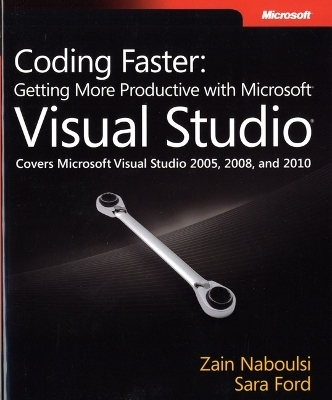
Coding Faster
Getting More Productive with Microsoft Visual Studio
Seiten
2011
Microsoft Press,U.S. (Verlag)
978-0-7356-4992-7 (ISBN)
Microsoft Press,U.S. (Verlag)
978-0-7356-4992-7 (ISBN)
- Titel ist leider vergriffen;
keine Neuauflage - Artikel merken
Work smarter and increase your productivity with expert tips and tricks for using Microsoft Visual Studio. This quick reference provides practical advice and shortcuts for the code editor, visual designers, search capabilities, debugger, and other features of the IDE.
Expert advice to help you work smarter and increase your productivity with Visual Studio.
Take a detailed look into Visual Studio—and learn practical techniques to help you work more efficiently. This fully revised and expanded version of Visual Studio Tips: 251 Ways to Improve Your Productivity includes a comprehensive collection of tips and shortcuts for working with the code editor, visual designers, searches, debugger, and other features in Visual Studio 2005, 2008, and 2010. You'll gain valuable insights for using this IDE—no matter what your experience level.
Discover how to:
Change development settings and keyboard mappings to optimize your efficiency
Save time initiating a new project by creating custom templates
Uncover secrets for working with the toolbox, commands, and window layouts
Work with files in more practical ways, such as using the File Tab Channel
Use the Editor more effectively with tips on selecting and manipulating code
Apply techniques to help reduce the time you spend debugging code
Create Visual Studio extensions to increase your development productivity
Expert advice to help you work smarter and increase your productivity with Visual Studio.
Take a detailed look into Visual Studio—and learn practical techniques to help you work more efficiently. This fully revised and expanded version of Visual Studio Tips: 251 Ways to Improve Your Productivity includes a comprehensive collection of tips and shortcuts for working with the code editor, visual designers, searches, debugger, and other features in Visual Studio 2005, 2008, and 2010. You'll gain valuable insights for using this IDE—no matter what your experience level.
Discover how to:
Change development settings and keyboard mappings to optimize your efficiency
Save time initiating a new project by creating custom templates
Uncover secrets for working with the toolbox, commands, and window layouts
Work with files in more practical ways, such as using the File Tab Channel
Use the Editor more effectively with tips on selecting and manipulating code
Apply techniques to help reduce the time you spend debugging code
Create Visual Studio extensions to increase your development productivity
Zain Naboulsi is a Senior Developer Evangelist at Microsoft and frequently lectures on Visual Studio topics. Sara Ford is a developer evangelist for Microsoft, and author of the Microsoft Press book Microsoft Visual Studio Tips (2008).
Foreword
Introduction
Part I: Productivity Techniques
Chapter 1: Getting Started
Chapter 2: Projects and Items
Chapter 3: Getting to Know the Environment
Chapter 4: Working with Documents
Chapter 5: Finding Things
Chapter 6: Writing Code
Chapter 7: Debugging
Part II: Extensions for Visual Studio
Chapter 8: Visual Studio Extensions
Visual Studio Keyboard Shortcut Posters
Additional Tips
| Verlagsort | Redmond |
|---|---|
| Sprache | englisch |
| Maße | 227 x 189 mm |
| Gewicht | 786 g |
| Themenwelt | Mathematik / Informatik ► Informatik ► Programmiersprachen / -werkzeuge |
| Mathematik / Informatik ► Informatik ► Software Entwicklung | |
| ISBN-10 | 0-7356-4992-8 / 0735649928 |
| ISBN-13 | 978-0-7356-4992-7 / 9780735649927 |
| Zustand | Neuware |
| Informationen gemäß Produktsicherheitsverordnung (GPSR) | |
| Haben Sie eine Frage zum Produkt? |
Mehr entdecken
aus dem Bereich



aus dem Bereich
Grundlagen und praktische Anwendungen von Transpondern, kontaktlosen …
Buch (2023)
Hanser (Verlag)
CHF 125,95


