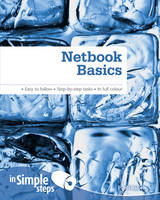
Netbook Basics In Simple Steps
Prentice-Hall (Verlag)
9780273734925 (ISBN)
- Titel ist leider vergriffen;
keine Neuauflage - Artikel merken
Top 10 Netbook Tips
1. Search for anything from the Start menu
2. Connect to a free hotspot
3. Download and install Windows Live Essentials
4. Use Office Live Workspace to store important data
5. Have a video conversation
6. Use Media Player to listen to music
7. Play a slide show of pictures
8. Connect to a home network
9. Import pictures from a digital camera or media card
10. Install software from the Internet
Chapter 1 Explore your netbook
Plug in the power cable
Access and use USB ports
Locate and use Ethernet ports
Connect external speakers or headphones
Locate additional ports
Locate, insert or remove the battery
Locate the power button and start Windows 7
Activate Windows 7
Use the touchpad
Locate specialised keyboard keys
View the Getting Started window
Open Help and Support
Shut down Windows safely
Chapter 2 Locate and use public Wi-Fi networks
Turn Wi-Fi on and off
Connect to a free hotspot
Manage wireless networks
Chapter 3 Surf the Internet
Open a website in Internet Explorer
Open a website in a new tab
Set a home page
Mark a Favorite
Change the zoom level of a webpage
Print a webpage
Clear history
Stay safe online
Chapter 4 - Obtain always-on Internet
Select an ISP
Obtain the proper settings
Make the connection
Select a network type
Use the New Connection Wizard
Diagnose connection problems
Chapter 5 Get Windows Live Essentials
Download and install Windows Live Essentials
Get a Windows Live ID
Sign in
Personalise your Windows Live Home page
Open Windows Live Photo Gallery
Chapter 6 Windows Live Mail
What is Windows Live Mail?
Set up a Windows Live email account
Set up a third-party email account
View an email
Change how often Mail checks for email
View an attachment
Recover email from the Junk email folder
Reply to an email
Forward an email
Compose and send a new email
Attach a picture to an email using Attach
Attach a picture to an email using a right-click
Insert a picture directly into the body of the email
Add a contact
Print an email
Apply a junk mail filter
Create a folder
Move email to a folder
Delete email in a folder
Chapter 7 Explore Office Live Workspace
Understand why online storage is crucial
Get to know Office Live Workspace
Create a workspace
Add documents to your workspace
Share your workspace
Open a document in your workspace
Install Office Live Update
Create a new Word document from inside your workspace
Open an Excel file saved in your workspace
Save a PowerPoint Presentation to your workspace
Chapter 8 Use your Built-in webcam
Discover your webcam
Get to know Windows Live Messenger
Open Windows Live Messenger
Sign into Windows Live Messenger
Personalise Windows Live Messenger
Run the Audio and Video Tuning Wizard
Add a contact
Have a video conversation
Chapter 9 Work with media
Open Media Player and locate music
Listen to a song
View pictures in Windows Live Photo Gallery
Play a slide show of pictures
Auto adjust picture quality
Crop a picture
Open Media Center
Explore Internet TV
View pictures in Media Center
Chapter 10 Connect to your home network
Create the connection
Enable Network Discovery
Verify sharing is enabled
Save data to the Public folder
Access the Public folder
Share a personal folder
Diagnose connection problems
Chapter 11 Install and manage hardware
Install a digital camera, webcam or insert a media card
Import pictures from a digital camera or media card
Install a printer
What to do when the installation fails
Locate a driver
Download and install a driver
Use ReadyBoost
Change when your netbook sleeps
Change what happens when you press the power button or close the lid
Manage all connected devices
Chapter 12 Install software on a CD or DVD
Explore installation options
Install software from the Internet
Share a networked CD/DVD drive
Install software from a shared network CD/ DVD drive
Copy the installation CD to a USB flash drive
Install software from a USB flash drive
Install software from an external CD/DVD drive
Chapter 13 Stay secure
Add a new user account
Require a password
Configure Windows Update
Scan for viruses with Windows Defender
Enable the firewall
View and resolve Security Center warnings
Create a basic backup
Chapter 14 Fix problems
Use System Restore
Disable unwanted start-up items
Resolve Internet connectivity problems
Use Device Driver Rollback
View available hard drive space
Delete unnecessary Media Center media
Uninstall unwanted programs
Chapter 15 Do more with Windows 7
Learn what's new in Windows 7
Change the desktop background
Change the screen saver
Add desktop icons
Create a shortcut on the desktop for a program or application
Search for anything from the Start menu
Add a gadget to the desktop
Set the time on the clock gadget
Configure the taskbar
Pin icons to the taskbar
Use Shake, Jump Lists, Snap, and Peek
Create a homegroup
Join a homegroup
Explore libraries
Top 10 Netbook Problems solved
1. I'm within range of a public or private wireless network, but I can't see it and I can't log in.
2. I'm in a coffee shop that offers free Wi-Fi, but I didn't see any pop-up about the available network (or I was unable to click the pop-up in time). How can I join now?
3. I've downloaded and installed Windows Live Messenger, I have contacts, and my webcam is working. I still can't initiate a video conversation. What's up?
4. I have several pictures that need cropping, or are too dark, too light, or have other problems. How can I edit them?
5. Where is Outlook Express or Windows Mail? Where's my email?
6. I installed a driver or program and now my computer isn't behaving the way it should.
7. I was connected to the Internet and/or my local network and now I'm not.
8. My new netbook came with a lot of programs I'll never use and I want them gone!
9. I need to install software that is on a CD, but I don't have a CD drive in my netbook. What can I do?
10. I'm online a lot and I worry about staying safe. What can I do?
| Erscheint lt. Verlag | 15.4.2010 |
|---|---|
| Verlagsort | Harlow |
| Sprache | englisch |
| Maße | 188 x 233 mm |
| Gewicht | 520 g |
| Themenwelt | Informatik ► Weitere Themen ► Hardware |
| ISBN-13 | 9780273734925 / 9780273734925 |
| Zustand | Neuware |
| Informationen gemäß Produktsicherheitsverordnung (GPSR) | |
| Haben Sie eine Frage zum Produkt? |
aus dem Bereich