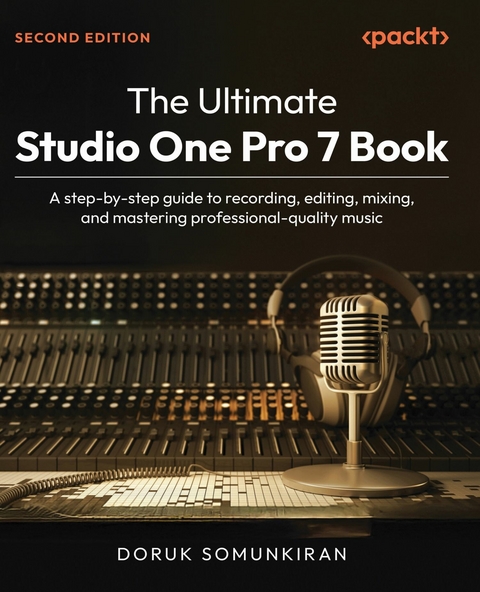
The Ultimate Studio One Pro 7 Book (eBook)
406 Seiten
Packt Publishing (Verlag)
978-1-83620-096-3 (ISBN)
Written by a seasoned composer, music producer, and instructor with over 20 years of experience in the music industry, this comprehensive guide transforms Studio One's powerful digital audio workstation (DAW) into your creative canvas. Designed for both musicians looking to start producing their own music and audio professionals integrating Studio One into their workflow, this hands-on manual takes you step-by-step through every stage of the production process.
You'll learn how to set up Studio One for peak performance, create projects, record high-quality audio, and build MIDI arrangements with virtual instruments. The book covers advanced editing techniques, including Melodyne, Audio Bend, and MIDI modifiers, to refine your songs with precision. You'll master mixing with Studio One's built-in effects and plugins, apply professional audio mastering in the Project window, and explore immersive audio tools that bring your music to life in multichannel environments for films, gaming, and beyond.
You'll not only develop technical proficiency but also a personalized, efficient music production workflow that serves your creative vision. By the final page, you'll have everything you need to turn musical ideas into polished, release-ready songs using only the Studio One software.
*Email sign-up and proof of purchase required
Preface
Music production is a fascinating and rewarding pursuit, but it can be daunting at times. With so many tools, techniques, and software options available, it can be difficult to know where to start. That’s why I’ve written this book, to guide you through the process of making music with PreSonus Studio One.
Studio One is a powerful digital audio workstation (DAW) that offers a wide range of features and tools to help you create, record, and mix your music. Whether you’re a singer-songwriter, a producer, or a composer, Studio One can help you achieve your musical vision.
In this book, I’ll take you through the essential steps of creating music with Studio One. We’ll start by looking at the interface and the basic tools you’ll need to get started. We’ll then move on to recording audio and MIDI, editing your recordings, and adding effects and virtual instruments to your tracks. Finally, we’ll explore how you can use the mixing and mastering tools in Studio One to deliver professional-sounding final masters of your songs.
Throughout the book, I’ll provide step-by-step instructions and practical tips to help you make the most of Studio One. Whether you’re a complete beginner or an experienced musician, this book will help you take your music to the next level.
So, if you’re ready to dive into the world of music production with Studio One, let’s get started!
Who this book is for
This book is for musicians, bands, and composers who want to learn Studio One from scratch in order to create their own music on a professional level. It is also aimed at producers and audio professionals who already have experience in another DAW but now wish to switch to Studio One or include it in their workflow.
What this book covers
Chapter 1, Choosing Your Flavor of Studio One, provides an overview of the different versions of Studio One and is designed to help you choose the version that is right for you.
Chapter 2, Installing and Configuring Your Studio One Environment, walks you through the process of installing Studio One and its additional components. This chapter also explains how you can configure Studio One to get the best results for your system and production workflow.
Chapter 3, Exploring the Studio One Environment, provides a guided tour of the Studio One interface and describes the windows, panels, and other components that we’ll be working on in the following chapters.
Chapter 4, Creating a New Song, shows you how to create your first Song in Studio One, with step-by-step instructions on how to set up initial song parameters such as sample rate, tempo, and key signature.
Chapter 5, Recording Your First Audio Track, walks you through the process of recording audio using a microphone or instrument. This chapter also provides a list of best practices that will help you make the most of every recording session.
Chapter 6, Adding Virtual Instruments and Recording MIDI, starts with a crash course on MIDI for beginners. Then, the chapter shows you how to add virtual instruments to a song and explores several alternative methods of recording MIDI, with or without a keyboard.
Chapter 7, Editing and Rearranging Your Song, provides an overview of Studio One’s editing tools and their various modes of operation, which creates a foundation for the next two chapters.
Chapter 8, Editing Audio, shows you how to use audio editing tools to fix timing and intonation errors in audio recordings. This chapter also discusses several methods of using editing tools for creative purposes, such as changing the groove of an existing drum track or creating harmony background vocals.
Chapter 9, Editing MIDI, explores Studio One’s extensive MIDI editing capabilities and discusses several ways in which these capabilities can be used to embellish your musical ideas.
Chapter 10, Using Global Tracks, provides an in-depth look at Studio One’s global tracks and shows you how to harness their power to gain more control of your projects.
Chapter 11, Preparing for the Mix, walks you through several steps you can take to make sure that your mixing sessions run smoothly. This chapter also covers several best practices that will help streamline your production workflow.
Chapter 12, Working with Effects Plug-Ins to Craft a Mix, provides a tour of Studio One’s effects plug-ins. The chapter then goes on to explain how you can choose the right plug-in for a given task and add it to your projects.
Chapter 13, Optimizing Signal Flow and Elevating Your Mix, provides an in-depth look at how signal processing works in Studio One and how you can harness the power of the Mix Console to present your songs in the best light. Then, the chapter discusses how to apply advanced mixing techniques in Studio One, and finishes by explaining how to export stems and final mixes of your songs.
Chapter 14, Working With Spatial Audio, explores Studio One’s immersive audio capabilities and shows how to craft three-dimensional experiences for games, movies, and enriched music.
Chapter 15, Navigating the Project Page and Producing Final Masters, starts with an overview of the Project page, Studio One’s unique mastering environment. The chapter then goes on to explain how you can work on the Project Page to master your songs to the specifications required by digital music platforms.
Chapter 16, Using Additional Studio One Features, explores exciting features in Studio One that fall outside the standard music production workflow, but deserve a special mention nevertheless. These features include the Show Page, which allows you to use Studio One on your live performances; the Score Editor; which allows you to input MIDI data using standard musical notation, and SampleOne, which allows you to create your own unique sound samples for unlimited creative options.
Appendix, Customizing Studio One and Following Best Practices, shows you how you can customize Studio One to match your workflow in the most effective way possible. The appendix also provides an in-depth look at Studio One’s file and folder system and provides best practices for sharing projects with collaborators.
To get the most out of this book
To get the most out of this book, you should already have basic knowledge and experience of musical processes, such as arranging, recording, mixing, and mastering. However, you will learn how to perform these processes more effectively in Studio One.
| Software/hardware covered in the book | Operating system requirements |
| Studio One Pro | Windows 10 22H2 or higher, macOS 12.4 (Monterey) or higher |
You will need Studio One Pro version 7 to follow along with all the content in this book.
Keep in mind that this book aims to provide extensive coverage of the functions and features of Studio One. Therefore, depending on the version that you decide to work with, you may find that some of the features described in this book are not available in your system.
Conventions used
There are a number of text conventions used throughout this book.
Bold: Indicates a new term, an important word, or words that you see onscreen. For instance, words in menus or dialog boxes appear in bold. Here is an example: “Go back to the Audio Setup window, but this time, take specific note of the two tabs labeled Audio Device and Processing.”
Tips or important notes
Appear like this.
Get in touch
Feedback from our readers is always welcome.
General feedback: If you have questions about any aspect of this book, email us at customercare@packtpub.com and mention the book title in the subject of your message.
Errata: Although we have taken every care to ensure the accuracy of our content, mistakes do happen. If you have found a mistake in this book, we would be grateful if you would report this to us. Please visit www.packtpub.com/support/errata and fill in the form.
Piracy: If you come across any illegal copies of our works in any form on...
| Erscheint lt. Verlag | 25.4.2025 |
|---|---|
| Sprache | englisch |
| Themenwelt | Kunst / Musik / Theater ► Musik |
| Mathematik / Informatik ► Informatik ► Grafik / Design | |
| ISBN-10 | 1-83620-096-X / 183620096X |
| ISBN-13 | 978-1-83620-096-3 / 9781836200963 |
| Informationen gemäß Produktsicherheitsverordnung (GPSR) | |
| Haben Sie eine Frage zum Produkt? |
 EPUB (Ohne DRM)
Digital Rights Management: ohne DRM
Dieses eBook enthält kein DRM oder Kopierschutz. Eine Weitergabe an Dritte ist jedoch rechtlich nicht zulässig, weil Sie beim Kauf nur die Rechte an der persönlichen Nutzung erwerben.
Dateiformat: EPUB (Electronic Publication)
EPUB ist ein offener Standard für eBooks und eignet sich besonders zur Darstellung von Belletristik und Sachbüchern. Der Fließtext wird dynamisch an die Display- und Schriftgröße angepasst. Auch für mobile Lesegeräte ist EPUB daher gut geeignet.
Systemvoraussetzungen:
PC/Mac: Mit einem PC oder Mac können Sie dieses eBook lesen. Sie benötigen dafür die kostenlose Software Adobe Digital Editions.
eReader: Dieses eBook kann mit (fast) allen eBook-Readern gelesen werden. Mit dem amazon-Kindle ist es aber nicht kompatibel.
Smartphone/Tablet: Egal ob Apple oder Android, dieses eBook können Sie lesen. Sie benötigen dafür eine kostenlose App.
Geräteliste und zusätzliche Hinweise
Buying eBooks from abroad
For tax law reasons we can sell eBooks just within Germany and Switzerland. Regrettably we cannot fulfill eBook-orders from other countries.
aus dem Bereich