


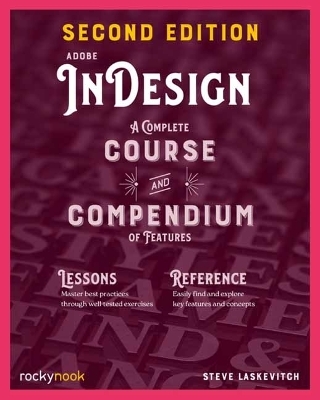
Adobe InDesign, 2nd Edition
A Complete Course and Compendium of Features
Seiten
2025
|
2nd Revised edition
Rocky Nook (Verlag)
979-8-88814-302-5 (ISBN)
Rocky Nook (Verlag)
979-8-88814-302-5 (ISBN)
Award-winning and Adobe Certified Instructor Steve Laskevitch has compiled a set of projects and lessons to learn the procedures needed to use InDesign professionally.
The book you re reading about right now was created with Adobe InDesign CC. And that s the case no matter which reading format you prefer whether it s the physical book made of plant fibre and ink, or the digital version made of electrons in an e- reader. In fact, most of the books, magazines, posters, and brochures you see were likely made with InDesign as well. It s all around you. Adobe InDesign CC: A Complete Course and Compendium of Features is your guide to building publications great or small in this ubiquitous page layout application. This second edition has been fully revised and updated to cover the newest features of InDesign. First, with a complete Course that includes a new set of projects and lessons derived from the curriculum of award-winning and Adobe Certified Instructor Steve Laskevitch, you will learn the procedures needed to use InDesign professionally. Dozens of lessons are included that can be applied to any document you have in mind: engineering proposals, marketing collateral, spec sheets, magazines, newsletters, books, and more. Through these step-by-step lessons, you ll be exposed to all of InDesign s features in practical contexts and its best practices for publishing workflows. We ll supply lesson documents and their assets to download, and you can use your Course creations as starting points for your own projects. The updated Compendium provides even greater depth of knowledge and serves as an in-depth reference you can rely on long after the course is done. With each topic easy to access, you can find and explore all of InDesign s key features and concepts in depth. With cross references between the Course and Compendium, the two parts of the book complement each other perfectly.
The book you re reading about right now was created with Adobe InDesign CC. And that s the case no matter which reading format you prefer whether it s the physical book made of plant fibre and ink, or the digital version made of electrons in an e- reader. In fact, most of the books, magazines, posters, and brochures you see were likely made with InDesign as well. It s all around you. Adobe InDesign CC: A Complete Course and Compendium of Features is your guide to building publications great or small in this ubiquitous page layout application. This second edition has been fully revised and updated to cover the newest features of InDesign. First, with a complete Course that includes a new set of projects and lessons derived from the curriculum of award-winning and Adobe Certified Instructor Steve Laskevitch, you will learn the procedures needed to use InDesign professionally. Dozens of lessons are included that can be applied to any document you have in mind: engineering proposals, marketing collateral, spec sheets, magazines, newsletters, books, and more. Through these step-by-step lessons, you ll be exposed to all of InDesign s features in practical contexts and its best practices for publishing workflows. We ll supply lesson documents and their assets to download, and you can use your Course creations as starting points for your own projects. The updated Compendium provides even greater depth of knowledge and serves as an in-depth reference you can rely on long after the course is done. With each topic easy to access, you can find and explore all of InDesign s key features and concepts in depth. With cross references between the Course and Compendium, the two parts of the book complement each other perfectly.
Steve Laskevitch, founder of Luminous Works Training & Consulting in Seattle and a teacher for three decades, has designed workflows for hundreds of photographers, designers, and companies. As an Adobe Certified Instructor, he trains creative individuals and firms and has regularly helped Adobe Systems prepare Lightroom and Photoshop Certified Expert exams. Steve has always enjoyed creating photographs and design work. Students of all levels have appreciated Steve s friendly and approachable style in the Luminous Works classroom and at the colleges, universities, and conferences where he has taught.
| Erscheinungsdatum | 12.09.2025 |
|---|---|
| Verlagsort | Santa Barbara |
| Sprache | englisch |
| Maße | 203 x 254 mm |
| Themenwelt | Kunst / Musik / Theater ► Design / Innenarchitektur / Mode |
| Schulbuch / Wörterbuch ► Lexikon / Chroniken | |
| Informatik ► Grafik / Design ► Desktop Publishing / Typographie | |
| Informatik ► Web / Internet ► Web Design / Usability | |
| ISBN-13 | 979-8-88814-302-5 / 9798888143025 |
| Zustand | Neuware |
| Informationen gemäß Produktsicherheitsverordnung (GPSR) | |
| Haben Sie eine Frage zum Produkt? |
Mehr entdecken
aus dem Bereich


aus dem Bereich


