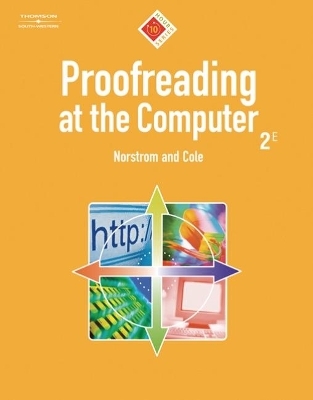
Proofreading at the Computer, 10-Hour Series (with CD-ROM)
South Western Educational Publishing
978-0-538-72856-0 (ISBN)
- Titel ist leider vergriffen;
keine Neuauflage - Artikel merken
UNIT 1. PROOFREAD FOR KEYBOARDING ERRORS.
1-1. Correct as You Key.
1-2. Proofread Sentences.
1-3. Proofread a Paragraph.
1-4. Proofread a Newspaper Story.
1-5. Proofread an Invitation.
1-6. Proofread a Memo.
UNIT 2. COMPARATIVE PROOFREADING.
2-1. Compare and Correct Paragraphs.
2-2. Compare a Flyer to a Proof Copy.
2-3. Check a Flyer Against a Calendar.
2-4. Proofread a News Release Against a Marked-Up Copy.
2-5. Check a Memo Against a Phone List.
UNIT 3. PROOFREAD NUMBERS.
3-1. Check a Check Register.
3-2. Check Invoices Against a Price List.
3-3. Check a Monthly Report Against Receipts.
3-4. Compare a Registration List to Cards.
3-5. Compare a Report to Expense Slips.
3-6. Check ZIP Codes.
UNIT 4. USE THE SPELL CHECKER.
4-1. Spelling-Checker Stumpers.
4-2. Spell-Check a Paragraph.
4-3. Check Spelling in a Letter.
4-4. Spell-Check and Proofread a Report.
4-5. Spell-Check and Proofread Newsletter Articles.
4-6. Get Help with Confusing Words.
4-7. Proofread a Legal Decision.
4-8. Proofread an E-Mail.
UNIT 5. TEAM PROOFREADING.
5-1. Proofread Foreign Terms in a Team.
5-2. Revise a List and Proofread in a Team.
5-3. Proofread a Manual File in a Team.
5-4. Proofread a Newspaper Advertisement in a Team.
5-5. Proofread Web Page Copy in a Team.
5-6. Key Web Page Copy and Proofread in a Team.
5-7. Proofread a Scanned Document in a Team.
UNIT 6. USE THE GRAMMAR CHECKER.
6-1. Proofread for Run-ons and Sentence Fragments.
6-2. Proofread for Parallel Sentence Parts.
6-3. Proofread for Subject-Verb Agreement.
6-4. Proofread for Pronoun Case.
6-5. Proofread for Plurals.
6-6. Proofread for Possessives.
6-7. Proofread Sentences for Grammar and Style Errors.
6-8. Check Grammar in a Memo.
6-9. Proofread a Report.
6-10. Check Grammar in an Intranet Posting.
6-11. Check Grammar in a Report.
6-12. Get Grammar and Style Help Online.
UNIT 7. MAKE THE PUNCTUATION CHECK.
7-1. Proofread for Commas and End Punctuation.
7-2. Proofread for Colons and Semicolons.
7-3. Proofread for Apostrophes and Quotation Marks.
7-4. Proofread for All Punctuation Marks.
7-5. Check Paragraphs for Punctuation Errors.
7-6. Apply Six Basic Punctuation Rules.
7-7. Proofread an E-Mail for Punctuation Errors.
7-8. Proofread a Letter for Punctuation Errors.
7-9. Proofread a memo for Punctuation Errors.
7-10. Proofread a Report for Punctuation Errors.
UNIT 8. PROOFREAD FOR MECHANICAL ERRORS.
8-1. Find Capitalization and Italics Errors.
8-2. Find Abbreviation, Italics, and Number Errors.
8-3. Proofread a Resume.
8-4. Proofread a Flyer.
8-5. Proofread an Intranet Posting.
8-6. Proofread a Letter for Usage Errors.
8-7. Proofread a News Release.
8-8. Proofread a Tri-Fold Brochure.
UNIT 9. PROOFREAD FOR CONSISTENCY.
9-1. Proofread Sentences.
9-2. Proofread Paragraphs.
9-3. Proofread a Memo.
9-4. Proofread Board Minutes.
9-5. Proofread Merged Letters.
9-6. Proofread a Newsletter.
UNIT 10. FORMAT COMMON DOCUMENTS.
10-1. Check Letter and Memo Parts.
10-2. Proofread a Business Letter for Formatting Errors.
10-3. Proofread a Personal Letter for Formatting Errors.
10-4. Create a Memo Template and Memo.
10-5. Proofread and Format a Two-Page Letter.
10-6. Compose a Personal Letter.
10-7. Create a Fax Cover Sheet.
10-8. Format and Proofread a Report.
Simulation: Around-the-World Travel Club.
Index.
| Verlagsort | Mason |
|---|---|
| Sprache | englisch |
| Maße | 215 x 266 mm |
| Gewicht | 240 g |
| Themenwelt | Mathematik / Informatik ► Informatik ► Theorie / Studium |
| Sozialwissenschaften ► Pädagogik ► Schulpädagogik / Sekundarstufe I+II | |
| ISBN-10 | 0-538-72856-6 / 0538728566 |
| ISBN-13 | 978-0-538-72856-0 / 9780538728560 |
| Zustand | Neuware |
| Informationen gemäß Produktsicherheitsverordnung (GPSR) | |
| Haben Sie eine Frage zum Produkt? |
aus dem Bereich