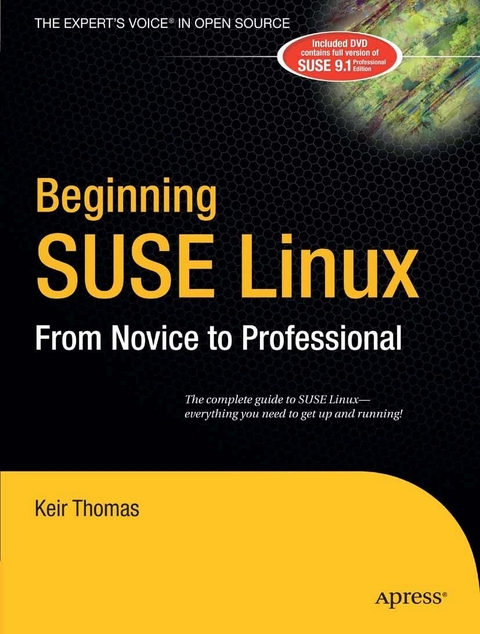
Beginning SUSE Linux (eBook)
544 Seiten
Apress (Verlag)
978-1-4302-0006-2 (ISBN)
Readers of all levels stand to benefit from this book's coverage of SUSE's ability to play MP3s and DVDs, burn CDs, perform office tasks and data backups, and offer a secure operating system environment. Whether it is a reader evaluating SUSE for deployment in a corporate environment, or a student interested in foregoing expensive licensing arrangements, this book serves as an invaluable guide to the Linux platform. Having solidified its position as Europe's most popular variant SUSE Linux continues to grow in popularity within the U.S. market. SUSE is an increasingly viable alternative to the Windows platform on both the desktop and server level.
Keir Thomas is an award-winning author who has written several best-selling beginning-level Linux titles for Apress. A former computer magazine editor, he has been writing about computers, operating systems, and software for a decade. He has also edited many computing titles and works as a full-time author. He lives on the side of a mountain in England, and his hobbies include hiking and playing musical instruments.
Beginning SUSE Linux: From Novice to Professional is designed for the newcomer to Linux. It aims to guide you through numerous practical topics relevant to effective operation of this popular operating system.The book begins by discussing the background of Linux and open source software, then proceeds to guide you through the SUSE installation process. You'll learn how to use the basic functions, and modify the look and feel according to your tastes. This book is packed with troubleshooting tips, so even the most cautious beginner will feel right at home.Next, the book covers the daily usage tasks that are enjoyable and interesting to learn. You'll learn how to configure your system to listen to audio CDs and MP3s, burn CDs, watch movies, connect to the Internet, and reproduce common Windows tasks.In the process, you'll gain an in-depth understanding about the core of Linux. You'll learn how to master the command-line prompt, secure your system, and perform administration tasks like scheduling backups and managing users.A full version of the SUSE operating system is supplied for free on the included DVD, so you'll have everything you need to get a Linux system up and running.
Keir Thomas is an award-winning author who has written several best-selling beginning-level Linux titles for Apress. A former computer magazine editor, he has been writing about computers, operating systems, and software for a decade. He has also edited many computing titles and works as a full-time author. He lives on the side of a mountain in England, and his hobbies include hiking and playing musical instruments.
Contents 8
About the Author 17
About the Technical Reviewer 18
Acknowledgments 19
Introduction 20
Part One Introducing the World of Linux 24
Chapter 1 Welcome! 25
What Is Linux? 25
The Age of Linux 27
The Problems with Windows 28
The Benefits of Linux 30
The Linux Community 31
Summary 32
Chapter 2 A History and Politics Lesson 33
In the Beginning 33
The GNU Project 35
Proprietary Software and the GPL 37
GNU and Linux Together 38
Different Flavors of Linux 38
Linux Today 39
Modern Linux Development 39
Summary 40
Chapter 3 The Realities of Running Linux 41
Learning to Use Linux 41
Who Uses Linux? 42
Getting Hold of Linux 43
Using SUSE Linux 44
Summary 44
Part Two Installing SUSE Linux 45
Chapter 4 Preinstallation Steps 46
Understanding Partitioning 46
Freeing Up Space 48
Backing Up Your Data 51
Making Notes 52
Summary 54
Chapter 5 Installing SUSE Linux 55
An Overview of the Installation Process 55
Step-by-Step Guide 56
Summary 72
Chapter 6 Solving Installation Problems 73
Preinstallation Problems 73
Installation Problems 74
Postinstallation Problems 76
GUI Configuration with SaX2 78
Summary 83
Part Three The No-Nonsense Getting Started Guide 84
Chapter 7 Booting Linux for the First Time 85
Starting Up 85
Logging In 86
Exploring the Desktop 87
Running Programs 91
Working with Virtual Desktops 93
Using the Mouse 95
Using the System Tray 97
Summary 98
Chapter 8 Getting Hardware Up and Running 99
SUSE Linux Hardware Support 99
Getting Online 101
Setting Up E-Mail and Instant Messaging 114
Adding a Printer 120
Getting Pictures onto Your PC 125
Using 3D Graphic Cards 131
Summary 133
Chapter 9 Securing Your System 134
Windows Security vs. Linux Security 134
SUSE Linux Access Permissions 136
Common-Sense Security 138
Online Updates 139
The SUSE Linux Firewall 141
Summary 145
Chapter 10 Personalizing SUSE Linux: Getting Everything Just Right 146
Changing the Look and Feel 146
Configuring a Notebook’s Touchpad 153
Adding and Removing Shortcuts 155
Adding and Removing Applets 156
Setting Power-Saving Features 157
Summary 159
Chapter 11 Using Linux Replacements for Windows Programs 160
Linux Has It All 160
A Quick Start with Common Linux Programs 162
Other Handy Tools 177
Summary 178
Chapter 12 Managing Your Files 179
File System Concepts 179
Using Konqueror 181
Launching Files and Running Programs 184
Accessing Windows Files 186
Accessing Floppies, CDs, and DVDs 189
Summary 191
Chapter 13 Dealing with Problems 192
SUSE Linux Stability 192
Crash Recovery 193
General Problem-Solving Tips 198
Getting Help Online 200
Solving Common Problems 202
Summary 204
Part Four The Shell and Beyond 205
Chapter 14 Introducing the BASH Shell 206
What Is the BASH Shell? 206
Why Bother with the Shell? 208
When Should You Use the Shell? 209
Getting Started with the Shell 210
Working with Files 214
Summary 220
Chapter 15 Understanding Linux Files and Users 221
Real Files and Virtual Files 221
Users and File Permissions 223
The File System Explained 229
Mounting 232
File Searches 235
File Size and Free Space 237
Summary 239
Chapter 16 Working with Text Files 240
Viewing Text Files 240
Using a Command-Line Text Editor 243
Searching Through Files 249
Comparing Text Files 252
Summary 253
Chapter 17 Taking Control of the System 254
Viewing Processes 254
Controlling Processes 257
Controlling Jobs 261
Summary 262
Chapter 18 Cool Shell Tricks 263
Using Autocompletion 263
Keyboard Shortcuts 265
Command History 267
Piping and Directing Output 269
Summary 272
Part Five Multimedia 273
Chapter 19 MP3s and CDs 274
Playing MP3 Music 274
Ripping Music from CDs 277
Playing Audio CDs 283
Recording Audio 284
Creating Audio CDs 286
Summary 287
Chapter 20 Viewing Movies and Video 288
Watching Movies 288
Watching TV 291
Summary 293
Chapter 21 Image Editing 294
Getting Pictures onto Your PC 294
Bring Out The GIMP 295
Editing Images with The GIMP 299
Summary 308
Part Six Office Tasks 309
Chapter 22 Making the Move to OpenOffice.org 310
Office Similarities 310
File Compatibility 312
The Right Fonts 313
Summary 316
Chapter 23 OpenOffice.org Overview 317
Introducing the Interface 317
Customizing the Interface 318
Configuring OpenOffice.org Options 322
Using OpenOffice.org Core Functions 326
Creating Macros 328
Saving Files 328
Summary 329
Chapter 24 In Depth: Writer 330
Formatting Text 330
Spell-Checking 333
Inserting Pictures 333
Working with Tables 335
Mail Merging 336
Adding Headers and Footers 339
Summary 340
Chapter 25 In Depth: Calc 341
Entering and Formatting Data 341
Deleting and Inserting Data and Cells 342
Working with Formulas 342
Sorting Data 344
Creating Charts 345
Using Filters 346
Summary 347
Chapter 26 In Depth: Impress 348
Creating a Presentation 348
Animating Slides 350
Applying Fontwork 351
Using 3D Effects 352
Outputting a Presentation As Flash 354
Summary 355
Chapter 27 In Depth: Rekall 356
Getting Started with Rekall 356
Setting Up a Database 357
Creating a Table 359
Creating a Form to Enter Data 362
Summary 365
Chapter 28 Running Microsoft Office under SUSE Linux 366
Installing and Configuring Wine 366
Installing and Running Office Programs 369
Installing and Running Other Windows Programs 371
Summary 373
Part Seven Keeping Your System Running 374
Chapter 29 Installing Software 375
Software Installation Basics 375
Adding and Removing Programs with YaST2 379
Installing Programs from the Shell 384
Compiling from Source 391
Summary 395
Chapter 30 Managing Users 396
Understanding User and Group Accounts 396
Creating New Users and Groups 397
Changing Passwords 400
Sharing Root Powers via sudo 401
Summary 403
Chapter 31 Optimizing Your System 404
Speeding Up Booting 404
Optimizing Hard Disk Settings 407
Prelinking 412
Optimizing the Kernel 414
Freeing Up Disk Space 420
Adding Another Disk Drive 422
SummaryIn this chapter, we looked 423
Chapter 32 Backing Up Data 424
What Data Should You Back Up? 424
Backing Up Data via YaST2 425
Backing Up Personal Data 427
Making Backups from the Command Line 429
Summary 432
Chapter 33 Scheduling Tasks 433
Scheduling with crontab 433
Using at to Schedule Tasks 436
Summary 436
Chapter 34 Accessing Linux Remotely 437
Using Secure Shell 437
Transferring Files with SFTP 440
Using GUI Applications Remotely 441
Using YaST2 Remote Administration 443
Configuring the Firewall for Remote Connections 445
Summary 446
Part Eight Appendixes 447
APPENDIX A Glossary of Linux Terms 448
Symbols 448
APPENDIX B BASH Command Index 469
INDEX 481
| Erscheint lt. Verlag | 22.11.2006 |
|---|---|
| Zusatzinfo | 544 p. |
| Verlagsort | Berkeley |
| Sprache | englisch |
| Themenwelt | Informatik ► Betriebssysteme / Server ► Unix / Linux |
| Mathematik / Informatik ► Informatik ► Software Entwicklung | |
| Medizin / Pharmazie ► Medizinische Fachgebiete | |
| Schlagworte | Administration • Bash • Desktop • Linux • Open Source • operating system • security • SUSE |
| ISBN-10 | 1-4302-0006-5 / 1430200065 |
| ISBN-13 | 978-1-4302-0006-2 / 9781430200062 |
| Informationen gemäß Produktsicherheitsverordnung (GPSR) | |
| Haben Sie eine Frage zum Produkt? |
 PDF (Wasserzeichen)
DRM: Digitales Wasserzeichen
Dieses eBook enthält ein digitales Wasserzeichen und ist damit für Sie personalisiert. Bei einer missbräuchlichen Weitergabe des eBooks an Dritte ist eine Rückverfolgung an die Quelle möglich.
Dateiformat: PDF (Portable Document Format)
Mit einem festen Seitenlayout eignet sich die PDF besonders für Fachbücher mit Spalten, Tabellen und Abbildungen. Eine PDF kann auf fast allen Geräten angezeigt werden, ist aber für kleine Displays (Smartphone, eReader) nur eingeschränkt geeignet.
Systemvoraussetzungen:
PC/Mac: Mit einem PC oder Mac können Sie dieses eBook lesen. Sie benötigen dafür einen PDF-Viewer - z.B. den Adobe Reader oder Adobe Digital Editions.
eReader: Dieses eBook kann mit (fast) allen eBook-Readern gelesen werden. Mit dem amazon-Kindle ist es aber nicht kompatibel.
Smartphone/Tablet: Egal ob Apple oder Android, dieses eBook können Sie lesen. Sie benötigen dafür einen PDF-Viewer - z.B. die kostenlose Adobe Digital Editions-App.
Buying eBooks from abroad
For tax law reasons we can sell eBooks just within Germany and Switzerland. Regrettably we cannot fulfill eBook-orders from other countries.
aus dem Bereich