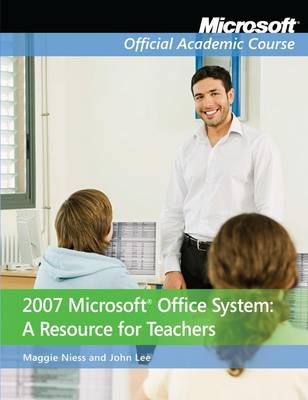
2007 Microsoft Office System
John Wiley & Sons Inc (Verlag)
978-0-470-28098-0 (ISBN)
- Titel ist leider vergriffen;
keine Neuauflage - Artikel merken
Maggie Niess has written this text to be most useful for teachers beyond initial experiences within Microsoft Office 2007 applications. The first edition text is organized in two parts: Part I sets the stage to explore the applications and focuses on teaching and learning with digital technologies. Part II focuses on teaching and learning with the Office System, specifically working in Word, PowerPoint, Excel and Access.
Dr. Maggie Niess is a professor of mathematics and technology education at Oregon State University. Her research interests include gender equality in teaching science and mathematics and integrating technology in education K-12. Dr. John K Lee is an associate professor of social studies and middle grades at North Carolina State University. He conducts research in the areas of digital history and new literacies learning.
Part 1: Introduction
Chapter 1: Teaching and Learning with Digital Technologies 1
Introduction 1
Chapter Challenge Problem 2
Chapter Guiding Questions 3
Chapter Skills Matrix 3
Teaching and Learning with Digital Technologies 4
Teacher Knowledge—A Pedagogical Content Knowledge for Teaching with Technology 4
Levels of a Teacher’s Technology, Pedagogy, and Content Knowledge 7
Technology Standards for Students 10
Technology Standards for Teachers 12
Summing It Up 14
End-of-the-Chapter Activities 15
Chapter 2: Microsoft Office—A Tool for Teachers and Students 16
Introduction 16
Chapter Challenge Problem 20
Chapter Guiding Questions 21
Chapter Skills Matrix 21
Tools for Teachers and Students 22
Design a Digital Resource Card 23
Test the Resource Card Format 25
Create the Digital Resource Card Template 30
Initiate a Digital Filing Cabinet 31
Summing It Up 34
End-of-the-Chapter Activities 34
Part 2: Teaching and Learning with Microsoft Office
Chapter 3: Planning for Learning with Word 36
Introduction 36
Basic Operations in Microsoft Word 36
Chapter Challenge Problem 38
Chapter Guiding Questions 39
Chapter Skills Matrix 40
Microsoft Word Essentials 40
Microsoft Word, Text, and Images 44
Creating a Template 52
Expanding Your Digital Filing Cabinet: Word as a Learning Tool 55
Microsoft Word and Mathematics: An Equation for Learning 56
Summing It Up 63
End-of-the-Chapter Activities 63
Chapter 4: Guiding Learning with Word 64
Introduction 64
Chapter Challenge Problem 64
Chapter Guiding Questions 65
Chapter Skills Matrix 65
Students Learning with Microsoft Word 65
Entering and Proofing Text 66
Learning by Comparison with Microsoft Word 2007 70
Expanding Your Digital Filing Cabinet: Word as a Learning Tool 84
Summing It Up 87
End-of-the-Chapter Activities 87
Chapter 5: Planning for Learning with PowerPoint 89
Introduction 89
Basic Operations in Microsoft PowerPoint 89
Chapter Challenge Problem 90
Chapter Guiding Questions 92
Chapter Skills Matrix 92
Microsoft PowerPoint Essentials 93
Expanding Your Digital Filing Cabinet: PowerPoint as a Teaching and Learning Tool 102
Summing It Up 105
End-of-the-Chapter Activities 105
Chapter 6: Guiding Learning with PowerPoint 106
Introduction 106
Chapter Challenge Problem 106
Chapter Guiding Questions 106
Chapter Skills Matrix 107
Students Learning with Microsoft PowerPoint 108
PowerPoint as a Supplement to Written Reports 111
Organizing Notes with PowerPoint 114
Going Public with PowerPoint 116
Adding More Effects to Your Presentation 120
Using Audio and Video in PowerPoint 122
Summing It Up 124
End-of-the-Chapter Activities 124
Chapter 7: Planning for Learning with Excel Spreadsheets 125
Introduction 125
Chapter Challenge Problem 126
Chapter Guiding Questions 129
Chapter Skills Matrix 129
Excel Spreadsheet Essentials 130
Designing an El Niño Workbook 131
Analyzing El Niño Data Numerically 137
Analyzing El Niño Data Graphically 142
Expanding Your Digital Filing Cabinet: Excel as a Learning Tool 147
Excel Mathematics 148
Charting the North versus the South in 1850 149
Targeting the Order of Operations 150
Formulas and Creating a Dynamic Magic Square 151
A Wizard’s Magic Wands: A Thematic Problem 151
Absolute versus Relative Cell Referencing: A Grade Book 154
Summing It Up 156
End-of-the-Chapter Activities 157
Chapter 8: Guiding Learning with Excel Spreadsheets 159
Introduction 159
Chapter Challenge Problem 162
Chapter Guiding Questions 166
Chapter Skills Matrix 166
Building and Assessing Skills with Excel 168
Formulas and Formatting: Absolute versus Relative References 168
Linear Function Problems: Dynamic and Interactive Explorations 171
Assessing Students’ Spreadsheet Design Skills: What Do the Charts Indicate? 174
Expanding Your Digital Filing Cabinet: Excel as a Learning Tool 176
Hurricane Katrina: Excel as a Modeling Tool 176
Trash Audit: Excel as a Survey Analysis Tool 183
The El Niño Unit Transition: Excel as a Critical-Thinking and Problem-Solving Tool 187
Summing It Up 193
End-of-the-Chapter Activities 195
Chapter 9: Planning for Learning with Access Databases 196
Introduction 196
Chapter Challenge Problem 198
Chapter Guiding Questions 199
Chapter Skills Matrix 199
Access Database Essentials 201
Create a Student Database Table 202
Create Additional Tables in the Student Database 205
Establish Table Relationships in the Student Database 206
Create Reports in the Student Database 207
Design Forms in the Student Database 208
Query the Student Database 210
Design Your Digital Filing Cabinet: An Access Database 210
Expand Your Digital Filing Cabinet: Access as a Learning Tool 214
Jeopardy: Design a U.S. States Database to Create the Answers 214
Summing It Up 216
End-of-the-Chapter Activities 217
Chapter 10: Guiding Learning with Access Databases 218
Introduction 218
Chapter Challenge Problem 218
Chapter Guiding Questions 222
Chapter Skills Matrix 223
Building Skills with Access Databases 223
Designing a Database to Answer Research Questions: The Weather in April 224
Importing Data from Excel: Presidential Greatness Rankings 228
Exporting Data from Access to Excel: U.S. States Data 230
Creating Lookup Fields: Our Class Favorites 232
Designing a Menu for a Food Show 244
Creating a Web Site for a Historic letters Project 246
Summing It Up 248
References 249
Index 250
Expanding Your Digital Filing Cabinet: Access as a Learning Tool 234
Summing It Up 237
End-of-the-Chapter Activities 238
Appendix: 239
Guiding Learning with Microsoft Publisher 239
Teaching and Learning with Microsoft Publisher 242
Cataloging Vernacular Words from The Hobbit 242
| Verlagsort | New York |
|---|---|
| Sprache | englisch |
| Maße | 206 x 269 mm |
| Gewicht | 499 g |
| Themenwelt | Schulbuch / Wörterbuch |
| Informatik ► Office Programme ► Office | |
| Sozialwissenschaften ► Pädagogik | |
| ISBN-10 | 0-470-28098-0 / 0470280980 |
| ISBN-13 | 978-0-470-28098-0 / 9780470280980 |
| Zustand | Neuware |
| Informationen gemäß Produktsicherheitsverordnung (GPSR) | |
| Haben Sie eine Frage zum Produkt? |
aus dem Bereich